
1. Introduction
This manual provides comprehensive instructions for the installation, operation, and maintenance of your DOUXURY 7-inch HD LED Backup Camera System. This system is designed to enhance visibility and safety when reversing or maneuvering various vehicles, including cars, trucks, RVs, trailers, jeeps, and pickups. Please read this manual thoroughly before installation and use to ensure proper function and longevity of the product.
2. Product Features
- 7-inch HD LED Monitor: Provides a clear, high-definition color display for optimal viewing.
- IP69 Waterproof Camera: Equipped with 18 infrared (IR) LEDs for excellent night vision. The camera is rated IP69 for resistance against water and dust, ensuring reliable performance in various weather conditions.
- Wide Temperature Range: The camera is designed to operate in extreme temperatures, from -4°F to 140°F (-20°C to 60°C).
- Wired Connection: Utilizes a 4-pin power cable for stable video transmission, eliminating issues associated with unstable wireless signals.
- Dual-Channel Support: The system can accommodate an optional second camera (sold separately) for expanded viewing angles.
- Parking Assist Lines: Integrated parking assist lines on the monitor aid in precise vehicle positioning.
- Remote Control: An included IR remote allows for convenient adjustment of monitor settings.
- Mirror Image Flip: Supports mirror image function for flexible camera mounting and viewing preferences.
3. Package Contents
Please verify that all items listed below are present in your package:
- 7-inch HD Monitor (1x)
- Backup Camera (1x)
- Monitor Sunshade (1x)
- Butterfly-shaped Monitor Bracket (1x)
- Cigarette Lighter Adapter (1x)
- 33ft Video Cable (1x)
- Power Cable (1x)
- Set of Screws (1x)
- IR Remote Control (1x)
- Detailed User Manual (1x)
- Other Accessories (1x)

Image: All components included in the DOUXURY backup camera system package.
4. Setup and Installation
The DOUXURY backup camera system is designed for straightforward installation. Follow these steps for proper setup:
4.1 Camera Installation
- Mount the Camera: Choose a suitable location at the rear of your vehicle, typically above the license plate or on the bumper, ensuring a clear view. Secure the camera using the provided screws and bracket.
- Power Connection: Connect the camera's power cable to your vehicle's 12-36V DC power source. It is recommended to connect it to the running lights or reverse lights so the camera powers on when the vehicle is in operation or reverse. Ensure the black power wire is properly grounded to a metal part of the vehicle chassis.
- Video Cable Routing: Route the 33ft video cable from the camera to the front of the vehicle where the monitor will be placed. Ensure the cable is secured and protected from moving parts, heat, and sharp edges.
4.2 Monitor Installation
- Mount the Monitor: Attach the 7-inch monitor to your dashboard or windshield using the provided butterfly-shaped bracket. Adjust the angle for optimal viewing.
- Power Connection: Plug the cigarette lighter adapter into your vehicle's cigarette lighter socket. Connect the monitor's power cable to the adapter. The adapter also features a USB port for charging other mobile devices.
- Connect Video Cable: Connect the video cable from the camera to the corresponding input on the monitor.

Image: Simplified diagram illustrating the connection of the camera and monitor.

Image: The cigarette lighter adapter, which powers the monitor and includes a USB charging port.
Note: If you require a longer power cable for your specific vehicle setup, please contact DOUXURY customer support for assistance.
5. Operating Instructions
5.1 Basic Operation
- Power On/Off: The monitor will typically power on automatically when the vehicle's ignition is turned on or when the camera receives power (e.g., when shifting into reverse).
- Remote Control: Use the included IR remote control to navigate the monitor's menu, adjust brightness, contrast, color, and other display settings.
- Parking Assist Lines: The monitor displays parking assist lines to help guide your vehicle. These lines can often be adjusted or toggled on/off via the monitor settings.

Image: The backup camera view on the monitor, showing parking assist lines for guidance.
5.2 Advanced Functions
- Dual-Channel Switching: If a second camera is installed, use the 'V1/V2' button on the monitor or remote control to switch between Camera 1 and Camera 2 views.
- Mirror Image Flip: The monitor supports a mirror image flip function, which can be useful depending on the camera's mounting orientation and your preference for a true mirror view. This setting can be accessed through the monitor's menu.

Image: The 1080P HD monitor displaying an RV, highlighting its features including remote control and IR night vision.
5.3 Night Vision
The camera is equipped with 18 IR LEDs, providing enhanced visibility in low-light conditions and at night. This feature automatically activates to ensure clear images for safe operation.
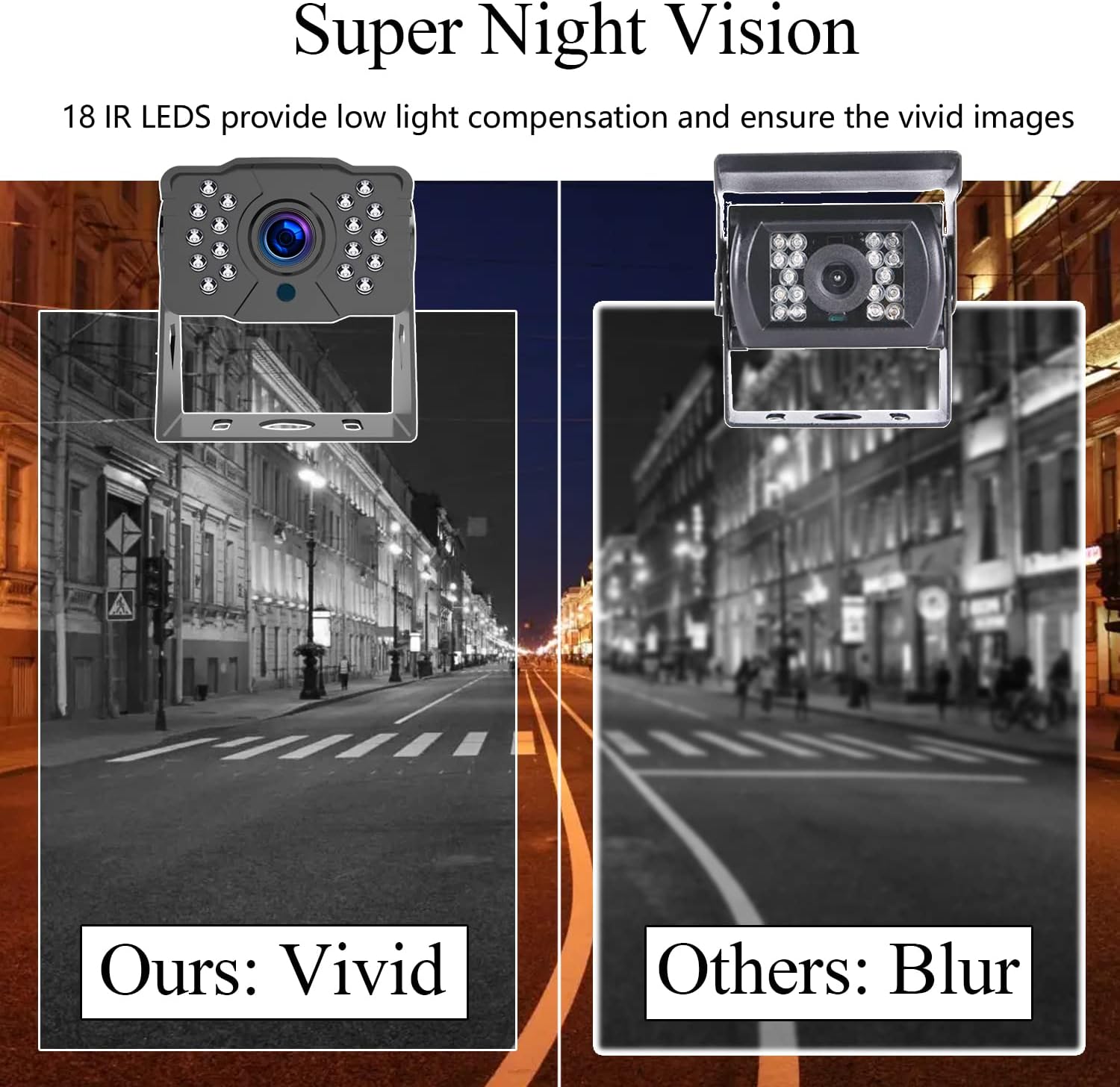
Image: A comparison demonstrating the clear night vision capability of the DOUXURY camera.
6. Maintenance
- Cleaning: Regularly clean the camera lens and monitor screen with a soft, damp cloth. Avoid abrasive cleaners or solvents that could damage the surfaces.
- Waterproof Rating: The camera has an IP69 waterproof rating, meaning it is protected against high-pressure, high-temperature jet sprays and continuous immersion. However, avoid directing high-pressure water jets directly at the camera for extended periods.
- Temperature: The system is designed to withstand temperatures from -4°F to 140°F. Operating outside this range may affect performance.
- Cable Inspection: Periodically check all cables and connections for any signs of wear, damage, or loose connections. Ensure cables are securely fastened to prevent accidental disconnection or damage during vehicle movement.

Image: The camera's IP69 waterproof design, highlighting its durability against water exposure.
7. Troubleshooting
If you encounter issues with your DOUXURY backup camera system, please refer to the following troubleshooting guide:
| Problem | Possible Cause | Solution |
|---|---|---|
| No image on monitor / Blank screen |
|
|
| Image is distorted or flickering |
|
|
| Night vision is poor |
|
|
| Remote control not working |
|
|
If the problem persists after attempting these solutions, please contact DOUXURY customer support for further assistance.
8. Specifications
| Feature | Specification |
|---|---|
| Brand | DOUXURY |
| Monitor Size | 7 inches |
| Display Technology | LCD, LED |
| Compatible Devices | Car Monitor |
| Mounting Type | Surface Mount |
| Voltage | 12-36 Volts DC |
| Optical Sensor Technology | CMOS |
| Video Capture Resolution | 1080p |
| Video Capture Format | AVI, MOV, or MP4 |
| Item Weight | 3 Pounds |
| Waterproof Rating | IP69 |
| Night Vision | 18 IR LEDs |
9. Warranty and Support
DOUXURY is committed to providing high-quality products and excellent customer service. Your backup camera system comes with the following:
- 24-Hour Online Customer Service: Our support team is available around the clock to assist you with any inquiries.
- 30-Day Money-Back Guarantee: If you are not satisfied with your purchase, you may return it within 30 days for a full refund.
- 365-Day Replacement Warranty: We offer a 365-day warranty for product replacement in case of defects or malfunctions.
- Lifetime Support: Enjoy lifetime technical support for your DOUXURY product.
For any questions, technical assistance, or warranty claims, please contact us directly. We are dedicated to ensuring your satisfaction.