1. Introduction
Thank you for choosing the StageSound Stage SingFree Wireless Bluetooth Karaoke Microphone. This device combines a microphone, Bluetooth speaker, loudspeaker, recorder, and voice changer into one portable unit, featuring dynamic RGB lighting. This manual provides detailed instructions for setup, operation, and maintenance to ensure optimal performance and enjoyment.
2. What's in the Box
- Stage SingFree Wireless Microphone X1
- Auxiliary Cable X1
- USB C Charging Cable X1
- Storage Bag X1
- User Manual X1
3. Product Overview
The Stage SingFree microphone is designed for ease of use and portability. It features a durable construction with integrated controls and dynamic RGB lights.

Figure 3.1: Front view of the StageSound Stage SingFree Wireless Bluetooth Karaoke Microphone, showcasing its sleek design and integrated RGB light panel.

Figure 3.2: Close-up of the control panel on the microphone handle, showing buttons for power, volume, mode selection, and Bluetooth pairing.
3.1 Components and Controls
- Microphone Head: Captures audio input.
- Speaker Grille: Houses the integrated HiFi stereo speaker.
- RGB Light Panel: Displays dynamic lighting effects.
- Power Button: Short press to switch audio modes, long press to power on/off.
- Volume Buttons (+/-): Adjust microphone and music volume.
- Mode Button (M): Cycles through various sound modes and FM frequencies.
- Bluetooth Button: Initiates Bluetooth pairing. Long press for 3 seconds to pair two microphones for duet mode.
- USB-C Charging Port: For charging the internal battery.
- 3.5mm Audio Jack: For wired connections and headphone output.
4. Setup
4.1 Charging the Microphone
Before first use, fully charge the microphone. Connect the included USB-C charging cable to the microphone's charging port and a compatible USB power adapter (not included). A full charge takes approximately 3 hours. The 2500mAh built-in rechargeable battery provides up to 10 hours of playtime at 50% volume, or 5 hours at maximum volume.

Figure 4.1: The microphone with an overlay indicating its long battery life and quick charging capability.
4.2 Bluetooth Pairing
- First-time Pairing: Power on the microphone. Rapidly press the Bluetooth button twice to enter pairing mode. On your device (smartphone, tablet, etc.), search for Bluetooth devices and select "Stage SingFree" to connect.
- Subsequent Connections: After the initial pairing, the microphone will automatically connect to the last paired device when powered on, if the device's Bluetooth is active and within range.
5. Operating Instructions
5.1 Connection Options
The Stage SingFree microphone offers multiple ways to connect to your devices:
- Bluetooth 5.0: For wireless connection to smartphones, tablets, smart TVs, and other Bluetooth-enabled devices.
- 3.5mm Audio Cable: Use the included auxiliary cable for a wired connection to devices without Bluetooth or for specific applications like music recording.
- FM Car Connection: Transmit audio to your car's FM radio for in-car karaoke.
- 3.5mm Headphone Input: Connect headphones for private listening or monitoring during recording.
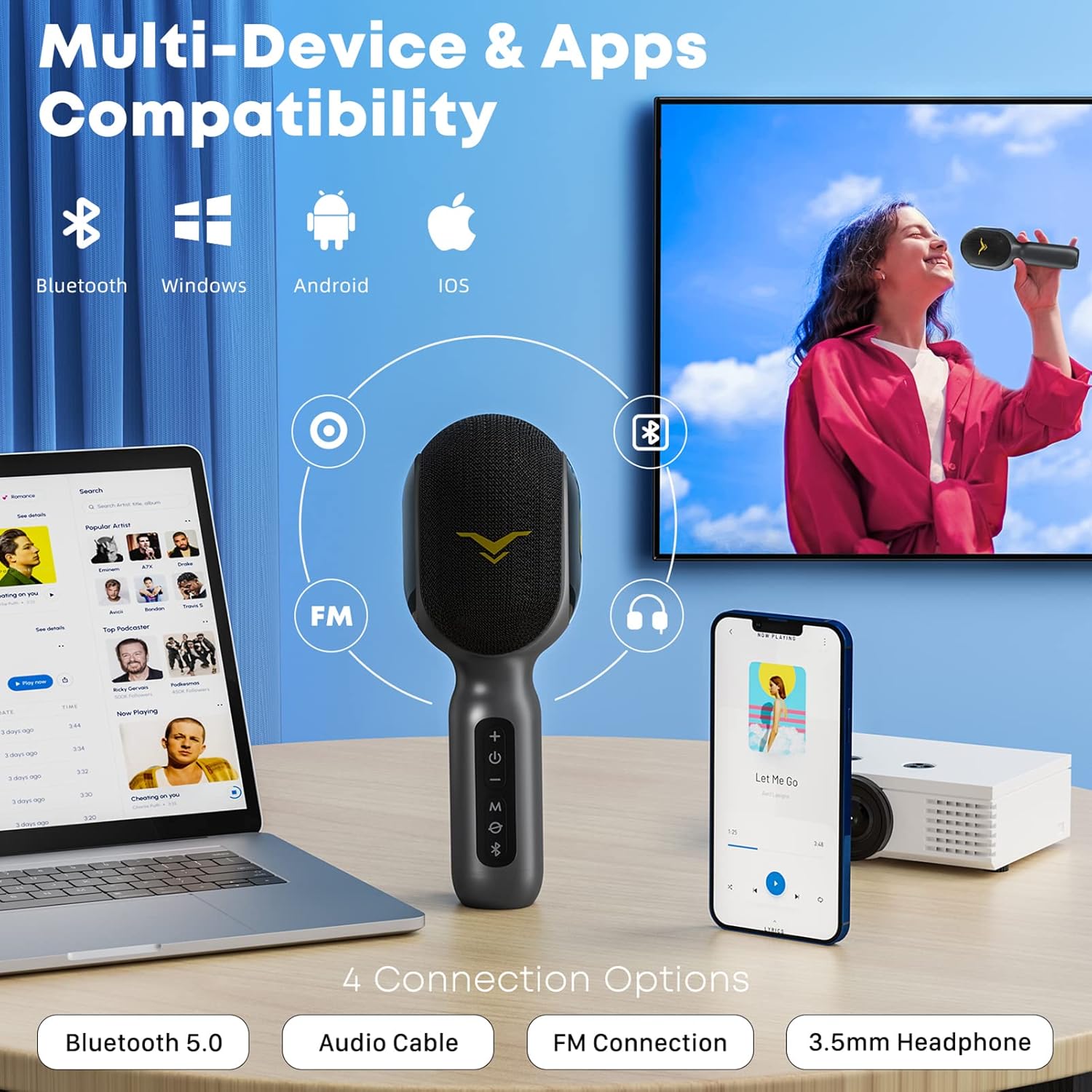
Figure 5.1: Illustration of the microphone's multi-device compatibility, showing connections via Bluetooth, audio cable, FM, and headphones to a laptop, smartphone, and TV.
5.2 Duet Function
To enable duet singing with two Stage SingFree microphones:
- Ensure both Stage SingFree microphones are powered on.
- Long-press the Bluetooth button on one of the microphones for 3 seconds to pair the two microphones together.
- Pair your mobile device to the primary Stage SingFree microphone via Bluetooth.
- Play music from your device; the audio will output from both microphones simultaneously.

Figure 5.2: Two individuals enjoying duet singing with separate Stage SingFree microphones, demonstrating the duet mode feature.
5.3 Recording Function
To record your singing:
- Power on the microphone and connect it to your device via Bluetooth.
- Insert 3.5mm headphones into the microphone's headphone port (optional, for monitoring).
- Open a karaoke or music recording application on your device and begin recording. Note that recording typically supports only the original sound effect.

Figure 5.3: A user wearing headphones and singing into the Stage SingFree microphone, illustrating its use for voice recording and speech training.
5.4 FM Car Connection
For car karaoke or playing music through your car's speakers:
- Turn on the microphone.
- Press the 'M' (Mode) button to select an available FM frequency (87.9MHz, 88.5MHz, 89.7MHz).
- Tune your car's FM radio to match the frequency displayed on the microphone.
- Pair your mobile device to the microphone via Bluetooth. Music and vocals will now play through your car's speakers.

Figure 5.4: The microphone positioned in a car's dashboard, demonstrating its FM connection capability for road trips and outdoor parties.
5.5 Sound Modes
The microphone features four distinct sound modes to suit various occasions:
- Speech Mode: Optimized for lectures, presentations, and speech training, enhancing vocal clarity.
- Original Sound Mode: Provides a natural, unprocessed vocal output.
- Karaoke Mode: Adds reverb and echo effects suitable for singing.
- Professional Mode: Offers enhanced audio processing for a refined vocal performance.
Press the 'M' (Mode) button to cycle through these sound modes.

Figure 5.5: Visual representation of the microphone's multi-sound modes, including Original Sound, Karaoke, Professional, and Speech, allowing users to customize their audio experience.
5.6 Dynamic RGB Lights
The microphone includes dynamic RGB lighting with four modes to enhance the atmosphere:
- Nightlight: A soft, steady glow.
- Flow: Colors transition smoothly.
- Breathing: Lights gently fade in and out.
- Rhythm: Lights react to the beat of the music.
- Off: Lights can be turned off manually.
Refer to the control panel for the dedicated light control button.

Figure 5.6: The microphone showcasing its various RGB lighting modes, including Nightlight, Flow, Breathing, Rhythm, and an Off option, to create different ambiance.
5.7 Voice Cancelling Function
The voice cancelling function can remove vocals from songs, effectively turning them into backing tracks. This allows you to sing along with only the instrumental music. This feature works best with high-quality tracks; performance may vary with complex genres.
6. Maintenance
To ensure the longevity and optimal performance of your Stage SingFree microphone:
- Keep the microphone clean by wiping it with a soft, dry cloth. Avoid using abrasive cleaners or solvents.
- Store the microphone in the provided storage bag when not in use to protect it from dust and scratches.
- Avoid exposing the microphone to extreme temperatures, humidity, or direct sunlight.
- Do not attempt to disassemble the microphone, as this will void the warranty and may cause damage.
7. Troubleshooting
- No Sound/Low Volume:
- Ensure the microphone is powered on and fully charged.
- Check the volume levels on both the microphone and your connected device.
- Verify that the Bluetooth connection is active and stable. Re-pair if necessary.
- If using a wired connection, ensure the 3.5mm audio cable is securely plugged into both devices.
- Excessive Loudness/Distortion:
- Adjust the volume using the '+' and '-' buttons on the microphone.
- Reduce the volume on your connected device.
- Ensure the microphone is not too close to the speaker, which can cause feedback.
- Bluetooth Disconnection:
- Ensure the microphone and your device are within the effective Bluetooth range (typically 10 meters).
- Check for interference from other wireless devices.
- Turn off and restart both the microphone and your device, then attempt to re-pair.
- FM Connection Issues:
- Verify that the FM frequency on the microphone matches your car radio's frequency.
- Ensure there is no strong local radio interference on the selected frequency. Try a different available frequency.
8. Specifications
| Feature | Specification |
|---|---|
| Brand | StageSound |
| Model Number | Stage SingFree |
| Item Weight | 420 Grams (14.8 ounces) |
| Product Dimensions (L x W x H) | 8.27 x 2.99 x 2.99 inches |
| Microphone Form Factor | Handheld |
| Power Source | Battery Powered |
| Battery Type | 1 Lithium Polymer (included) |
| Battery Capacity | 2500mAh |
| Playtime | Up to 10 hours (50% volume) |
| Charging Time | Approx. 3 hours |
| Material | Metal, Plastic |
| Signal-to-Noise Ratio | 94.0 dB |
| Frequency Response | 50 Hz |
| Output Wattage | 10 Watts |
| Connectivity Technology | Auxiliary, Bluetooth, FM |
| Connector Type | 3.5 mm Jack, USB Type-C |
| Special Features | 4 Sound Modes, Duet Singing, Dynamic RGB Lighting, Noise Reduction, Volume Control |
| Compatible Devices | Headphone, Laptop, Smartphone, Tablet, Television |
| Polar Pattern | Omnidirectional |
| Audio Sensitivity | 100 Decibels |
| UPC | 748521677737 |
9. Warranty and Support
StageSound is committed to 100% customer satisfaction. Your Stage SingFree Wireless Bluetooth Karaoke Microphone comes with a 12-month free warranty and lifetime friendly customer service.
If you encounter any issues or have questions regarding your product, please do not hesitate to contact StageSound customer support. We are dedicated to assisting you and ensuring a positive experience.
Thank you for choosing StageSound.


