
HTC TWS7
HTC True Wireless Earbuds 7 User Manual
Model: TWS7
Introduction
Thank you for choosing the HTC True Wireless Earbuds 7. This manual provides essential information for setting up, operating, maintaining, and troubleshooting your new earbuds. Please read it thoroughly before use to ensure optimal performance and longevity of your device.
Package Contents
Ensure all items are present in the package:
- 2 x HTC Wireless Earbuds (Left and Right)
- 1 x Charging Case
- 1 x USB-C Cable
- 2 Pairs x Silicone Earplugs (S, L) - Note: Medium size earplugs are pre-installed on the earbuds.
- 1 x English Manual (This document)

Image: HTC True Wireless Earbuds 7, charging case, and USB-C cable.
Setup Guide
1. Initial Charging
Before first use, fully charge the earbuds and the charging case.
- Place both earbuds into the charging case.
- Connect the provided USB-C cable to the charging port on the case and a power source (e.g., USB wall adapter, computer USB port).
- The indicator lights on the charging case will illuminate to show charging status. All three indicator lights will show blue when fully charged.
Charging Time:
- Earbuds: Approximately 40 minutes
- Charging Case: Approximately 1.5 hours

Image: HTC True Wireless Earbuds 7 charging case showing battery indicator lights.
Video: Demonstrates charging the HTC True Wireless Earbuds 7 charging case using the USB-C cable.
2. Pairing with Your Device (One-Step Pairing)
The earbuds utilize advanced Bluetooth 5.3 technology for fast and stable connection.
- Open the charging case. The earbuds will automatically enter pairing mode.
- On your device (smartphone, tablet, computer), enable Bluetooth.
- Search for "HTC TWS7" in the list of available Bluetooth devices.
- Select "HTC TWS7" to connect. Once paired, the earbuds will automatically connect to your device in the future when taken out of the case.
Important Tip: When pairing for the first time, please take both earbuds out of the charging box for pairing.

Image: Illustrates the one-step pairing process with a smartphone.
3. Adjusting Earplugs for Best Fit
For optimal sound quality and comfort, choose the silicone earplugs that best fit your ears. The earbuds come with medium-sized earplugs pre-installed, and S/L sizes are included in the package.
- Gently remove the pre-installed earplug from the earbud.
- Select a different size (S or L) and carefully attach it to the earbud's nozzle, ensuring it is securely fastened.
- Test the fit and sound quality. A good seal will provide better bass and noise isolation.

Image: Close-up of an earbud highlighting the soft silicone eartips for a comfortable fit.
Operating Instructions
Smart Touch Controls
The HTC True Wireless Earbuds 7 feature intuitive touch controls on each earbud. The touch-sensitive area is located on the outer surface of each earbud.
| Function | Action |
|---|---|
| Play/Pause | Tap either earbud once. |
| Answer/Hang up Call | Tap either earbud once. |
| Previous Song | Double tap the left earbud. |
| Next Song | Double tap the right earbud. |
| Voice Assistant | Triple-tap either earbud. |
| Reject Call | Tap and hold for 2 seconds. |
| Game Mode On/Off | Tap and hold for 2 seconds. |
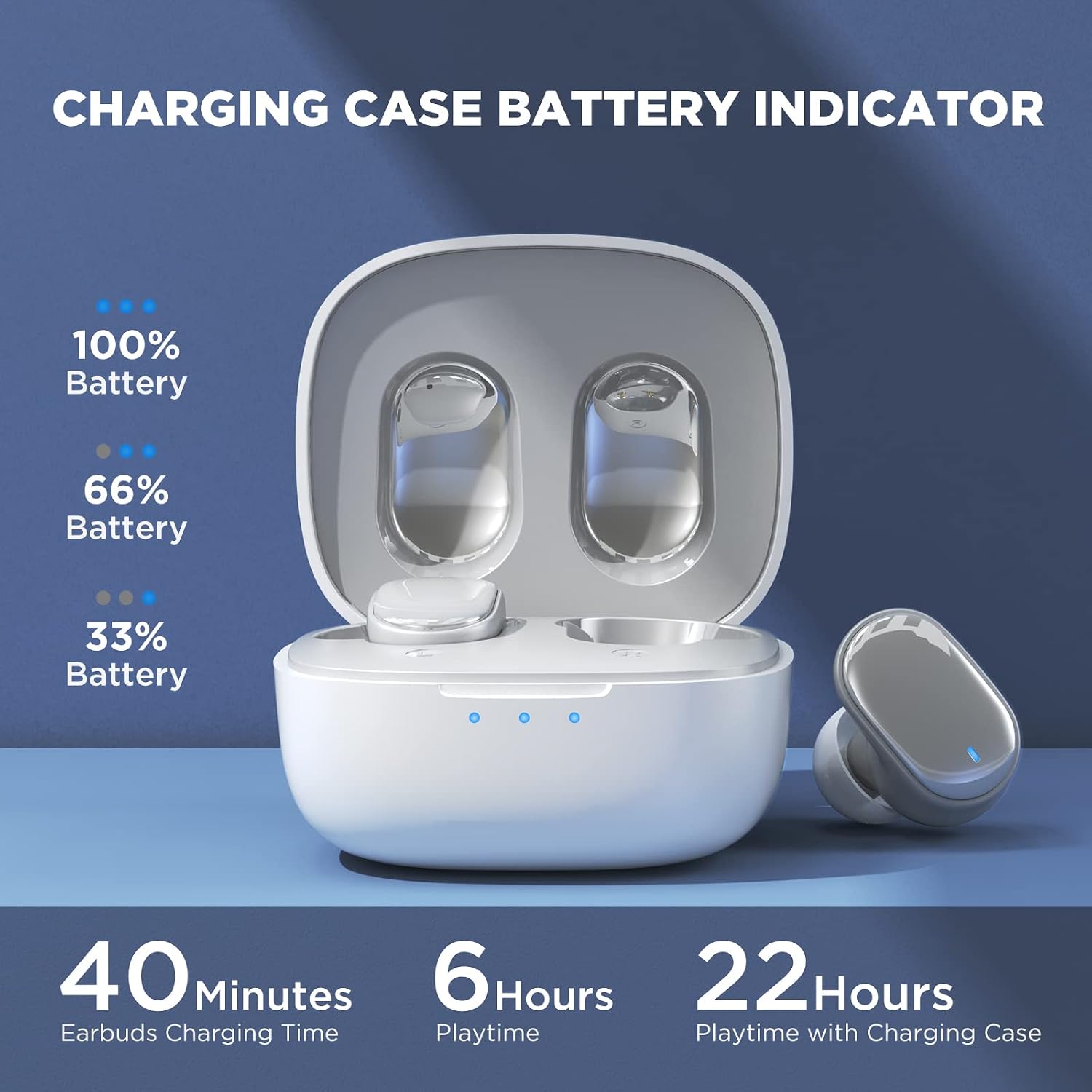
Image: Visual guide to the smart touch controls on the earbud.
Game Mode
Designed specifically for gaming, Game Mode provides an ultra-low latency of 45ms, ensuring audio and video remain synchronized for a smoother gaming experience. To activate or deactivate Game Mode, tap and hold either earbud for 2 seconds.
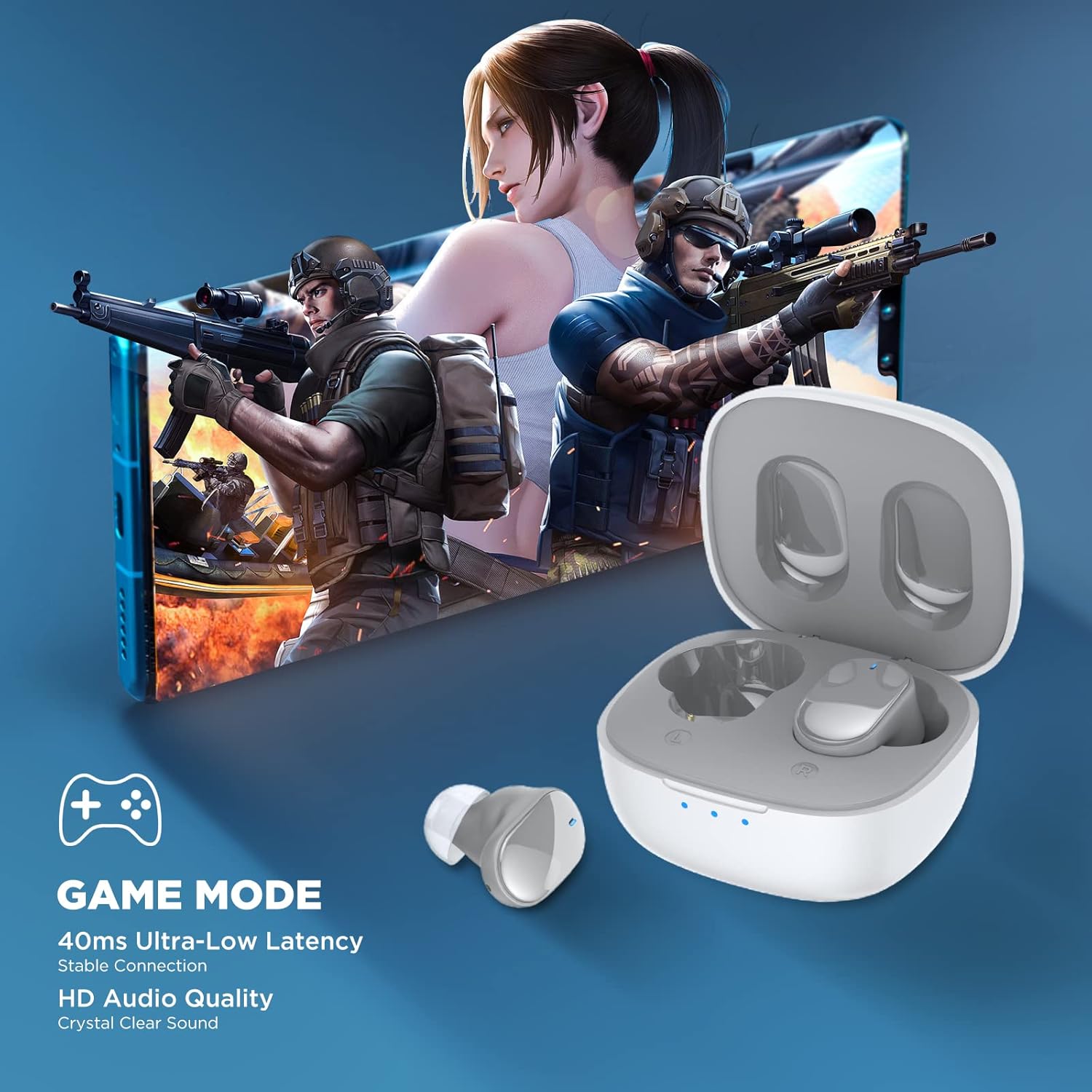
Image: Earbuds shown in a gaming context, highlighting the 40ms ultra-low latency Game Mode.
Audio Quality
The earbuds are equipped with 10mm drivers, producing powerful bass and stunning treble for a rich audio experience.

Image: Exploded view diagram illustrating the 10mm speaker driver components.
Maintenance and Care
- Cleaning: Regularly clean the earbuds and charging case with a soft, dry, lint-free cloth. Do not use harsh chemicals or abrasive materials.
- Earplug Care: Remove the silicone earplugs periodically and clean them with mild soap and water. Ensure they are completely dry before reattaching.
- Water Resistance: The earbuds are IPX4 waterproof, meaning they are resistant to sweat and splashing water. Do not submerge them in water or expose them to heavy rain.
- Storage: When not in use, store the earbuds in their charging case to protect them and keep them charged. Store in a cool, dry place away from extreme temperatures.
- Battery Life: To prolong battery life, avoid fully discharging the earbuds and charging case frequently. Charge them regularly, even if not used for extended periods.
Troubleshooting
| Problem | Possible Solution |
|---|---|
| Earbuds not pairing with device. |
|
| Only one earbud is working. |
|
| Low volume or poor sound quality. |
|
| Earbuds not charging. |
|
| Touch controls not responding. |
|
Specifications
| Feature | Detail |
|---|---|
| Model Name | TWS7 |
| Bluetooth Version | 5.3 |
| Connectivity Technology | Wireless (Bluetooth) |
| Audio Latency | 45 Milliseconds (Game Mode) |
| Playtime (Single Charge) | Over 6 hours |
| Total Playtime (with Charging Case) | Up to 22 hours |
| Earbuds Charging Time | 40 minutes |
| Charging Case Charging Time | 1.5 hours |
| Driver Size | 10mm Dynamic Driver |
| Water Resistance | IPX4 (Sweatproof) |
| Control Type | Touch Control, Voice Control |
| Bluetooth Range | Up to 10 meters (32.8 ft) |
| Frequency Range | 20 Hz - 20,000 Hz |
| Compatible Devices | iOS, Android, Windows devices |
Warranty Information
Your HTC True Wireless Earbuds 7 come with a 360 Days Warranty Extension. Please retain your proof of purchase for warranty claims.
This warranty covers manufacturing defects and issues arising from normal use. It does not cover damage caused by misuse, accidents, unauthorized modifications, or improper maintenance.
Customer Support
For any questions, concerns, or technical assistance, please contact HTC customer support:
- Live Chat Support: Available 7 days a week, 24 hours a day. Refer to the product packaging or official HTC website for specific contact details.
- Online Resources: Visit the official HTC website for FAQs, updated manuals, and additional support resources.
We are committed to ensuring your satisfaction with our in-ear headphones.
Related documentsTWS7


Ask a question about this manual
Ask about setup, troubleshooting, compatibility, parts, safety, or missing instructions. Manuals+ will review the question and use this page’s manual context to help answer it.