
Introduction
Thank you for choosing the CHWARES Digital Kitchen Scale. This precision instrument is designed to provide accurate measurements for various kitchen tasks, including cooking, baking, and meal preparation. With its compact design, multiple unit options, and tare function, it is an essential tool for precise weighing.
Important Safety Information
- Do not immerse the scale in water or other liquids.
- Clean the scale with a damp cloth; avoid abrasive cleaners.
- Do not overload the scale beyond its maximum capacity of 3000g (7.2 lb).
- Use the scale on a stable, flat surface to ensure accurate readings.
- Keep the scale away from extreme temperatures and strong electromagnetic fields.
- This product is for household use only.
Package Contents
Please check the package for the following items:
- CHWARES Digital Kitchen Scale
- Two plastic trays (different sizes)
- USB charging cable
- User Manual
Product Overview
The CHWARES Digital Kitchen Scale features a stainless steel platform, a backlit LCD display, and intuitive buttons for easy operation.

Image: CHWARES Digital Kitchen Scale with its two included plastic trays, showcasing its compact design and clear LCD display.
Video: An overview of the CHWARES Digital Kitchen Scale, demonstrating its components, unit switching, and tare function.
Key Components:
- Power Button (⏻): Turns the scale on or off.
- Mode/Unit Button (M): Switches between different weighing units (g, oz, lb, tl, ct, ozt, dwt, gn, ml).
- Tare Button (T): Resets the display to zero, allowing you to weigh items in a container without including the container's weight.
- Piece Counting Button (PCS): Activates the piece counting function.
- LCD Display: Shows weight readings, unit, and other indicators with a clear backlight.
- Weighing Platform: Stainless steel surface for placing items to be weighed.
Setup
Before first use, ensure the scale is charged or has sufficient battery power.
- Charging: Connect the provided USB charging cable to the scale's charging port and a compatible USB power source. The display will indicate charging status.
- Placement: Place the scale on a hard, flat, and stable surface to ensure accurate measurements. Avoid soft or uneven surfaces.
- Initial Power On: Press the Power button (⏻) to turn on the scale. It will display "HELLO" and then "0.0g" when ready.

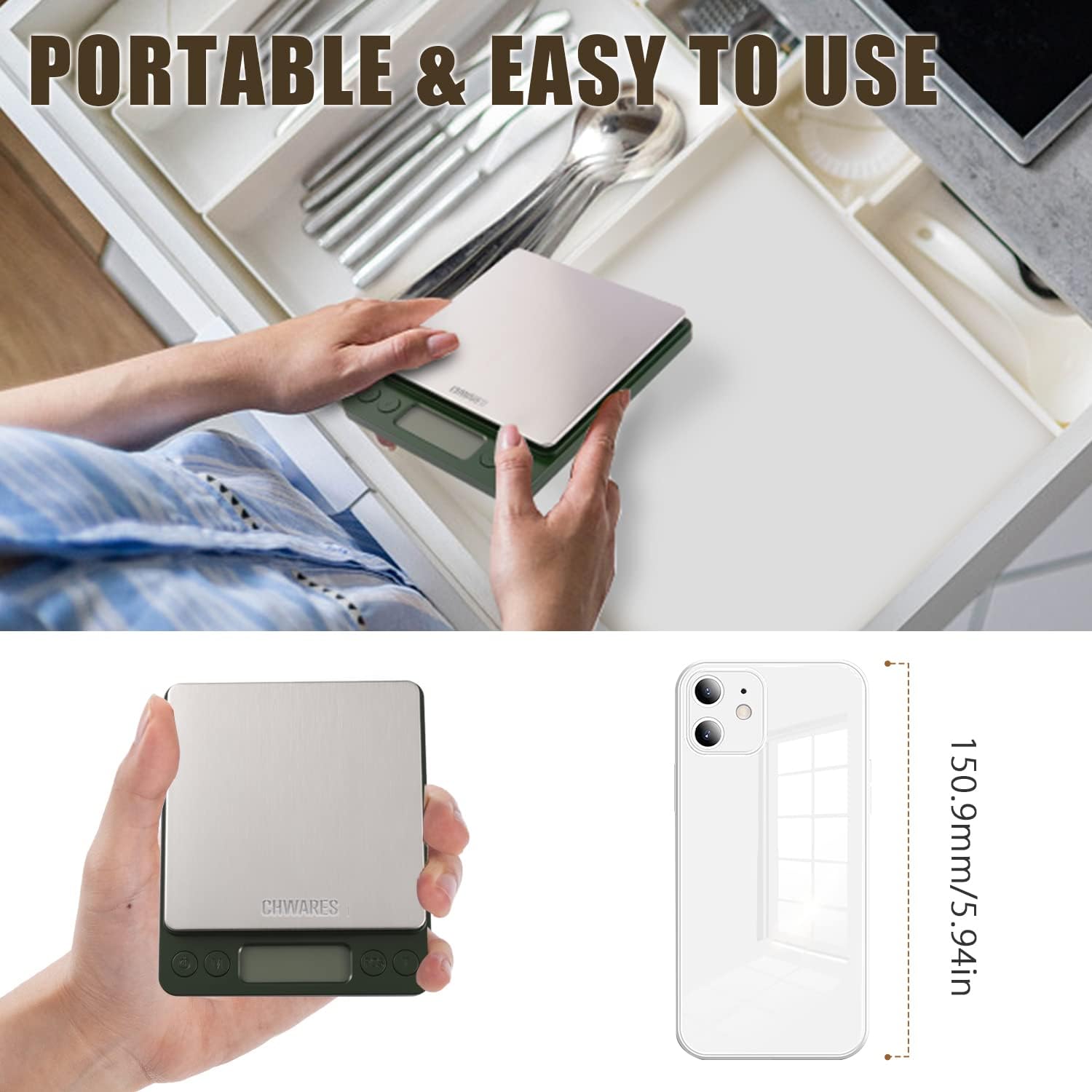
Image: The scale connected for USB charging and being stored in a drawer, highlighting its rechargeable and portable features.
Operating Instructions
1. Power On/Off
- Press the Power button (⏻) to turn the scale on.
- Press and hold the Power button (⏻) for 3 seconds to turn the scale off. The scale will also automatically shut off after a period of inactivity to save battery.
2. Unit Conversion
The scale supports multiple units of measurement.
- With the scale on, press the Mode/Unit button (M) repeatedly to cycle through the available units: grams (g), ounces (oz), pounds (lb), taels (tl), carats (ct), troy ounces (ozt), pennyweights (dwt), grains (gn), and milliliters (ml).
- Select the desired unit for your measurement.

Image: The scale showing a precise weight of 100.0g, with icons for different units like grams, carats, pennyweights, troy ounces, ounces, grains, pounds, taels, and milliliters.
Video: Demonstration of the CHWARES Digital Food Scale 3000g/0.1g, showing how to switch between various measurement units and use the tare function for accurate weighing.
3. Tare Function
The Tare function allows you to subtract the weight of a container, so you only measure the net weight of its contents.
- Place an empty container on the weighing platform. The display will show the container's weight.
- Press the Tare button (T). The display will reset to "0.0g".
- Add the items you wish to weigh into the container. The display will now show only the weight of the added items.

Image: A visual guide demonstrating the Tare function: turning on the scale, placing a container, pressing Tare to zero, and then adding food to measure its net weight.
4. Piece Counting (PCS)
This function allows you to count multiple small items of uniform weight.
- Turn on the scale and ensure it displays "0.0g".
- Place a sample quantity of items (e.g., 25, 50, 75, or 100 pieces) on the platform.
- Press and hold the PCS button until "PCS" appears on the display.
- Press the Mode/Unit button (M) to select the sample quantity you placed (e.g., "25").
- Press the PCS button again to confirm. The display will show the number of pieces.
- You can now add more items, and the scale will count them based on the sample weight.
5. General Weighing Procedure
- Place the scale on a flat, stable surface.
- Press the Power button (⏻) to turn it on. Wait for "0.0g" to appear.
- If using a container, place it on the platform and press the Tare button (T).
- Place the item(s) to be weighed on the platform or in the tared container.
- Read the weight displayed on the LCD screen.
- To turn off, press and hold the Power button (⏻) for 3 seconds.
Maintenance
- Cleaning: Wipe the scale with a slightly damp cloth. Do not use harsh chemicals or immerse the scale in water. Ensure the scale is dry before storage.
- Storage: Store the scale in a cool, dry place. The included plastic trays can be used as protective covers for the weighing platform.
- Battery Care: Recharge the scale when the battery indicator is low. If storing for an extended period, ensure it is fully charged.

Image: A hand cleaning the stainless steel platform of the CHWARES Digital Kitchen Scale with a soft cloth, illustrating its easy-to-clean surface.
Troubleshooting
| Problem | Solution |
|---|---|
| "Lo" or Low Battery Indicator | The battery is low. Recharge the scale using the provided USB cable. |
| "O-Ld" or Overload Indicator | The weight on the platform exceeds the maximum capacity (3000g). Remove items immediately to prevent damage. |
| Inaccurate Readings | Ensure the scale is on a flat, stable surface. Avoid vibrations or drafts. Recalibrate if necessary (refer to specific calibration instructions if provided in a separate guide, as this model typically auto-calibrates). |
| Scale Does Not Turn On | Check if the battery is charged. Connect to a power source and try again. |
Specifications
- Brand: CHWARES
- Model: Digital Kitchen Scale 3000g/0.1g
- Capacity: 3000g / 7.2 lb
- Accuracy: 0.1g / 0.01 oz
- Units: g, oz, lb, tl, ct, ozt, dwt, gn, ml
- Display: Backlit LCD
- Material: Stainless Steel platform
- Power Source: Rechargeable (USB cable included)
- Dimensions: Approximately 4.72 x 3.94 x 0.98 inches (12.5 x 10.5 x 1.8 cm)
- Special Features: Tare function, Piece Counting (PCS), Auto-off, Overload indication, Low battery indication.

Image: Detailed dimensions of the CHWARES Digital Kitchen Scale, showing its compact size.
Versatile Applications
The CHWARES Digital Kitchen Scale is suitable for a wide range of uses:
- Cooking & Baking: Precisely measure ingredients for recipes.
- Diet & Weight Management: Monitor portion sizes for healthy eating.
- Coffee Preparation: Achieve consistent coffee brewing with accurate bean and water measurements.
- Jewelry & Small Items: Weigh small objects with high precision.
- Pet Food: Ensure accurate portions for your pets.

Image: Various applications of the scale, including weighing fruits, vegetables, meat, milk, and ingredients for baking, highlighting its multi-purpose utility.


Image: Examples of the scale's use for healthy dieting (weighing a croissant), pet care (weighing pet food), and various DIY projects (weighing herbs).
