
1. Introduction
This manual provides essential information for the safe and efficient operation of your JARXIOKE 4000W Power Inverter. This device converts 12V DC battery power into 110V/120V AC household electricity, suitable for various applications including RVs, off-grid solar systems, and vehicles. Please read this manual thoroughly before installation and use.
2. Safety Instructions
Adhering to these safety guidelines is crucial to prevent injury and damage to the inverter or connected devices.
- Ventilation: Install the inverter in a well-ventilated area. Ensure cooling fans are not obstructed.
- Moisture: Do not expose the inverter to water, rain, or excessive moisture.
- Flammable Materials: Keep the inverter away from flammable materials, gases, or liquids.
- Connections: Ensure all DC input connections are secure and correctly polarized (positive to positive, negative to negative). Loose connections can cause overheating.
- Grounding: Properly ground the inverter according to local electrical codes. The inverter features GND leakage protection.
- Overload Protection: Do not exceed the inverter's rated continuous power output (4000W). The inverter includes overload protection, but consistent overloading can cause damage.
- Temperature: Avoid operating the inverter in extreme temperatures. The unit has over-temperature protection.
- Maintenance: Only qualified personnel should perform maintenance or repairs.
3. Product Overview
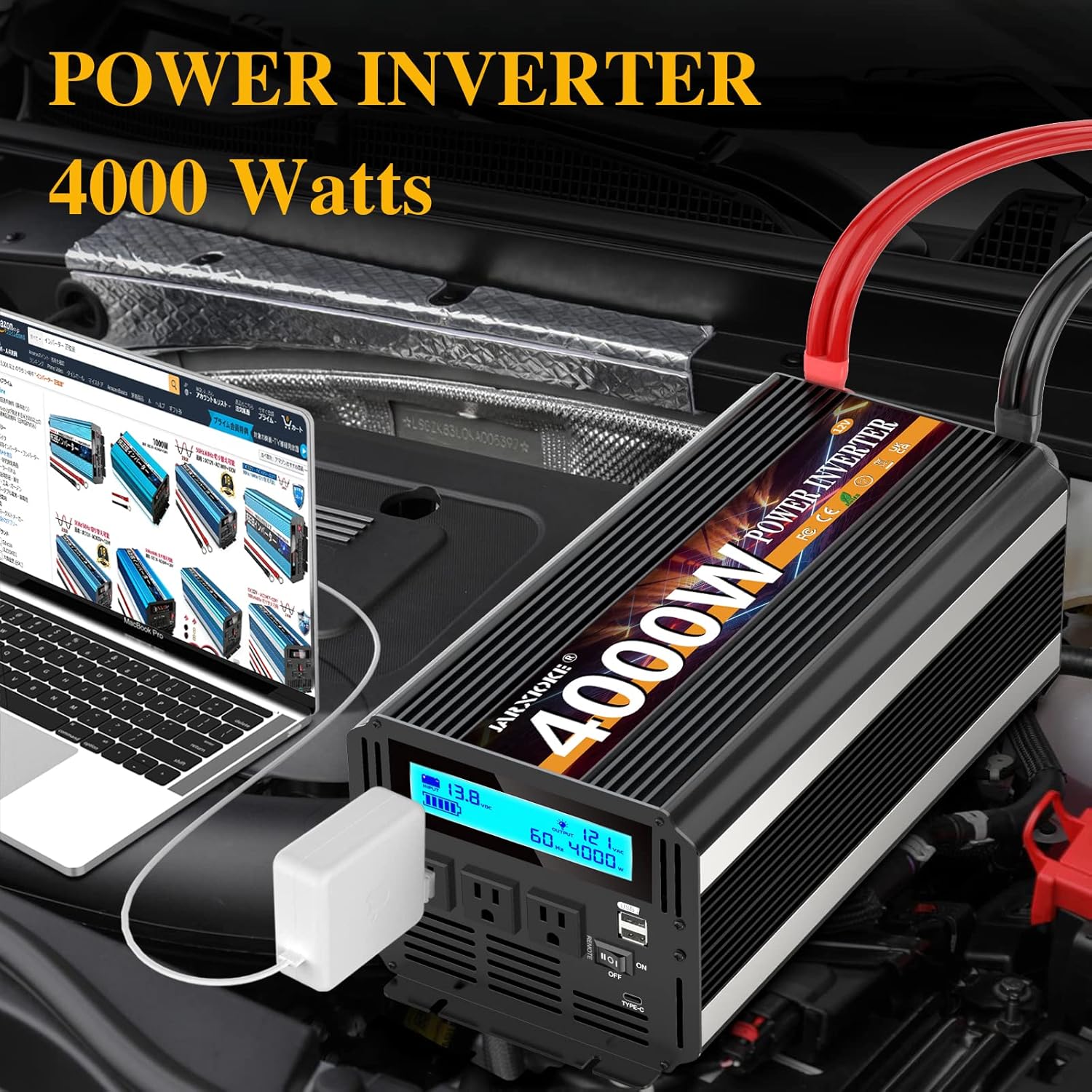
The JARXIOKE 4000W Power Inverter is designed for reliability and ease of use. It features multiple AC outlets, USB ports, and a clear LCD display for monitoring.


Key Features:
- Power Output: 4000W continuous, 8000W peak.
- Input Voltage: 12V DC.
- Output Voltage: 110V/120V AC.
- Output Waveform: Modified Sine Wave.
- AC Outlets: 3 standard AC outlets.
- USB Ports: Dual USB ports (5VDC, max 3.4A) and Type-C port (30W).
- LCD Display: Provides real-time monitoring of input voltage, output voltage, and power consumption.
- Wireless Remote Control: Allows convenient power control from up to 100 meters.
- Cooling System: Dual intelligent cooling fans activate based on temperature (above 45°C) and power load.
- Safety Protections: Overvoltage, low voltage, overload, short circuit, overheating, reverse polarity (fuse), automatic restart, and GND leakage protection.
- Durable Construction: Robust aluminum alloy casing for enhanced protection.
What's in the Box:
- JARXIOKE 4000W Power Inverter
- Battery Cables (1 pair: 1x black, 1x red, 31.5 inches in length)
- Wireless Remote Control
- User Manual
- 40A Fuses
- Wrench
- Earth Wire

4. Specifications
| Parameter | Value |
|---|---|
| Power Supply (AC Sockets) | 4000W Nominal, 8000W Peak |
| DC Input | 12V |
| Input Overvoltage Shutdown | 16 +/- 1V DC |
| Input Undervoltage Shutdown | 9.5 +/- 1V DC |
| Input Undervoltage Alarm | 10 +/- 0.5V DC |
| Output Voltage | 110/120V AC +/-5% |
| Output Waveform | Modified Sine Wave (THD≤3%) |
| Highest Efficiency | 90% |
| USB Output | 5VDC, max. 3.4A |
| Type-C Port | 30W |
| Over Temperature Protection | 65 +/- 5°C |
| Working Temperature | 0~40°C |
| Storage Temperature | -10~45°C |
| No-load Current | 0.6A |
| Battery Cord Length | 31.5 inches |
| Cooling Fans | Temperature control (automatic turn on near 113°F) and power control (up to 1/2 rated power turn on) |
| Remote Control Range | Up to 100 meters |
| Product Dimensions | 11.02 x 7.08 x 5.62 inches |
| Item Weight | 11.26 pounds |
| Model Number | JXK-4000-BLACK |
5. Setup Instructions
Proper setup ensures optimal performance and safety of your power inverter.
Connecting to a 12V Battery:
- Ensure the inverter's power switch is in the 'OFF' position.
- Connect the red battery cable to the positive (+) terminal of the inverter and the positive (+) terminal of your 12V battery.
- Connect the black battery cable to the negative (-) terminal of the inverter and the negative (-) terminal of your 12V battery.
- Ensure all connections are tight and secure. Loose connections can cause excessive heat and potential damage.
- Connect the earth wire from the inverter to a suitable ground point.
Solar System Integration:
The inverter can be integrated into an off-grid solar system. The general connection sequence is as follows:


- Connect solar panels to a compatible solar charge controller.
- Connect the solar charge controller to your 12V battery bank.
- Connect the JARXIOKE 4000W Power Inverter to the 12V battery bank using the provided cables, ensuring correct polarity.
- Ensure all components are rated appropriately for the system's voltage and current.
6. Operating Instructions
Turning On/Off the Inverter:
- After ensuring all connections are secure, press the power switch on the inverter to the 'ON' position. The LCD display will illuminate, showing input voltage and other parameters.
- To turn off, press the power switch to the 'OFF' position.
Using the Wireless Remote Control:
The remote control allows for convenient operation of the inverter from a distance.
- Ensure the inverter's main power switch is in the 'OFF' position before attempting to use the remote control to power it on.
- Press the 'ON' button on the remote control to activate the inverter.
- Press the 'OFF' button on the remote control to deactivate the inverter.
- The remote control has a range of up to 100 meters.

Connecting AC Devices:
- Plug your AC devices into the 3 AC power outlets on the inverter.
- Ensure the total wattage of all connected devices does not exceed 4000W.
Connecting USB Devices:
- Plug your USB-powered devices into the dual USB ports or the Type-C port for charging.

7. Maintenance
Regular maintenance helps prolong the life and ensure the safe operation of your inverter.
- Cleaning: Keep the inverter clean and free from dust and debris. Use a dry cloth for cleaning. Do not use liquid cleaners.
- Connections: Periodically check all battery cable connections to ensure they are tight and free from corrosion.
- Ventilation: Ensure the cooling vents and fans are clear of obstructions.
- Storage: When not in use for extended periods, store the inverter in a cool, dry place.
8. Troubleshooting
If you encounter issues with your inverter, refer to the following common problems and solutions:
| Problem | Possible Cause | Solution |
|---|---|---|
| No power output / Inverter does not turn on | Loose battery connections Low battery voltage Blown fuse Inverter switch off | Check and tighten battery cables Charge or replace battery Check and replace internal fuses (if applicable, consult support) Ensure inverter switch is ON |
| Low output voltage | Overload Low battery voltage Excessive cable length/gauge | Reduce connected load Charge battery Use shorter, thicker cables |
| Inverter shuts down frequently | Overload Overheating Low/High input voltage | Reduce connected load Ensure proper ventilation, clear fan vents Check battery voltage, ensure it's within operating range |
| Cooling fans constantly running or noisy | High internal temperature Heavy load | This is normal operation. Ensure adequate ventilation. If excessively noisy without load, contact support. |
If the problem persists after attempting these solutions, please contact customer support.
9. Warranty and Support
Your JARXIOKE 4000W Power Inverter comes with a 36-month warranty from the date of purchase. This warranty covers manufacturing defects and ensures reliable operation under normal use.
For technical assistance, warranty claims, or any questions regarding your product, please contact JARXIOKE customer support via email. Please have your purchase details and model number (D4000W or JXK-4000-BLACK) ready when contacting support.
