
1. Introduction
The OC Acoustic Newport Plug-in Bluetooth Speakers offer a convenient and clutter-free audio solution. Designed to plug directly into any standard electrical outlet, these speakers eliminate the need for charging cables and free up counter space. Enjoy crisp, loud sound without the hassle of batteries or wires.

Image: Front view of the OC Acoustic Newport Plug-in Bluetooth Speaker.
2. What's in the Box
Verify that all items are present in the package:
- OC Acoustic Newport Plug-in Bluetooth Speakers (Pair)
- USB charging cable (for device charging via speaker's USB port)
3. Setup
Follow these steps to set up your Newport Plug-in Bluetooth Speakers:
- Plug In: Insert the speaker directly into any standard electrical outlet. The speaker is designed to not block the second plug.
- Power On: Once plugged in, the speaker will automatically power on. A light indicator will confirm it is ready for pairing.

Image: The Newport speaker plugged into a wall outlet.
4. Operating Instructions
4.1 Bluetooth Pairing
To connect your device to the Newport speaker via Bluetooth:
- Ensure the Newport speaker is plugged into an outlet and powered on.
- On your smartphone or tablet, navigate to the Bluetooth settings.
- Turn on Bluetooth.
- Scan for available devices. The Newport speaker will appear as "Newport_XXXX" (where XXXX is a unique identifier).
- Select "Newport_XXXX" from the list to pair. A confirmation sound will indicate successful pairing.
4.2 Party Mode (Multiroom Audio)
To create a multiroom audio system with multiple Newport speakers:
- Ensure all Newport speakers are plugged in and powered on.
- Pair your primary device to one Newport speaker following the Bluetooth Pairing instructions above.
- Refer to the OC Acoustic app or additional documentation for specific instructions on linking multiple Newport speakers for Party Mode, as this feature typically requires app control.
4.3 Built-in USB Type-A Charging Port
The Newport speaker includes a USB Type-A port for convenient charging of your mobile devices.
- Locate the USB port on the side of the speaker.
- Connect your device's USB charging cable to this port.
- Your device will begin charging.
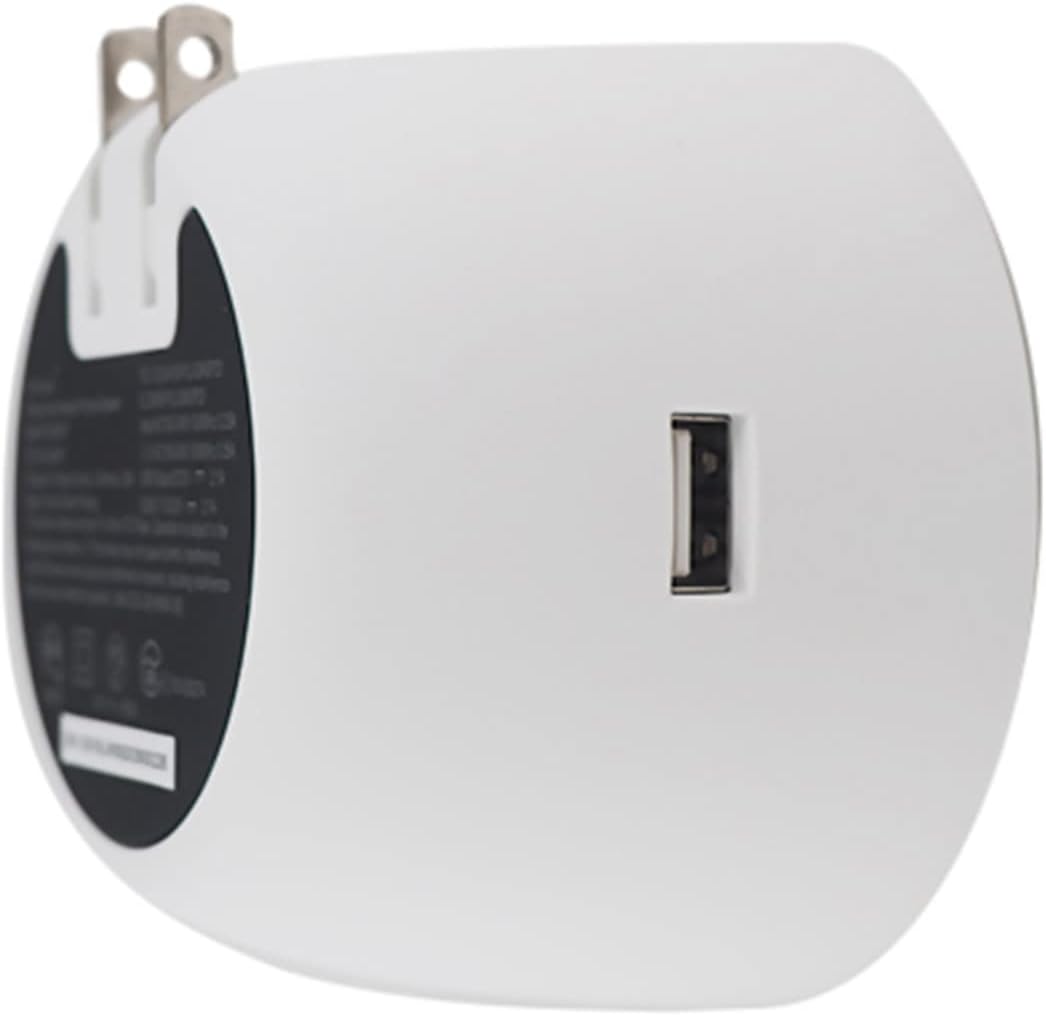
Image: Back view of the Newport speaker, highlighting the USB charging port.
5. Troubleshooting
5.1 Unit Pairing but No Sound
If your device shows as paired but you hear no sound:
- On your device, go to Bluetooth settings.
- Locate the paired Newport speaker (e.g., "Newport_5da9").
- Select the information icon (usually an 'i' in a circle) next to the speaker name.
- Choose the option to "Forget This Device" or "Unpair".
- Restart the pairing process from Section 4.1.
5.2 Reconnecting After Unplugging
If you unplug your Newport speaker and then plug it back in, it may not automatically reconnect to your device.

Image: Close-up of the Newport speaker, indicating the power button location.
Solution: After plugging the speaker back into the outlet, press the power button on the speaker to re-establish the connection with your previously paired device.
6. Specifications
| Feature | Detail |
|---|---|
| Brand | OC Acoustic |
| Model Name | Newport Plug-in Bluetooth Speakers - Pair |
| Model Number | JBLSENSELITEBLKAM |
| Connectivity Technology | Bluetooth, USB |
| Mounting Type | Plug-in |
| Speaker Type | Bluetooth Speaker |
| Additional Features | USB Port |
| Subwoofer Diameter | 2 Inches |
| Color | Light Gray/White |
| Is Waterproof | FALSE |
| Warranty Type | Limited |
| Control Method | Touch |
| Speaker Size | 2 Inches |
| Woofer Diameter | 2 Inches |
| Bluetooth Range | 20.12 Meters |
| Controller Type | Battery powered (refers to connected device) |
| Item Dimensions D x W x H | 2.48"D x 3.64"W x 3.35"H |
| Item Weight | 2 Pounds |
| Compatible Devices | Smartphone, Tablet |
| Power Source | Corded Electric |
| Built-In Media | USB charging cable |
| Number of Items | 2 |
| UPC | 683950295810 |
| Manufacturer | OC Acoustic |
| Number of Audio Channels | 2.0 |
| Wireless Technology | Bluetooth |
| Subwoofer Connectivity Technology | Wireless |
| Connectivity Protocol | Bluetooth |
| GTIN | 683950295810 |

Image: Dimensions of the Newport Plug-in Bluetooth Speaker.
7. Product Video
Watch the official product video for an overview of the OC Acoustic Newport Plug-in Bluetooth Speakers:
Video: An official product video showcasing the features and use of the OC Acoustic Newport speakers.
8. Warranty and Support
8.1 Warranty Information
The OC Acoustic Newport Plug-in Bluetooth Speakers come with a 1-year manufacturer's limited warranty. This warranty covers defects in materials and workmanship under normal use. Please retain your proof of purchase for warranty claims.
8.2 Customer Support
For technical assistance, warranty claims, or general inquiries, please visit the official OC Acoustic website or contact their customer support. Refer to the product packaging or the brand's online resources for the most current contact information.