
AXV Vibration Plate Pro
AXV Vibration Plate Pro Exercise Machine User Manual
Model: Vibration Plate Pro (ASIN: B0B8583HTW)
Introduction
This manual provides essential information for the safe and effective use of your AXV Vibration Plate Pro. Please read it thoroughly before operating the machine and retain it for future reference. The AXV Vibration Plate Pro is designed to provide whole-body vibration for fitness, muscle stimulation, and improved circulation.
Important Safety Instructions
Before using this product, please observe the following safety precautions:
- Consult a physician before starting any new exercise program, especially if you have pre-existing medical conditions, are pregnant, or have recently undergone surgery.
- Use the machine only on a flat, stable surface.
- Ensure adequate space around the machine during operation.
- Do not allow children or pets near the machine while it is in use.
- Do not exceed the recommended usage time or intensity levels.
- If you experience pain, dizziness, or discomfort, stop exercising immediately and consult a physician.
- Keep hands and feet clear of moving parts.
- Do not use the machine if the power cord or plug is damaged.
- Always unplug the machine when not in use or before cleaning.
Package Contents
Carefully unpack the box and ensure all items are present and in good condition. If any items are missing or damaged, contact customer support.
- AXV Vibration Plate Pro Unit
- Remote Control
- Resistance Bands (x2)
- Power Cord
- Operation Manual (this document)

Image: The AXV Vibration Plate Pro with its accessories, including resistance bands, remote, manual, and power cord.
Setup
- Placement: Place the AXV Vibration Plate Pro on a firm, level surface. Ensure there is enough clear space around the unit for safe movement.
- Power Connection: Insert the power cord into the power input port on the machine, then plug the other end into a standard electrical outlet.
- Resistance Bands (Optional): If desired, attach the resistance bands to the designated attachment points on the sides of the vibration plate.
Operating Instructions
Control Panel and Remote Control
The AXV Vibration Plate Pro features an LED display and touch controls on the unit, as well as a remote control for convenient operation.
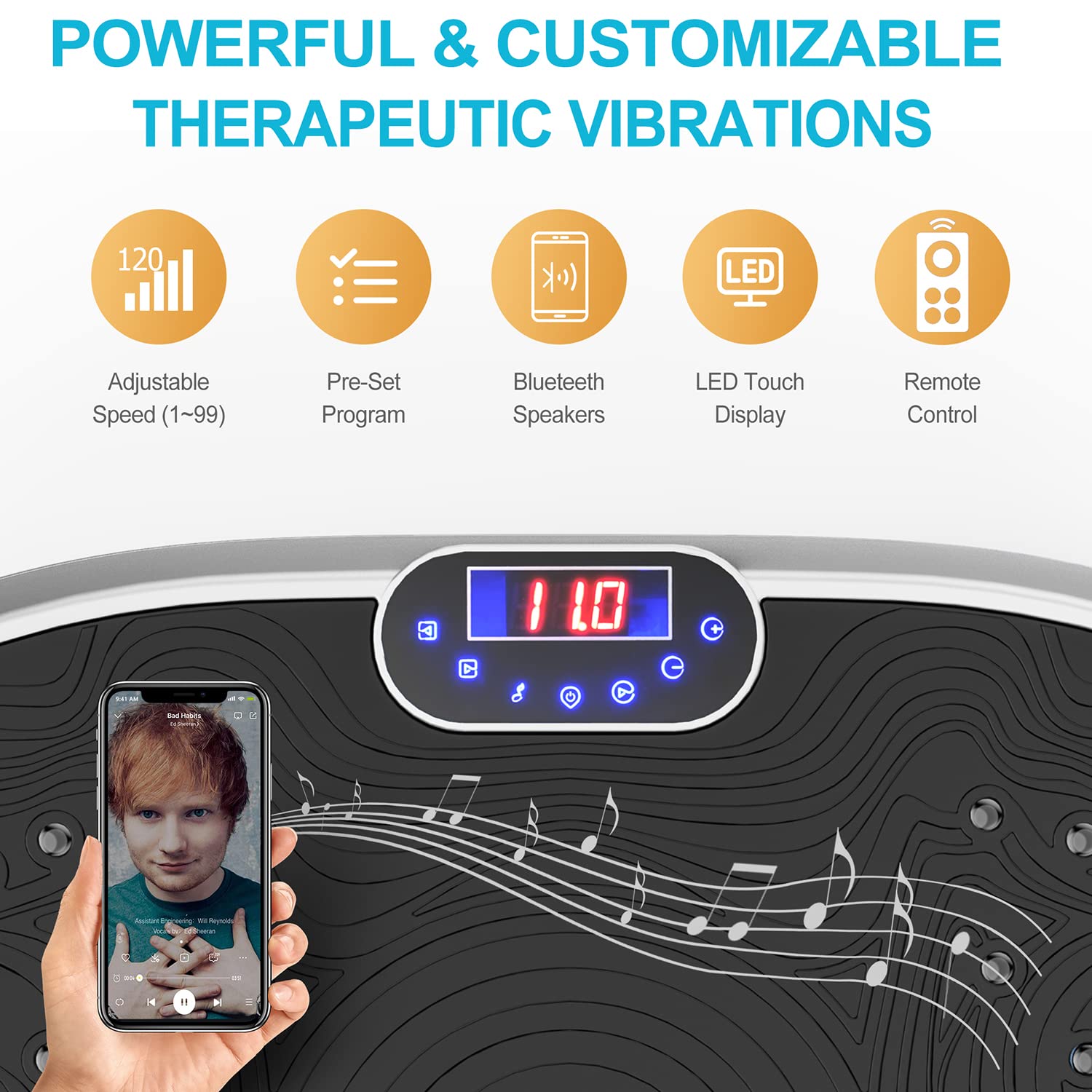
Image: The control panel and features of the AXV Vibration Plate Pro, including adjustable speed, pre-set programs, Bluetooth, LED display, and remote control.
- Power On/Off: Press the power button on the unit or remote to turn the machine on or off.
- Adjusting Speed/Intensity: Use the '+' and '-' buttons on the control panel or remote to adjust the vibration speed from 1 to 120 levels. The current speed will be displayed on the LED screen.
- Pre-Set Programs: The machine includes various pre-set programs. Use the 'Mode' button on the remote or unit to cycle through these programs, which offer different vibration patterns and intensities.
- Timer: The LED display shows the remaining workout time. Most programs are designed for approximately 10-minute sessions.
Bluetooth Speaker Function
The AXV Vibration Plate Pro can connect to your phone via Bluetooth to play music during your workout.
- Ensure the vibration plate is powered on.
- Activate Bluetooth on your smartphone or audio device.
- Search for "AXV Vibration Plate" (or similar name) in your device's Bluetooth settings and pair.
- Once connected, you can play music through the integrated speakers.
Intensity Zones and Usage
The vibration plate features different zones on its surface to simulate varying intensity levels based on foot placement.

Image: Foot placement guide on the vibration plate, indicating zones for Walking (Relax), Jogging (Comfortable), and Running (Strong) intensities.
- Walking (Relax): Place your feet closer to the center of the plate for a gentler vibration.
- Jogging (Comfortable): Place your feet slightly wider than the center for a moderate vibration.
- Running (Strong): Place your feet towards the outer edges of the plate for the most intense vibration.
Regular use, such as 10 minutes daily, can contribute to various fitness benefits.

Image: Comparative benefits of 10 minutes of vibration exercise, showing equivalencies to other physical activities.

Image: User demonstrating the AXV Vibration Plate Pro with resistance bands, illustrating various health and fitness benefits.
Magnet Health Massage Function
The surface of the vibration plate incorporates magnetic points designed to provide a foot massage effect during use, promoting circulation and relaxation.

Image: Visual representation of the magnet health massage feature, highlighting foot reflexology points.
Maintenance
- Cleaning: Unplug the machine before cleaning. Wipe the surface with a soft, damp cloth. Do not use abrasive cleaners or solvents.
- Storage: Store the machine in a cool, dry place away from direct sunlight and moisture.
- Inspection: Periodically check the power cord and the machine for any signs of wear or damage.
Troubleshooting
| Problem | Possible Cause | Solution |
|---|---|---|
| Machine does not power on. | Power cord not properly connected; Power outlet not working. | Ensure the power cord is securely plugged into both the machine and a working electrical outlet. Check the power switch. |
| Remote control not working. | Batteries are dead or incorrectly inserted; Obstruction between remote and receiver. | Replace remote control batteries. Ensure there is a clear line of sight to the machine's receiver. |
| Bluetooth connection issues. | Bluetooth not enabled on device; Device too far from machine; Interference. | Ensure Bluetooth is enabled on your device. Move your device closer to the machine. Try re-pairing. |
| Unusual noise or vibration. | Machine not on a level surface; Internal component issue. | Ensure the machine is on a flat, stable surface. If the problem persists, discontinue use and contact customer support. |
Specifications
| Feature | Detail |
|---|---|
| Brand | AXV |
| Model | Vibration Plate Pro |
| ASIN | B0B8583HTW |
| Controls Type | Remote, On-unit Touch Controls |
| Display Type | LED |
| Maximum Speed Levels | 120 |
| Resistance Levels (Bands) | 2 |
| Operation Mode | Automatic, Manual |
| Power Source | Corded Electric |
| Item Weight | 9.5 Kilograms (9 kg 500 g) |
| Product Dimensions (LxWxH) | 57.9 cm x 36.8 cm x 15 cm (22.8" x 14.5" x 5.9") |
| Colour | SILVER |
| Material | Plastic |
| Connectivity | Bluetooth (for speakers) |
Warranty and Support
AXV offers a 100% lifetime satisfaction guarantee. Our products undergo rigorous testing to ensure quality and safety. If you encounter any problems or require assistance, please contact the seller directly via email for a satisfactory solution.
For customer support, please refer to your purchase documentation or the platform where you purchased the product to find the seller's contact information.
Ask a question about this manual
Ask about setup, troubleshooting, compatibility, parts, safety, or missing instructions. Manuals+ will review the question and use this page’s manual context to help answer it.