
1. Introduction
The BIGTREETECH Pi4B Adapter V1.0 is a breakout board designed to provide a Raspberry Pi 4B form factor for Raspberry Pi Compute Module 4 (CM4) or BIGTREETECH CB1 core boards. This adapter allows users to leverage the power of CM4 or CB1 in applications traditionally requiring a Raspberry Pi 4B, particularly for running Klipper firmware on 3D printers. It offers a cost-effective and versatile solution for various embedded projects.
2. Key Features
- Standard Pi CM4 Sockets: Compatible with all versions of the Raspberry Pi CM4 board, serving as a direct replacement for the Raspberry Pi 4 Model B.
- 40-Pin GPIO: Provides extensive connectivity for various DIY projects and peripherals, maintaining compatibility with the Raspberry Pi ecosystem.
- USB Type-C Power Supply Port: Facilitates easy system flashing and ensures a stable power supply to the board.
- Multiple Interfaces: Equipped with an onboard 1000M Ethernet port, dual micro-HDMI ports, a CSI camera port, and four USB 2.0 ports for comprehensive connectivity.
- Cost-Effective Klipper Solution: When combined with a CM4 or CB1, this adapter offers an economical way to run Klipper, especially when paired with compatible BIGTREETECH motherboards.
- Wide Application: Suitable for diverse fields such as programming, artificial intelligence, smart home systems, and 3D printing control.

Figure 2.1: Overview of the BIGTREETECH Pi4B Adapter V1.0 highlighting its main features including CM4 socket, 40-pin GPIO, USB-C power, and various ports.
3. Setup
This section outlines the general steps for setting up your BIGTREETECH Pi4B Adapter. Ensure all power is disconnected before making any physical connections.
3.1 Component Overview
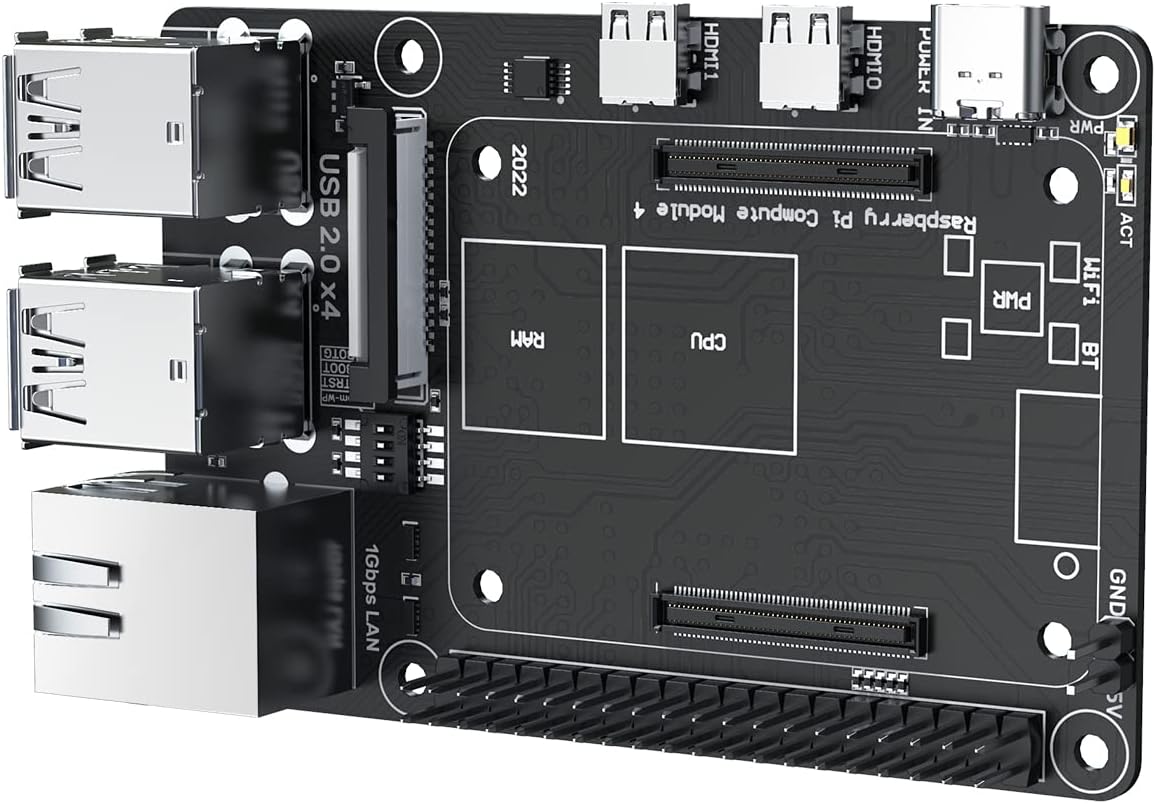
Figure 3.1: Top-down view of the BIGTREETECH Pi4B Adapter V1.0, showing the layout of ports and components.

Figure 3.2: Front and back view of the Pi4B Adapter, illustrating the various connectors and the CM4/CB1 socket.
3.2 Installing the Core Board
The Pi4B Adapter features standard Pi CM4 sockets, allowing for easy installation of either a Raspberry Pi CM4 or a BTT CB1 core board. Ensure proper alignment before gently pressing the core board into the socket.
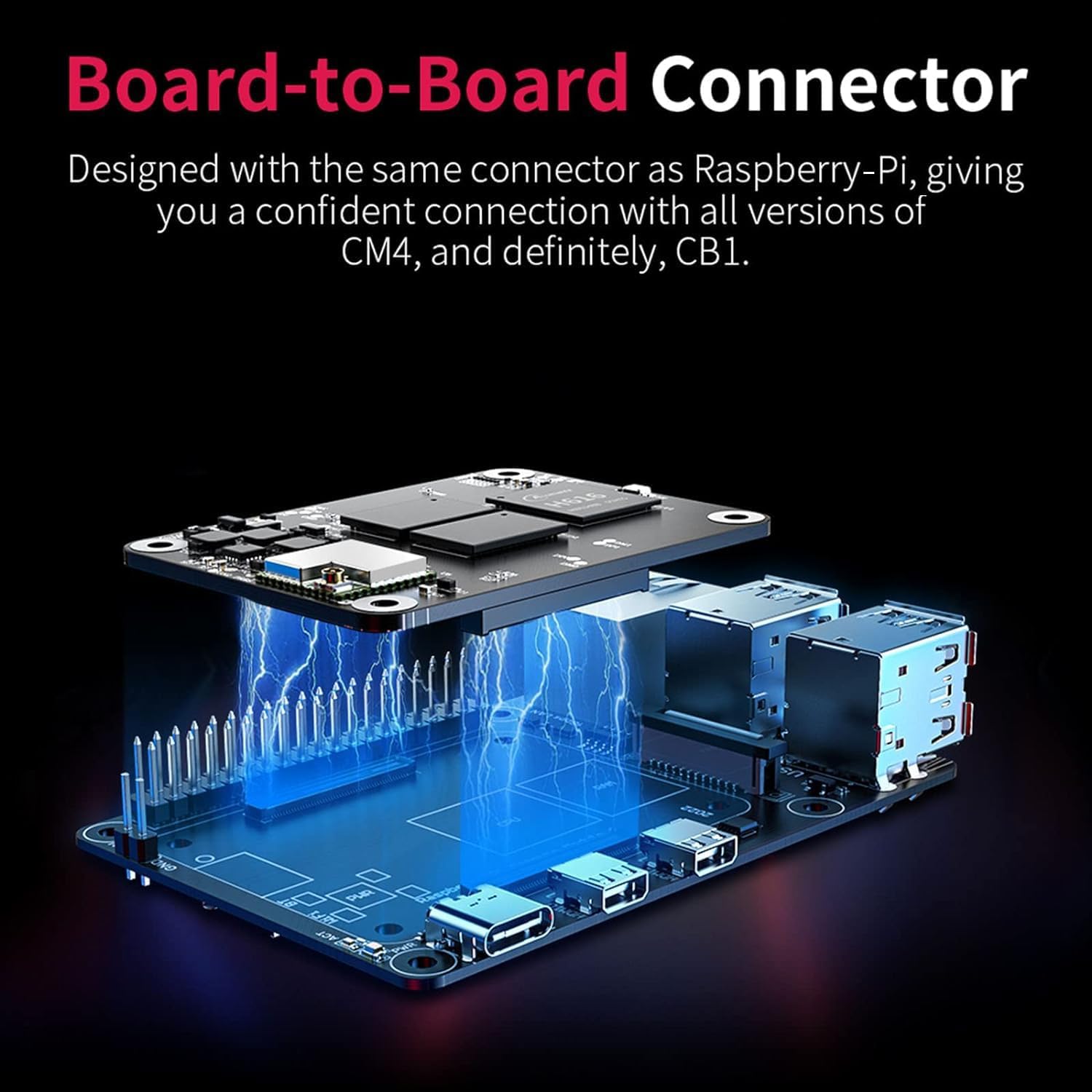
Figure 3.3: Illustration of the board-to-board connector, demonstrating how a CM4 or CB1 module connects to the Pi4B Adapter.
3.3 Power and Peripheral Connections
- Power Supply: Connect a compatible 5V power supply to the USB Type-C port. This port is also used for writing the system image to the core board.
- Display: Utilize the dual micro-HDMI ports for connecting displays. Note that when working with a BTT CB1 core board, only SPI/HDMI screens are supported. CSI and DSI are supported with a CM4 board.
- Network: Connect to a network using the 1000M Ethernet port.
- USB Devices: Use the four USB 2.0 ports for connecting peripherals such as keyboards, mice, or storage devices.
- GPIO: The 40-Pin GPIO header provides extensive options for connecting custom hardware and sensors.
- Camera/Display: Connect a camera via the CSI port or a display via the DSI port when using a CM4.
Video 3.1: An overview of the BIGTREETECH Pi4B Adapter V1.0, demonstrating its compatibility with CM4 and CB1 modules and highlighting key features and ports.
Video 3.2: A detailed look at the BIGTREETECH PI4B Adapter, showcasing its various connection points and overall design.
4. Operating Instructions
The BIGTREETECH Pi4B Adapter, when paired with a CM4 or CB1, functions as a micro-computer capable of running various operating systems and applications.
4.1 System Installation
The USB Type-C port can be used to write the operating system image to the core board. The adapter supports ARM GNU/Linux distributions and Windows 10 IoT. For detailed instructions on flashing the operating system, please refer to the specific documentation for your chosen core board (CM4 or CB1).
4.2 Running Klipper
This adapter is particularly optimized for running Klipper firmware, especially when combined with compatible BIGTREETECH motherboards (e.g., SKR Mini E3 V3.0, SKR V1.4 Turbo, Octopus V1.1/Pro). This setup provides a high-performance and cost-effective solution for advanced 3D printer control.

Figure 4.1: The Pi4B Adapter working with a CB1 module, demonstrating its integration with various BIGTREETECH 3D printer motherboards for Klipper.
4.3 Case and Enclosure
For users wishing to create a protective enclosure, STL files for a compatible case (for Pi4B + CB1) are available on the official BIGTREETECH GitHub repository. These files can be downloaded and 3D printed.
5. Maintenance
To ensure optimal performance and longevity of your BIGTREETECH Pi4B Adapter, consider the following maintenance guidelines:
- Keep Clean: Regularly clean the board and connectors to prevent dust accumulation, which can lead to overheating or connection issues. Use compressed air or a soft brush.
- Proper Ventilation: Ensure the adapter is operated in a well-ventilated area to prevent overheating, especially during intensive tasks.
- Static Protection: Handle the board with care, especially in environments prone to static electricity. The board is equipped with ESD protection, but best practices should always be followed.
- Firmware Updates: Periodically check for firmware updates for your core board (CM4/CB1) and any connected BIGTREETECH motherboards to benefit from performance improvements and bug fixes.
6. Troubleshooting
If you encounter any issues with your BIGTREETECH Pi4B Adapter, please consider the following general troubleshooting steps:
- Power Issues: Ensure the USB Type-C power supply is correctly connected and providing adequate power (5V). Try a different power adapter if necessary.
- Core Board Connection: Verify that the CM4 or CB1 core board is securely seated in its socket.
- Peripheral Connectivity: Check all peripheral connections (HDMI, USB, Ethernet) for proper seating. Test with different cables or devices if a specific peripheral is not functioning.
- Software/Firmware: Confirm that the correct operating system and Klipper firmware (if applicable) are installed and configured properly. Refer to the respective software documentation for guidance.
- GPIO/DSI/CSI: If using these interfaces, ensure your core board (CM4 or CB1) supports the specific interface and that the connections are correct. Remember that CB1 only supports SPI/HDMI screens, while CM4 supports CSI and DSI.
For persistent issues or specific technical support, please contact BIGTREETECH customer service.
7. Specifications
| Feature | Detail |
|---|---|
| Processor (CM4/CB1 dependent) | Allwinner A20 (for CB1), Broadcom BCM2711 (for CM4) |
| RAM (CM4/CB1 dependent) | DDR3L SDRAM (for CB1), LPDDR4 SDRAM (for CM4) |
| Wireless Type | 802.11b (Wireless capabilities depend on the installed core board) |
| USB Ports | 4x USB 2.0 Ports |
| Ethernet | 1000M Ethernet Port |
| Video Output | Dual Micro-HDMI ports |
| Camera Interface | CSI port (CM4 only) |
| Display Interface | DSI port (CM4 only) |
| GPIO | 40-Pin GPIO header |
| Power Input | USB Type-C (5V) |
| Operating System Support | Linux, Windows 10 IoT |
| Item Weight | 2.39 ounces |
| Package Dimensions | 4.57 x 3.03 x 1.54 inches |
8. Warranty and Support
BIGTREETECH Direct offers support for their products. If you encounter any problems or have questions regarding your BIGTREETECH Pi4B Adapter, please feel free to contact BIGTREETECH customer service through the platform of purchase or their official support channels. Please retain your proof of purchase for warranty claims.

Figure 8.1: The BIGTREETECH Pi4B Adapter V1.0 as packaged, indicating the contents of the box.