
1. Introduction
This manual provides detailed instructions for the installation, operation, and maintenance of the ECO-WORTHY 5000W Hybrid Inverter with 80A MPPT Solar Charge Controller. It covers essential safety guidelines, product features, setup procedures, and technical specifications to ensure optimal performance and longevity of your solar power system. Please read this manual thoroughly before installation and operation.
2. Safety Information
Observe the following safety precautions during all stages of installation, operation, and maintenance of the inverter:
- Ensure all wiring is performed by qualified personnel.
- Disconnect all power sources before performing any wiring or maintenance.
- Do not attempt to repair the unit yourself. Refer to qualified service personnel.
- Install the unit in a well-ventilated area, away from flammable materials.
- Ensure proper grounding of the inverter.
- Avoid exposure to moisture or extreme temperatures.
3. Product Overview and Features
The ECO-WORTHY 5000W Hybrid Inverter integrates a pure sine wave inverter, an 80A MPPT solar charge controller, and a battery charger into one compact unit. It is designed to offer uninterrupted power support for various applications.
Key Features:
- 5000W Hybrid Inverter: Provides stable AC output from battery, solar, or utility/generator input, with comprehensive protection against overload, overheating, and short circuits. Features automatic restart upon AC recovery.
- Efficient MPPT Solar Charge Controller: Equipped with an 80A MPPT solar charge controller for higher charging efficiency compared to PWM controllers, optimizing solar energy utilization.
- LED/LCD Display: Features an intuitive LED/LCD display to show all operational parameters, including PV voltage and current, system status, and settings.
- Smart Monitoring Function: Integrated Wi-Fi modules allow for intelligent monitoring and adjustment of the photovoltaic system via a dedicated application.
- Multi-Purpose Application: Suitable for 48V lead-acid and lithium batteries, ideal for RVs, camping boats, home emergency backup, and various solar installations.
Components Included:
- ECO-WORTHY 5000W Hybrid Inverter
- 80A MPPT Solar Charge Controller (integrated)
- User Manual

Figure 1: ECO-WORTHY 5000W Hybrid Inverter with external WiFi module connected.

Figure 2: The 'All in One' design of the inverter, highlighting the integrated 5000W Pure Sine Wave Inverter and 80A MPPT Solar Charge Controller for simplified wiring.
4. Installation and Setup
4.1 Physical Connections
Carefully connect all necessary cables to the inverter's ports as indicated below. Ensure all connections are secure and correct before powering on the unit.

Figure 3: Detailed view of the inverter's bottom interface, showing connection points for AC input, AC output, PV input, battery, communication ports, and grounding.
- On/Off Switch: Main power control for the unit.
- AC Input Port: Connect to utility grid or generator AC power.
- AC Output Port: Connect to your AC loads.
- PV+ PV- Port: Connect to solar panel array.
- Grounding Screw Hole: For system grounding.
- RS485 Communication Port: For external communication devices.
- USB Communication Port: For data transfer or monitoring.
- Dry Node Port: For auxiliary control or signaling.
- Battery Port: Connect to 48V battery bank (positive and negative terminals).
4.2 Battery Compatibility
The inverter is compatible with a wide range of 48V battery types. Ensure your battery bank meets the 48V requirement for proper operation.

Figure 4: The inverter supports various 48V battery types, including Flooded (FLD), Sealed (SLA), GEL, NCM, LiFePO4 (LF4), and Li-ion (LF6) batteries. A 24V battery bank is required for operation.
4.3 System Diagram
The following diagram illustrates a typical setup for the ECO-WORTHY Hybrid Inverter, showing connections for solar panels, AC input (mains or generator), battery bank, and various AC loads.

Figure 5: A comprehensive diagram showing how the inverter integrates solar panels (2000-5000W), an AC generator or mains 220V, a 48V battery, and various household appliances (e.g., air conditioner, oven, fridge, toaster, water heater, coffee maker).
5. Operation
5.1 Control Panel and Display
The inverter features an intuitive control panel with an LCD display and buttons for monitoring and setting operational parameters.

Figure 6: The LCD display shows various parameters like input/battery voltage, output/load, AC output frequency, charging mode, battery type, charging voltage, and equalization charging voltage. The control buttons (SET, UP, DOWN, ENT) allow navigation and adjustment of settings.
LED Indicators:
- AC/INV (Yellow): Steady on indicates mains output; Flash indicates inverter output.
- CHARGE (Green): Steady on indicates charging completed; Flash indicates charging in progress.
- FAULT (Red): Steady on indicates a fault state.
Control Buttons:
- SET: Enter/Exit settings menu.
- UP: Navigate to previous choice/increase value.
- DOWN: Navigate to next choice/decrease value.
- ENT: Confirm/Enter options under the settings menu.
5.2 Charging Modes
The inverter offers four battery charging modes to optimize energy usage based on your preferences and available power sources.

Figure 7: Illustration of the four charging modes: Solar Priority, Solar Only, Mains Priority, and Hybrid Charge.
- Solar Priority: Prioritizes solar charging. Switches to grid power when solar input is insufficient.
- Solar Only: Charges exclusively from solar power.
- Mains Priority: Prioritizes charging from the utility grid. Switches to solar when grid power is insufficient.
- Hybrid Charge: Utilizes both solar and grid power for the fastest charging.
5.3 UPS Function and Output Modes
The inverter provides a reliable Uninterruptible Power Supply (UPS) function with three selectable output modes to suit different grid stability conditions.
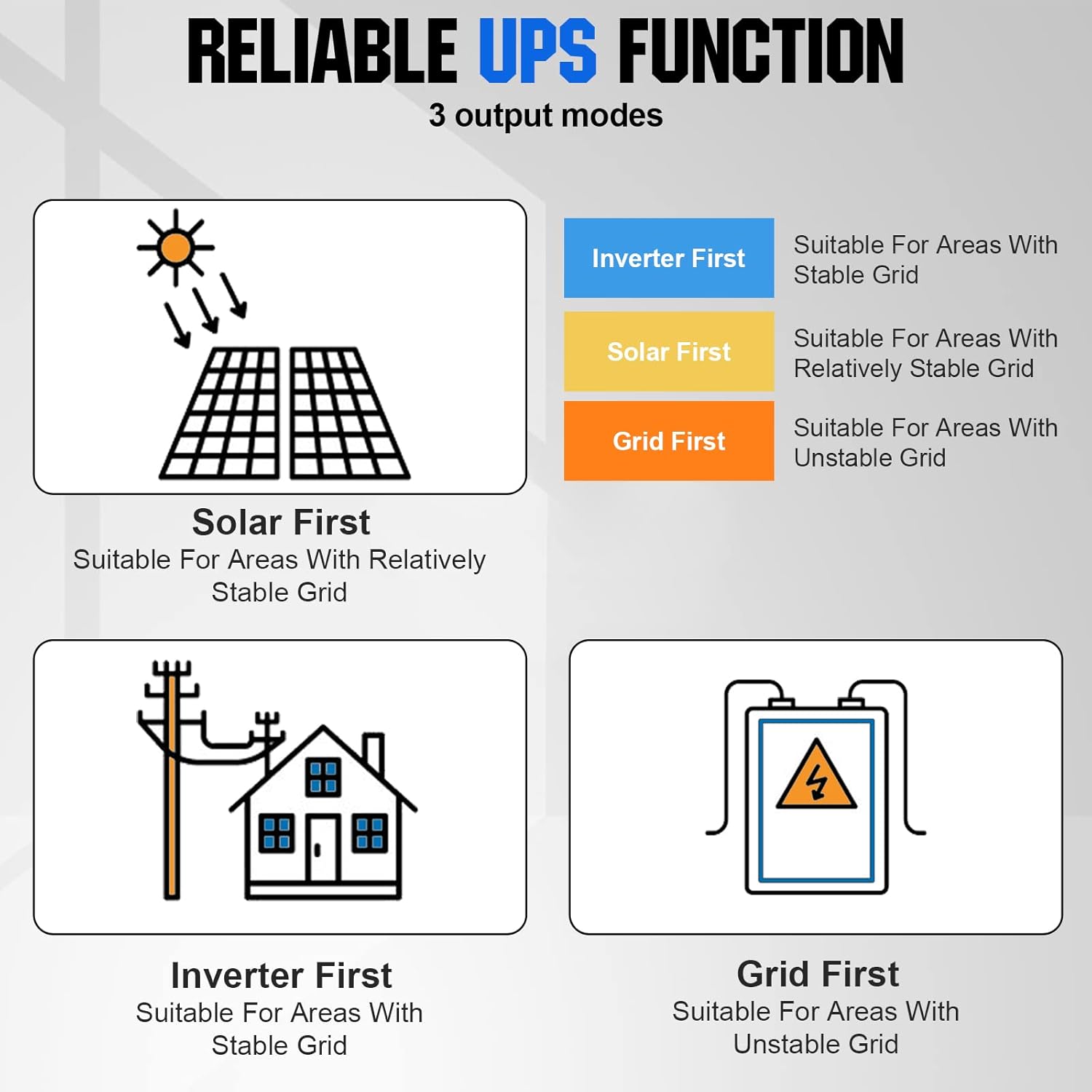
Figure 8: The three output modes: Inverter First, Solar First, and Grid First, designed for different grid stability scenarios.
- Inverter First: Suitable for areas with a stable grid. The inverter prioritizes battery power, switching to grid only when battery is low.
- Solar First: Suitable for areas with a relatively stable grid. Prioritizes solar power, then battery, then grid.
- Grid First: Suitable for areas with an unstable grid. Prioritizes grid power, then battery, then solar.
5.4 Smart Monitoring
Utilize the integrated Wi-Fi module to connect the inverter to a dedicated mobile application. This allows for remote monitoring of system performance, battery status, and energy flow, as well as adjustment of certain parameters from your smartphone or tablet.
6. Maintenance
Regular maintenance ensures the longevity and optimal performance of your ECO-WORTHY Hybrid Inverter.
- Cleaning: Periodically clean the exterior of the inverter with a dry cloth. Ensure ventilation openings are free from dust and debris.
- Connections: Regularly check all electrical connections for tightness and signs of corrosion.
- Environment: Ensure the installation environment remains within specified temperature and humidity ranges.
- Battery Health: Monitor battery voltage and health through the display or monitoring app. Follow battery manufacturer guidelines for maintenance.
7. Troubleshooting
If you encounter issues with your inverter, refer to the following general troubleshooting steps. For persistent problems, contact customer support.
- No Power Output: Check if the inverter is switched on, battery connections are secure, and battery voltage is sufficient. Verify AC input and output connections.
- Fault Indicator On: Note the specific fault code or indicator pattern on the LCD. Refer to the detailed fault code section in the full product manual (if available) or contact support with the fault information.
- No Charging: Ensure solar panels are connected correctly and receiving sufficient sunlight. Check battery connections and settings. Verify AC input if charging from grid.
- Overload Warning: Reduce the connected load. The inverter may automatically restart after an overload condition is cleared.
8. Technical Specifications
| Specification | Value |
|---|---|
| Brand | ECO-WORTHY |
| Model Number | L03YTJEUTJ5000WAT-1 |
| Output Power | 5000 Watts |
| Input Voltage | 230 Volts AC |
| Total Number of Outlets | 2 |
| Product Dimensions | 43.4L x 32.2W x 12.4H centimeters |
| Included Components | 80A MPPT Solar Charge Controller (integrated) |
| Power Source | Battery, Solar |
| Recommended Uses | Off-grid power supply, Solar power system, Emergency backup, Recreational vehicles (caravans, camping boats) |
| Manufacturer | ECO-WORTHY |
| Date First Available | August 20, 2022 |
| ASIN | B0B826XSZP |
| Spare Parts Availability | Information not available |
| Software Updates Guaranteed Until | Information not available |
9. Warranty and Support
For warranty information, technical support, or service inquiries, please contact ECO-WORTHY customer service. Keep your purchase receipt as proof of purchase.
You can find more information and support on the official ECO-WORTHY brand store: ECO-WORTHY Brand Store