
1. Introduction
Thank you for choosing the PUSOKEI Night Vision Goggles. This manual provides detailed instructions for the proper setup, operation, and maintenance of your device. Please read this manual thoroughly before use to ensure optimal performance and longevity of your night vision goggles.
These goggles are designed for enhanced visibility in low-light and complete darkness, featuring advanced infrared technology, digital zoom, and recording capabilities. They are suitable for various activities such as hunting, exploration, camping, and farm management.
2. Product Overview
Key Features
- 4K FHD Resolution: Capture high-definition photos and videos.
- Head-Mounted Design: Offers hands-free operation with adjustable head strap.
- Dual Screen Display: Features a 1.4-inch 390x390 TFT inner screen with 7-speed brightness adjustment.
- 850NM IR Infrared Illuminator: Adjustable in 7 steps for clear viewing up to 250 meters in total darkness.
- 8X Digital Zoom: Provides detailed magnification of distant objects.
- Independent Binocular Technology: Allows individual visual compensation adjustment for left and right eyes (refraction adjustment range of +/- 300 for myopia/hyperopia).
- Multiple Modes: Photo, Video (no sound), and Playback modes for versatile use.
- Durable Construction: Made from Acrylonitrile Butadiene Styrene and Metal.
Components
The PUSOKEI Night Vision Goggles package typically includes:
- Night Vision Goggles Unit
- Head Strap Assembly
- USB Charging Cable
- Cleaning Cloth
- Storage Case

Figure 2.1: PUSOKEI Night Vision Goggles and included accessories.
3. Setup
3.1 Charging the Device
Before first use, fully charge the night vision goggles using the provided USB cable. Connect the USB cable to the charging port on the device and to a standard USB power adapter (not included) or a computer USB port. The charging indicator will show the charging status.
3.2 Attaching the Head Strap
The goggles can be worn in several configurations: head-mounted, helmet-mounted, or strap-type for handheld use. For head-mounted use, attach the head strap assembly to the goggles unit. Adjust the straps to ensure a secure and comfortable fit on your head.
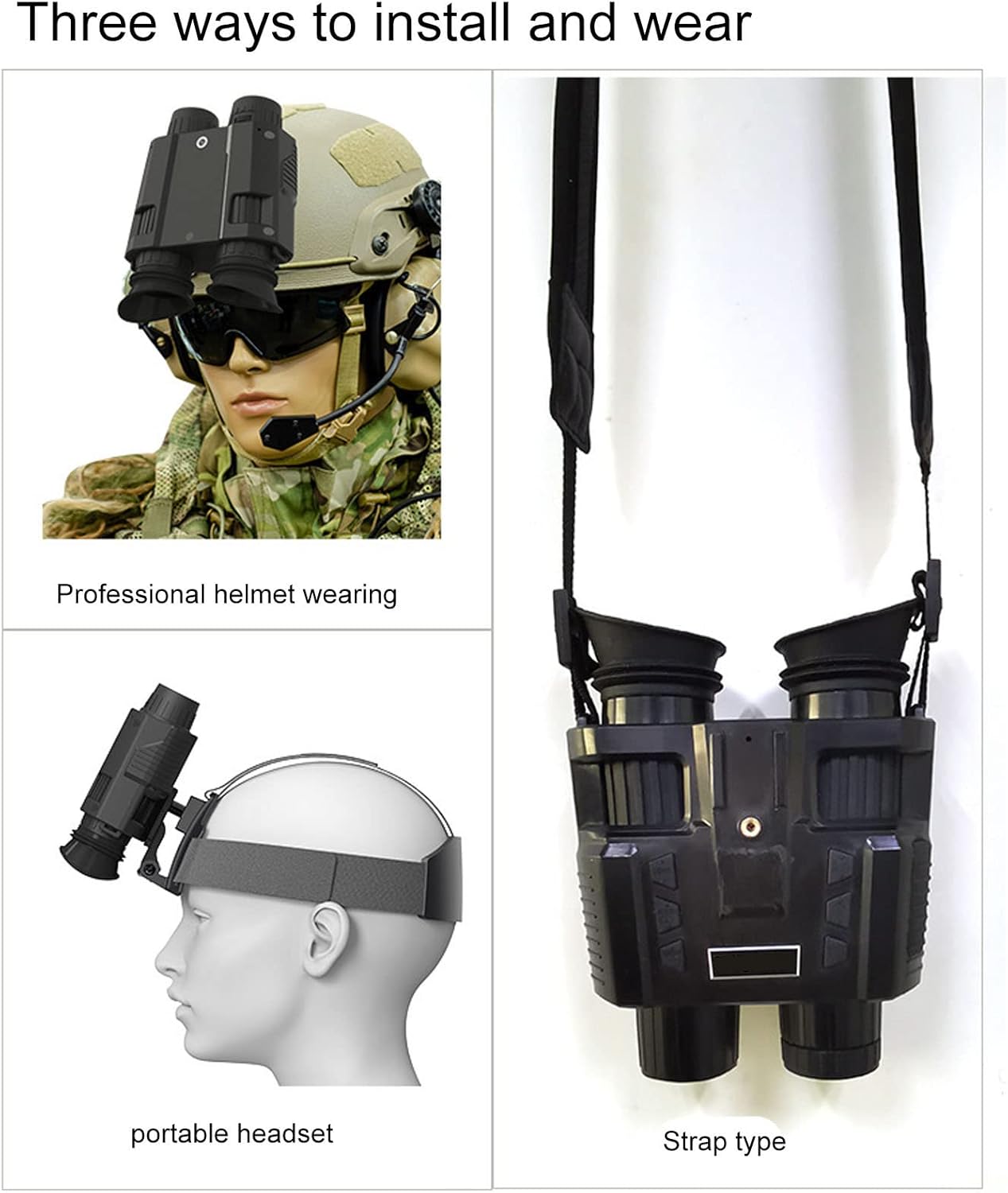
Figure 3.1: Various wearing options for the night vision goggles.
3.3 Initial Power On and Focus Adjustment
- Press and hold the Power button to turn on the device.
- Adjust the focus rings on the eyepieces until the image on the internal screen is clear.
- If using the independent binocular technology, adjust the visual compensation for each eye individually to achieve optimal clarity and comfort.
4. Operating Instructions
4.1 Power On/Off
- To power on, press and hold the Power button until the screen illuminates.
- To power off, press and hold the Power button again until the screen turns off.
4.2 Mode Selection
The device supports Photo, Video, and Playback modes. Use the Mode button to cycle through these options. The current mode will be displayed on the internal screen.
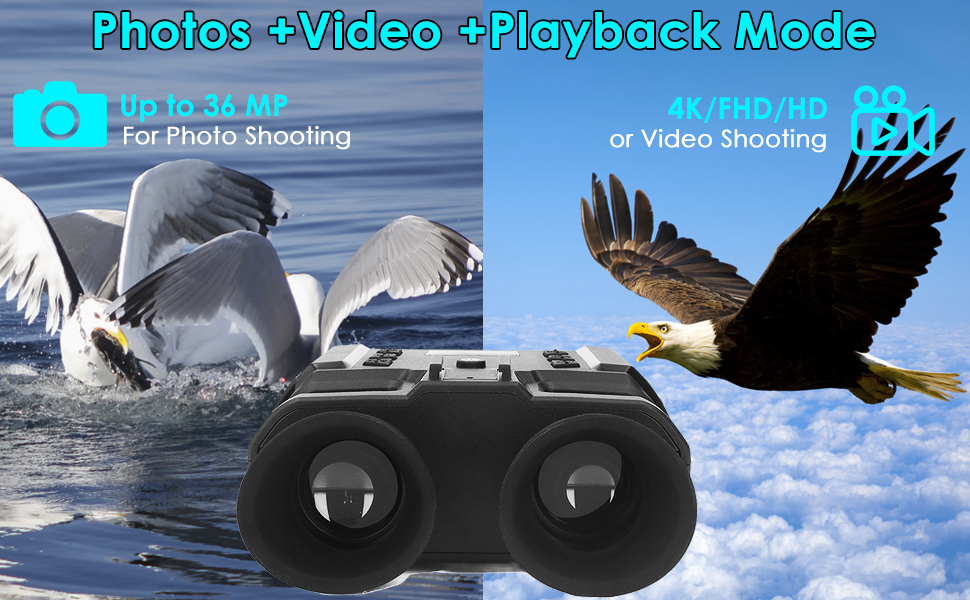
Figure 4.1: Photo, Video, and Playback modes.
4.3 Digital Zoom
In observation mode, use the Zoom buttons (typically marked with '+' and '-') to adjust the digital magnification from 1X up to 8X. The current zoom level will be displayed on the screen.

Figure 4.2: Digital zoom levels and color effects.
4.4 IR Illumination Adjustment
The 850NM IR infrared spotlight has 7 adjustable levels. Press the IR button to cycle through the intensity levels. Higher levels provide greater visibility in complete darkness but may consume more battery power.
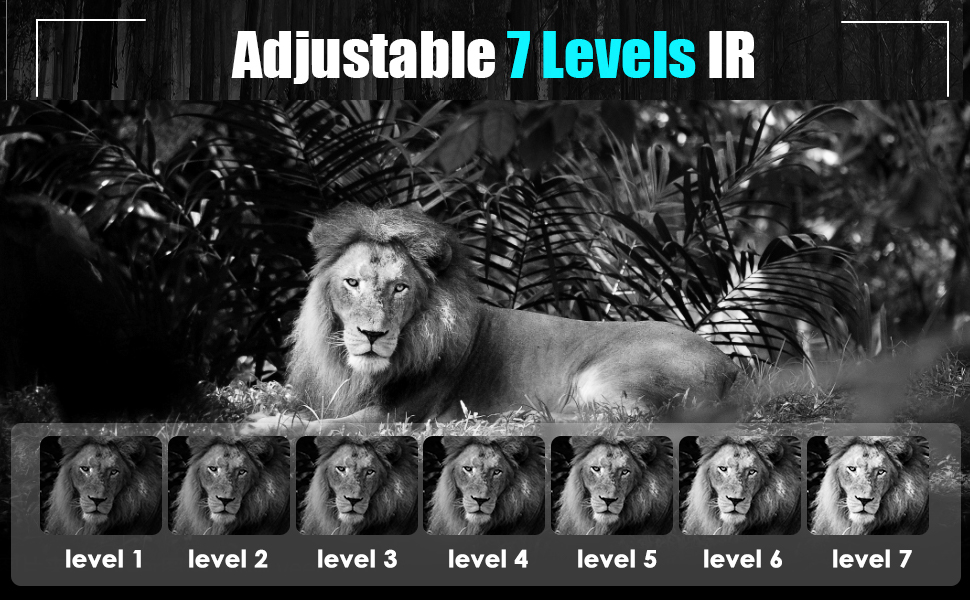
Figure 4.3: Adjustable 7-level IR illumination.
4.5 Screen Brightness Adjustment
The internal dual screen features 7 levels of brightness adjustment. Use the dedicated brightness control buttons (refer to device interface for specific button labels) to adjust the screen intensity for comfortable viewing in various ambient light conditions.
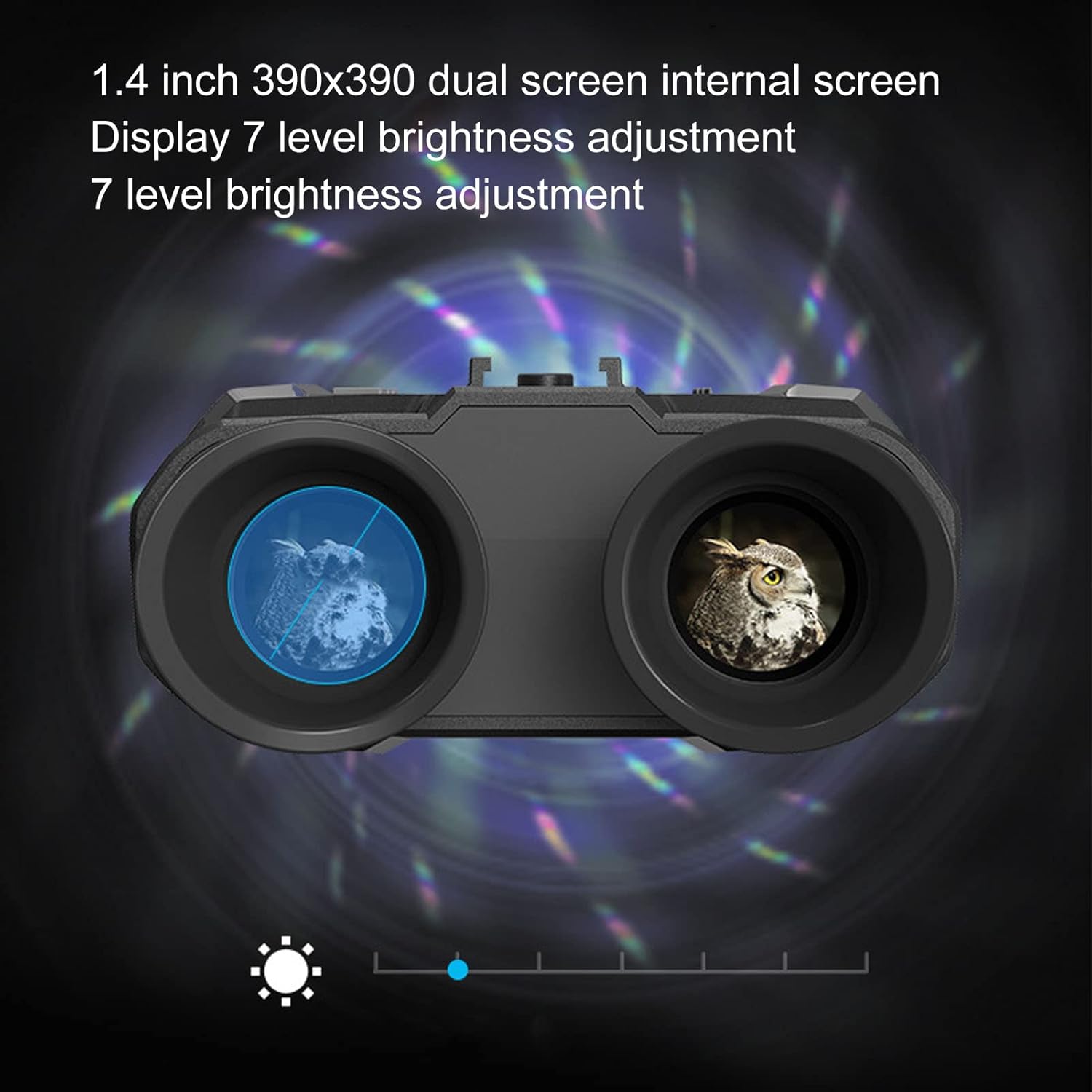
Figure 4.4: Dual screen with 7-level brightness adjustment.
4.6 Recording Photos and Videos
- In Photo mode, press the Shutter button to capture a still image.
- In Video mode, press the Record button to start recording. Press it again to stop recording. Videos are recorded without sound.
- All captured media is saved to the internal memory or an inserted memory card (if applicable).
4.7 Playback Mode
Enter Playback mode to review your captured photos and videos. Use the navigation buttons to browse through your media. You can delete unwanted files from this mode.
5. Maintenance
5.1 Cleaning
- Use the provided cleaning cloth to gently wipe the lenses and screen. Avoid using abrasive materials or harsh chemicals.
- For the device body, use a soft, damp cloth to wipe away dust and dirt.
- Ensure no moisture enters the device's ports or openings.
5.2 Storage
- Store the night vision goggles in the provided protective case when not in use.
- Keep the device in a cool, dry place, away from direct sunlight and extreme temperatures.
- If storing for extended periods, ensure the battery is partially charged (around 50%) and recharge it every few months to maintain battery health.
6. Troubleshooting
Common Issues and Solutions
| Problem | Possible Cause | Solution |
|---|---|---|
| Device does not power on. | Low battery or device malfunction. | Ensure the device is fully charged. If the issue persists, contact customer support. |
| Image is blurry or unclear. | Improper focus adjustment or dirty lenses. | Adjust the focus rings on the eyepieces. Clean the lenses with the provided cloth. Adjust individual eye compensation if needed. |
| Poor visibility in darkness. | IR illuminator level is too low or IR is off. | Increase the IR illumination level (up to 7). Ensure IR is enabled. |
| Screen is too dim or too bright. | Screen brightness setting is incorrect. | Adjust the screen brightness using the dedicated control buttons. |
| Cannot record photos/videos. | Incorrect mode selected or insufficient storage. | Ensure you are in Photo or Video mode. Check available storage space. |
7. Specifications
| Feature | Specification |
|---|---|
| Brand | PUSOKEI |
| Model | Night Vision Goggles |
| Display Screen | Dual 1.4 inch 390x390 TFT |
| IR Illuminator | 850NM Infrared, 7 levels adjustable |
| Viewing Range (Darkness) | Up to 250 meters |
| Digital Zoom | 8X |
| Photo Resolution | Up to 2048x1536 (3MP) |
| Video Resolution | Up to 1440x1080 at 30FPS |
| Refraction Adjustment | +/- 300 (for myopia/hyperopia) |
| Material | Acrylonitrile Butadiene Styrene, Metal |
| Item Weight | 1.06 kg |
| Parcel Dimensions | 25.6 x 19.71 x 9.4 cm |
| Mounting Type | Bracket Mount |
8. Warranty and Support
PUSOKEI products are manufactured to high-quality standards. For warranty information, please refer to the documentation included with your purchase or contact the retailer. If you encounter any issues or require technical assistance, please reach out to PUSOKEI customer support through the official brand channels or your point of purchase.
For more information, you may visit the PUSOKEI Store.


