
1. Introduction
Thank you for choosing the VIHELM GM1030 Handheld Digital LightMeter Luxmeter. This device is designed for precise measurement of illuminance (lux/foot-candle) and temperature, suitable for a wide range of applications including photography, industrial settings, office environments, and home use. This manual provides detailed instructions for the safe and effective operation, maintenance, and troubleshooting of your new luxmeter. Please read this manual thoroughly before use and keep it for future reference.
2. Safety Information
- Do not expose the device to extreme temperatures, humidity, or direct sunlight.
- Avoid strong vibrations or impacts to prevent damage to internal components.
- Keep the light sensor clean and free from dust or obstructions for accurate readings.
- Do not attempt to disassemble or modify the device. Refer all servicing to qualified personnel.
- Remove batteries if the device will not be used for an extended period to prevent leakage.
3. Package Contents
Please check the package contents upon opening to ensure all items are present and undamaged:
- VIHELM GM1030 Luxmeter Unit
- External Light Sensor
- Protective Carrying Case
- USB Cable
- Instruction Manual (this document)
- Lens Cover for Sensor
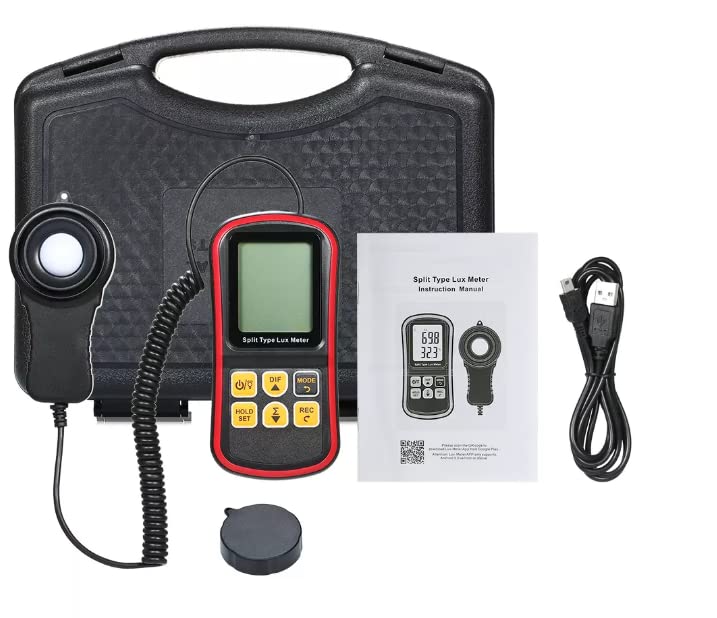
Image: The complete package of the VIHELM GM1030 Luxmeter, including the main unit, external sensor, protective case, USB cable, and instruction manual.
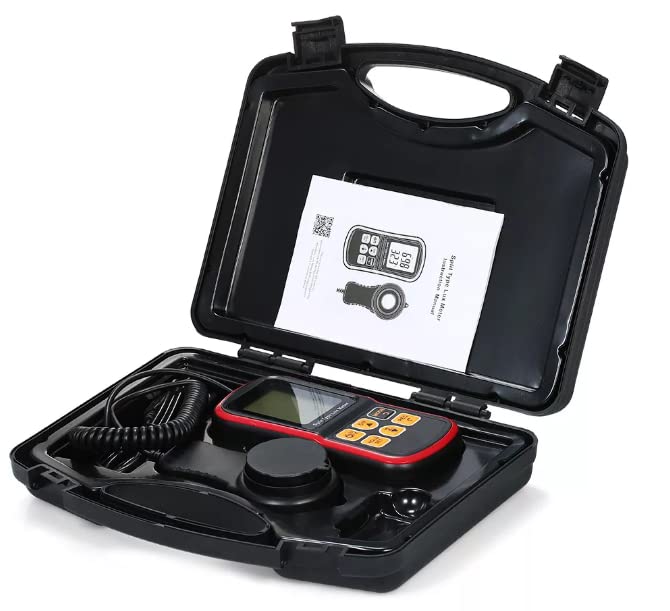
Image: The VIHELM GM1030 Luxmeter and its accessories neatly organized within the protective carrying case.
4. Product Overview
4.1 Components
The VIHELM GM1030 consists of a main meter unit and an external light sensor connected by a coiled cable. A lens cover is provided for the sensor.
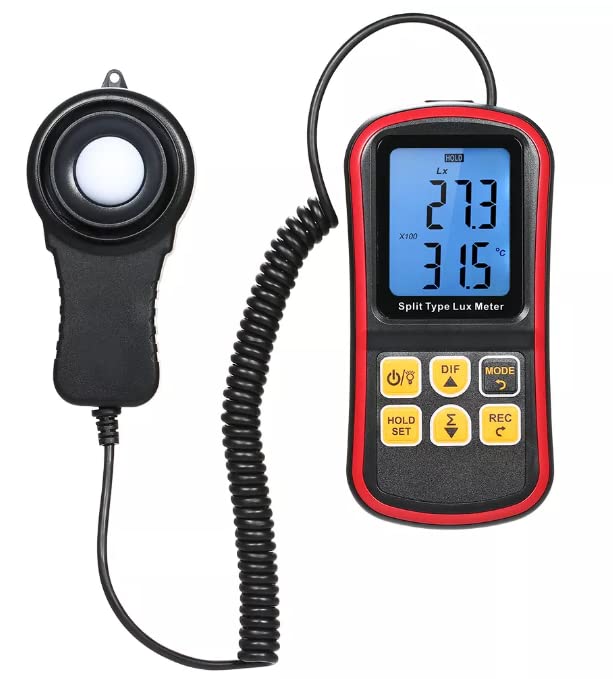
Image: Close-up view of the VIHELM GM1030 luxmeter unit with its attached external light sensor.
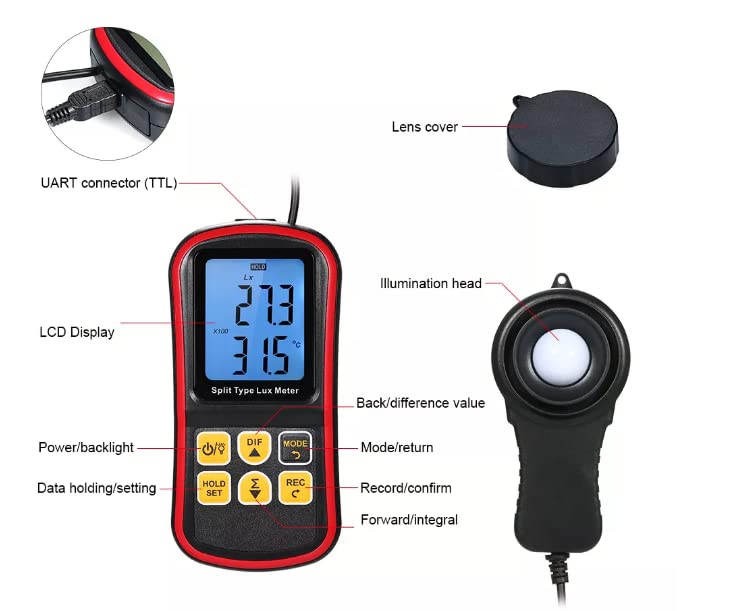
Image: Detailed diagram of the luxmeter, labeling its various components such as the LCD display, illumination head, lens cover, and UART connector.
4.2 LCD Display
The large LCD display shows measurement readings, units, and various indicators. Key display elements include:
- Lux/Fc Reading: Main illuminance measurement.
- Temperature Reading: Ambient temperature in °C or °F.
- HOLD Indicator: Appears when data hold function is active.
- Low Battery Indicator: Alerts when battery power is low.
- Unit Indicators: Lux, Fc, °C, °F.
- Max/Min/DIF Indicators: Shows current mode for data analysis.
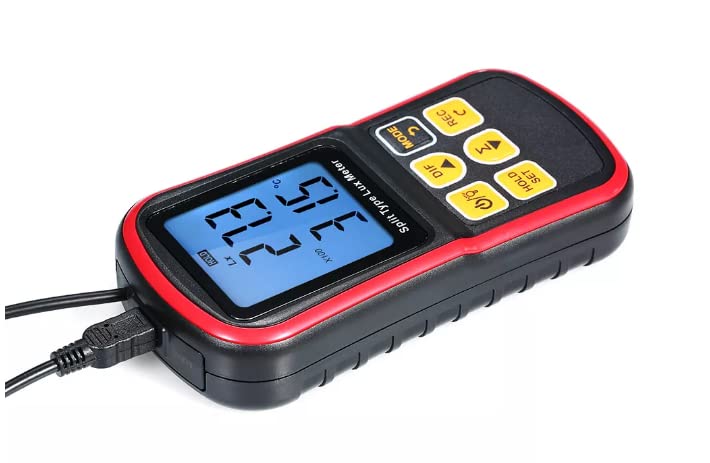
Image: Angled view of the luxmeter, highlighting the clear LCD display showing illuminance and temperature readings.
4.3 Controls (Buttons)
The luxmeter features several buttons for operation:
- /: Power On/Off button. Also controls backlight.
- DIF: Difference value display.
- MODE: Switches between measurement modes (e.g., Lux/Fc, Max/Min). Also acts as a return button.
- HOLD/SET: Activates data hold function. Long press for settings.
- /: Forward/Integral button.
- REC/C: Record data. Also acts as a confirm button.
Image: Detailed diagram of the luxmeter, labeling the function of each button on the control panel.
5. Setup
5.1 Battery Installation
The GM1030 typically uses standard AAA batteries (not included). Locate the battery compartment on the back of the main unit. Open the cover, insert the batteries according to the polarity indicators, and close the cover securely.
5.2 Connecting the Sensor
The external light sensor is permanently attached to the main unit via a coiled cable. Ensure the sensor is positioned correctly for measurement, facing the light source directly.
5.3 Powering On/Off
Press the / button to turn the device on. The LCD display will illuminate. To turn off the device, press and hold the / button until the display turns off. The device also features an auto power-off function to conserve battery life.
6. Operating Instructions
6.1 Basic Light Measurement
After powering on, the device will automatically begin measuring illuminance. Ensure the light sensor is pointed directly at the light source or area you wish to measure. The primary reading on the LCD will show the Lux or Foot-candle value.
6.2 Switching Units (Lux/Fc, °C/°F)
- To switch between Lux and Foot-candle (Fc) units for illuminance, press the MODE button.
- To switch between Celsius (°C) and Fahrenheit (°F) for temperature, refer to the settings menu, usually accessed by a long press of the HOLD/SET button, then navigate using the arrow buttons.
6.3 Data Hold Function
Press the HOLD/SET button briefly to freeze the current reading on the display. The "HOLD" indicator will appear. Press it again to release the hold and resume live measurement.
6.4 Max/Min/Difference Value Display
The device can display maximum, minimum, and difference values of illuminance. Press the MODE button repeatedly to cycle through these display modes. The corresponding indicator (e.g., "MAX", "MIN", "DIF") will appear on the screen.
6.5 Backlight Control
Briefly press the / button to toggle the display backlight on or off, useful in low-light conditions.
6.6 Data Recording (REC)
To record data points, press the REC/C button. The device may store multiple readings. Consult the on-screen prompts or the detailed settings menu for managing recorded data.
6.7 PC Connectivity / App Integration
The GM1030 features a UART connector (TTL) for data output, typically via the provided USB cable. This allows connection to a computer or a compatible smartphone application for real-time data monitoring, logging, and analysis. Refer to the specific software or app instructions for detailed usage.
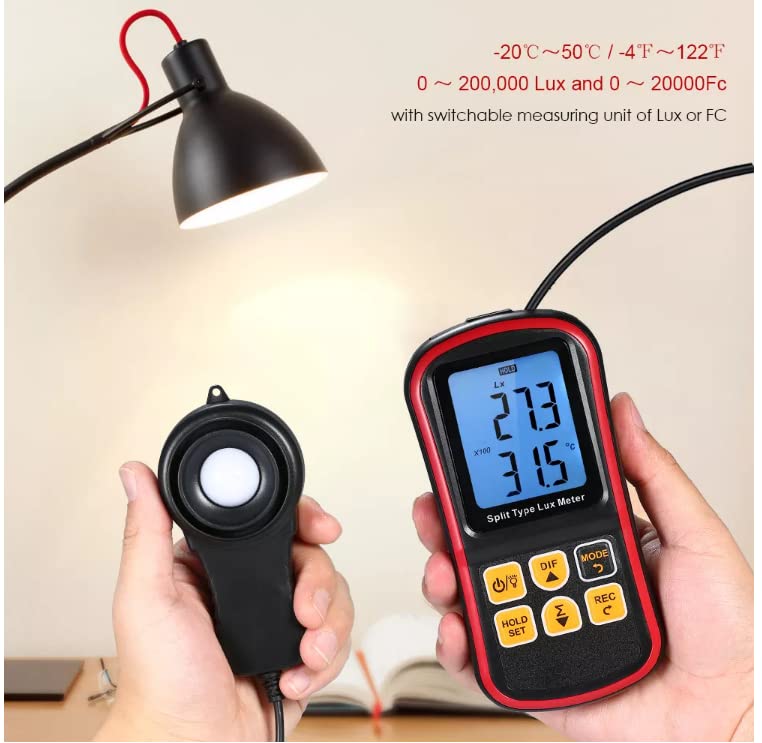
Image: Demonstration of the VIHELM GM1030 luxmeter's connectivity with a smartphone application, showing real-time data display and recording capabilities.
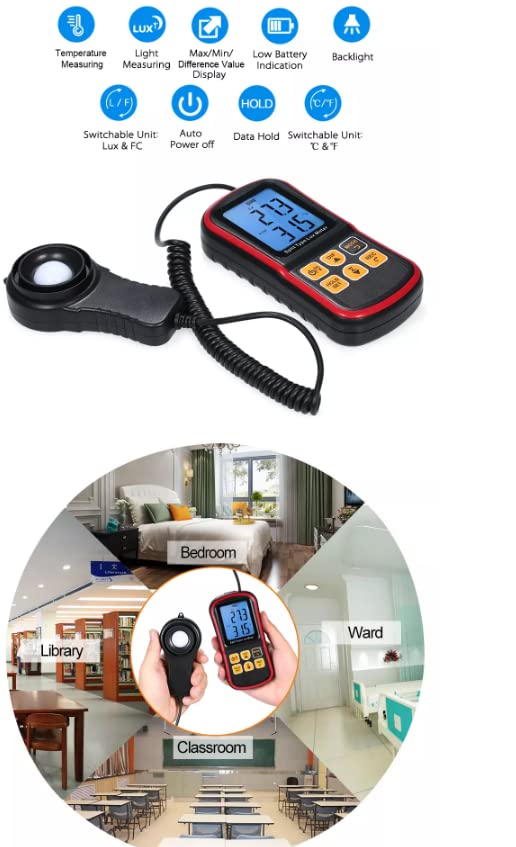
Image: An infographic summarizing key features of the luxmeter, including temperature measuring, light measuring, max/min/difference display, low battery indication, backlight, switchable units, auto power off, and data hold.
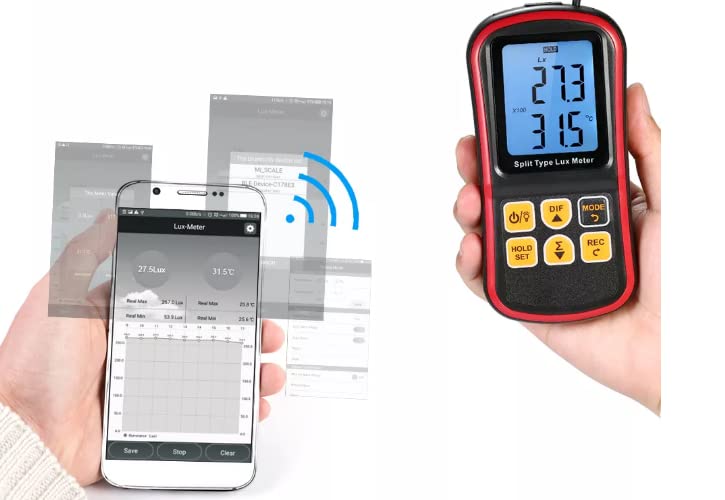
Image: A collage illustrating various practical application environments for the luxmeter, such as a bedroom, library, ward, and classroom, demonstrating its versatility.
7. Maintenance
7.1 Cleaning
Wipe the device and sensor with a soft, dry cloth. For stubborn dirt, a slightly damp cloth can be used, but ensure no moisture enters the device. Do not use abrasive cleaners or solvents.
7.2 Storage
When not in use, store the luxmeter in its protective carrying case in a cool, dry place, away from direct sunlight and extreme temperatures. Remove batteries if storing for extended periods.
7.3 Battery Replacement
When the low battery indicator appears on the display, replace all batteries with new ones of the same type. Follow the polarity markings inside the battery compartment.
8. Troubleshooting
| Problem | Possible Cause | Solution |
|---|---|---|
| Device does not power on. | Dead or incorrectly installed batteries. | Replace batteries, ensuring correct polarity. |
| Inaccurate readings. | Dirty sensor; sensor not facing light source; interference. | Clean sensor; ensure sensor is properly aimed; remove obstructions. |
| Display is dim or flickering. | Low battery. | Replace batteries. |
| Buttons unresponsive. | Device frozen; low battery. | Remove and reinsert batteries to reset; replace batteries. |
9. Specifications
- Model: GM1030
- Measurement Range: 0 ~ 200,000 Lux / 0 ~ 20,000 Fc
- Temperature Range: -20°C ~ 50°C / -4°F ~ 122°F
- Units: Lux, Foot-candle (Fc), Celsius (°C), Fahrenheit (°F)
- Features: Data Hold, Max/Min/Difference Value Display, Low Battery Indication, Backlight, Auto Power Off, Data Recording, Switchable Units.
- Connectivity: UART connector (TTL) via USB cable
- Dimensions (Main Unit): Approximately 146mm x 72mm x 30mm (5.7in x 2.8in x 1.2in)
- Dimensions (Sensor): Approximately 108mm x 58mm x 33mm (4.3in x 2.3in x 1.3in)
- Power Supply: (Typically AAA batteries, not specified in input, assume standard)
Image: Detailed diagram of the luxmeter, showing its various components and approximate dimensions for both the main unit and the external sensor.
10. Warranty and Support
VIHELM products are manufactured to high-quality standards. This product comes with a standard manufacturer's warranty against defects in materials and workmanship. Please refer to the warranty card included in your package or contact VIHELM customer support for specific warranty terms and conditions.
For technical support, troubleshooting assistance, or inquiries about your product, please contact VIHELM customer service through the contact information provided on the product packaging or the official VIHELM website. Please have your product model number (GM1030) and purchase details ready when contacting support.