Introduction
This manual provides instructions for the setup, operation, and maintenance of your AULCMEET replacement remote control. This remote is designed to function as a direct replacement for specific Tiger Red and Gazal satellite receiver models without requiring any programming.
Compatible Devices
This AULCMEET replacement remote control is compatible with the following satellite receiver models:
- Tiger Red Z800
- Tiger Red Z500
- Tiger Red Z400
- Tiger Red Z99
- Gazal 3000
- Gazal 2000
Setup
Battery Installation
The remote control requires two AAA alkaline batteries (not included). Follow these steps to install the batteries:
- Locate the battery compartment on the back of the remote control.
- Press down on the tab and slide the battery cover downwards to open it.
- Insert two AAA batteries, ensuring the positive (+) and negative (-) terminals align correctly with the markings inside the compartment.
- Slide the battery cover back into place until it clicks securely.
Note: No programming or setup is required for this remote control. Once batteries are installed, it is ready for use with compatible devices.

Image: Back of the remote control with the battery compartment open for battery installation.
Operating Instructions
To operate your satellite receiver using the AULCMEET replacement remote control, ensure there is a clear line of sight between the remote and the receiver. Point the remote directly at the receiver's infrared sensor.
Basic Functions
- Power Button: Turns the satellite receiver on or off.
- Number Buttons (0-9): Used to directly enter channel numbers.
- Volume Up/Down (VOL+/-): Adjusts the audio volume.
- Channel Up/Down (CH+/-): Changes the channel.
- OK Button: Confirms selections or opens menus.
- Arrow Buttons (Up/Down/Left/Right): Navigates through menus and options.
- Menu Button: Accesses the main menu of the satellite receiver.
- Exit Button: Exits current menu or screen.
- Mute Button: Mutes or unmutes the audio.
Refer to your satellite receiver's manual for specific functions of other buttons, as their functionality may vary depending on the receiver model.
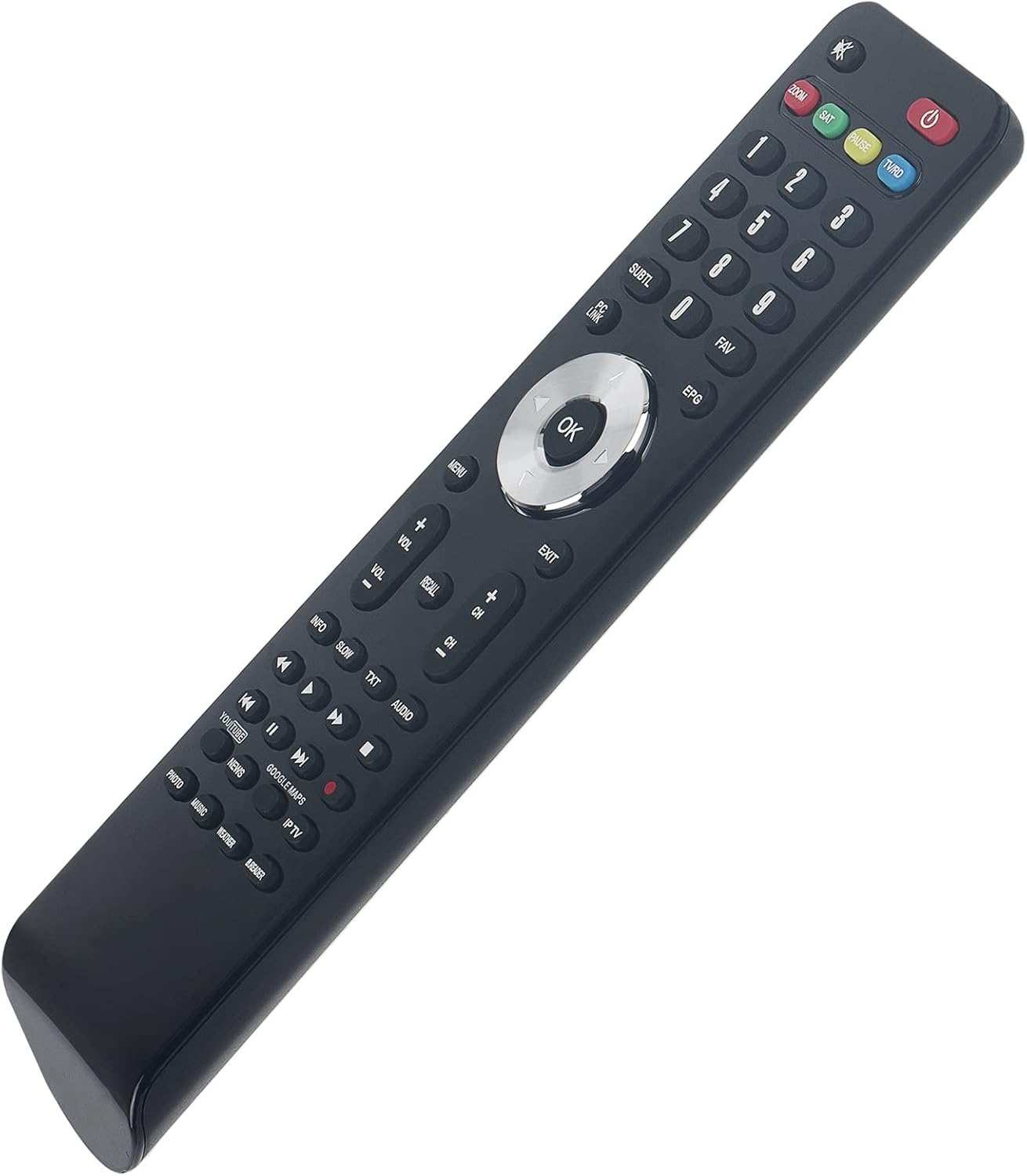
Image: Front view of the remote control, displaying all operational buttons.
Maintenance
To ensure the longevity and proper functioning of your remote control, follow these maintenance guidelines:
- Cleaning: Wipe the remote control with a soft, dry cloth. Do not use liquid cleaners, sprays, or abrasive materials, as these can damage the remote.
- Battery Care: If the remote control will not be used for an extended period (e.g., one month or more), remove the batteries to prevent leakage and potential damage to the remote.
- Storage: Store the remote in a cool, dry place away from direct sunlight and extreme temperatures.
Troubleshooting
If you experience issues with your remote control, try the following troubleshooting steps:
- Remote Not Responding:
- Ensure the remote is pointed directly at the satellite receiver.
- Check for any obstructions between the remote and the receiver.
- Verify that the batteries are inserted correctly with the correct polarity.
- Replace the batteries with new AAA alkaline batteries.
- Limited Range:
- Ensure batteries are fresh. Weak batteries can reduce the remote's effective range.
- Remove any objects that might be blocking the signal path.
Specifications
| Brand | AULCMEET |
| Model | BJKJ-TIGE-2-JKJBEU |
| Compatible Devices | Tiger Red Z800, Z500, Z400, Z99; Gazal 3000, 2000 |
| Battery Type | 2 x AAA Alkaline batteries |
| Product Dimensions | 12 x 4 x 0.6 cm |
| Item Weight | 60 g |
| Connectivity Technology | Infrared (Hochfrequenz) |
| Maximum Range | 10 Meters |
| Number of Buttons | 20 |
Support
If you have any questions or require further assistance regarding your AULCMEET replacement remote control, please feel free to contact us. We are committed to ensuring your satisfaction.


