
Introduction
This manual provides essential information for the safe and effective use of your BestCH AC Adapter, designed for the RCA Viking Pro RCT6K03W13 H1 10-inch tablet. Please read these instructions carefully before use and retain for future reference.
Product Specifications
- Input Voltage: AC 100-240VAC, 50/60Hz (Worldwide Use)
- Plug Type: US prong
- Compatibility: RCA Viking Pro RCT6K03W13 H1 10" Tablet PC
- Safety Features: Automatic overload cut-off, over voltage cut-off, automatic thermal cut-off, short circuit protection.
- Color: Black
- Power Source: Corded Electric
For detailed specifications, refer to the product label.
Safety Information and Warnings
To ensure safe operation and prevent damage, observe the following warnings:
- Do not open or modify the power supply, power cord, or power cable.
- Keep children away from high voltage power sources.
- Use this product under the guidance of a professional electrician if you are unsure about electrical connections.
- Any abuse or improper use will void the product warranty.
- The total wattage of the connected device should not exceed the maximum wattage shown on the adapter's label.
- It is recommended to de-rate the adapter by 10%-20% when in continuous use to prevent overheating.
Setup
Follow these steps to set up your AC adapter:
- Inspect the Adapter: Before connecting, visually inspect the adapter and cable for any signs of damage. Do not use if damaged.
- Connect to Device: Insert the adapter's output connector securely into the charging port of your RCA Viking Pro RCT6K03W13 H1 tablet.
- Connect to Power Outlet: Plug the AC adapter's US prong into a standard 100-240VAC wall outlet. Ensure the outlet is easily accessible.
- Verify Connection: Confirm that the tablet indicates it is charging.

Image: The BestCH AC adapter with its power cord coiled, showing the main unit and the attached cable.
Operating Instructions
The BestCH AC Adapter is designed for straightforward operation:
- Once connected, the adapter will automatically begin charging your compatible tablet.
- The adapter provides stable output voltage, protecting your electronic products from voltage fluctuations.
- It features multiple built-in safety protections for reliable operation.

Image: An AC adapter plugged into a power strip, illustrating a typical use case for charging a device like a laptop or tablet.
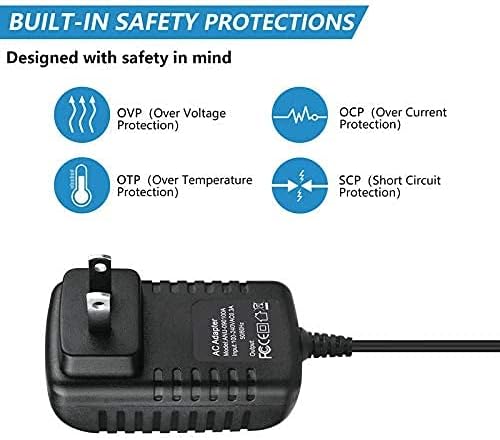
Image: A visual representation of the adapter's built-in safety features, including Over Voltage, Over Current, Over Temperature, and Short Circuit Protections.
Maintenance
Proper care ensures the longevity and performance of your adapter:
- Cleaning: Disconnect the adapter from the power outlet and the device before cleaning. Use a soft, dry cloth to wipe the exterior. Do not use liquid cleaners.
- Storage: Store the adapter in a cool, dry place when not in use. Avoid extreme temperatures and humidity.
- Cable Care: Do not bend, twist, or crimp the cable excessively. Avoid placing heavy objects on the cable.
- Ventilation: Ensure the adapter has adequate ventilation during operation to prevent overheating. Do not cover it with cloths or place it in enclosed spaces.
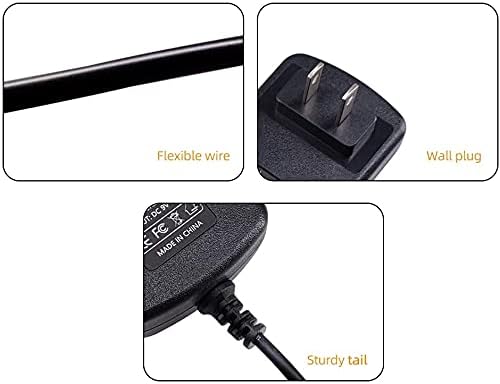
Image: Detailed views highlighting the flexible wire, the US wall plug design, and the sturdy connection point (tail) of the adapter cable.
Troubleshooting
If you encounter issues with your BestCH AC Adapter, refer to the following common problems and solutions:
| Problem | Possible Cause | Solution |
|---|---|---|
| Adapter not charging device. | Loose connection, faulty outlet, incompatible device, damaged adapter. |
|
| Adapter feels hot during use. | Normal operation, insufficient ventilation, excessive load. |
|
| Device charges slowly. | High power consumption by device, background apps, cable issue. |
|
Warranty and Support
BestCH provides a 2-year manufacturer warranty for this AC adapter. Additionally, a 30-day return policy is available. For warranty claims or technical support, please refer to your purchase documentation or contact the seller directly.
The warranty covers defects in materials and workmanship under normal use. It does not cover damage caused by misuse, abuse, unauthorized modification, or external causes such as accidents or acts of nature.