
1. Introduction
This manual provides detailed instructions for the installation, operation, and maintenance of your CZSWCH Android 12 Radio Stereo Head Unit, designed specifically for Chevy Malibu models from 2013 to 2016. Please read this manual thoroughly before installation and use to ensure proper function and to maximize your driving experience.
2. Product Overview
The CZSWCH Android 12 Radio Stereo is an advanced in-car entertainment and navigation system featuring a 12.1-inch IPS capacitive touch screen. It is equipped with an Octa-Core CPU, 4GB RAM, and 64GB ROM for high performance and stable operation. Key features include built-in wireless Carplay, wired Android Auto, DSP for enhanced audio, WiFi, and GPS navigation. An AHD camera is also included for improved safety.

Image: Overview of key features including Octa Core CPU, Bluetooth 5.0, DSP, GPS, and Steering Wheel Control (SWC).
3. Setup and Installation
This head unit is designed for plug-and-play compatibility with Chevy Malibu models from 2013, 2014, 2015, and 2016. Professional installation is recommended to ensure correct wiring and functionality.
3.1. Package Contents
Before installation, verify that all components are present:
- Head unit
- Rear View Input Adapter Cable
- Speaker
- 6P Carplay Cable
- Radio Antenna
- RCA Cable
- Main Power Cable & Canbus
- 4P OEM USB Adapter Cable
- Camera (AHD)
- GPS Antenna

Image: All components included in the package, such as the head unit, various cables, antennas, and the AHD camera.
3.2. Installation Process
The installation involves removing the original radio and integrating the new head unit. The provided cables are designed to connect directly to your vehicle's existing wiring harness. Ensure all connections are secure before powering on the device.

Image: Visual comparison of the vehicle's dashboard before and after the installation of the CZSWCH Android 12 Radio Stereo.
4. Operating Instructions
This section details the primary functions and how to operate your new Android 12 head unit.
4.1. Basic Navigation and Interface
The 12.1-inch IPS capacitive touch screen provides a responsive and clear interface. Navigate through applications and settings by tapping and swiping. The main screen displays various app icons for quick access to functions like navigation, radio, Bluetooth, music, and settings.

Image: The main interface of the head unit displaying various application icons for navigation, media, and settings.
4.2. Wireless Carplay & Wired Android Auto
The unit supports wireless Carplay and wired Android Auto. Connect your smartphone to access navigation, music, calls, and other compatible apps directly on the head unit's screen. For wired Android Auto, use a USB cable to connect your device.
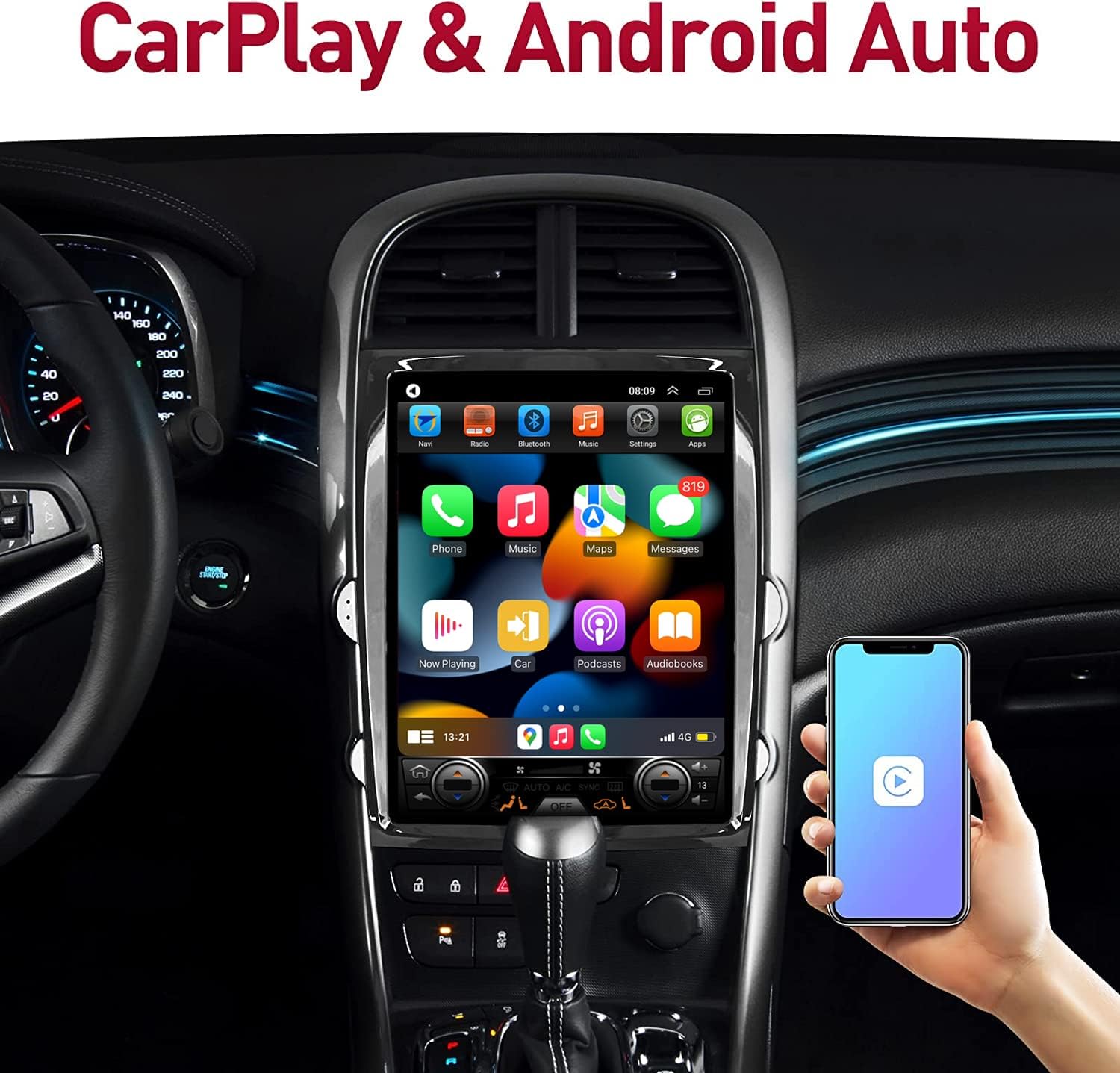
Image: Demonstrates the Carplay and Android Auto interface displayed on the head unit, with a smartphone connected.
4.3. Bluetooth Functionality
Utilize Bluetooth 5.0 for hands-free calling and wireless audio streaming. Pair your mobile device with the head unit to make and receive calls safely, and play music from your phone through the car's speakers.

Image: Illustrates the Bluetooth function, highlighting its use for calls and music for safer driving.
4.4. Steering Wheel Control (SWC)
The unit retains all original steering wheel control functions. Easily switch songs, change channels, and adjust volume without taking your hands off the steering wheel, enhancing driving safety and convenience.

Image: A driver's hand operating the steering wheel controls, demonstrating the integrated functionality with the head unit.
4.5. Digital Sound Processor (DSP)
The built-in DSP allows for precise audio adjustments, enabling you to customize the sound output to your preference. Access the equalizer settings to fine-tune bass, treble, and other audio parameters for an optimized listening experience.

Image: Screenshots of the DSP equalizer interface, showing various audio adjustment options.
4.6. Multimedia Playback
The head unit supports 4K video and 1080P video playback, providing a high-quality visual experience. You can play various media formats from connected USB devices or streaming services.

Image: The head unit displaying a high-definition video, illustrating its 1080P video playback capability.
4.7. GPS Navigation
The unit includes built-in GPS with support for North America maps. Access real-time navigation and route guidance directly from the head unit.
4.8. Rear View Camera
The included AHD camera provides an HD reverse image, automatically displaying the rear view when the vehicle is in reverse gear. This feature assists with parking and maneuvering in tight spaces.

Image: The head unit screen displaying a clear, high-definition reverse image from the AHD camera, complete with parking guidelines.
5. Maintenance
To ensure the longevity and optimal performance of your CZSWCH Android 12 Radio Stereo, follow these maintenance guidelines:
- Cleaning: Use a soft, dry cloth to clean the screen and exterior. Avoid abrasive cleaners or solvents that could damage the display or finish.
- Software Updates: Periodically check for available software updates to ensure you have the latest features and performance enhancements. Follow the on-screen instructions for any update procedures.
- Environmental Conditions: Avoid exposing the unit to extreme temperatures, direct sunlight for prolonged periods, or excessive moisture.
6. Troubleshooting
If you encounter any issues with your head unit, refer to the following common troubleshooting steps:
- No Power: Check all power connections and fuses. Ensure the vehicle's ignition is on.
- No Sound: Verify volume settings, check speaker connections, and ensure the audio source is correctly selected.
- Touch Screen Unresponsive: Try restarting the unit. If the issue persists, a factory reset might be necessary (refer to settings menu).
- GPS Signal Loss: Ensure the GPS antenna is properly installed and has a clear view of the sky.
- Bluetooth Connectivity Issues: Ensure Bluetooth is enabled on both the head unit and your mobile device. Try unpairing and re-pairing the devices.
For persistent issues, contact customer support.
7. Specifications
Detailed technical specifications for the CZSWCH Android 12 Radio Stereo:
| Feature | Specification |
|---|---|
| Operating System | Android 12 |
| CPU | Octa Core |
| RAM | 4GB |
| ROM | 64GB |
| Display Size | 12.1 Inches |
| Screen Type | IPS Capacitive Touch Screen |
| Resolution | 1024*768 |
| Connectivity | Bluetooth 5.0, USB, Wi-Fi |
| Special Features | Wireless Carplay, Wired Android Auto, DSP, GPS, Touchscreen |
| Map Type | North America |
| Audio Output Mode | Stereo |
| Mounting Type | Dashboard Mount |
| Item Weight | 5.2 pounds |
| Package Dimensions | 15 x 13.3 x 5.6 inches |
| Model Name | Malibu |
| ASIN | B0B7SF5MRC |

Image: Visual representation of the Octa Core CPU, 4GB RAM, and 64GB ROM configuration, highlighting the internal hardware specifications.

Image: Details on the configuration upgrade, emphasizing the Octa-Core processor, 4GB RAM, and 64GB ROM for smooth performance.
8. Warranty and Support
The CZSWCH Android 12 Radio Stereo is guaranteed for one year from the date of purchase. This warranty covers manufacturing defects and ensures professional technical support.
If you have any questions, require technical assistance, or need to claim warranty service, please contact CZSWCH customer support through the Amazon email system. Our team will respond as soon as possible to ensure your rights and provide necessary assistance.