
UnionSine HD3510
UnionSine HD3510 Desktop External Hard Drive User Manual
Model: HD3510
1. Introduction
The UnionSine HD3510 Desktop External Hard Drive provides high-capacity storage for various devices. This manual offers essential information for safe and efficient use of your new external hard drive.
1.1. Product Overview

Image: Front view of the UnionSine HD3510 Desktop External Hard Drive, showcasing its sleek black design and vertical orientation.
The HD3510 is designed for reliable data storage and fast transfer speeds, making it suitable for PC office use, 4K video storage, TV recording, and game storage. It features a robust design with efficient cooling and anti-vibration properties.
1.2. What's in the Box
- UnionSine HD3510 Desktop External Hard Drive
- Additional power supply
- 1.2m data cable
- User manual (this document)
2. Safety Information
Please read and follow these safety guidelines to prevent damage to the device or data loss:
- Ensure the power supply is connected before connecting the USB cable to your device.
- Avoid dropping or subjecting the hard drive to strong impacts, as this can cause internal damage and data loss.
- Do not expose the device to extreme temperatures, humidity, or direct sunlight.
- Keep the device away from liquids and strong magnetic fields.
- Do not attempt to disassemble or repair the hard drive yourself. Refer to qualified service personnel.
- During startup, a slight vibration or sound is normal for a 7200 RPM high-speed hard drive.
3. Setup
3.1. Connecting the Hard Drive
Follow these steps to connect your UnionSine HD3510 external hard drive:
- Connect the Power Supply: Before connecting the USB data cable, plug the additional power supply into the hard drive's power input and then into a wall outlet.
- Connect the Data Cable: Select the appropriate USB cable (USB-C to USB-A or USB-C to USB-C) and connect one end to the hard drive's USB-C port and the other end to your computer, TV, or compatible device.
- Device Recognition: Allow a few minutes for your device to recognize the hard drive. For TVs, you may need to use the TV remote to switch the signal source to "USB Mode".

Image: Visual guide illustrating the three steps for connecting the external hard drive: 1) connect power, 2) connect USB data cable, 3) select USB mode on TV if applicable.

Image: Close-up view of the rear of the UnionSine HD3510, showing the USB 3.2 Gen2 Type-C port and the power input, highlighting its universal compatibility.
3.2. Initial Formatting and Compatibility
The hard drive comes pre-formatted in exFAT for broad compatibility across different operating systems. However, for optimal performance and stability, especially if using with a single system, it is recommended to reformat the drive to a file system native to your operating system (e.g., NTFS for Windows, APFS/HFS+ for Mac).

Image: Table detailing supported file formats for various operating systems including Windows, macOS, Linux, Android, and TV, emphasizing the recommendation to reformat for specific system optimization.
The drive is compatible with a wide range of devices and operating systems, including:
- Windows (PC)
- Mac (macOS)
- Linux
- TVs (for recording and media playback)
- Gaming Consoles
- Android devices
4. Operating the Hard Drive
4.1. Data Transfer and Storage
Once connected and recognized by your system, the UnionSine HD3510 functions like any other external storage device. You can drag and drop files, use backup software, or save directly to the drive.
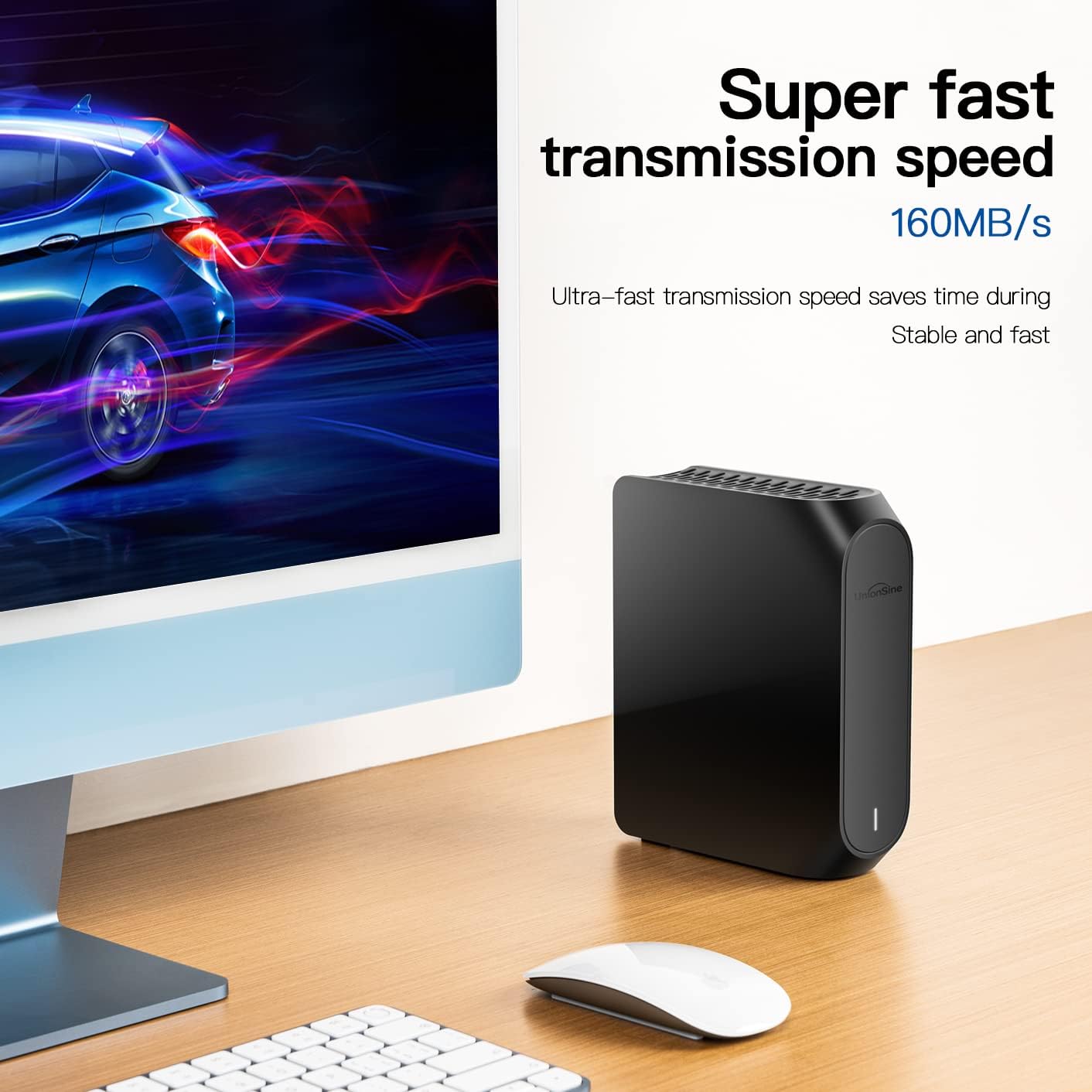
Image: The external hard drive positioned next to a desktop computer, illustrating its role as a mass storage solution for personal or office data, akin to a private server.
The drive supports high-speed data transfer thanks to its USB 3.2 Gen2 Type-C interface. Theoretical read speeds can reach up to 160MB/s and write speeds up to 110MB/s, enabling quick transfer of large files such as 4K videos and extensive document archives.

Image: A visual representation of fast data transmission, with the hard drive connected to a computer, highlighting its ultra-fast speed of up to 160MB/s.
4.2. Media Storage and Playback
The HD3510 is ideal for storing and playing back multimedia content, including 4K HD videos and audio files. It can serve as a reliable multimedia storage center for your home entertainment system.

Image: The external hard drive placed next to a large television screen, demonstrating its use as a home edition multimedia storage center for 4K HD content.
4.3. Product Demonstration Video
Video: A short demonstration of the UnionSine 3.5" External Hard Drive, showcasing its design and various use cases with laptops, gaming consoles, and TVs.
5. Maintenance
Proper maintenance ensures the longevity and optimal performance of your hard drive.
5.1. Cooling and Ventilation
The HD3510 features a three-sided concave cooling hole design to stabilize performance and ensure efficient heat dissipation, even during prolonged use. Ensure these ventilation areas are not obstructed.

Image: Close-up view of the top of the hard drive, highlighting the three-sided concave cooling holes designed for multi-faceted heat dissipation.
5.2. Stability and Protection
The device incorporates an anti-slip pad at the bottom to prevent accidental falling and ensure stability. Internally, anti-vibration silicon is used to reduce noise and protect the drive.

Image: Underside view of the hard drive, showing the anti-slip pads designed to provide stability and prevent accidental movement.

Image: Diagram showing the internal anti-vibration silicon component, which helps reduce noise and protect the hard drive from shocks.
5.3. Cleaning
Use a soft, dry cloth to clean the exterior of the hard drive. Do not use liquid cleaners or abrasive materials.
6. Troubleshooting
If you encounter issues with your UnionSine HD3510, refer to the following common problems and solutions:
| Problem | Possible Cause | Solution |
|---|---|---|
| Drive not recognized by computer/device. | Incorrect connection, power not supplied, or driver issue. |
|
| Slow data transfer speeds. | Using a USB 2.0 port, cable issue, or system performance. |
|
| Loud noise or vibration during operation. | Normal operation for a mechanical hard drive, or improper placement. |
|
| Cannot write files to the drive. | File system limitations (e.g., FAT32 file size limit) or read-only mode. |
|
7. Specifications
| Feature | Detail |
|---|---|
| Brand | UnionSine |
| Model | HD3510 |
| Digital Storage Capacity | 12 TB |
| Hard Disk Type | Mechanical Hard Disk (3.5 Inches) |
| Hard Disk Interface | USB-C |
| Connectivity Technology | USB 3.2 Gen2 Type-C |
| Rotational Speed | 5400 RPM |
| Power Source | AC (External Power Supply) |
| Compatible Devices | PC, Mac, TV, Desktop, Laptop, Gaming Console, Tablet |
| Color | Black |
| Item Weight | 2.07 pounds |
| Product Dimensions (LxWxH) | 6.7 x 1.8 x 5.5 inches |
| Special Features | Backward Compatible, Portable, Shock Resistant (via internal silicon) |
8. Warranty and Support
UnionSine is committed to providing excellent after-sales service. For any technical assistance, warranty claims, or product inquiries, please refer to the following resources:
- Official User Manual (PDF): For a downloadable version of the user manual, please visit: UnionSine HD3510 User Manual PDF
- UnionSine Official Website: For further support and product information, please visit the official UnionSine website: www.unionsine.com
- Contact Support: Refer to the contact information provided on the product packaging or the official website for direct support.
Please retain your proof of purchase for warranty purposes.