
1. Introduction
This manual provides essential information for the safe and effective use of your Kavey Biometric Gun Safe KP-01. Please read it thoroughly before operating the safe and retain it for future reference. This safe is designed to provide secure storage for firearms and other valuables, offering quick access through biometric fingerprint recognition, a digital keypad, or an emergency key.
2. Safety Information
WARNING:
- Always store firearms unloaded and separate from ammunition.
- Keep emergency keys in a secure location away from the safe and out of reach of children and unauthorized individuals.
- Do not store the safe in areas with extreme temperatures or high humidity.
- Ensure the safe is securely mounted or placed to prevent unauthorized removal.
- Test all access methods (fingerprint, keypad, key) regularly to ensure proper function.
- Do not allow children to play with or near the safe.
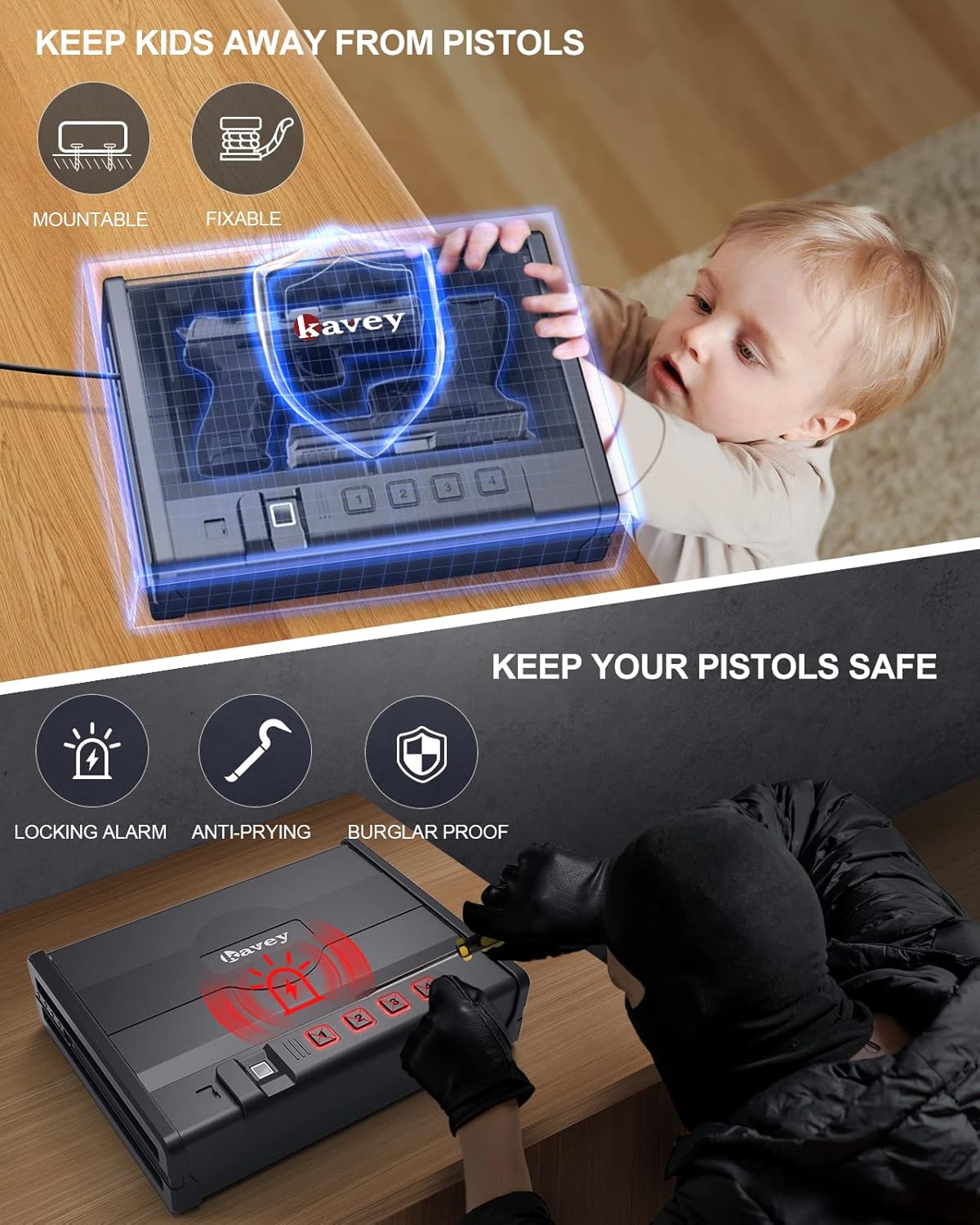
This image illustrates the importance of keeping children away from the safe and highlights the safe's security features like locking alarm, anti-prying, and burglar-proof design.
3. Package Contents
Verify that all items are present in the package:
- Kavey Pistol Safe (1)
- Emergency Keys (2)
- Mounting Screws (2)
- Anti-Theft Steel Cable (1)
- User Manual (1)

This image displays the safe's dimensions and all components included in the package.
4. Product Overview and Features
The Kavey Biometric Gun Safe KP-01 is constructed from durable alloy steel, featuring a 1.5mm thick body and a 3mm thick door panel for enhanced security. It offers multiple access options and a spacious interior.
Key Features:
- Unbreakable Construction: Solid steel material with anti-slip handle and all-steel locking hooks.
- Design Patent: Unique belt-like design symbolizing strength.
- Larger Capacity: Accommodates two standard-sized handguns or one larger handgun, plus other valuables.
- Instant Access: Advanced semiconductor fingerprint technology for 0.1-second access.
- Silent Operation: Mute mode for discreet access and built-in LED light.
- Multiple Access Options: Fingerprint (up to 20), 4-6 digit password, and emergency key.

This image shows the Kavey Biometric Gun Safe open, displaying its interior capacity and access panel.

This image demonstrates the safe's interior capacity, capable of holding multiple firearms or other valuables.

This diagram illustrates the robust, multi-layered construction of the safe, emphasizing its durability and protective qualities.
5. Setup
5.1 Battery Installation
The safe requires 4 AA batteries (not included). Open the safe using the emergency key. Locate the battery compartment inside the door or on the back panel. Insert the batteries, ensuring correct polarity. Close the compartment.
5.2 Initial Setup (Fingerprint and Password)
Upon first use, you will need to program your fingerprints and a digital password.
- Setting Administrator Fingerprint:
- With the safe open, press and hold the fingerprint sensor until it beeps.
- Place your finger on the sensor, lift, and repeat 5 times from different angles until the indicator light turns green.
- This fingerprint is now registered as the administrator.
- Adding User Fingerprints:
- Press the fingerprint sensor once.
- Place the administrator fingerprint on the sensor to authorize.
- Once authorized, place the new user's finger on the sensor, lift, and repeat 5 times until the indicator light turns green.
- The safe can store up to 20 fingerprints.
- Setting Digital Password:
- With the safe open, press the 'SET' button (usually located inside the safe).
- Enter your desired 4-6 digit password on the keypad, then press '#'.
- Re-enter the same password and press '#' to confirm. The indicator light will turn green upon successful setup.
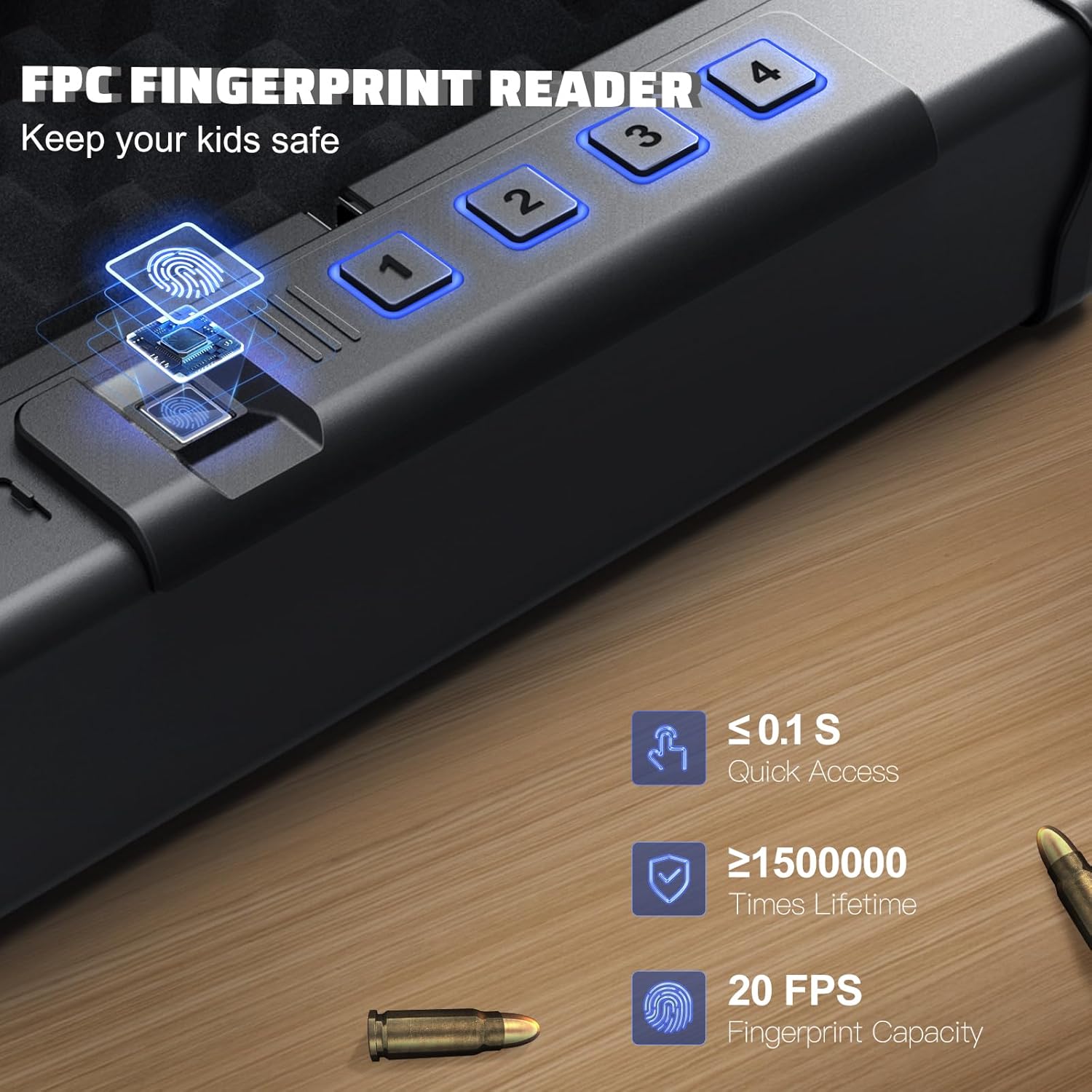
This image details the fingerprint reader's capabilities, including quick access and capacity.

This image illustrates the three primary methods for quickly accessing the safe.
5.3 Mounting and Securing the Safe
The safe can be mounted to a wall, floor, or secured with the included steel cable.
- Using Mounting Screws:
- Identify suitable mounting points on a solid surface (e.g., wood stud, concrete wall).
- Mark and drill pilot holes using an appropriate drill bit.
- Align the safe's pre-drilled holes with the pilot holes and secure with the provided mounting screws.
- Using Anti-Theft Steel Cable:
- Loop the steel cable around a secure, immovable object (e.g., bed frame, car seat anchor).
- Thread one end of the cable through the designated cable port on the safe.
- Secure the cable by locking the safe.
This video demonstrates the process of installing and securing the Kavey Pistol Safe.

This image illustrates how to secure the safe using the anti-theft steel cable.

The safe can be conveniently placed on a bedside table for quick access.

The compact design allows for discreet storage inside a drawer.

The safe can be placed on any flat surface, such as a table.

The safe is portable and can be secured in a car for on-the-go security.
6. Operation
6.1 Opening with Fingerprint
Place a registered finger firmly on the fingerprint sensor. The safe will open automatically within 0.1 seconds if the fingerprint is recognized.
This video provides a comprehensive overview of the Kavey Biometric Gun Safe, including its quick fingerprint access.
6.2 Opening with Keypad
Enter your 4-6 digit password on the keypad, then press '#'. The safe will open if the password is correct.
6.3 Opening with Emergency Key
In case of battery failure or forgotten codes, insert the emergency key into the keyhole and turn it to open the safe manually.
6.4 Mute Mode
To enable or disable mute mode, press and hold the '1' button on the keypad for 3 seconds. This allows for silent operation, preventing audible alerts during access.
This video demonstrates the silent operation feature of the Kavey Pistol Safe.

This image highlights the mute function for discreet access.
6.5 Locking Alarm System
If an incorrect code or fingerprint is entered 5 times consecutively, the safe will activate an audible alarm and lock the keypad and fingerprint scanner for 100 seconds to prevent unauthorized access.
This video explains the security system of the Kavey Pistol Safe, including its locking alarm.

This image illustrates the safe's locking alarm system, deterring unauthorized access.
7. Maintenance
7.1 Cleaning
Wipe the exterior of the safe with a soft, damp cloth. Avoid using abrasive cleaners or solvents that could damage the finish or electronic components.
7.2 Battery Replacement
When the batteries are low, the safe will provide a low battery reminder. Replace all 4 AA batteries promptly to ensure continuous operation. Use the emergency key to open the safe if batteries are completely depleted.
8. Troubleshooting
| Problem | Possible Cause | Solution |
|---|---|---|
| Safe does not open with fingerprint. | Finger not placed correctly; unregistered fingerprint; dirty sensor. | Ensure full contact with sensor; register fingerprint; clean sensor with a soft cloth. |
| Keypad does not respond. | Low batteries; incorrect password entered too many times. | Replace batteries; wait 100 seconds if alarm is active; use emergency key. |
| Safe makes no sound. | Mute mode is active. | Press and hold '1' for 3 seconds to disable mute mode. |
| Safe lid does not open smoothly. | Obstruction; gas strut bar issue. | Check for obstructions; contact customer service if gas strut bar is faulty. |
9. Specifications
| Feature | Detail |
|---|---|
| Brand | kavey |
| Model Name | Pistol Safe (KP-01) |
| Product Dimensions (D x W x H) | 10.1" x 13.38" x 3.3" |
| Interior Dimensions (W x D x H) | 10.6" x 6.28" x 3.1" |
| Lock Type | Fingerprint, Password, Key |
| Material | Alloy Steel |
| Body Thickness | 1.5 mm |
| Door Panel Thickness | 3 mm |
| Fingerprint Capacity | Up to 20 |
| Quick Access Speed | ≤ 0.1 seconds (fingerprint) |
| Power Source | 4 x AA Batteries |
| Item Weight | 9.53 Pounds |
| Alarm | Lockout Protection, Audible |

This table provides a detailed comparison of the Kavey safe's specifications against other brands.
10. Warranty and Support
Kavey provides 24/7 online customer service and key service. The product comes with a 90-day unconditional return policy. For any issues or inquiries, please contact Kavey customer support.
For further assistance, please refer to the contact information provided on the official Kavey website or your purchase documentation.