
dealzEpic STICKER-OFF-ON_BK
dealzEpic OFF ON Direction Indicating Stickers User Manual
Model: STICKER-OFF-ON_BK
Introduction
This user manual provides comprehensive instructions for the dealzEpic OFF ON Direction Indicating Stickers. These self-adhesive labels are designed to clearly indicate the 'OFF' and 'ON' positions for various controls and devices. Please read this manual carefully before use to ensure proper application and longevity of the product.
Product Overview
The dealzEpic OFF ON Direction Indicating Stickers are designed for clarity and durability. Each sticker features a curved arrow indicating direction from 'OFF' to 'ON'.

Figure 1: Overview of dealzEpic OFF ON Direction Indicating Stickers. This image shows multiple sheets of the stickers, each sheet containing 10 individual stickers. The stickers are black with white text and arrows, indicating 'OFF' on the left and 'ON' on the right along a curved path.
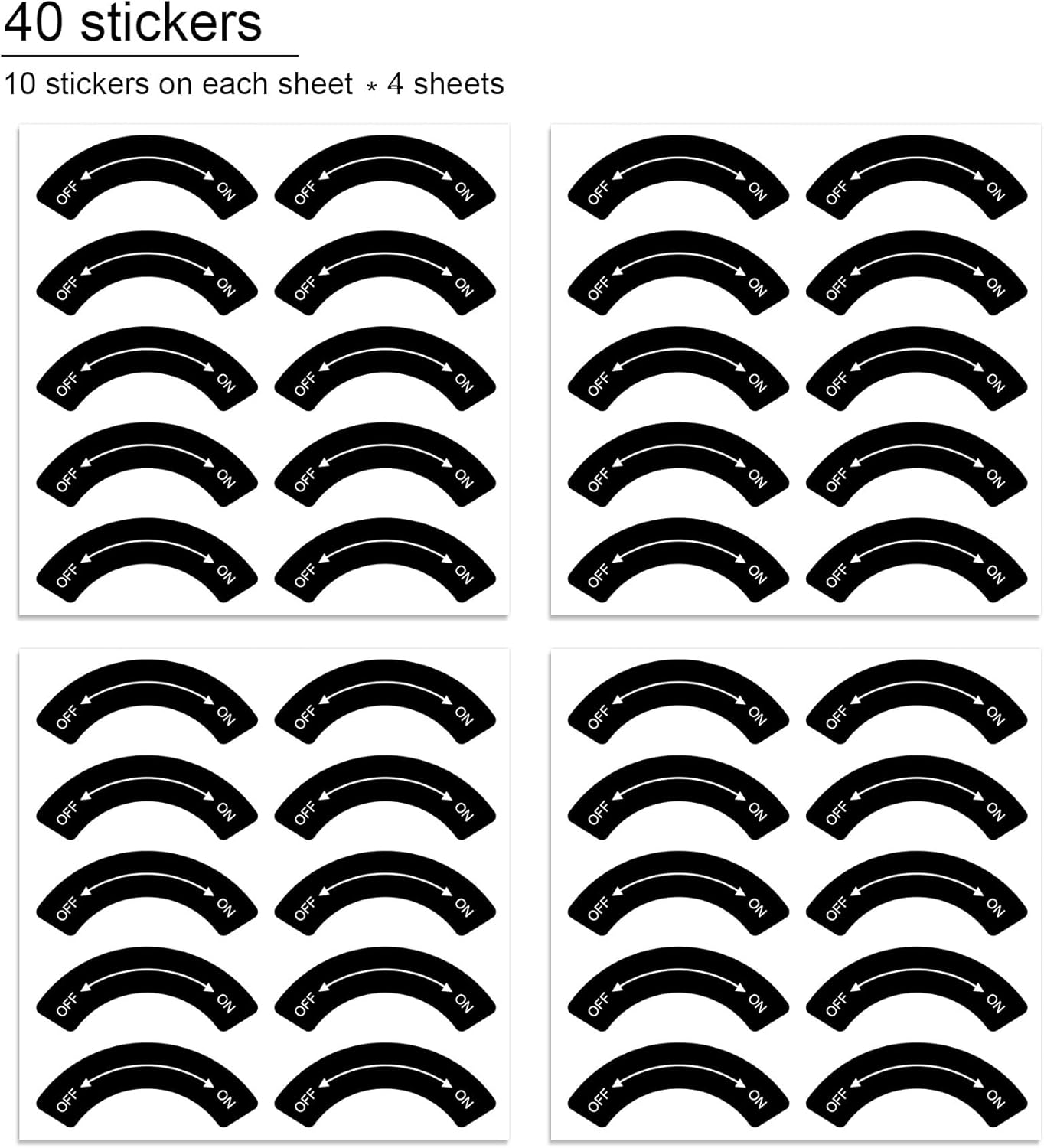
Figure 2: Quantity of Stickers. This image illustrates that the product includes 4 sheets, with 10 stickers on each sheet, for a total of 40 stickers. The layout shows four grids of stickers, each representing one sheet.
Specifications
| Feature | Detail |
|---|---|
| Model Number | STICKER-OFF-ON_BK |
| Sticker Dimensions (each) | 4.5 cm x 1.7 cm (approximately 1.77 x 0.67 inches) |
| Material | High-quality material laminated with transparent polyethylene film |
| Adhesive Type | Self-adhesive (Peel and Stick) |
| Durability | Waterproof surface, improved UV resistance and chemical resistance |
| Recommended Use | Indoor and limited outdoor use |
| Quantity | 10 stickers per sheet, 4 sheets per pack (Total 40 stickers) |

Figure 3: Sticker Dimensions. This diagram illustrates the precise dimensions of a single sticker, showing a width of 4.5 cm.
Setup and Application
- Prepare the Surface: Ensure the surface where the sticker will be applied is clean, dry, and free of dust, grease, or any other contaminants. A clean surface ensures optimal adhesion.
- Positioning: Carefully determine the desired placement for the sticker. Consider the orientation of the 'OFF' and 'ON' indicators relative to the control or switch it is labeling.
- Peel and Stick: Gently peel the sticker from its backing sheet. Avoid touching the adhesive side with your fingers to maintain its stickiness.
- Apply: Align the sticker with the chosen position and carefully press it down, starting from one edge and smoothing it out to prevent air bubbles. Apply firm, even pressure across the entire sticker.
- Final Adhesion: Once applied, press firmly over the entire surface of the sticker for a few seconds to ensure complete adhesion.
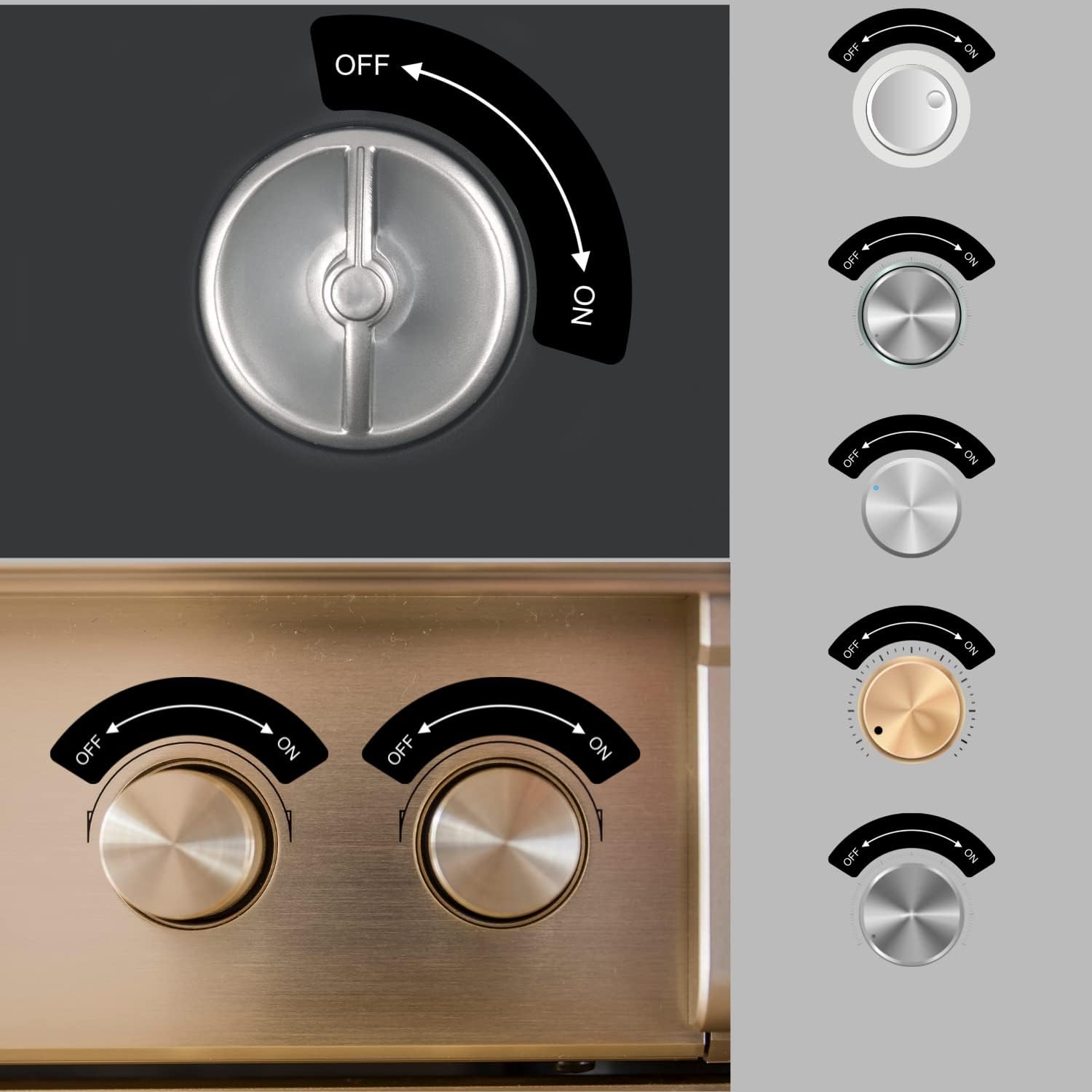
Figure 4: Application Examples. This image displays several examples of the OFF ON stickers applied to different types of rotary knobs and switches, demonstrating their versatility and clear directional indication in various settings.
Operating Instructions
These stickers are passive indicators and do not require any operational steps themselves. Their purpose is to provide clear visual cues for the 'OFF' and 'ON' states of the equipment or controls they are applied to. Users should refer to the operating manual of the specific device for instructions on how to operate that device.
- Clarity: The clear 'OFF' and 'ON' markings help users quickly identify the current state or desired direction of a switch or knob.
- Directional Guidance: The integrated arrow provides intuitive guidance for turning controls from the 'OFF' position to the 'ON' position.
Maintenance
The dealzEpic OFF ON Direction Indicating Stickers require minimal maintenance due to their durable design.
- Cleaning: If the sticker surface becomes dirty, gently wipe it with a soft, damp cloth. Avoid abrasive cleaners or harsh chemicals, as these may damage the lamination or print.
- Inspection: Periodically inspect the stickers for any signs of peeling or damage. If a sticker begins to peel, it may be re-adhered by pressing firmly, or replaced if necessary.
- Storage: Store unused stickers in a cool, dry place, away from direct sunlight and extreme temperatures, to preserve their adhesive properties.
Troubleshooting
Most issues related to the stickers can be resolved with simple steps.
| Problem | Possible Cause | Solution |
|---|---|---|
| Sticker not adhering properly | Surface was not clean or dry; insufficient pressure during application. | Ensure surface is thoroughly cleaned and dried before application. Apply firm, even pressure across the entire sticker during application. If necessary, replace with a new sticker. |
| Air bubbles under sticker | Sticker applied too quickly or unevenly. | When applying, start from one edge and slowly smooth the sticker down to the opposite edge. For existing bubbles, gently try to push the air towards the nearest edge. |
| Sticker peeling at edges | Exposure to extreme conditions; improper initial adhesion. | Press down firmly on the peeling edges. For outdoor use, ensure it is within "limited outdoor" conditions. If peeling persists, replace the sticker. |
Warranty and Support
For any questions or concerns regarding your dealzEpic OFF ON Direction Indicating Stickers, please contact dealzEpic customer support. While these stickers are designed for durability, specific warranty details for this consumable product may vary. Please refer to your purchase documentation or the seller's policy for information on returns or replacements.
Manufacturer: dealzEpic
ASIN: B0B7RFSK6H
Item model number: STICKER-OFF-ON_BK
Ask a question about this manual
Ask about setup, troubleshooting, compatibility, parts, safety, or missing instructions. Manuals+ will review the question and use this page’s manual context to help answer it.