
Introduction
This manual provides essential information for setting up, operating, maintaining, and troubleshooting your iBUYPOWER TraceMR 288a Gaming PC. Please read these instructions carefully before using your new computer to ensure optimal performance and longevity.
What's in the Box
Verify that all items are present in the packaging:
- iBUYPOWER TraceMR 288a Gaming PC System
- iBUYPOWER Gaming Mouse
- iBUYPOWER Gaming Keyboard
- Power Cord
Setup
1. Unpacking
Carefully remove the PC and all accessories from the packaging. Retain the original packaging for future transport or service needs.
2. Connecting Peripherals
- Monitor: Connect your monitor to the graphics card's HDMI or DisplayPort output. Ensure it is connected to the dedicated graphics card (NVIDIA RTX 3060), not the motherboard's integrated video ports.
- Keyboard and Mouse: Connect the gaming keyboard and mouse to any available USB ports on the rear of the PC.
- Power: Connect the power cord to the power supply unit (PSU) at the rear of the PC, then plug the other end into a grounded electrical outlet.
- Network: For wired internet, connect an Ethernet cable to the RJ-45 port. For wireless internet, the system is WiFi ready.
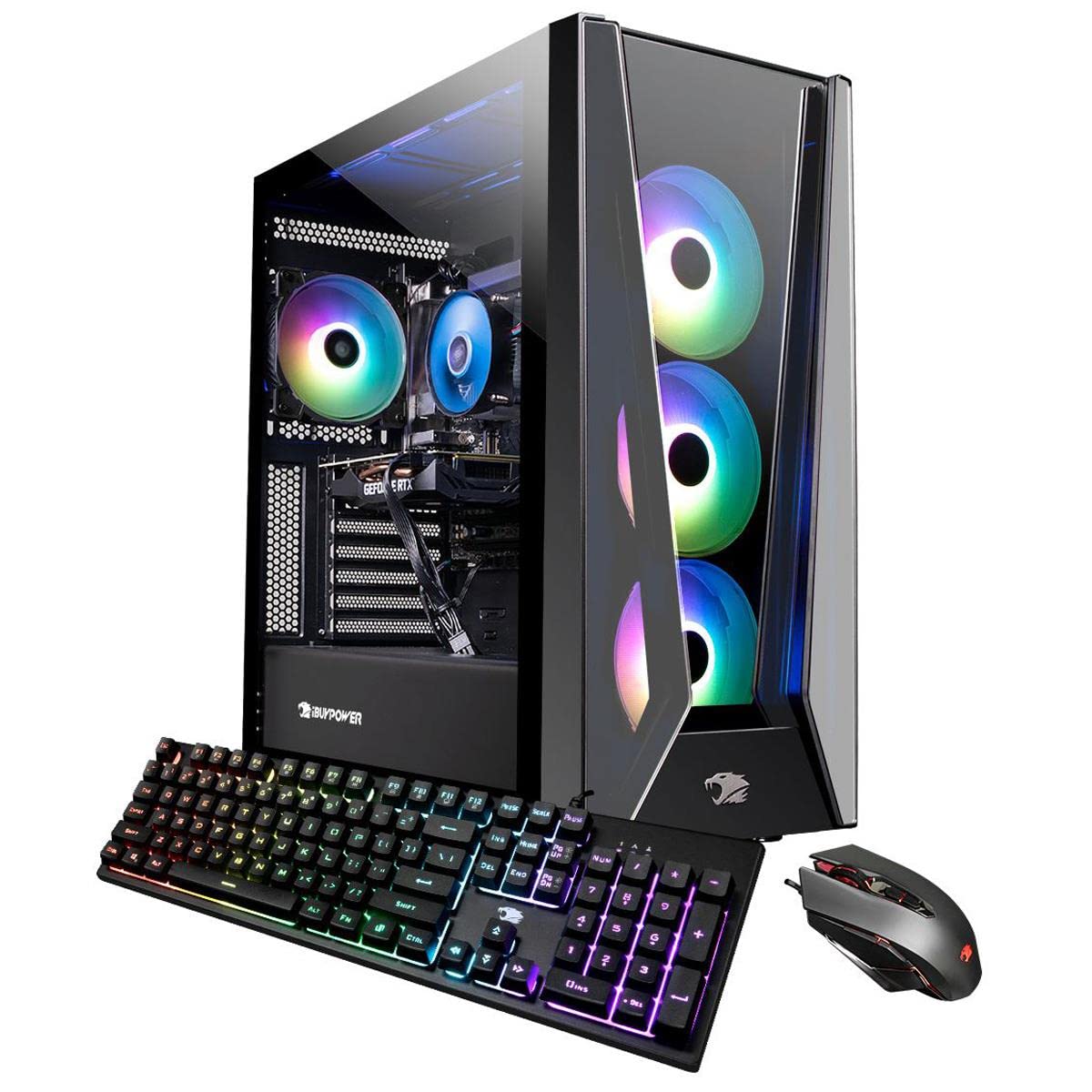
Image: The iBUYPOWER TraceMR 288a Gaming PC, showcasing its tempered glass side panel and internal RGB components.
3. Initial Power On
Press the power button located on the top or front of the PC case. The system will boot up, and you will be guided through the Windows 11 Home setup process. Follow the on-screen instructions to configure your operating system.
Operating Instructions
Power On/Off
- To Power On: Press the power button once.
- To Shut Down: Click the Start button in Windows, then select Power > Shut down. Avoid directly holding the power button to turn off the PC, as this can lead to data loss or system corruption.
- To Restart: Click the Start button, then select Power > Restart.
Windows 11 Home
Your PC comes pre-installed with Windows 11 Home. Familiarize yourself with the operating system's interface and features. Regular updates are recommended for security and performance.
RGB Lighting Control
The TraceMR 288a features a 16-color RGB lighting case. Control of the RGB lighting is typically managed through pre-installed software or a dedicated button on the PC case. Refer to the specific software documentation for detailed customization options.
Maintenance
Cleaning
Regular cleaning helps maintain optimal performance and extends the lifespan of your PC. Use compressed air to clear dust from internal components and fan vents. Wipe exterior surfaces with a soft, damp cloth. Ensure the PC is powered off and unplugged before cleaning.

Image: Side view of the iBUYPOWER TraceMR 288a PC, highlighting the side vents designed for optimal airflow.
Software Updates
Keep your Windows operating system, graphics drivers, and other software up to date. This ensures security, stability, and access to the latest features and performance improvements.
Troubleshooting
If you encounter issues, try the following steps:
- No Power: Ensure the power cord is securely connected to both the PC and the wall outlet. Check the power switch on the PSU at the back of the PC. Try a different power outlet.
- No Display: Verify that the monitor is powered on and correctly connected to the graphics card's output. Ensure the monitor input source is set correctly. Try a different cable or monitor if possible.
- Network Connectivity Issues: For wired connections, check the Ethernet cable. For wireless, ensure Wi-Fi is enabled in Windows settings and you are connected to the correct network. Restart your router/modem.
- System Freezes/Crashes: Ensure all drivers are updated. Check for sufficient airflow and proper cooling. Close unnecessary background applications.
If problems persist, refer to the iBUYPOWER support website or contact technical support for further assistance.
Specifications
| Component | Detail |
|---|---|
| Model Name | TraceMR 288a |
| Operating System | Windows 11 Home |
| CPU | AMD Ryzen 5 5600 (3.5 GHz) |
| GPU | NVIDIA GeForce RTX 3060 (12 GB GDDR6) |
| RAM | 16 GB DDR4 (3000 MHz, 4 slots available, max 128 GB) |
| Storage | 500 GB NVMe SSD |
| Connectivity | 802.11AC Wi-Fi, Ethernet (10/100/1000) |
| USB Ports | 6 x USB 3.1 (Total) |
| Video Output | HDMI (1 total) |
| Audio | On board audio |
| Cooling Method | Air |
| Dimensions (L x W x H) | 19.3 x 8.66 x 18.9 inches |
| Additional Features | Tempered Glass RGB Gaming Case, 16 Color RGB Lighting Case |

Image: Rear view of the iBUYPOWER TraceMR 288a PC, illustrating the various connectivity ports including USB and HDMI.
Warranty and Support
Warranty Information
Your iBUYPOWER TraceMR 288a Gaming PC includes a 1 Year Parts & Labor Warranty. This warranty covers defects in materials and workmanship under normal use during the warranty period.
Technical Support
iBUYPOWER provides Free Lifetime US Tech Support for your product. For technical assistance, troubleshooting, or warranty claims, please visit the official iBUYPOWER support website or contact their customer service directly. Have your product model and serial number ready when contacting support.


