
1. Introduction
The Sennheiser MB Pro 2 is an on-ear wireless Bluetooth headset designed for business and communication. This manual provides instructions for setting up, operating, maintaining, and troubleshooting your headset to ensure optimal performance.
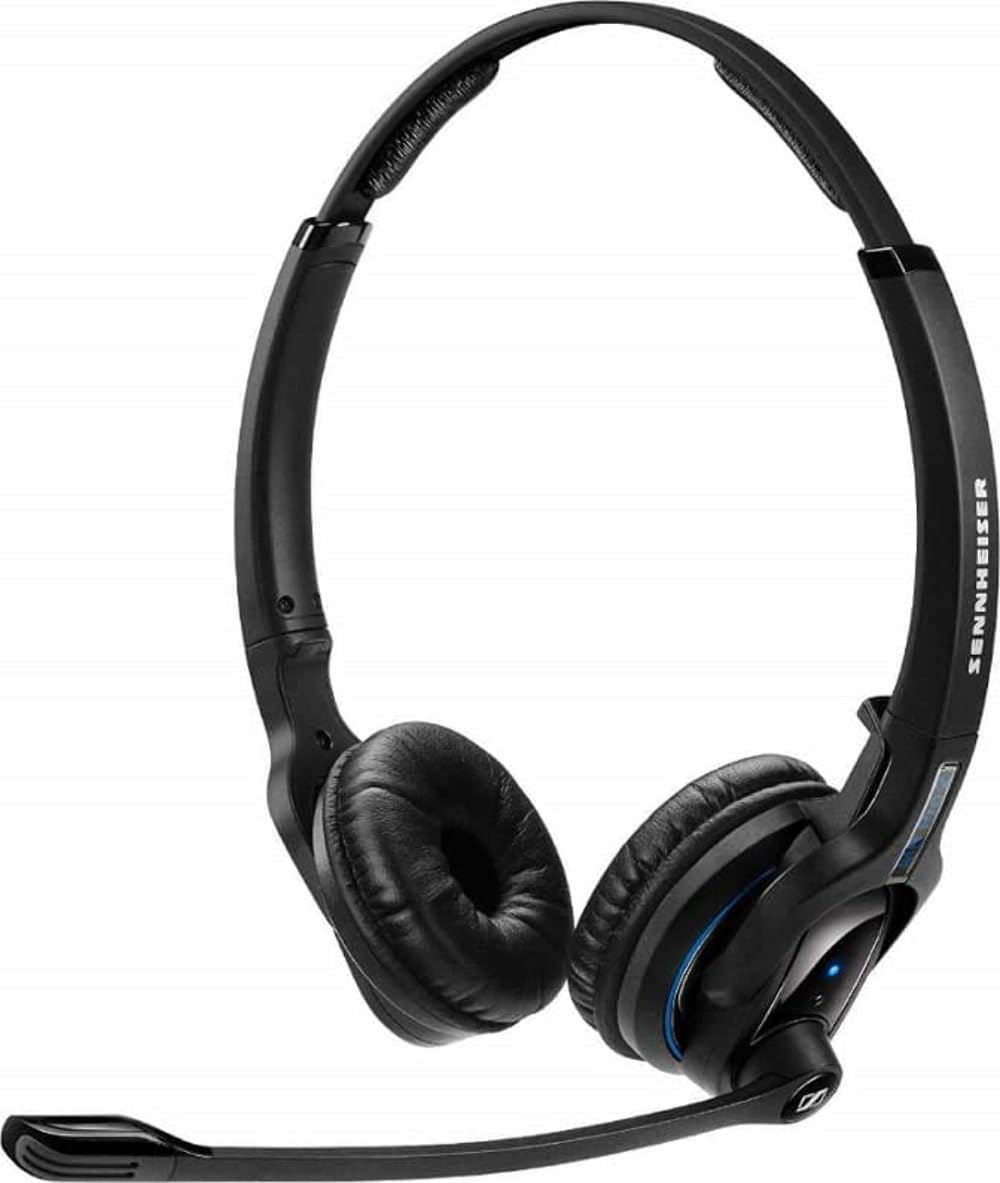
An image showing the Sennheiser MB Pro 2 on-ear Bluetooth headset, typically black, with earcups designed to rest on the ears and an adjustable headband.
2. Setup
2.1 Charging the Headset
Before initial use, fully charge the headset. Connect the provided charging cable to the headset's charging port and to a compatible USB power source. The LED indicator on the headset will show the charging status. A full charge typically takes approximately 2-3 hours.
2.2 Pairing with a Bluetooth Device
- Ensure the headset is turned off.
- Press and hold the power button on the headset until the LED indicator flashes blue and red, indicating pairing mode.
- On your device (cellphone, desktop, laptop, or tablet), enable Bluetooth and search for available devices.
- Select "Sennheiser MB Pro 2" from the list of found devices.
- If prompted, enter "0000" as the PIN.
- Once paired, the LED indicator will flash blue periodically.
Note: A Bluetooth dongle is not included with this version of the headset and may be required for some desktop or laptop connections if your device does not have built-in Bluetooth.
3. Operating the Headset
3.1 Power On/Off
- To power on: Press and hold the power button until the LED flashes blue.
- To power off: Press and hold the power button until the LED flashes red and then turns off.
3.2 Call Management
- Answer/End Call: Press the multi-function button once.
- Reject Call: Press and hold the multi-function button for 2 seconds.
- Redial Last Number: Double-press the multi-function button.
3.3 Volume Control
Use the volume up (+) and volume down (-) buttons located on the headset to adjust the audio level during calls or media playback.
3.4 Media Control
The headset supports basic media control functions when connected to a compatible device:
- Play/Pause: Press the multi-function button once.
- Next Track: Double-press the multi-function button.
- Previous Track: Triple-press the multi-function button.
4. Maintenance
4.1 Cleaning
- Wipe the headset surfaces with a soft, dry, lint-free cloth.
- Do not use liquid cleaners, solvents, or abrasive materials.
- Keep the charging port free of dust and debris.
4.2 Battery Care
- Avoid exposing the headset to extreme temperatures.
- Store the headset in a cool, dry place when not in use.
- For long-term storage, charge the battery to approximately 50% every few months to preserve battery life.
4.3 Storage
When not in use, store the headset in a protective case or a safe location to prevent damage from drops or pressure.
5. Troubleshooting
- No Power: Ensure the headset is charged. Connect it to a power source using the charging cable.
- Cannot Pair: Ensure the headset is in pairing mode (flashing blue/red). Turn off and on your device's Bluetooth. Move the headset closer to your device.
- No Sound: Check the volume levels on both the headset and your connected device. Ensure the headset is properly paired and connected.
- Poor Audio Quality: Move closer to your connected device to reduce interference. Ensure no physical obstructions are between the headset and the device.
- Headset Disconnects Frequently: Ensure the headset is within the Bluetooth range (up to 50 feet). Check for other devices causing interference.
6. Specifications
| Model Name | FBA_506044 |
| Brand | Sennheiser |
| Connectivity Technology | Bluetooth |
| Bluetooth Version | 4.0 |
| Bluetooth Range | Up to 50 Feet |
| Ear Placement | On Ear |
| Item Weight | 82 Grams (2.89 ounces) |
| Product Dimensions | 6.69 x 8.27 x 2.36 inches |
| Battery | 1 Lithium Ion battery required |
| Compatible Devices | Cellphones, Desktops, Laptops, Tablets |
| Included Components | Charging Cable |
| Control Type | Media Control, Remote, Button |
7. Warranty and Support
This Sennheiser MB Pro 2 headset is a renewed product. Renewed products are typically backed by a specific guarantee from the seller or platform where purchased. Please refer to the terms and conditions of the "Amazon Renewed Guarantee" for details regarding replacement or refund eligibility.
For technical support or further assistance, please consult the Sennheiser official website or contact their customer service. Keep your purchase documentation handy when seeking support.


