1. Introduction
Welcome to the user manual for your Philips Azur 8000 Series Steam Iron. This iron is designed to deliver perfect ironing results efficiently, featuring powerful steam output and OptimalTEMP technology for safe use on all ironable fabrics. This manual provides essential information for the safe and effective use, setup, operation, maintenance, and troubleshooting of your appliance.

The Philips Azur 8000 Series Steam Iron, showcasing its sleek design and color scheme.
2. Important Safety Information
Before using the appliance, read this user manual and the safety information carefully and save it for future reference. Always follow basic safety precautions when using electrical appliances to reduce the risk of fire, electric shock, and personal injury.
- Ensure the voltage indicated on the appliance corresponds to the local mains voltage before you connect the appliance.
- Do not use the iron if the plug, the mains cord, or the appliance itself shows visible damage, or if the appliance has been dropped.
- Always unplug the iron from the power outlet when filling or emptying the water tank, and when not in use.
- Never immerse the iron in water or any other liquid.
- Keep the iron and its cord out of reach of children when it is switched on or cooling down.
- Do not leave the iron unattended while it is connected to the mains.
- Place the iron on a stable, heat-resistant surface when resting.
- The soleplate of the iron can become extremely hot and may cause burns if touched.
3. Product Features
The Philips Azur 8000 Series Steam Iron is equipped with advanced features for superior ironing performance:
- Powerful Heat and Steam: With 3000 W of power, the iron heats up quickly and provides a continuous steam output of 55 g/min for efficient wrinkle removal.
- Steam Boost: A strong steam boost of up to 240 grams helps to tackle stubborn creases with ease.
- Vertical Steaming: Conveniently unwrinkle hanging garments and curtains without the need for an ironing board.
- OptimalTEMP Technology: Iron all types of ironable fabrics from silk to linen without the risk of burns or needing to adjust temperature settings.
- SteamGlide Elite Soleplate: Provides exceptional gliding performance and durability for smooth ironing.
- Large Water Tank: A 300 ml water tank allows for longer ironing sessions without frequent refills.
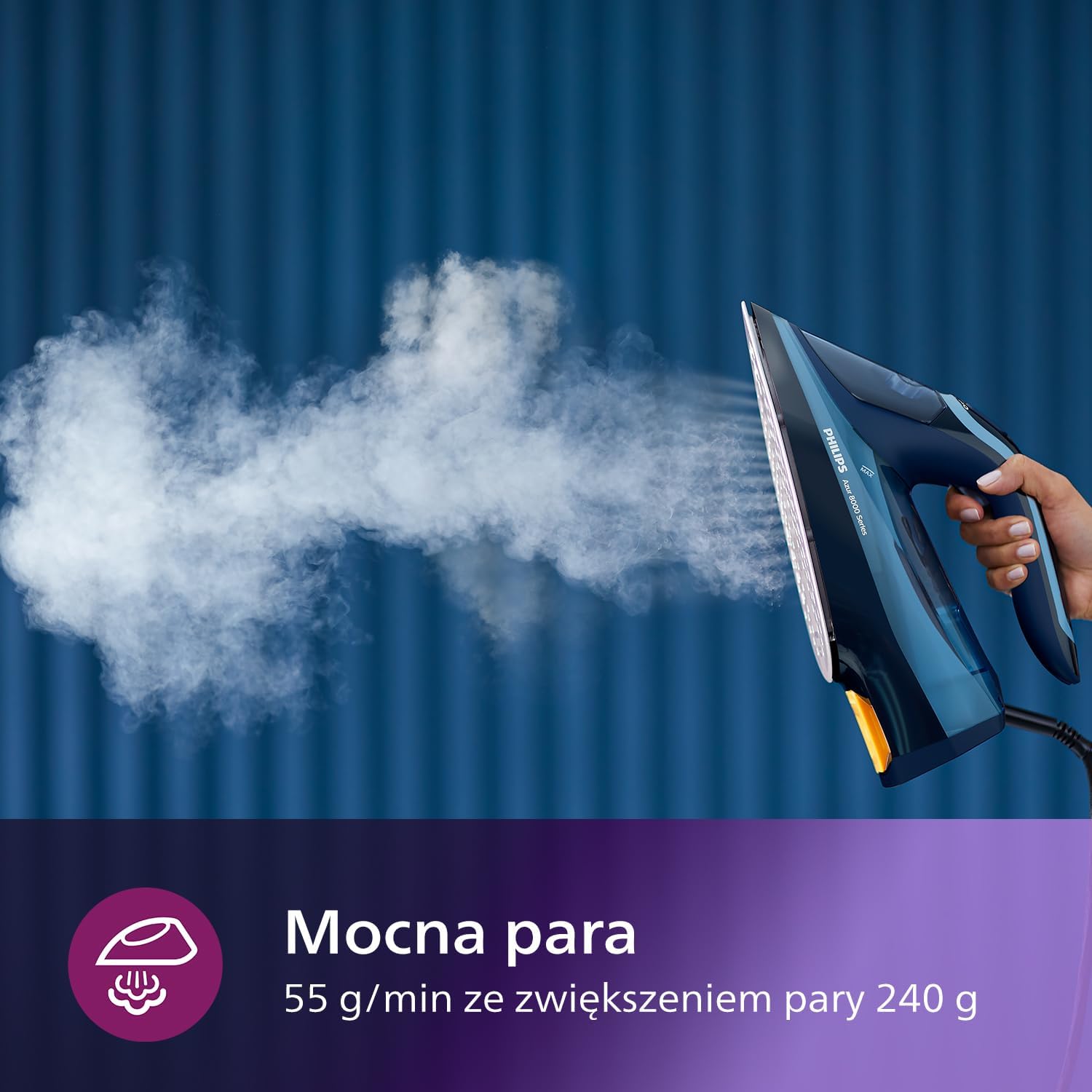
The iron demonstrating its powerful steam output.

OptimalTEMP technology ensures safe ironing on all fabrics.

Vertical steaming feature in use on a hanging garment.

The SteamGlide Elite soleplate for smooth gliding.
4. Setup
Before first use, remove any labels or protective film from the soleplate. It is normal for a small amount of smoke or odor to be produced during the first use as the heating elements burn off manufacturing residues. This will disappear after a short time.
Filling the Water Tank
- Ensure the iron is unplugged from the power outlet.
- Open the water filling inlet cover, usually located at the front of the handle.
- Fill the water tank with tap water up to the 'MAX' indication. The tank capacity is 300 ml.
- Close the water filling inlet cover securely.
For optimal performance and to prolong the life of your iron, it is recommended to use demineralized or distilled water, especially in areas with hard water. Do not use perfumed water, water from tumble dryers, or water containing additives.
5. Operating Instructions
Ironing with OptimalTEMP Technology
- Plug the iron into a grounded wall socket. The iron will begin to heat up quickly due to its 3000 W power.
- The OptimalTEMP technology means you do not need to adjust the temperature. The iron is safe for all ironable fabrics.
- For continuous steam, ensure the water tank is filled. The iron will automatically produce 55 g/min of continuous steam when moved horizontally.
- For a powerful steam boost, press the steam boost button (usually located under the handle or on top). This delivers up to 240 grams of steam to remove stubborn creases.
- For vertical steaming, hold the iron vertically and press the steam boost button. Keep the iron a few centimeters away from the fabric.
- After use, unplug the iron and allow it to cool down completely before storing.
6. Maintenance
Cleaning the Iron
- Always unplug the iron and let it cool down completely before cleaning.
- Wipe the soleplate with a damp cloth and a non-abrasive (liquid) cleaner.
- To clean the upper part of the iron, wipe it with a damp cloth.
- Never use scouring pads, abrasive cleaning agents, or aggressive liquids like alcohol, petrol, or acetone to clean the iron.
Descaling
Regular descaling helps maintain the iron's performance and extends its lifespan. Refer to the specific descaling instructions in your full product manual, which may involve a Calc-Clean function or a specific descaling procedure.
7. Troubleshooting
If you encounter issues with your Philips Azur 8000 Series Steam Iron, refer to the following common problems and solutions:
| Problem | Possible Cause | Solution |
|---|---|---|
| Iron does not heat up. | Not plugged in, power outage, or faulty outlet. | Check power connection, try another outlet. |
| No steam or insufficient steam. | Water tank empty, iron not hot enough, or calc build-up. | Fill water tank, allow iron to heat fully, perform descaling. |
| Water leaks from soleplate. | Temperature too low for steam, or overfilled water tank. | Ensure iron is fully heated, do not overfill water tank. |
| White flakes coming from soleplate. | Mineral deposits (calc) in the water tank. | Perform descaling procedure. Use demineralized water. |
If the problem persists after trying these solutions, please contact Philips customer support.
8. Specifications
- Model: DST8020/20
- Power: 3000 Watts
- Continuous Steam: 55 g/min
- Steam Boost: Up to 240 g
- Water Tank Capacity: 300 ml
- Soleplate: SteamGlide Elite
- Technology: OptimalTEMP
- Item Weight: 210 Grams
- Product Dimensions: Approximately 50L x 50W centimetres (Note: These dimensions appear to be placeholder or incorrect based on typical iron size. Refer to product packaging for precise measurements.)
- Included Components: 1 x Steam Iron
9. Warranty and Support
This Philips Azur 8000 Series Steam Iron comes with a 2-year worldwide warranty, ensuring peace of mind regarding its quality and performance. For detailed warranty terms, product registration, or further support, please visit the official Philips website or contact Philips customer service in your region.
For additional information and support, you may refer to the product's UPC/EAN: 8720389004773


