
Zenport ES88
Zenport ES88 Cordless Electric Chainsaw User Manual
Model: ES88
1. Introduction
This manual provides essential information for the safe operation, assembly, maintenance, and troubleshooting of your Zenport ES88 Cordless Electric Chainsaw. Please read all instructions carefully before using the tool to ensure proper function and user safety.
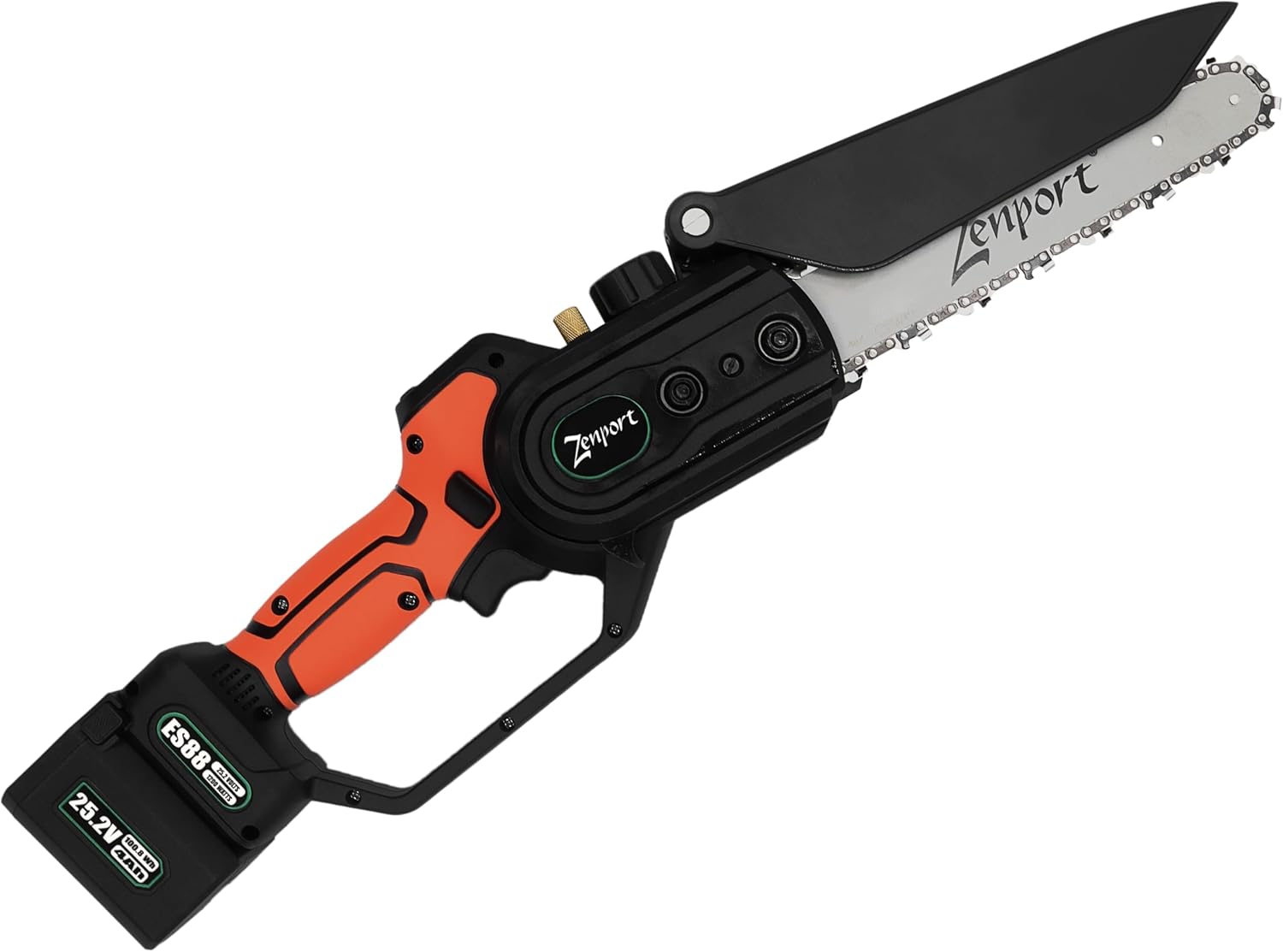
Figure 1: Zenport ES88 Cordless Electric Chainsaw with blade guard open.
2. Safety Information
Always prioritize safety when operating power tools. Failure to follow safety instructions can result in serious injury or property damage.
Important Warnings:
- Wear appropriate personal protective equipment (PPE) including eye protection, gloves, and hearing protection.
- Ensure the work area is clear of bystanders, especially children and pets.
- Do not operate the chainsaw in wet conditions or near flammable liquids or gases.
- Always maintain a firm grip on the chainsaw with both hands.
- Disconnect the battery before performing any maintenance, cleaning, or when the tool is not in use.
- Keep all parts of the body away from the saw chain when the motor is running.
Proposition 65 Warning:
California Residents: This product can expose you to chemicals which are known to the State of California to cause cancer and reproductive harm. For more information, go to: www.P65Warnings.ca.gov.
3. Package Contents
Upon opening the package, verify that all items listed below are present and undamaged.
- Zenport ES88 Cordless Electric Chainsaw
- 2 x 25.2-Volt, 4 Ah Lithium-Ion Batteries
- Battery Charger (capable of charging 3 batteries simultaneously)
- Impact-resistant Form-fitted Carrying Case
- Diamond Chain File
- Screwdrivers (various)
- Wrench
- Chain Bar Oil Reservoir Applicators
- User Manual (this document)

Figure 2: Zenport ES88 chainsaw and its included accessories.

Figure 3: The Zenport ES88 chainsaw and accessories stored within its protective carrying case.
4. Product Features
- Cordless Design: Powered by 25.2-volt lithium-ion batteries for portability.
- Brushless Motor: 1200-watt motor provides efficient cutting performance.
- Cutting Capacity: Capable of cutting branches up to 6.3 inches (160 mm) in diameter.
- Integrated Oil Reservoir: Helps ensure continuous lubrication of the chain and bar.
- Rotatable Protective Baffle: Designed to deflect sawdust and debris during operation.
- Digital Display: Provides real-time information on temperature, battery capacity, oil diagnostics, and runtime.
- Lightweight: Total weight with battery installed is approximately 4.3 pounds (1.95 kg).

Figure 4: Key features of the Zenport ES88, including the integrated oil reservoir and rotatable protective baffle.

Figure 5: Overview of Zenport ES88 Cordless Chainsaw capabilities and inclusions.
5. Setup
5.1. Battery Charging and Installation
- Before first use, fully charge both 25.2-volt lithium-ion batteries using the provided charger. The charger can accommodate up to three batteries simultaneously.
- Once charged, align the battery with the battery slot on the chainsaw handle and slide it in until it clicks securely into place.
- To remove the battery, press the release button (if present) and slide the battery out.
5.2. Chain Oiling
The Zenport ES88 features an integrated oil reservoir and pump system.
- Locate the oil reservoir cap on the chainsaw.
- Using the provided oil reservoir applicators, fill the reservoir with appropriate chain lubricant. Do not overfill.
- Ensure the cap is securely fastened after filling.
- During operation, press the oil applicator button (refer to Figure 7) to dispense oil onto the chain, ensuring proper lubrication.
6. Operating Instructions
6.1. Pre-Operation Checklist
- Ensure the battery is fully charged and securely installed.
- Check that the chain is properly tensioned and lubricated.
- Verify that the blade guard is in the correct position for the task.
- Confirm that the work area is clear and stable.
- Wear all necessary personal protective equipment.
6.2. Starting and Stopping the Chainsaw
- To start the chainsaw, press and hold the power button (refer to Figure 7).
- Release the power button to stop the chainsaw.
- Always ensure the chainsaw has come to a complete stop before setting it down or performing any adjustments.
6.3. Digital Display and Controls
The Zenport ES88 features a digital display that provides important operational information.

Figure 6: Close-up view of the Zenport ES88 chainsaw's digital display and control buttons.

Figure 7: Diagram detailing the functions of the Zenport ES88 display and control buttons.
| No. | Item | Description |
|---|---|---|
| 1 | Temperature | Shows the outside temperature |
| 2 | Battery | Battery capacity 1-100% |
| 3 | Oil Diagnostics | Frequency of oil flow and percentage of oil remaining in the reservoir |
| 4 | Runtime | Time the device has been active |
| 5 | Power Button | Press to power the tool on or off accordingly |
| 6 | Oil Applicator | Press to dispense oil onto the chain |
7. Maintenance
Regular maintenance ensures the longevity and safe operation of your Zenport ES88 chainsaw. Always disconnect the battery before performing any maintenance.
- Chain Lubrication: Regularly check the oil reservoir and refill as needed. Use the oil applicator button during operation to keep the chain and bar lubricated.
- Chain Sharpening: Use the included diamond chain file to keep the chain sharp. A sharp chain cuts more efficiently and reduces strain on the motor.
- Chain Tension: Periodically check and adjust chain tension. A loose chain can derail, and a too-tight chain can cause excessive wear.
- Cleaning: After each use, clean sawdust and debris from the chainsaw, especially around the chain, bar, and motor vents.
- Storage: Store the chainsaw in its protective carrying case in a dry, secure location, out of reach of children. Remove batteries for long-term storage.
8. Troubleshooting
This section addresses common issues you might encounter with your Zenport ES88 chainsaw.
- Chainsaw does not start:
- Ensure the battery is fully charged and correctly installed.
- Check if the power button is being pressed firmly.
- Poor cutting performance:
- The chain may be dull; sharpen it using the provided file.
- The chain may be improperly tensioned; adjust as necessary.
- Ensure the chain is adequately lubricated.
- Chain derails frequently:
- Check chain tension; it may be too loose.
- Inspect the guide bar and chain for damage or wear.
- Overheating:
- Allow the chainsaw to cool down.
- Ensure motor vents are clear of debris.
- Avoid continuous heavy-duty cutting without breaks.
If you encounter issues not listed here or if troubleshooting steps do not resolve the problem, please contact customer support.
9. Specifications
| Feature | Detail |
|---|---|
| Brand | Zenport |
| Model Number | ES88 |
| Power Source | 25.2V Lithium-Ion Battery |
| Motor Type | Brushless |
| Motor Wattage | 1200 Watts |
| Blade Length | 8 inches (203 mm) |
| Max Cutting Diameter | 6.3 inches (160 mm) |
| Battery Capacity | 4 Ah (each battery) |
| Runtime | 1-2 hours (per charge, depending on load) |
| Item Weight (with battery) | 4.3 pounds (1.95 kg) |
| Product Dimensions (L x W x H) | 5.5" x 13.5" x 21" (140mm x 343mm x 533mm) |
| UPC | 710465574830 |

Figure 8: Dimensional overview of the Zenport ES88 Cordless Electric Chainsaw.
10. Warranty and Support
Warranty Information:
Specific warranty details for the Zenport ES88 Cordless Electric Chainsaw are typically provided with your purchase documentation or can be found on the manufacturer's official website. Please retain your proof of purchase for warranty claims.
Customer Support:
For technical assistance, replacement parts, or further inquiries, please contact Zenport customer support.
- Manufacturer: Zenport Industries
- Website: www.zenportindustries.com
- Phone: 503-524-7289
You can also visit the Zenport Store on Amazon for additional product information and support.
Ask a question about this manual
Ask about setup, troubleshooting, compatibility, parts, safety, or missing instructions. Manuals+ will review the question and use this page’s manual context to help answer it.