
NPO US-NX10
USAMS NX10 True Wireless Earbuds
User Manual
1. Introduction
Thank you for choosing the USAMS NX10 True Wireless Earbuds. These earbuds are designed to provide a superior audio experience with advanced features such as Bluetooth 5.2 connectivity, noise cancellation, and sensitive touch controls. Please read this manual carefully before using the product to ensure proper operation and maintenance.
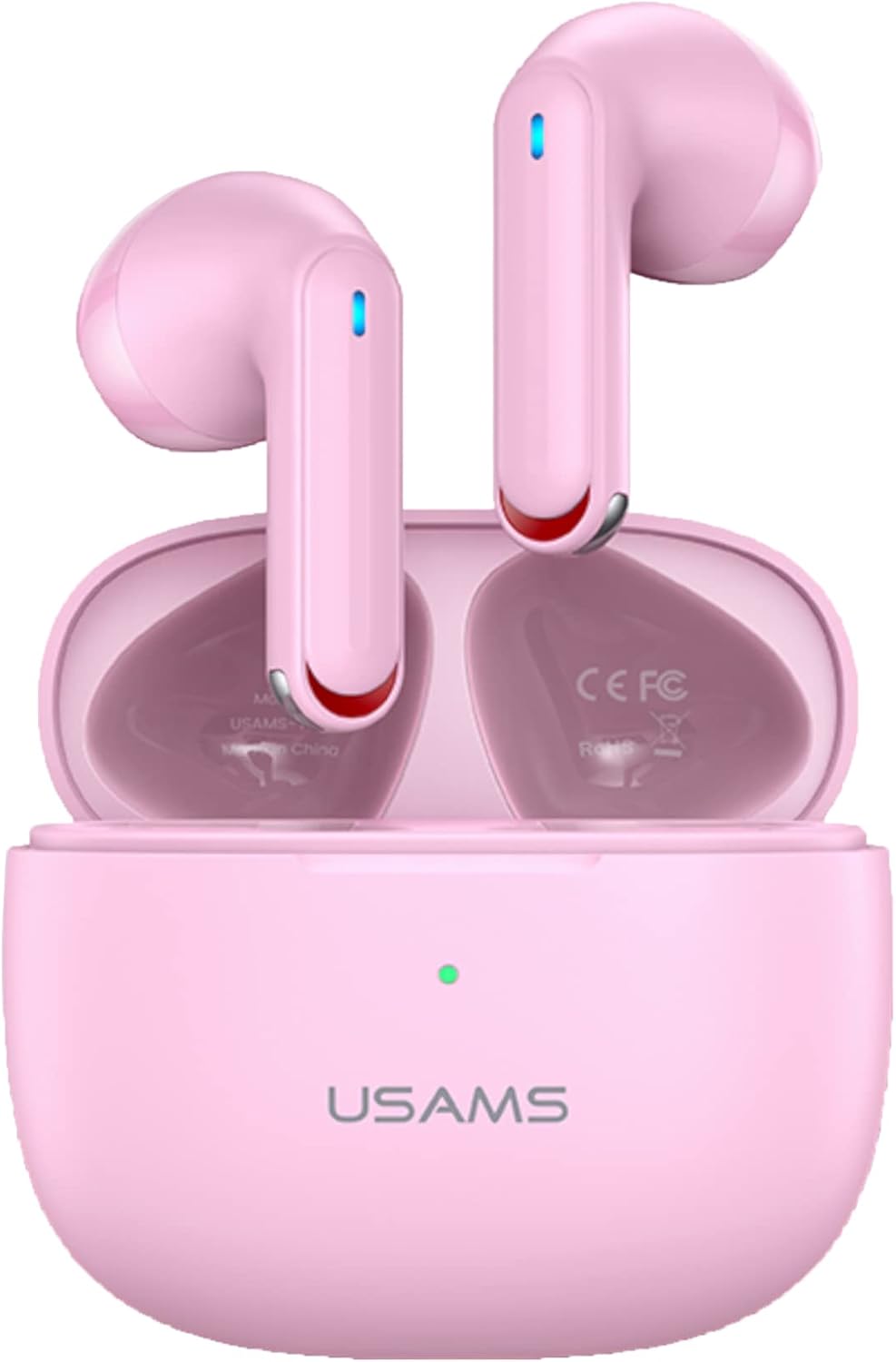
Image: The USAMS NX10 True Wireless Earbuds in their pink charging case, with the earbuds partially visible inside.
2. Package Contents
Upon opening the package, please verify that all the following items are included:
- USAMS NX10 True Wireless Earbuds (Left and Right)
- Charging Case
- USB Charging Cable
- User Manual

Image: Display of the USAMS NX10 product packaging, showing available colors: pink, white, and black.
3. Setup
3.1 Charging the Earbuds and Case
Before first use, fully charge the earbuds and the charging case. Connect the USB charging cable to the charging port on the case and a power source. The indicator light on the case will show charging status.
- A full charge for the case and earbuds typically takes about 1 hour.
- A quick 10-minute charge can provide approximately 2 hours of listening time.
- The charging case provides additional battery life, extending total listening time up to 28 hours.

Image: Visual representation of charging times and listening durations for the earbuds.

Image: Illustration highlighting the total 28 hours of battery life when using the charging case.
3.2 Pairing with a Device
- Open the lid of the charging case. The earbuds will automatically power on and enter pairing mode.
- On your device (smartphone, tablet, etc.), enable Bluetooth.
- Search for "USAMS NX10" in the list of available Bluetooth devices.
- Select "USAMS NX10" to connect. Once connected, a voice prompt will confirm successful pairing.
The earbuds will automatically reconnect to the last paired device when taken out of the case, provided Bluetooth is enabled on the device.

Image: Diagram showing that opening the case lid powers on the earbuds for pairing/reconnection, and closing the lid powers them off.
4. Operating Instructions
4.1 Touch Controls
The USAMS NX10 earbuds feature sensitive touch controls for easy management of music and calls:
- Play/Pause: Tap once on either earbud.
- Hang up call: Double tap on either earbud.
- Previous/Next Song: Double tap on either earbud (specific earbud for prev/next might vary, refer to image).
- Wake up Siri/Voice Assistant: Long press the Left earbud for 2 seconds.
- Low-latency Game Mode On/Off: Long press the Right earbud for 2 seconds.
- Reject Call: Long press either L or R earbud for 1 second.

Image: Visual guide to the touch control functions on the USAMS NX10 earbuds.
4.2 Noise Cancellation (ENC)
The USAMS NX10 features Environmental Noise Cancellation (ENC) for clear phone calls, reducing up to 90% of ambient noise with a noise reduction depth of 30dB.

Image: Diagram illustrating the 90% noise suppression and 30dB noise reduction depth provided by the ENC feature.
4.3 Low-Latency Gaming Mode
Activate the low-latency gaming mode for an optimized audio experience during gaming, reducing audio delay to 60ms. This mode is ideal for competitive gaming where audio synchronization is crucial.

Image: The USAMS NX10 earbuds alongside a smartphone displaying a gaming scene, illustrating the gaming mode feature.
5. Maintenance
- Cleaning: Regularly clean the earbuds and charging case with a soft, dry, lint-free cloth. Do not use abrasive cleaners or immerse in water.
- Storage: When not in use, store the earbuds in their charging case to protect them and keep them charged. Store in a cool, dry place away from extreme temperatures.
- Battery Care: To prolong battery life, avoid fully discharging the earbuds and case frequently. Charge them regularly, even if not in constant use.
6. Troubleshooting
| Problem | Possible Solution |
|---|---|
| Earbuds not pairing |
|
| No sound from one earbud |
|
| Earbuds not charging |
|
| Touch controls not responding |
|
7. Specifications
| Feature | Detail |
|---|---|
| Model Number | US-NX10 |
| Wireless Communication Technology | Bluetooth 5.2 |
| Control Type | Touch Control |
| Special Feature | Noise Cancellation (ENC) |
| Ear Placement | In Ear |
| Listening Time (Earbuds) | Up to 5 hours (2 hours with 10 min quick charge) |
| Total Listening Time (with Case) | Up to 28 hours |
| Low-Latency Gaming Mode | 60ms |
| Item Weight | 4.6 ounces |
| Package Dimensions | 6.65 x 3.66 x 1.46 inches |

Image: Icons representing key features: ENC function, 2 hours listening time with 10 mins quick charging, BT5.2 advanced chip, 60ms low-latency gaming mode, 28 hours of battery life with charging case, and sensitive multifunctional touch control.

Image: An exploded view illustrating the internal components and layered structure of an earbud speaker, highlighting its acoustic design.
8. Safety Information
- Do not disassemble, repair, or modify the product.
- Keep away from water, fire, and high voltage equipment.
- Avoid prolonged exposure to high volume levels to prevent hearing damage.
- Dispose of the product responsibly according to local regulations.
9. Warranty and Support
For warranty information and customer support, please refer to the contact details provided on the product packaging or the official NPO/USAMS website. Keep your purchase receipt as proof of purchase for warranty claims.
Manufacturer: USAMS
Brand: NPO
Ask a question about this manual
Ask about setup, troubleshooting, compatibility, parts, safety, or missing instructions. Manuals+ will review the question and use this page’s manual context to help answer it.