
1. Introduction
This manual provides essential instructions for the installation, operation, and maintenance of your eufy Security eufyCam S330 (eufyCam 3) Add-on Camera. This outdoor wireless security camera features 4K resolution, an integrated solar panel for continuous power, advanced AI for face recognition, and expandable local storage without monthly fees. Please read this manual thoroughly before use to ensure proper functionality and safety.

Image 1.1: The eufyCam S330 Add-on Camera, a 4K wireless security camera with an integrated solar panel.
2. What's Included
Verify that all components are present in your package:
- eufyCam S330 (eufyCam 3) Add-on Camera
- Mounting Bracket
- Mounting Screw Pack
- USB Charging Cable
- Quick Start Guide
Note: The eufyCam S330 requires a compatible eufy HomeBase (sold separately) for full functionality and local storage.
3. Key Features
- 4K UHD Resolution: Captures video in 4K detail, day and night, utilizing the Starlight photosensitive system for enhanced low-light color clarity.
- Integrated Solar Panel: Designed for continuous operation with an integrated solar panel, requiring approximately 2 hours of daily direct sunlight for sustained power.
- Expandable Local Storage: Features 16 GB of built-in storage. Expandable up to 16 TB with a compatible portable hard drive (not included) via the HomeBase, ensuring data control and no monthly fees.
- BionicMind AI: Advanced artificial intelligence provides facial recognition capabilities, distinguishing between known individuals and strangers.
- Smart Control & Two-Way Audio: Compatible with Alexa and Google Assistant for voice control. Includes clear two-way audio for communication and customizable activity zones to reduce false alarms.
- Weatherproof Design: Rated IP65 for outdoor use, ensuring durability against various weather conditions.
4. Setup Instructions
4.1 Charging the Camera
Before initial use, fully charge the camera using the provided USB cable. Connect the cable to the camera's charging port and a standard USB power adapter (not included). The LED indicator will show charging status.
4.2 Pairing with HomeBase
- Ensure your eufy HomeBase is powered on and connected to your network.
- Open the eufy Security app on your smartphone.
- Follow the in-app instructions to add a new device and select the eufyCam S330.
- Press and hold the SYNC button on the camera until you hear a beep.
- The camera will connect to the HomeBase.
4.3 Mounting the Camera
Select a mounting location that provides optimal sunlight exposure for the solar panel and a clear view of the desired monitoring area. The camera is designed for wall mounting.
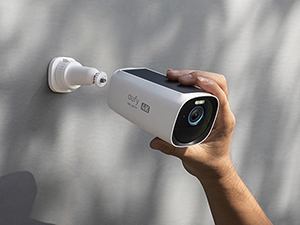
Image 4.1: A hand demonstrating the mounting process of the eufyCam S330 camera onto a wall bracket.
- Drill pilot holes at the chosen location.
- Secure the mounting bracket to the wall using the provided screws.
- Attach the camera to the mounting bracket and adjust the angle for optimal coverage.

Image 4.2: The eufyCam S330 camera mounted on an exterior wall, showcasing its integrated solar panel.
5. Operating Instructions
5.1 Using the eufy Security App
The eufy Security app is the primary interface for managing your camera. Download it from your device's app store.
- Live View: Access real-time video feed from your camera.
- Event Playback: Review recorded events triggered by motion or AI detection.
- Settings: Adjust camera sensitivity, notification preferences, and other configurations.
- Two-Way Audio: Speak and listen through the camera's built-in speaker and microphone.

Image 5.1: A smartphone screen showing the eufy Security app interface with a security report and event timeline.
5.2 AI Features (BionicMind)
The BionicMind AI enhances your security by providing intelligent detection capabilities:
- Facial Recognition: The camera can learn and identify familiar faces, reducing unnecessary alerts.
- Human/Pet Detection: Differentiates between humans, pets, and other objects to minimize false alarms.
- Activity Zones: Define specific areas within the camera's view where motion detection should be active.

Image 5.2: The eufyCam S330 demonstrating its AI facial recognition by identifying a 'Stranger' in its field of view.
5.3 Voice Assistant Integration
Integrate your eufyCam S330 with Amazon Alexa or Google Assistant for convenient voice control. Follow the instructions in the eufy Security app to link your accounts.
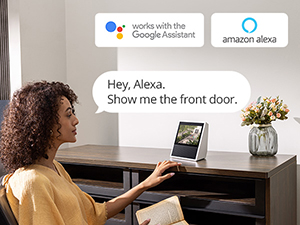
Image 5.3: A user interacting with a smart display, requesting to view the camera feed via Alexa voice command.
6. Maintenance
- Cleaning the Lens: Regularly wipe the camera lens with a soft, damp cloth to ensure clear image quality. Avoid abrasive cleaners.
- Solar Panel Efficiency: Keep the integrated solar panel free from dirt, dust, and debris to maximize charging efficiency. Clean it periodically, especially after heavy rain or snowfall.
- Firmware Updates: Ensure your camera's firmware is up to date through the eufy Security app to benefit from the latest features and security enhancements.
- Battery Health: While solar-powered, monitor battery levels in the app, especially during prolonged periods of low sunlight.
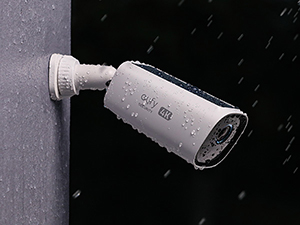
Image 6.1: The eufyCam S330 camera enduring rainfall, illustrating its weatherproof design.
7. Troubleshooting
| Issue | Possible Solution |
|---|---|
| Camera not charging via solar panel | Ensure the solar panel is clean and receives at least 2 hours of direct sunlight daily. Check for obstructions. |
| Poor video quality | Clean the camera lens. Check Wi-Fi signal strength to the HomeBase. Ensure adequate lighting for night vision. |
| Frequent false alarms | Adjust motion detection sensitivity in the app. Configure activity zones to exclude busy areas or moving foliage. |
| Camera offline | Check HomeBase power and internet connection. Ensure camera battery is charged. Re-pair the camera if necessary. |
| Two-way audio not working | Check microphone and speaker settings in the app. Ensure volume levels are appropriate. |
8. Specifications
| Feature | Detail |
|---|---|
| Model Number | T81601W1 |
| Video Resolution | 4K (Ultra HD) |
| Power Source | Solar Powered (Integrated Panel) |
| Connectivity | Wi-Fi (2.4GHz only) |
| Local Storage | 16 GB Flash Memory (Expandable up to 16 TB via HomeBase) |
| AI Features | BionicMind Facial Recognition, Human/Pet Detection |
| Night Vision | Starlight Low Light Technology |
| Weather Resistance | IP65 Rated |
| Dimensions (L x W x H) | 5.12 x 2.56 x 2.56 inches |
| Weight | 14.1 ounces |
| Control Method | eufy Security App, Voice Assistants (Alexa, Google Assistant) |
| Batteries | 1 Lithium Ion battery (included) |
9. Warranty and Support
For warranty information and technical support, please refer to the official eufy Security website or contact their customer service directly. Keep your purchase receipt for warranty claims.
Online Support: www.eufylife.com/support