
1. Introduction
This manual provides detailed instructions for the safe and efficient operation of your PureOptics LED BLACK+DECKER LED2104 Craft Light. This versatile desk lamp is designed to enhance your workspace with bright, dimmable LED lighting, a convenient storage cup, a phone holder, and a USB charging port. Please read this manual thoroughly before use and retain it for future reference.

2. Safety Information
To ensure safe operation, always follow these basic safety precautions:
- Do not expose the lamp to water or moisture.
- Use only the provided USB cable for power. Ensure the power source meets the specified voltage (5V).
- Do not attempt to disassemble or modify the lamp. Refer all servicing to qualified personnel.
- Keep the lamp away from heat sources and direct sunlight.
- Avoid looking directly into the LED light source for extended periods.
3. Package Contents
Verify that all items are present in your package:
- 1 x PureOptics LED BLACK+DECKER LED2104 Craft Light with Storage Cup and Phone Holder
- 1 x 3-foot USB Power Cable (Note: Wall adapter not included)
4. Setup
Follow these steps for initial setup:
- Place the craft light on a stable, flat surface.
- Insert the small end of the USB power cable into the USB input port on the back of the lamp base.
- Connect the larger end of the USB power cable to a compatible USB power adapter (not included) or a powered USB port.
- The lamp is now ready for operation.
5. Operating Instructions
The LED2104 Craft Light features touch-sensitive controls for ease of use.
5.1 Power On/Off and Dimming
- To turn on/off the main light: Tap the power control button (labeled 'C' in Figure 6).
- To adjust brightness (stepless dimming): Press and hold the power control button. The light will gradually brighten or dim. Release the button when the desired brightness is reached.
5.2 Color Temperature Adjustment
- To change color temperature: Tap the power control button repeatedly. The lamp cycles through Warm White Light (2700K), Natural Daylight (4000K), and Cool White Light (6500K).

5.3 Night Light Function
- To turn on/off the night light: Tap the dedicated night light button (labeled 'D' in Figure 6). The night light provides subtle illumination at 4000K.

5.4 Flexible Head Adjustment
The lamp features a flexible head that can be adjusted 360 degrees to direct light precisely where needed, optimizing your light zone for various tasks.

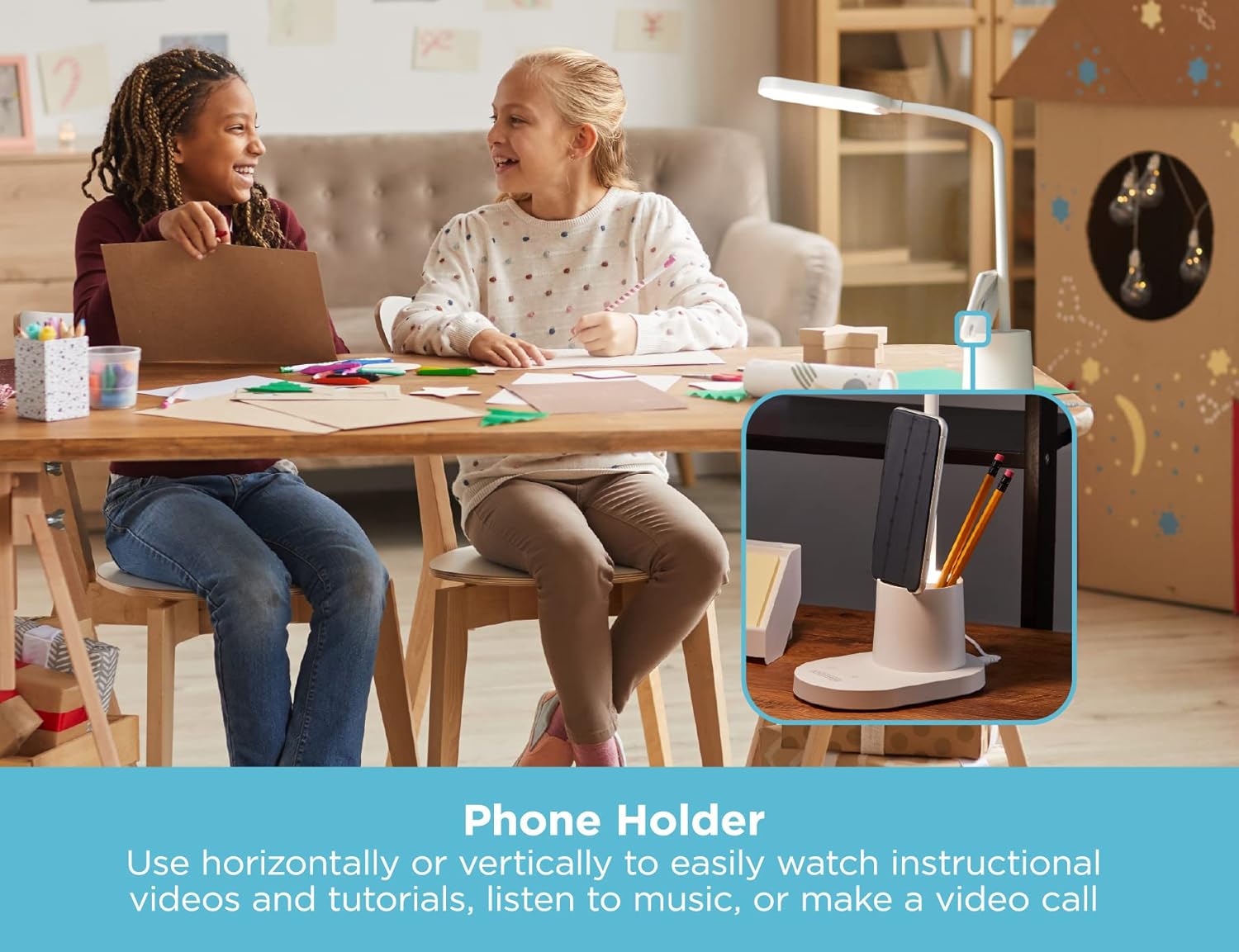
5.5 Using the Phone Holder
The integrated phone stand allows you to position your phone vertically or horizontally for easy viewing of instructional videos, tutorials, or for video calls.
5.6 Using the USB Port
A 5V, 1A USB charging port is located on the base of the lamp (labeled 'E' in Figure 6) to conveniently charge your electronic devices.

6. Features Overview
- Adjustable Lamp Head: Easily position the light zone with 360-degree flexibility.
- Full-Spectrum LED Lighting: Mimics natural daylight, reducing eyestrain and illuminating fine details.
- Integrated Phone Holder: Securely holds your phone vertically or horizontally.
- Storage Cup: Conveniently store pens, pencils, and small desk accessories.
- Compact Design: Minimal footprint saves valuable desk space.
- Touch-Sensitive Controls: Easy-to-use power, dimming, and color temperature adjustments.
- Multiple Color Temperature Modes: Select from Warm White (2700K), Natural Daylight (4000K), and Cool White (6500K).
- Energy-Efficient LEDs: Last up to 50,000 hours and use 85% less energy than incandescent lamps.
- Flicker-Free Light Zone: Provides clear illumination without shadows, halos, or troublesome glares.
- USB Charging Port: 5V, 1A output for charging compatible devices.


7. Maintenance
To maintain your craft light in optimal condition:
- Ensure the lamp is unplugged before cleaning.
- Wipe the lamp with a soft, dry cloth. Do not use abrasive cleaners or solvents.
- Avoid getting moisture into any openings.
8. Troubleshooting
| Problem | Possible Cause | Solution |
|---|---|---|
| Lamp does not turn on. | No power connection. | Ensure the USB cable is securely connected to the lamp and a powered USB port/adapter. Verify the power source is active. |
| Light is too dim or too bright. | Brightness setting needs adjustment. | Press and hold the power control button to adjust brightness. |
| Color temperature is not desired. | Color temperature setting needs adjustment. | Tap the power control button to cycle through color temperature modes. |
| USB charging port not working. | Device incompatibility or power issue. | Ensure the device is compatible with 5V/1A charging. Check if the lamp is powered on. |
9. Specifications
| Feature | Detail |
|---|---|
| Model Number | LED2104 |
| Brand | PureOptics LED |
| Light Source Type | LED |
| Wattage | 4.5 watts |
| Voltage | 5 Volts |
| Power Source | USB |
| Control Method | Touch |
| Special Feature | Dimmable |
| Material | Acrylonitrile Butadiene Styrene (ABS) |
| Color | White |
| Item Weight | 1.52 pounds |
| Product Dimensions | 2.79 x 1.78 x 5.35 inches |
| UPC | 842048036258 |
10. Warranty Information
This PureOptics LED BLACK+DECKER LED2104 Craft Light comes with a 1-year limited warranty from the date of purchase. This warranty covers manufacturing defects under normal use. It does not cover damage resulting from misuse, accident, modification, or unauthorized repair. Please retain your proof of purchase for warranty claims.
11. Support
For further assistance, troubleshooting, or warranty inquiries, please contact the manufacturer's customer support. Refer to the product packaging or the manufacturer's official website for contact details.


