
1. Introduction
This manual provides comprehensive instructions for the installation, operation, and maintenance of the Generic EV26 Vehicle Tracking System. This device is designed for real-time tracking of vehicles such as bikes, cars, and trucks, offering features like location monitoring, alerts, and historical data playback through a dedicated mobile application.
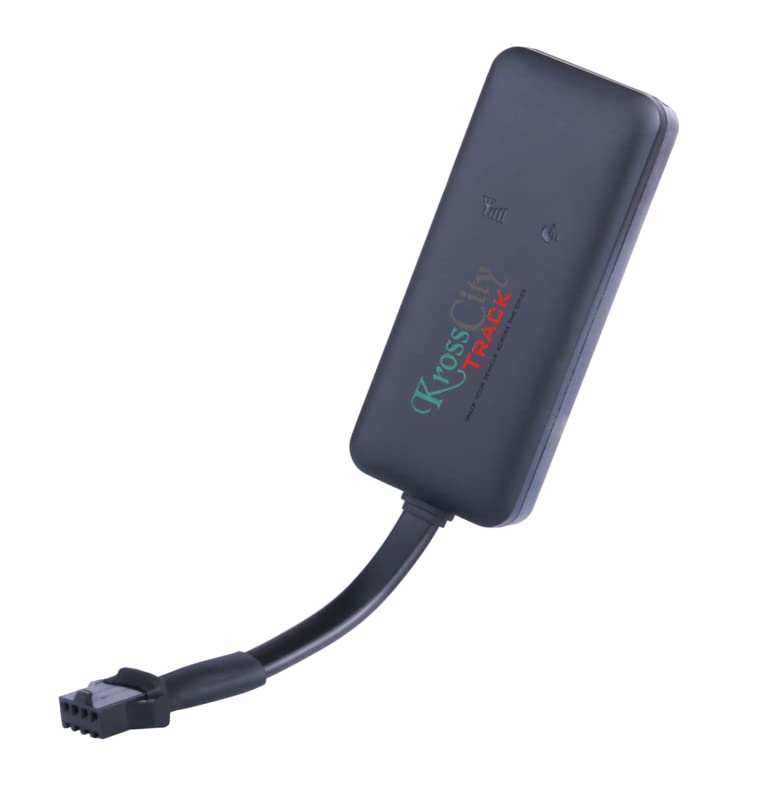
Image 1.1: The Generic EV26 Vehicle Tracking Device. This compact black device features a wired connection for power and data transmission.
2. What's in the Box
Upon unboxing, verify that all the following components are present:
- Generic EV26 GPS Tracking Unit
- Connecting Wire Harness
- Mobile App Subscription (1 Year)
3. Specifications
| Brand | Generic |
| Model Number | EV26 |
| Manufacturer | Concox |
| Connectivity Technology | Wired |
| Supported Application | GPS |
| Specific Uses | Vehicle Tracking, Fleet Management |
| Compatible Devices | Smartphone |
| Battery Average Life | 5 Hours (Internal Backup Battery) |
| Item Dimensions | 10 x 6 x 2.5 Centimeters |
4. Setup
Follow these steps to properly install and activate your EV26 Vehicle Tracking System:
- SIM Card Installation:
Open the device cover to access the SIM card slot. Insert a valid and activated SIM card into the designated slot. Ensure the SIM card is correctly oriented. Locate the device on/off switch and ensure it is in the 'On' position after SIM card insertion.

Image 4.1: View of the EV26 device with its cover removed, showing the SIM card slot and the on/off switch indicated by a green arrow.
- Device Wiring:
Connect the tracking unit to your vehicle's power supply using the provided connecting wire harness. It is recommended to have this step performed by a qualified technician to ensure correct and safe installation. The device requires a constant power supply for continuous operation.
- Mobile Application Download:
Download the official tracking application from your smartphone's app store (Android or iOS). Search for the application associated with "KrossCity Track" as seen in product images, or refer to the documentation provided with your device for the exact app name.
- Account Registration and Device Binding:
Open the mobile application and follow the on-screen instructions to create a new user account. Once registered, add your EV26 tracking device to your account using the unique device ID or IMEI number, typically found on the device itself or its packaging. Your 1-year subscription will be activated upon successful device binding.
5. Operating Instructions
The EV26 Vehicle Tracking System provides various functionalities accessible through its dedicated mobile application. Below are key operational features:
- Real-Time Tracking:
View the current location of your vehicle on a map interface within the app. The app displays the vehicle's status (running, idle, stopped) and its last updated location and time.

Image 5.1: Mobile application interface displaying a list of tracked vehicles and various tracking options such as Map, Playback, Info, and Geo Fence.
- History Playback:
Access and review the past 60 days of your vehicle's travel history. This feature allows you to see the route taken, speed, direction, and timestamps for any selected period.

Image 5.2: Mobile application displaying a vehicle's current speed and its location on a map, indicating real-time monitoring capabilities.
- Geo-Fence:
Set up virtual boundaries (geo-fences) on the map. You will receive an alert if your vehicle enters or exits these predefined areas.
- Alerts and Notifications:
The system provides various alerts, including:
- Speeding Alarm: Notifies you if the vehicle exceeds a set speed limit.
- Low Battery Alert: Informs you when the internal backup battery is low.
- SOS Emergency Alarm: Sends alerts in emergency situations (if an SOS button is present on the device or configured).
- Non-Signal Alarm: Alerts when the device enters an area with no GPS signal.
- Auto Track: Sends location alerts at set intervals.

Image 5.3: A visual representation of the key features of the tracking system, including real-time monitoring, geo-fencing, and various alert types.
- Multiple Vehicle Support:
Manage and track multiple vehicles from a single account within the application.
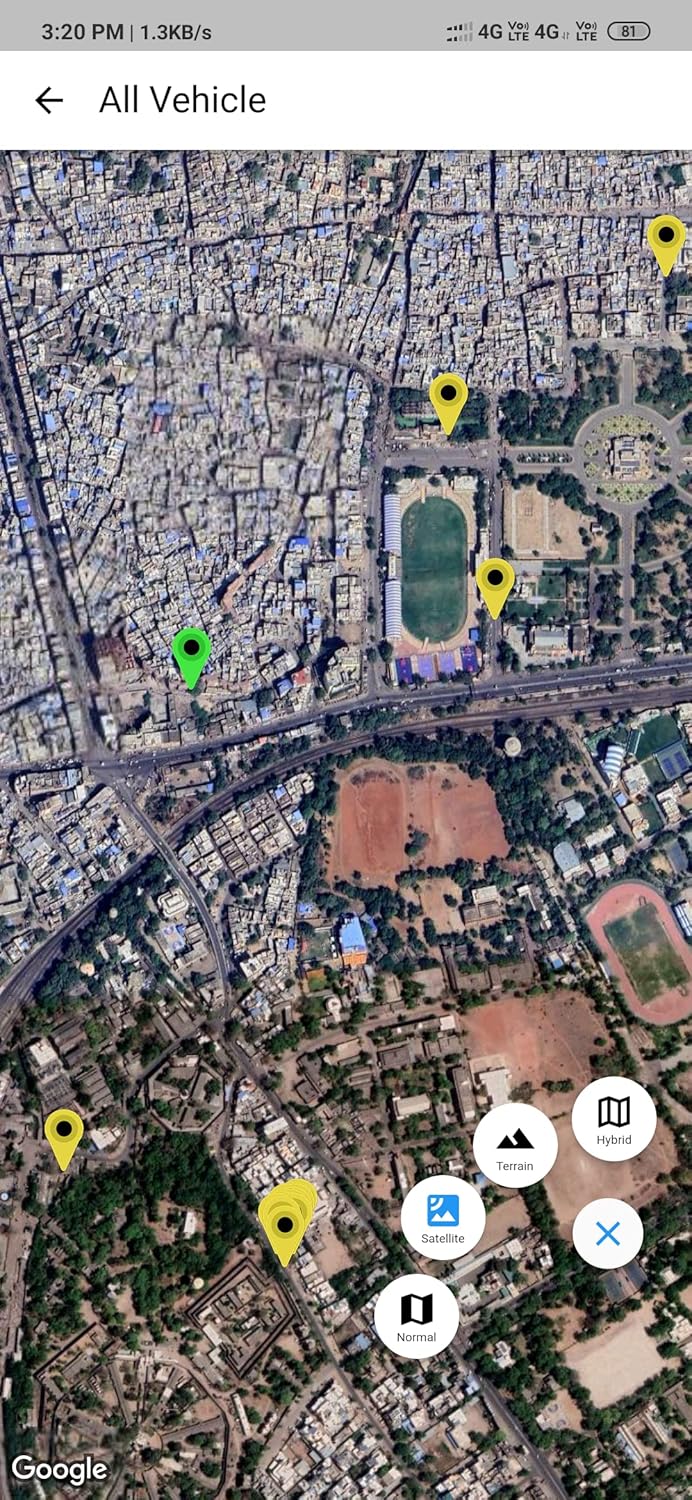
Image 5.4: Mobile application displaying multiple vehicle locations on a satellite map view, demonstrating fleet management capabilities.

Image 5.5: Mobile application displaying multiple vehicle locations on a standard map view, providing an overview of all tracked assets.
6. Maintenance
To ensure optimal performance and longevity of your EV26 Vehicle Tracking System, consider the following maintenance guidelines:
- Regular Inspection: Periodically check the device and its wiring for any signs of damage or loose connections.
- Software Updates: Keep the mobile application updated to the latest version to benefit from new features and security enhancements.
- Battery Care: The device has an internal backup battery with an average life of 5 hours. Ensure the primary vehicle power supply is stable to keep the internal battery charged.
- Cleaning: Clean the device exterior with a soft, dry cloth. Avoid using harsh chemicals or abrasive materials.
7. Troubleshooting
If you encounter issues with your EV26 Vehicle Tracking System, refer to the following common problems and solutions:
- Device Not Tracking / No Signal:
- Ensure the SIM card is correctly inserted and activated with a data plan.
- Check if the device is receiving power from the vehicle.
- Verify that the device on/off switch is in the 'On' position.
- Confirm the vehicle is in an area with good cellular and GPS signal coverage.
- Inaccurate Location Data:
- Ensure the device has a clear line of sight to the sky for optimal GPS reception. Avoid installation in enclosed metal compartments.
- Check for any environmental interference.
- Mobile App Not Connecting:
- Verify your smartphone has an active internet connection.
- Ensure the mobile app is updated to the latest version.
- Log out and log back into your account.
- Alerts Not Received:
- Check app notification settings on your smartphone and within the tracking application.
- Ensure geo-fences and other alert parameters are correctly configured in the app.
8. Warranty and Support
Warranty: The Generic EV26 Vehicle Tracking System comes with a 1-year manufacturer warranty from the date of purchase. This warranty covers manufacturing defects and malfunctions under normal use. It does not cover damage caused by misuse, accidents, unauthorized modifications, or improper installation.
Customer Support: For technical assistance, warranty claims, or any other inquiries, please refer to the contact information provided with your purchase documentation. You may also find support details within the mobile application or on the manufacturer's official website.

Image 8.1: Promotional material for the KrossCity Track system, which includes a customer support WhatsApp number: +91 97854-05507. This number can be used for support inquiries.