
1. Introduction
This manual provides detailed instructions for the setup, operation, and maintenance of your YRPRSODF DM01 Dance Mat. This electronic dance step pad offers a variety of entertainment options, including over 100 games, 200 songs, an HD camera for AR games, and two motion sensor controllers. Please read this manual thoroughly before use to ensure proper functionality and a safe experience.

Image 1.1: The YRPRSODF DM01 Dance Mat system, including the mat, wireless controllers, camera unit, and a display showing a dancing game.
2. Package Contents
Verify that all items listed below are included in your package:
- 1 x YRPRSODF Dance Mat
- 2 x Wireless Game Controllers
- 1 x HD Camera Unit (integrated with disco LED ball lamp)
- 1 x HDMI Cable
- 1 x USB Power Cable
- 1 x User Manual
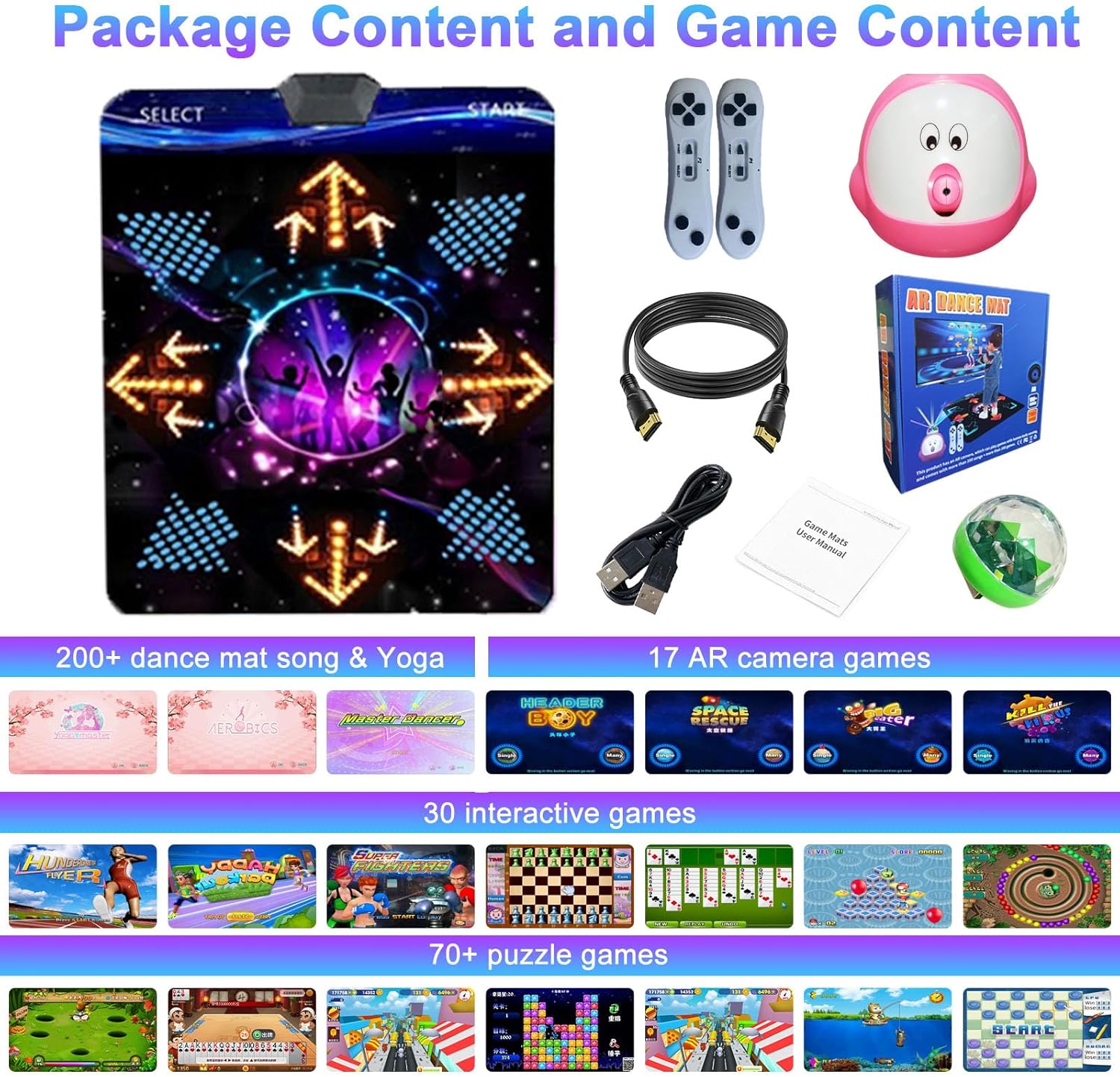
Image 2.1: All components included in the YRPRSODF Dance Mat package.
3. Setup Instructions
3.1. Powering the Controllers
- Each wireless game controller requires AAA batteries (not included). Open the battery compartment on the back of each controller and insert the batteries, ensuring correct polarity.
- Close the battery compartment securely.
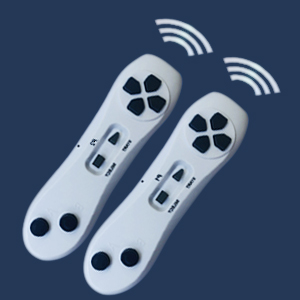
Image 3.1: The wireless game controllers.
3.2. Connecting to Your TV
- Place the dance mat on a flat, stable surface.
- Connect the HDMI cable from the HD camera unit (the pink device) to an available HDMI input port on your television, PC, or projector. Ensure your display device has a standard HDMI interface.
- Connect the USB power cable to the HD camera unit and plug the other end into a USB power source (e.g., a USB wall adapter or a USB port on your TV).
- Turn on your television and select the correct HDMI input source.
- Turn on the HD camera unit using its ON/OFF switch. The system should now display on your screen.

Image 3.2: Connection diagram for the YRPRSODF Dance Mat system.
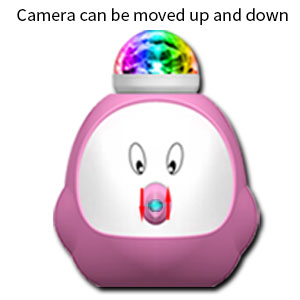
Image 3.3: The HD camera unit with adjustable lens.
4. Operating Instructions
4.1. Basic Navigation
Use the wireless controllers to navigate through the menus and select games or dance modes. The buttons on the controllers correspond to on-screen prompts for selection and confirmation.
4.2. Dance Modes
The dance mat features three primary dancing modes with over 200 built-in English songs:
- MTV Mode: Dance along to music videos with on-screen prompts.
- Cartoon Mode: Engage with animated characters and dance routines.
- 3D Scene Dancing Mode: Immerse yourself in dynamic 3D environments while dancing.
You can choose to dance using 4-key, 6-key, or hands and feet input, enhancing coordination and providing varied challenges.

Image 4.1: Enjoying dance modes with the YRPRSODF Dance Mat.
4.3. Game Modes
The system includes over 100 games across various categories:
- Puzzle Games (58+): Engage your mind with various puzzle challenges.
- Interactive Games (29+): Participate in games that respond to your movements.
- AR Camera Sensing Games (17+): The HD camera integrates your movements into the game, providing an augmented reality experience. Ensure the camera is positioned correctly to capture your movements.

Image 4.2: Experiencing AR camera sensing games.

Image 4.3: Engaging in motion sport games.

Image 4.4: Playing interactive games with wireless controllers.
4.4. Yoga and Aerobics Exercises
The dance mat also includes professional instruction for over 20 yoga and aerobics exercises, providing a guided fitness experience.

Image 4.5: Guided yoga and aerobics exercises.
5. Maintenance
- Cleaning: The dance mat's PVC surface and EVA bottom are waterproof and easy to clean. Use a damp cloth to wipe down the mat after use. Avoid harsh chemicals or abrasive cleaners.
- Storage: The dance mat is foldable for convenient storage. Ensure the mat is clean and dry before folding and storing it in a cool, dry place away from direct sunlight.
- Battery Replacement: Replace AAA batteries in the wireless controllers when performance degrades.
6. Troubleshooting
| Issue | Possible Cause | Solution |
|---|---|---|
| No display on TV/monitor | Incorrect HDMI input selected; loose HDMI cable; power not connected to camera unit. | Ensure TV is on the correct HDMI input. Check HDMI cable connection. Verify USB power cable is securely connected and the camera unit is switched ON. |
| Controllers not responding | Low or dead batteries; controllers not paired. | Replace AAA batteries in controllers. Ensure controllers are within range (10 meters) and properly paired with the camera unit. |
| AR games not detecting movement | Camera unit improperly positioned; obstructions. | Adjust the camera unit's position and angle to ensure a clear view of the player. Remove any obstructions between the player and the camera. |
| Disco LED ball lamp not lighting up | Unit malfunction. | Contact customer support for assistance. |
| Missing components upon arrival | Packaging error. | Immediately contact customer support for a replacement or missing parts. |
7. Specifications
| Feature | Detail |
|---|---|
| Model Number | DM01 |
| Brand | YRPRSODF |
| Dance Mat Dimensions | 32 x 36 inches (82 x 92 cm) |
| Item Weight | 2.35 pounds |
| Recommended Age | 3 years and up |
| Material | PVC (surface), EVA (bottom, 8mm thickness) |
| Total Games | 100+ (58 puzzle, 29 interactive, 17 AR camera) |
| Songs | 200+ English songs |
| Connectivity | HD output (HDMI), 2.4G wireless controllers |
| Controller Power | AAA batteries (not included) |

Image 7.1: Dance mat dimensions.
8. Warranty and Support Information
The YRPRSODF DM01 Dance Mat comes with a 30-day refund and replacement policy. If you encounter any issues or have questions regarding your product, please contact customer support through Amazon's online chat service. For replacement wireless controllers, search for ASIN: B0B18T56KQ on Amazon.