
1. Introduction
Thank you for choosing the Litake L21-B UV Black Light Disco Ball. This device is designed to create dynamic and engaging lighting effects for various events and settings. It features multiple lighting modes, sound activation, and remote control for ease of use. Please read this manual thoroughly before operation to ensure proper use and to maximize the product's lifespan.
2. Safety Information
- Electrical Safety: Ensure the power supply voltage matches the product's requirements (85-265V). Do not expose the device to rain or moisture. Disconnect power before cleaning or maintenance.
- UV Light Exposure: While this product emits UV-A light, prolonged direct exposure to UV light can be harmful to eyes and skin. Avoid staring directly into the light source.
- Ventilation: Ensure adequate ventilation around the unit to prevent overheating. Do not cover the device.
- Placement: Place the unit on a stable surface or mount it securely to a wall or ceiling using the provided stand and screws.
- Children: Keep out of reach of children. This is not a toy.
3. Package Contents
The Litake L21-B UV Black Light Disco Ball package includes the following items (quantities may vary based on pack size):
- UV Crystal Magic Ball Light(s)
- Remote Control(s)
- Stand(s)
- Round Head Thumb Screw(s)
- User Manual

Image: The Litake UV Black Light Disco Ball and its remote control, showcasing the main components included in the package.
4. Product Features
- Multi-Function Lighting: Offers 3 sound-activated modes, 7 lighting modes, flash, and adjustable rotating and flash speeds.
- UV LED Black Light: Equipped with 6W UV LEDs to create special fluorescent effects, making glow-in-the-dark materials visible.
- Sound Activated: Features a sensitive voice-activated sensor that allows the light patterns to synchronize with music.
- Remote Controlled: Full control over modes, speeds, and power via an included remote controller.
- Easy Installation: Compact and portable design with a flexible tripod for placement on tables, desks, or mounting on walls and ceilings.
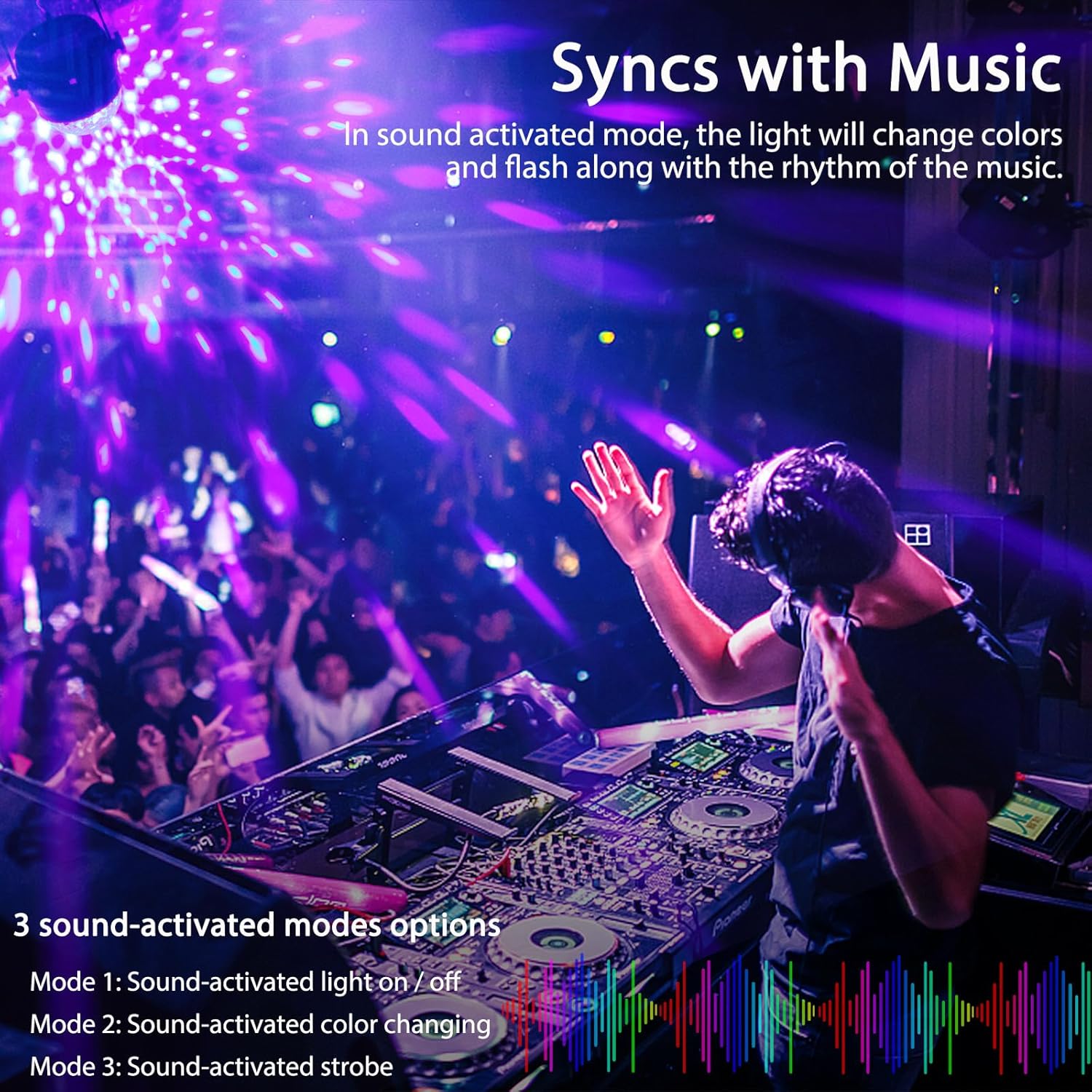
Image: The disco ball light projecting patterns that synchronize with music, illustrating the sound-activated feature.
5. Setup
- Unpack: Carefully remove all components from the packaging.
- Placement: Choose a desired location. The flexible tripod allows for placement on a flat surface or mounting. To mount, use the provided screws to secure the stand to a wall or ceiling. Adjust the light's angle as needed.
- Power Connection: Plug the power cord into a standard 85-265V AC outlet.
- Remote Control Battery: The remote control uses a CR2025 battery. If the remote is not responding, ensure the transparent plastic sheet is removed from the battery compartment.

Image: The compact dimensions of the Litake Disco Ball Light, shown next to a smartphone for scale, highlighting its portability.
6. Operating Instructions
The Litake L21-B is operated using the included remote control. Ensure the remote has a working CR2025 battery and the plastic tab is removed.
Remote Control Functions:
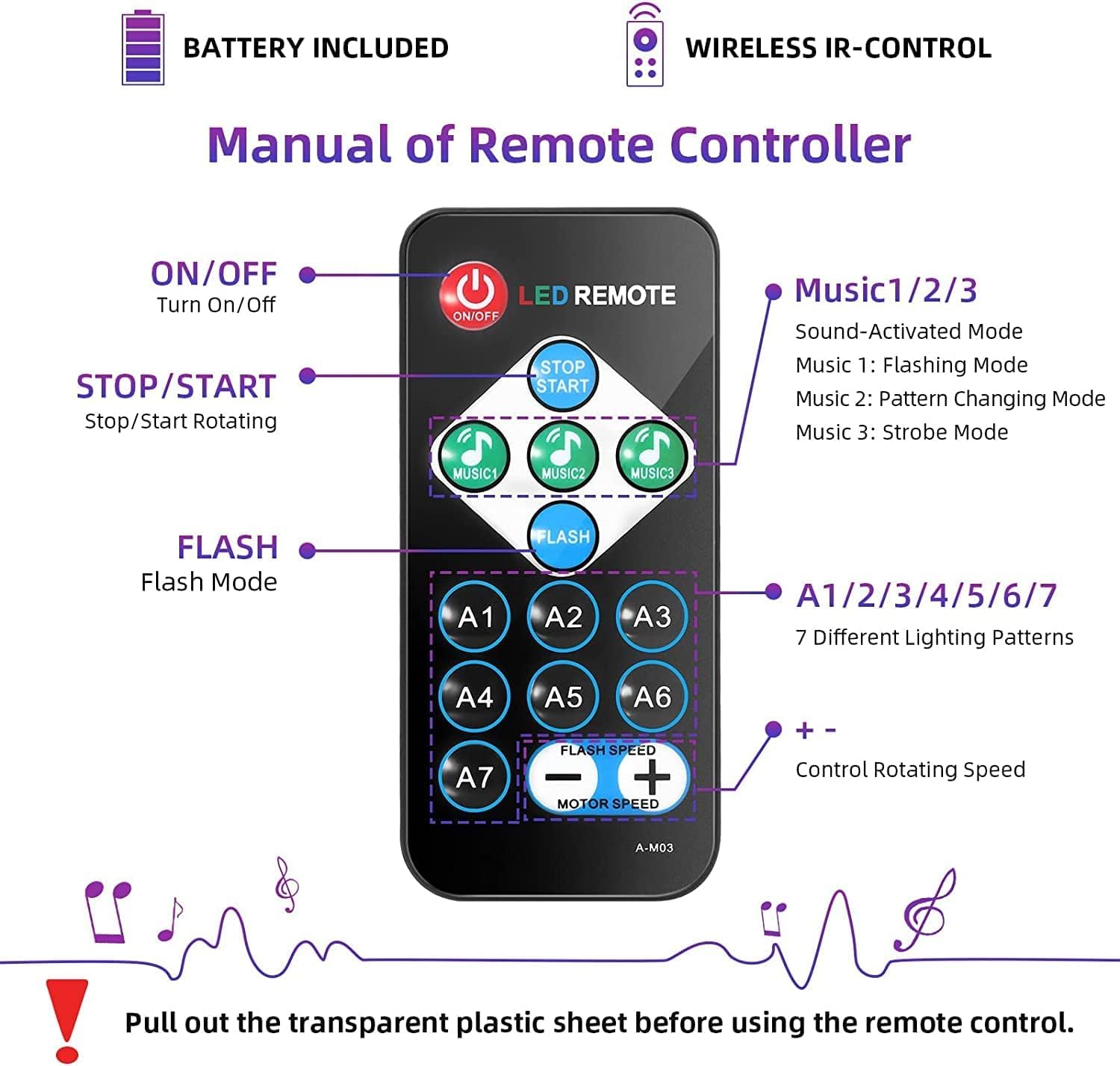
Image: A detailed diagram of the remote control, showing each button and its corresponding function for operating the disco ball light.
- ON/OFF Button: Powers the unit on or off.
- STOP/START Button: Toggles the rotation of the light patterns.
- FLASH Button: Activates the strobe/flash mode.
- MUSIC 1/2/3 Buttons: Activates sound-activated modes.
- Music 1: Sound-activated light on/off.
- Music 2: Sound-activated color changing.
- Music 3: Sound-activated strobe.
- A1-A7 Buttons: Selects one of the 7 different lighting patterns.
- FLASH SPEED +/- Buttons: Adjusts the speed of the flash mode.
- MOTOR SPEED +/- Buttons: Adjusts the rotation speed of the light patterns.
Video: Demonstrates the various lighting patterns and remote control functions of the Litake UV Black Light Disco Ball, including sound activation and speed adjustments.
Video: Shows the Litake UV Black Party Disco Ball Lighting in action, highlighting its effects in a party environment.
7. Maintenance
- Cleaning: Use a soft, dry cloth to clean the exterior of the unit. Do not use harsh chemicals or abrasive cleaners.
- Storage: When not in use, store the device in a cool, dry place away from direct sunlight and extreme temperatures.
- Lens Care: Keep the light output lens clean to ensure optimal projection clarity.
8. Troubleshooting
| Problem | Possible Cause | Solution |
|---|---|---|
| Light does not turn on. | No power supply or faulty connection. | Check power cord connection and wall outlet. Ensure the ON/OFF button on the remote is pressed. |
| Remote control not responding. | Remote battery is dead or plastic tab not removed. | Remove the plastic tab from the battery compartment. Replace the CR2025 battery if necessary. Ensure line of sight to the light's IR receiver. |
| Light appears dim. | UV light characteristics or ambient light. | UV black light appears dim to human eyes. For best fluorescent effects, use in a dark environment. Consider using multiple units for larger spaces. |
| Sound-activated mode not working. | Insufficient sound or incorrect mode selected. | Ensure there is sufficient music or sound for the sensor to detect. Select one of the MUSIC modes (Music 1, 2, or 3) on the remote. |
9. Specifications
- Model Number: L21-B
- Power Supply: 85-265V AC
- Output Power: 6W
- Light Source: 3 x 1W LED
- Source Lifetime: Rated 200,000 hours
- Beam Angle: 120 degrees
- Material: Plastic
- Item Weight: Approximately 0.5 Pounds (336g per unit)
- Item Dimensions (L x W x H): 2" x 2" x 2"
- Remote Control Battery: CR2025 (included)
10. Warranty and Support
Litake products are manufactured to high-quality standards. For any questions, technical support, or warranty inquiries, please contact your retailer or the manufacturer directly. Keep your purchase receipt as proof of purchase.