
1. Introduction
Welcome to the user manual for your Skechers SR1144 Digital Watch. This guide provides detailed instructions on how to set up, operate, and maintain your watch to ensure optimal performance and longevity. Please read this manual thoroughly before using your watch.
2. Product Overview
The Skechers SR1144 is a robust digital watch designed for an active lifestyle. It features a digital display, chronograph function, and is water-resistant up to 10 ATM. The watch is constructed with a lightweight polycarbonate case and a comfortable silicone band.
2.1 Key Features
- Digital Display with Chronograph Function
- 10 ATM Water Resistance (100 meters / 330 feet)
- Lightweight Polycarbonate Case
- Durable Silicone Band
- Glow-in-the-Dark Feature
2.2 Watch Components
Familiarize yourself with the main components and buttons of your watch:
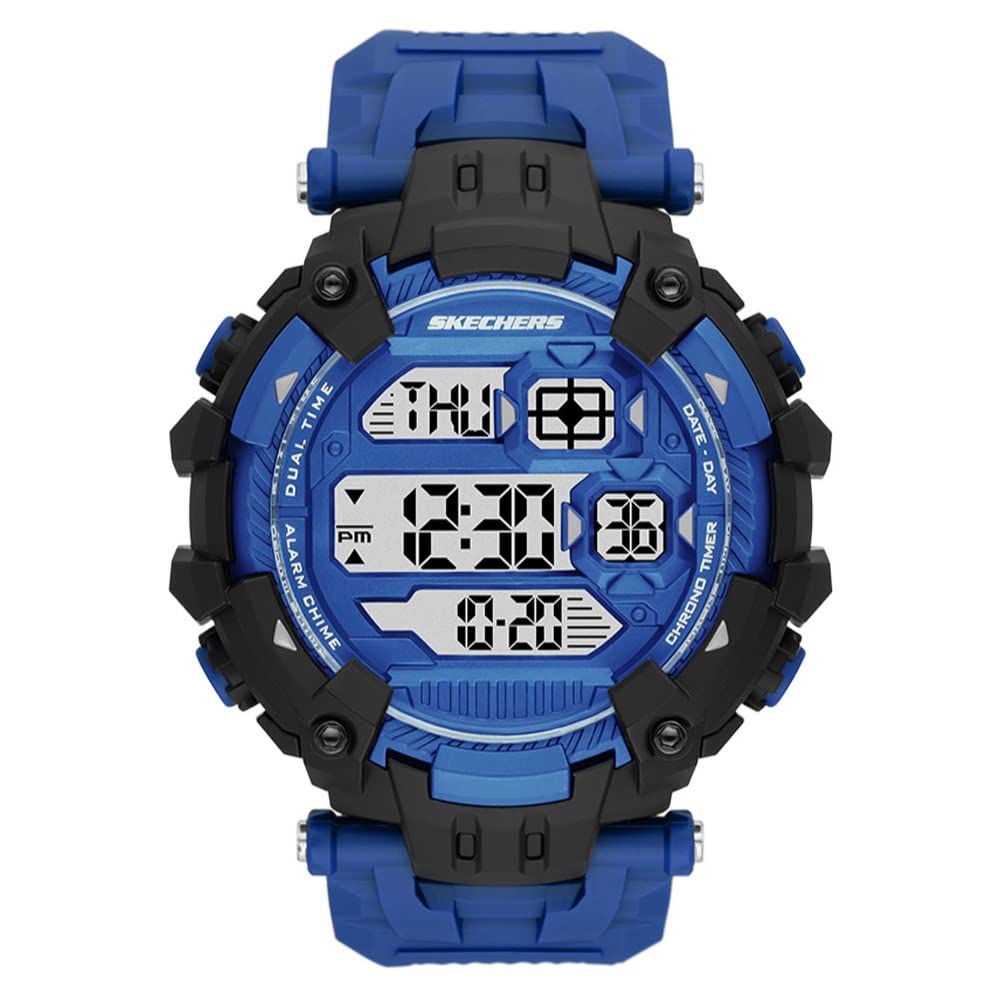
Figure 1: Front view of the Skechers SR1144 Digital Watch, showcasing the digital display and overall design.
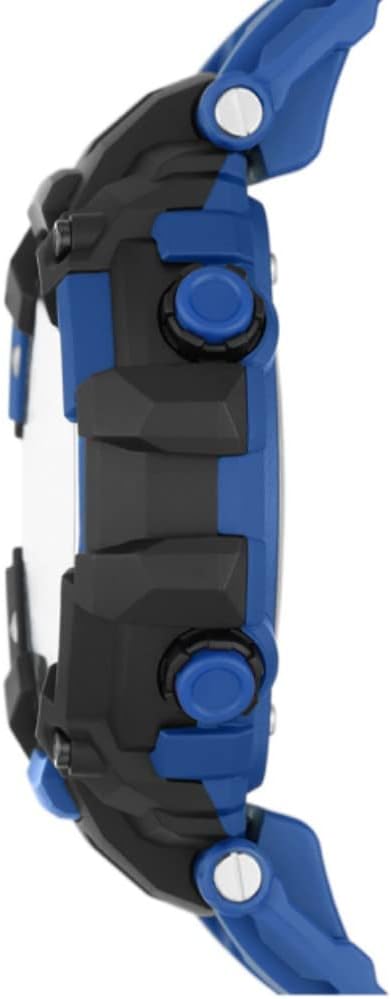
Figure 2: Side view of a similar Skechers digital watch, illustrating the typical button layout for Mode, Light, Reset, and Start/Stop functions.
- MODE Button: Used to cycle through different watch modes (Time, Chronograph, Alarm).
- LIGHT Button: Activates the backlight for improved visibility in low-light conditions.
- RESET Button: Used to reset settings or chronograph.
- ST/STP (Start/Stop) Button: Used to start and stop the chronograph or adjust settings.
3. Setup Instructions
3.1 Setting Time and Date
- From the normal time display, press the MODE button repeatedly until the time setting mode is activated (usually indicated by flashing digits).
- Use the RESET button to select the digit you wish to adjust (hours, minutes, seconds).
- Use the ST/STP button to increase the selected digit. Hold to advance rapidly.
- Continue this process to set the year, month, and day.
- Once all settings are correct, press the MODE button to exit the setting mode and return to the normal time display.
3.2 Activating the Backlight
Press the LIGHT button to illuminate the display for a few seconds. This feature is useful in dark environments.
4. Operating Instructions
4.1 Using the Chronograph (Stopwatch)
- Press the MODE button until the chronograph display appears (usually showing '00:00:00').
- Press the ST/STP button to start the stopwatch.
- Press the ST/STP button again to stop the stopwatch.
- Press the RESET button to clear the stopwatch to zero.
- To return to normal time display, press the MODE button.
4.2 Setting and Using the Alarm
- Press the MODE button until the alarm setting mode appears.
- Use the RESET button to select the hour or minute digits.
- Use the ST/STP button to adjust the selected digit.
- Press the MODE button to confirm the alarm time and exit the setting mode.
- To turn the alarm ON/OFF, typically press the ST/STP button while in the alarm display mode. An alarm icon will indicate if it's active.
- When the alarm sounds, press any button to stop it.
4.3 Water Resistance
Your Skechers SR1144 watch is water-resistant up to 10 ATM (100 meters or 330 feet). This means it is suitable for bathing, swimming, snorkeling, and shallow diving. Do not press any buttons while the watch is submerged in water, as this can compromise the water resistance seal.
5. Maintenance
5.1 Cleaning Your Watch
To clean your watch, wipe it with a soft, damp cloth. For silicone bands, mild soap and water can be used. Avoid using harsh chemicals or abrasive materials, as these can damage the watch's finish or components.
5.2 Battery Replacement
The watch uses 1 Lithium Ion battery (included). When the display becomes dim or functions become erratic, it may be time to replace the battery. Battery replacement should ideally be performed by a qualified watch technician to ensure the water resistance seal is properly maintained.
5.3 Storage
When not in use, store your watch in a cool, dry place away from direct sunlight and extreme temperatures. Avoid exposing the watch to strong magnetic fields.
6. Troubleshooting
6.1 Display is Blank or Dim
- Possible Cause: Low battery.
- Solution: Replace the battery.
6.2 Time is Incorrect
- Possible Cause: Time was not set correctly or has been reset.
- Solution: Follow the 'Setting Time and Date' instructions in Section 3.1.
6.3 Buttons Not Responding
- Possible Cause: Watch may be in a locked mode or battery is low.
- Solution: Try pressing all buttons firmly. If unresponsive, replace the battery. If the issue persists, contact customer support.
7. Specifications
| Feature | Specification |
|---|---|
| Model Number | SR1144 |
| Display Type | Digital |
| Movement Type | Digital |
| Case Material | Polycarbonate |
| Case Diameter | 54 Millimeters |
| Case Thickness | 16 Millimeters |
| Band Material | Silicone |
| Band Width | 22 Millimeters |
| Band Length | 205 Millimeters |
| Water Resistance Depth | 100 Meters (10 ATM) |
| Battery Type | 1 Lithium Ion (included) |
| Additional Features | Chronograph, Glow In The Dark, Second Hand |
8. Warranty and Support
8.1 Manufacturer's Warranty
Your Skechers SR1144 Digital Watch is covered by a manufacturer's warranty. Please refer to the warranty card included with your purchase for specific terms, conditions, and duration of coverage. Keep your proof of purchase for warranty claims.
8.2 Customer Support
For further assistance, technical support, or warranty inquiries, please visit the official Skechers website or contact their customer service department. Contact information can typically be found on the product packaging or the brand's official website.


