1. Introduction
This manual provides instructions for the ASONPAO Linear DTC Delta 3 Garage Door Remote. This remote is designed to operate with specific Linear Delta 3 garage door opener systems. Please read these instructions carefully before use to ensure proper setup and operation.
2. What's in the Box
- ASONPAO Linear DTC Delta 3 Garage Door Remote
- 12V 23A Alkaline Battery (pre-installed or included separately)
- Visor Clip
- User Manual
3. Compatibility
Important: This remote only works for 310MHZ Linear Delta 3 (DT, DTA, DTD, DTC, DNT00002A) Remote 8 Position Dip Switch systems.
Before purchasing or attempting to program, verify that your existing garage door opener system is a Linear Delta 3 model with an 8-position dip switch operating at 310MHz. Compatibility is crucial for correct functionality.
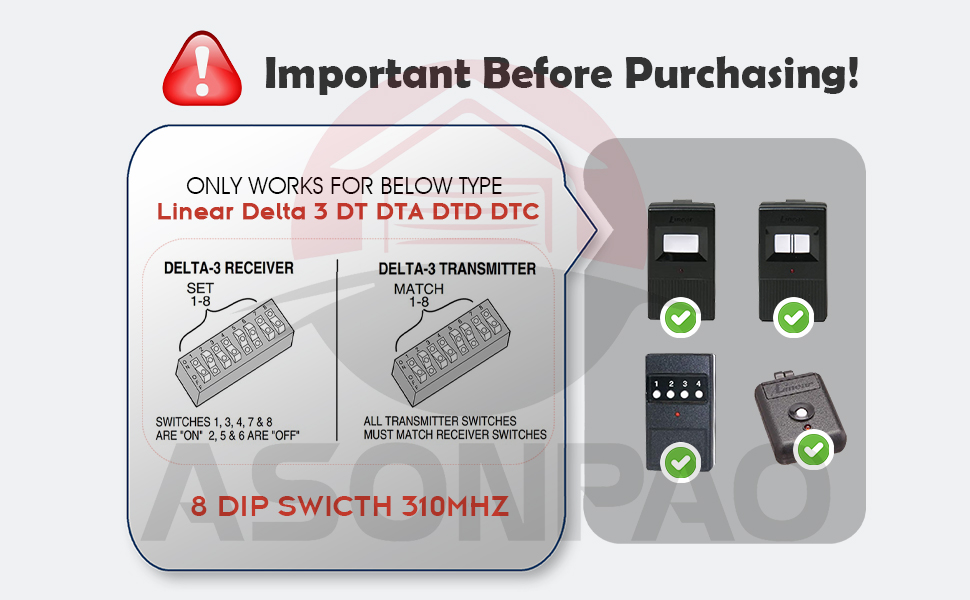
This image illustrates the specific Linear Delta 3 receiver and transmitter types that are compatible with this remote, highlighting the 8 dip switch and 310MHz frequency requirement.
4. Features
- Frequency: 310MHz with 8 Dip Switch Fixed Code technology for enhanced security.
- Range: Operates effectively up to 164 feet (50 meters).
- Battery: Powered by a 12V 23A Alkaline battery, designed for extended life.
- Durability: Constructed with a durable ABS alloy case, making it sturdy and drop-resistant.
- Portability: Compact design, easy to carry, and includes a visor clip for convenient car placement.
- Reliability: Tested over 10,000 times and FCC certified for reliable performance.

This image highlights the remote's long-lasting 12V 23A Alkaline battery, ensuring reliable operation.

This image illustrates the secure and dependable nature of the remote, featuring its advanced smart chip technology.
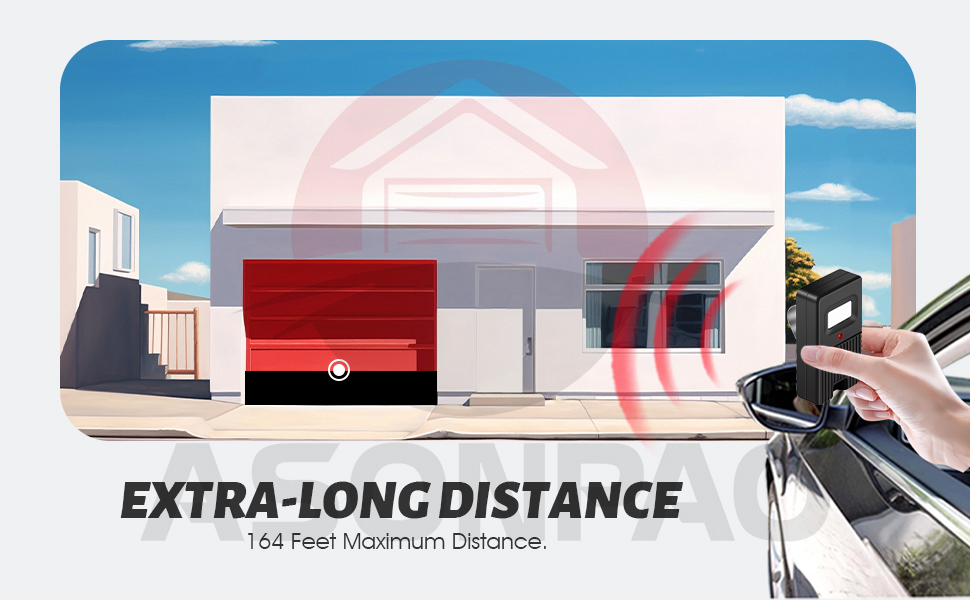
This image demonstrates the remote's ultra-long operating range of up to 164 feet, allowing for convenient access from a distance.
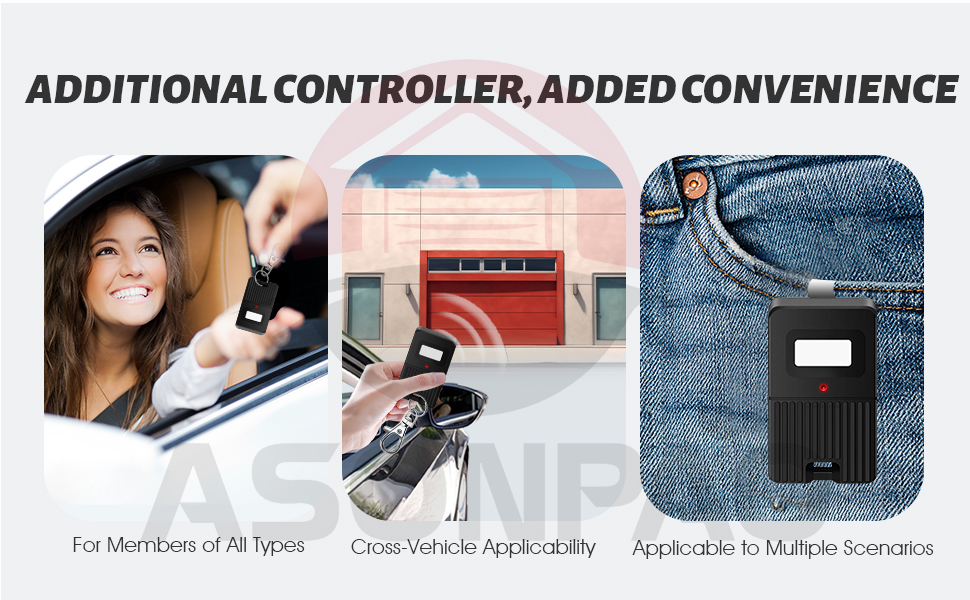
This image highlights the remote's compact size and included visor clip, making it easy to carry and use in various situations.
5. Specifications

This image provides a detailed table of the product's technical specifications.
| Specification | Detail |
|---|---|
| Model | Linear DTC Delta 3 |
| Working Range | 164 Feet (approx. 50 meters) |
| Working Voltage | 12V |
| Frequency | 310MHZ |
| Channel | 1 |
| Battery Model | 12V 23A Alkaline |
| Shell Material | ABS Alloy |
| Product Size | 2.55 x 1.49 x 1.25 inches |
| Item Weight | 1.44 ounces |
| Color | Black |
| Code Type | Fixed Code |
6. Setup and Programming Instructions
To program your ASONPAO Linear DTC Delta 3 remote, you need to match its internal dip switches to the settings of your existing Linear Delta 3 receiver or an existing working remote. This process involves opening both devices and setting the switches to an identical pattern.
- Access Dip Switches:
a. For the ASONPAO remote: Use a small Phillips screwdriver to remove the screw on the back of the remote (under the visor clip). Carefully open the casing to reveal the internal circuit board with the 8 dip switches.
b. For your existing Linear Delta 3 receiver or remote: Locate its dip switches. Refer to its specific manual if you are unsure how to access them. - Match Dip Switch Settings:
Observe the ON/OFF positions of the 8 dip switches on your existing Linear Delta 3 device. Using a small tool (like a pen tip or a small screwdriver), carefully adjust the 8 dip switches on your new ASONPAO remote to exactly match the pattern of your existing device. Ensure each switch is firmly set to either the ON or OFF position. - Reassemble and Test:
Once the dip switches are matched, carefully close the casing of your ASONPAO remote and secure it with the screw. Test the remote by pressing the button while within range of your garage door opener. The garage door should respond.

This image provides a visual guide for opening the remote and matching the 8 dip switch settings to your existing Linear Delta 3 receiver or remote.
This video demonstrates the step-by-step process of opening the remote, accessing the dip switches, and matching them to a Linear Delta 3 receiver for programming.
7. Operating Instructions
Once programmed, operating the ASONPAO Linear DTC Delta 3 remote is straightforward:
- Ensure you are within the operating range (up to 164 feet) of your garage door opener.
- Press the single button on the remote.
- The garage door will activate (open or close). Pressing the button again will reverse the door's action.
8. Maintenance
The ASONPAO Linear DTC Delta 3 remote requires minimal maintenance. The primary maintenance task is battery replacement.
Battery Replacement:
The remote uses one 12V 23A Alkaline battery. If the remote's operating range decreases significantly or the indicator light does not illuminate when the button is pressed, the battery may need replacement.
- Remove the screw on the back of the remote (under the visor clip) using a small Phillips screwdriver.
- Carefully open the casing to access the battery compartment.
- Remove the old 12V 23A battery and insert a new one, ensuring correct polarity (+/-).
- Close the casing and secure it with the screw.
- Test the remote's functionality.
9. Troubleshooting
| Problem | Solution |
|---|---|
| The system does not receive the transmitter signal. The transmitter LED is ON. | All transmitter switches must match receiver switches. Re-verify the dip switch settings on both devices. |
| The operating range is reduced. | Replace the transmitter battery. Ensure the new battery is a 12V 23A Alkaline type. |
| Transmitter LED does not light up. | Replace the transmitter battery. Check for proper battery insertion. |
| Remote works intermittently. | Check battery level and replace if low. Ensure no strong interference sources are nearby. Re-verify dip switch settings. |
10. Warranty and Support
The ASONPAO Linear DTC Delta 3 Garage Door Remote comes with a 3-year warranty, offering peace of mind for your purchase.
For any queries, technical assistance, or warranty claims, please contact ASONPAO customer support. We provide 24-hour Amazon online technical support.

This image highlights the 24-hour online support, 3-year warranty, and FCC certification for the product.


