
1. Introduction
This manual provides instructions for the TiMOVO Clear Case, designed to protect your iPad. This case is compatible with the iPad (A16) 11th Generation 11 Inch 2025 (Models: A3354, A3355, A3356) and the iPad 10th Generation 10.9 Inch 2022 (Models: A2696, A2757, A2777, A3162). Please verify your iPad model number on the back of your device to ensure compatibility.

Image 1.1: Compatibility chart for TiMOVO Clear Case.
2. Key Features
- Enhanced Protection: Features 4 shock-absorbing TPU bumper corners to provide extra protection against drops. Small elevations on the front and around the rear camera offer maximum protection for the screen and camera lens.
- Slim and Lightweight Design: Constructed from soft TPU material, the case is lightweight and thin, adding minimal bulk to your device. Its flexibility allows for easy installation and removal.
- Clear and Minimalist Aesthetic: The transparent design allows the original color and personalized engravings of your iPad to remain visible. It also provides a base for customization with stickers or other decorative elements.
- Precise Cutouts: Designed for a snug fit, ensuring all buttons and ports, including the Touch ID port, power button, charge port, headphone port, and cameras, are easily accessible and functional.
- Anti-Fingerprint Material: The case material resists fingerprints, maintaining a clean and clear appearance.
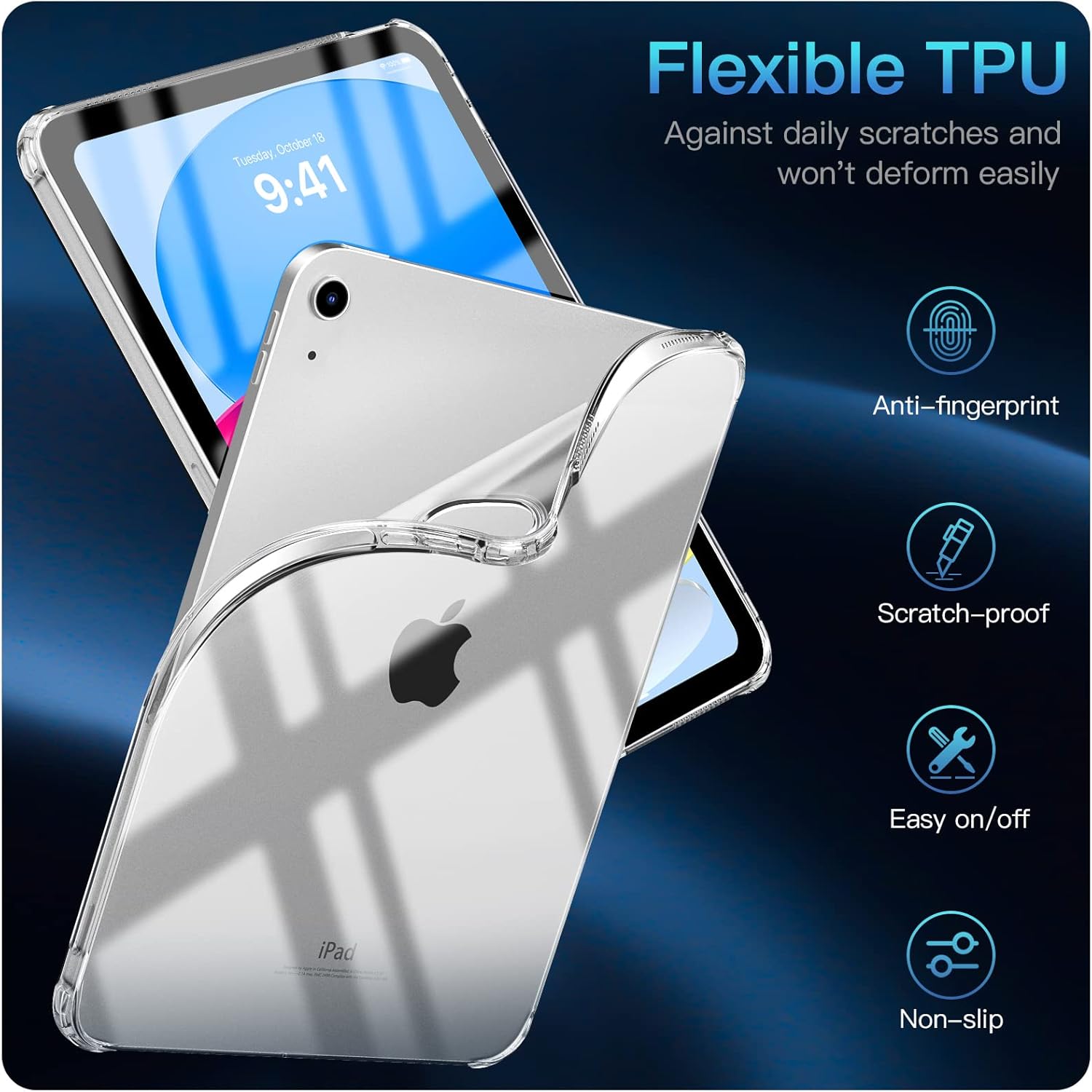
Image 2.1: Flexible TPU material features.

Image 2.2: Drop protection features of the case.

Image 2.3: Precise cutouts for full functionality.
3. Setup and Installation
The TiMOVO Clear Case is designed for easy installation and removal due to its flexible TPU material. Follow these steps to install your case:
- Ensure your iPad is clean and free of dust or debris.
- Align the iPad with the case, starting with one corner.
- Gently press the iPad into the case, working your way around the edges until all corners are securely fitted. The flexible material will conform to your device.
- Verify that all cutouts for ports, buttons, and the camera are correctly aligned.
Video 3.1: Official TiMOVO video demonstrating the installation and features of the clear case.
4. Operating and Usage
Once installed, your TiMOVO Clear Case provides continuous protection while maintaining full functionality of your iPad.
- Button Access: The case features responsive button covers that allow for easy pressing of the power and volume buttons without obstruction.
- Port Access: All ports, including the charging port and headphone jack, are precisely cut for easy access.
- Touch ID Compatibility: The Touch ID sensor remains fully accessible and functional with the case on.
- Apple Pencil Compatibility: The case supports magnetic attachment and charging of the Apple Pencil (USB-C) on the side of the iPad.
- Stand Compatibility: The slim design ensures the case fits perfectly with most iPad stands, allowing for comfortable viewing and typing angles.

Image 4.1: Apple Pencil (USB-C) magnetic attachment support.
5. Maintenance and Care
To ensure the longevity and clarity of your TiMOVO Clear Case, follow these simple maintenance tips:
- Cleaning: Wipe the case regularly with a soft, damp cloth to remove dust, fingerprints, and smudges. For stubborn dirt, a mild soap solution can be used, followed by rinsing and thorough drying.
- Avoid Harsh Chemicals: Do not use abrasive cleaners, solvents, or harsh chemicals, as these can damage the TPU material and cause discoloration.
- Storage: When not in use, store the case in a cool, dry place away from direct sunlight to prevent material degradation or yellowing over time.

Image 5.1: TiMOVO case designed to resist yellowing.
6. Troubleshooting
If you encounter any issues with your TiMOVO Clear Case, please refer to the following common solutions:
- Case Not Fitting Correctly: Double-check your iPad model number against the compatibility list in Section 1. Ensure the iPad is inserted correctly, starting with one corner and gently pressing the rest of the device into place.
- Buttons Not Responsive: Ensure the case is fully seated around the iPad. Remove and re-install the case to confirm proper alignment of the button covers.
- Case Appears Yellowed: While designed to resist yellowing, prolonged exposure to UV light or certain chemicals can accelerate this process. Refer to Section 5 for care instructions. If the issue persists and is within the warranty period, contact customer support.
- Scratches or Scuffs: The case offers scratch protection, but deep abrasions can still occur from sharp objects. Regular cleaning can help prevent minor surface marks.
7. Specifications
| Brand | TiMOVO |
| Model Number | ATC220475 |
| Color | Clear |
| Compatible Devices | iPad (A16) 11th Generation 11 Inch 2025, iPad 10th Generation 10.9 Inch 2022 |
| Form Factor | Case |
| Shell Type | Soft |
| Material | Thermoplastic Polyurethane (TPU) |
| Item Dimensions | 9.92 x 7.2 x 0.43 inches |
| Item Weight | 4.12 Ounces |
| Additional Features | Easy Installation, Edges & Corners Protection, Precise Cutouts, Slim Clear Case, Support Touch ID |
8. Warranty and Support
The TiMOVO Clear Case comes with a 1-year manufacturer's warranty. For warranty claims, technical support, or any product-related inquiries, please contact TiMOVO customer service through the retailer where the product was purchased.