
H20
Smart Watch H20 User Manual
Model: H20
Product Overview
The Generic Smart Watch H20 is a versatile wearable device designed to enhance your daily life with smart features. It boasts a large HD screen, Bluetooth calling capabilities, and a variety of health and fitness tracking functions. This manual provides detailed instructions for setup, operation, and maintenance of your Smart Watch H20.

Image: The Smart Watch H20, featuring a black strap and a rectangular display showing time, date, steps, and battery percentage.
Key Features
- HD 1.69-inch Color Screen: Provides a clear, delicate, true, and natural display with 240x280 resolution.
- IP67 Grade Living Waterproof: Designed to withstand splashes and brief immersion, suitable for daily use.
- Bluetooth Calling: Built-in microphone and speaker allow you to connect and listen to incoming calls directly from your watch.
- Multi-Sport Modes: Tracks various activities, including two casual games for entertainment.
- Magnetic Charging: Convenient and secure charging method.
- Comprehensive Tracking: Real-time display of steps, mileage, calories, body data, and sleep monitoring.
- Smart Reminders: Information reminders, sedentary reminders, and weather forecasts.
- Remote Photography: Control your phone's camera remotely.
- Customizable Dials: A variety of creative dials can be replaced at will.
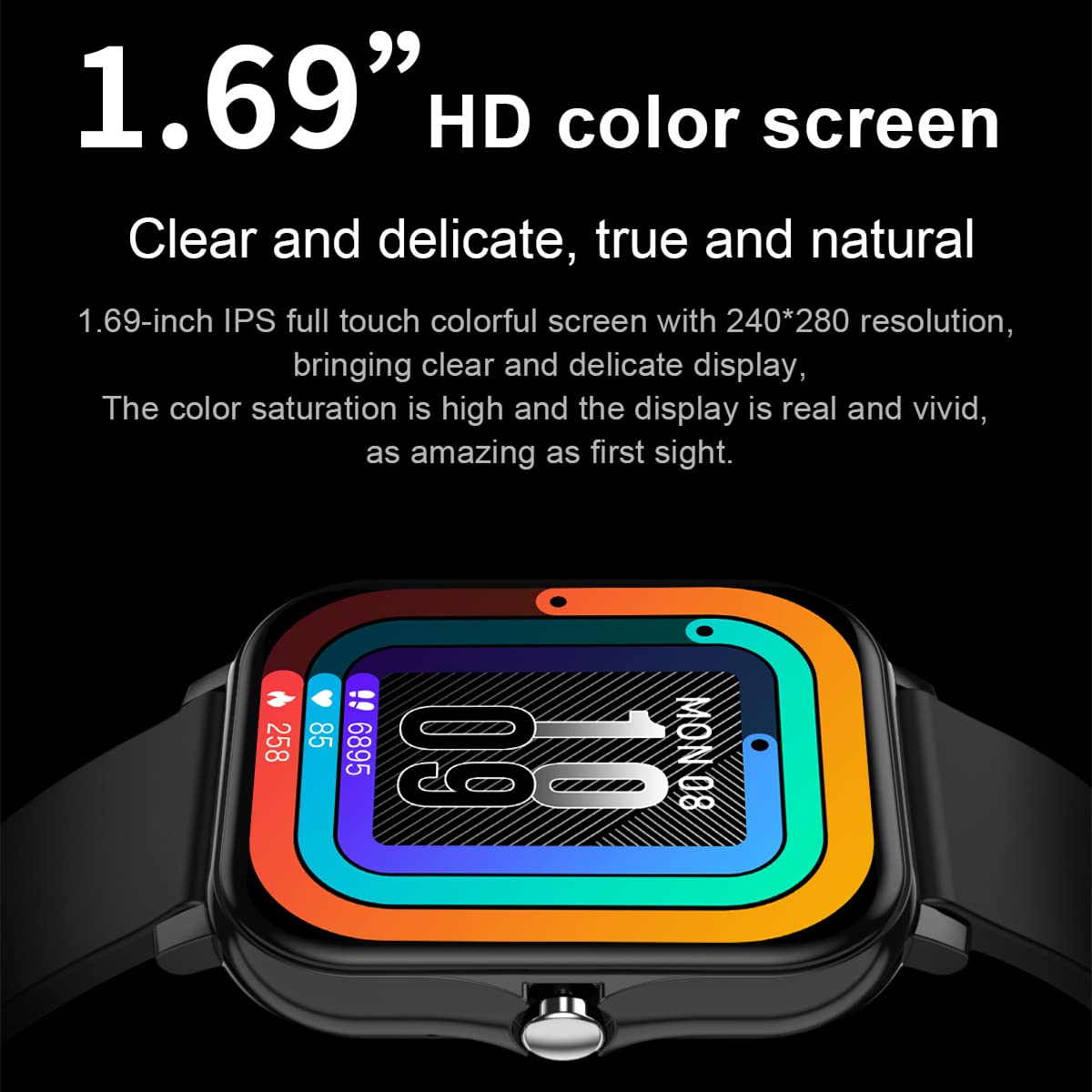
Image: A close-up view of the watch screen, emphasizing the "1.69” HD color screen" feature with vibrant display colors.
Setup Guide
1. Initial Charging
Before first use, fully charge your Smart Watch H20. Connect the magnetic charging cable to the charging points on the back of the watch and plug the USB end into a compatible power source (e.g., computer USB port, USB wall adapter).
The watch display will indicate charging status. A full charge typically takes approximately 2 hours.
2. App Connection
To unlock the full potential of your Smart Watch H20, download and install the companion application on your smartphone. The app allows for data synchronization, watch settings customization, and access to advanced features.
- Scan the QR code provided in the watch packaging or search for the recommended app name (usually found in the watch's settings or quick start guide) in your phone's app store (Google Play Store for Android, Apple App Store for iOS).
- Install the app and create an account if prompted.
- Ensure Bluetooth is enabled on your smartphone.
- Open the app and follow the on-screen instructions to pair your watch. The app will guide you through the pairing process, which may involve selecting your watch from a list of nearby devices.

Image: A smartphone displaying a fitness tracking application, with the Smart Watch H20 positioned next to it, illustrating the app connection feature.
Operating Instructions
Basic Navigation
- Touchscreen: Swipe left, right, up, or down to navigate through menus and functions. Tap to select an option.
- Side Button: Typically used to return to the home screen, turn the screen on/off, or access the main menu.
- Raise to Brighten: Lift your wrist to automatically illuminate the screen. This feature can usually be enabled/disabled in the watch settings or companion app.
Bluetooth Calling
Once paired with your smartphone via Bluetooth, you can make and receive calls directly from your watch.
- Receiving Calls: When a call comes in, the watch will display the caller ID. Tap the green icon to answer or the red icon to reject.
- Making Calls: Access the dialer or contact list on your watch (if supported) to initiate a call. Ensure your phone is within Bluetooth range.
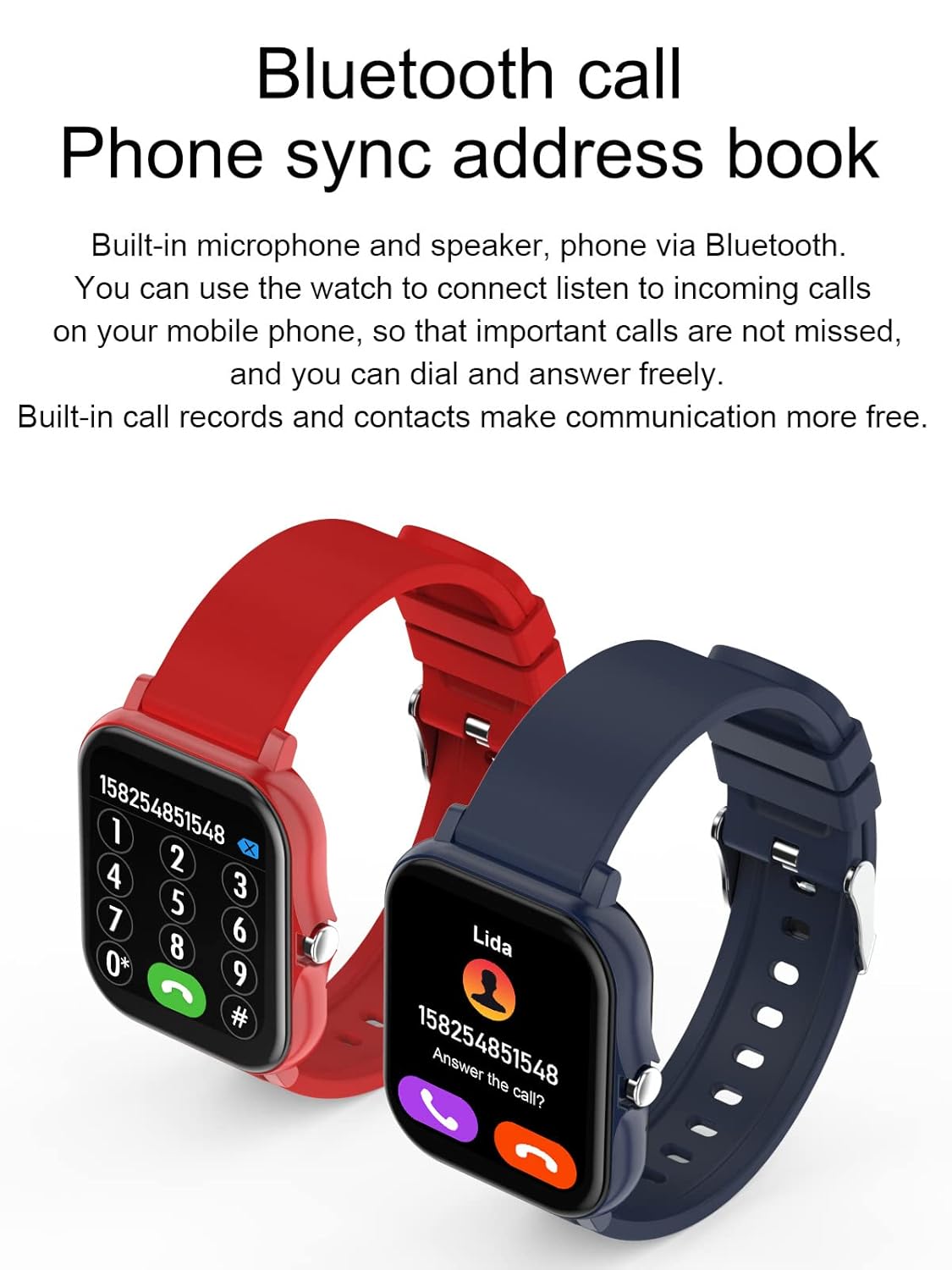
Image: Two Smart Watches, one showing a numeric dial pad for making calls and the other displaying an incoming call screen with contact information, demonstrating the Bluetooth call feature.
Health and Fitness Tracking
- Steps, Mileage, Calories: The watch continuously tracks your daily activity. View your progress directly on the watch face or in the companion app.
- Multi-Sport Mode: Select from various sports modes (e.g., running, walking, cycling) to get more accurate tracking data for specific activities.
- Sleep Monitoring: The watch automatically monitors your sleep patterns, including deep sleep, light sleep, and awake time. Review detailed sleep analysis in the app.

Image: A smartphone screen displaying a sleep analysis report from the companion app, showing sleep quality, deep sleep, light sleep, and awake percentages, indicating the watch's sleep monitoring capability.
Smart Reminders and Notifications
- Information Reminder: Receive notifications for calls, messages, and app alerts directly on your watch. Configure which app notifications to receive via the companion app.
- Sedentary Reminder: The watch can remind you to move if you've been inactive for too long.
- Weather Forecast: View current weather conditions and forecasts on your watch (requires app connection and location permissions).

Image: Two Smart Watches, one showing a weather display and the other illustrating icons for incoming calls, message notifications, sedentary reminders, and weather forecasts, highlighting the watch's smart reminder features.
Customization
- Dial Switching: Change your watch face from a variety of pre-installed options or download more through the companion app to personalize your device.
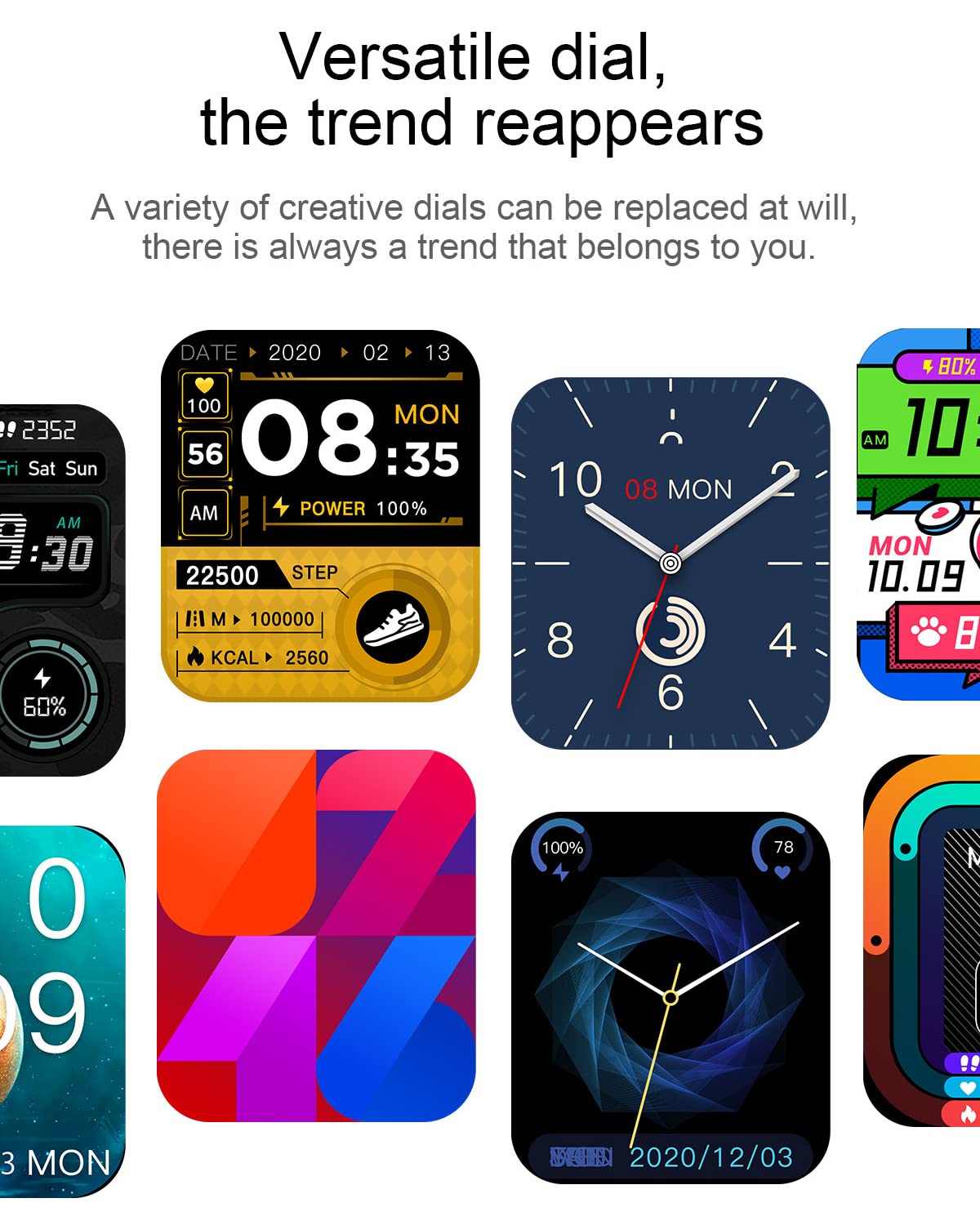
Image: A collage of different watch faces available for the Smart Watch H20, demonstrating the versatility and customization options for the display.
Maintenance
- Cleaning: Regularly wipe the watch screen and strap with a soft, dry, lint-free cloth. For stubborn stains, a slightly damp cloth can be used, followed by drying. Avoid harsh chemicals or abrasive materials.
- Water Resistance: The watch is IP67 rated for living waterproof. This means it is resistant to splashes, rain, and brief immersion in shallow water. It is not suitable for swimming, diving, or showering with hot water, as steam can damage the seals.
- Charging: Use only the provided magnetic charging cable. Ensure the charging contacts on the watch and cable are clean and dry before charging to prevent corrosion.
- Storage: When not in use for extended periods, store the watch in a cool, dry place away from direct sunlight and extreme temperatures.
Troubleshooting
| Problem | Possible Solution |
|---|---|
| Watch does not turn on. | Ensure the watch is fully charged. Connect to the charger for at least 30 minutes. If still unresponsive, try a soft reset (refer to app for specific instructions or hold side button for 10-15 seconds). |
| Cannot pair with smartphone. |
|
| Notifications are not received. |
|
| Inaccurate health data. | Ensure the watch is worn snugly on your wrist, about one finger's width above the wrist bone. Keep the sensor clean. Calibrate settings in the companion app if available. |
Specifications
| Feature | Detail |
|---|---|
| Brand | Generic |
| Model | H20 |
| Display | 1.69-inch HD Color LCD |
| Resolution | 240 x 320 |
| Operating System | Android (compatible with Android 4.0+ and iOS 5.0+) |
| Connectivity | Bluetooth, USB (for charging) |
| Water Resistance | IP67 Living Waterproof |
| Charging Method | Magnetic Charging |
| Special Features | Sleep Monitor, Time Display, Bluetooth Calling, Multi-Sport Modes, Remote Photography |
| Included in Box | Charger |

Image: A diagram illustrating the physical dimensions of the Smart Watch H20, showing a width of 38mm, a thickness of 10mm, and a perimeter of 245mm for the strap.
Warranty Information
This product is covered by a warranty policy. For detailed information regarding warranty terms, conditions, and claim procedures, please refer to the official product page or contact the seller directly. Keep your purchase receipt as proof of purchase.
Note: Warranty terms may vary. Please consult the specific warranty policy provided at the time of purchase.
Customer Support
If you encounter any issues or have questions not covered in this manual, please contact customer support for assistance. Refer to your purchase documentation or the seller's contact information for support channels.
For general inquiries, you may also visit the product's official support page (if available) or the manufacturer's website.
Related documentsH20


Ask a question about this manual
Ask about setup, troubleshooting, compatibility, parts, safety, or missing instructions. Manuals+ will review the question and use this page’s manual context to help answer it.