
TWS M19
User Manual
TWS M19 Bluetooth Noise Cancelling Headphones
Model: TWS M19 | Brand: Generic
Introduction
This manual provides detailed instructions for the operation and maintenance of your TWS M19 Bluetooth Noise Cancelling Headphones. Please read this manual carefully before using the product to ensure proper function and longevity.
Product Overview
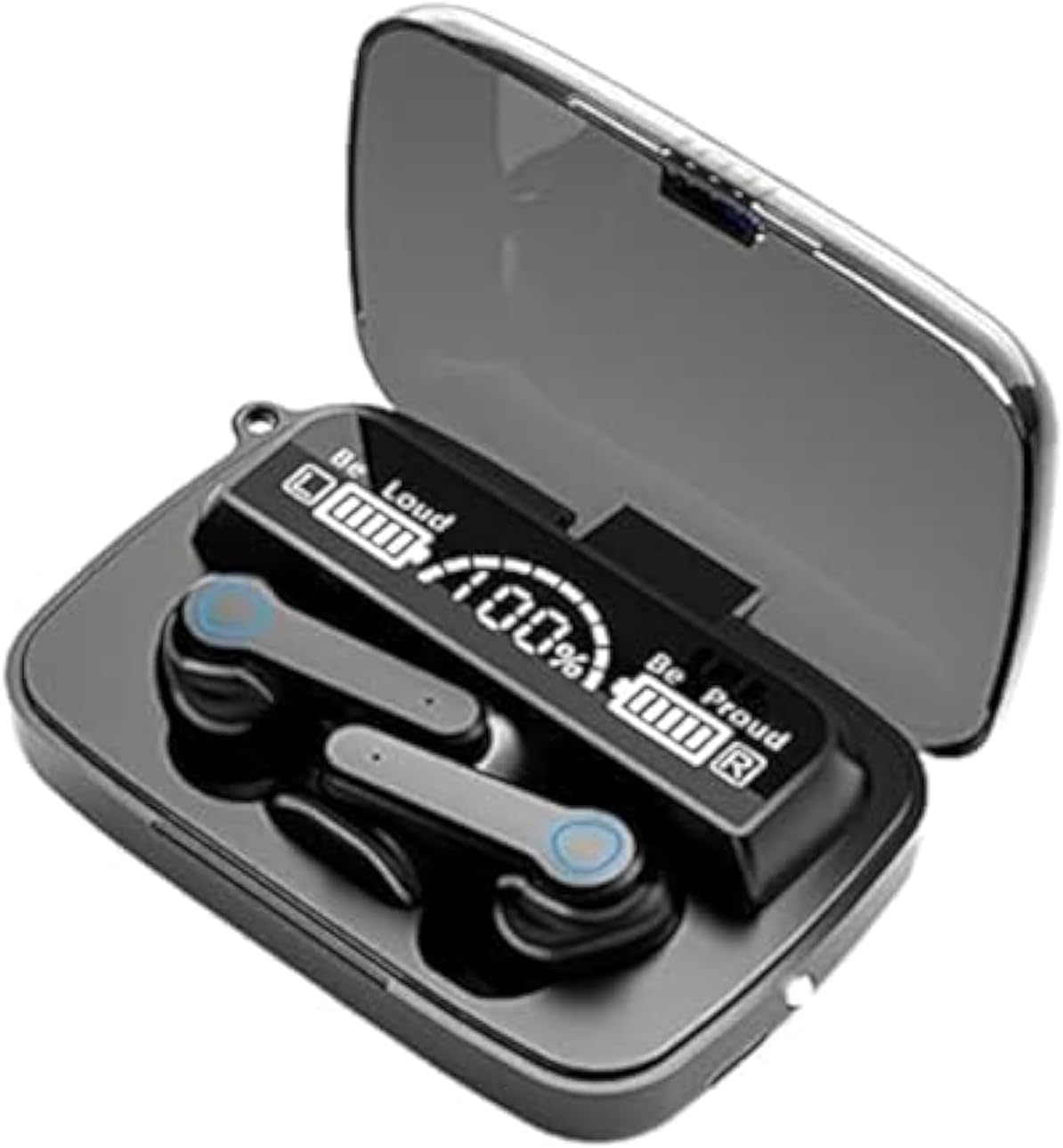
Image: TWS M19 Bluetooth Headphones shown inside their charging case. The case features an LED digital display indicating battery levels for both the case and individual earbuds, along with "Be Loud" and "Be Proud" indicators. The earbuds are black with blue accents on the touch control areas.
Key Features:
- Bluetooth 5.1 Connectivity: Ensures stable and efficient wireless connection.
- Active Noise Cancellation: Reduces ambient noise for an immersive audio experience.
- LED Power Display: Digital display on the charging case shows battery percentage for the case and individual earbuds.
- Intelligent Touch Control: Manage music playback, calls, and other functions with simple touch gestures.
- IPX7 Waterproof: Resistant to sweat and splashes, suitable for sports and light rain.
- Magnetic Induction Charging Case: Securely holds earbuds and provides convenient charging.
Setup
1. Charging the Device:
Before first use, fully charge the charging case and earbuds. Connect the charging case to a USB power source using the provided cable. The LED display will show the charging progress. Ensure the earbuds are properly seated in the charging case for them to charge.
2. Pairing with a Bluetooth Device:
- Open the charging case. The earbuds will automatically power on and enter pairing mode.
- On your device (smartphone, tablet, etc.), enable Bluetooth.
- Search for available Bluetooth devices and select "TWS M19" from the list.
- Once connected, the earbuds will indicate successful pairing (e.g., a voice prompt or LED indicator change).
- For subsequent uses, the earbuds will automatically connect to the last paired device when taken out of the case.
Operating Instructions
Touch Controls:
| Action | Function |
|---|---|
| Single Tap (Left/Right Earbud) | Play/Pause Music, Answer/End Call |
| Double Tap (Left Earbud) | Previous Track |
| Double Tap (Right Earbud) | Next Track |
| Triple Tap (Left/Right Earbud) | Activate Voice Assistant |
| Long Press (2 seconds) | Reject Call |
| Long Press (3 seconds) | Toggle Noise Cancellation/Transparency Mode (if applicable) |
Note: Specific touch control functions may vary slightly based on firmware version.
Maintenance
- Cleaning: Use a soft, dry cloth to clean the earbuds and charging case. Do not use abrasive cleaners or immerse in water.
- Storage: When not in use, store the earbuds in their charging case to protect them and keep them charged. Store in a cool, dry place away from direct sunlight and extreme temperatures.
- Battery Care: To prolong battery life, avoid fully discharging the battery frequently. Charge the device regularly, even if not in frequent use.
Troubleshooting
- Earbuds not pairing:
- Ensure both earbuds are charged.
- Place earbuds back in the case, close the lid, then open again to reset pairing mode.
- Delete "TWS M19" from your device's Bluetooth list and attempt to pair again.
- No sound:
- Check the volume level on both your device and the earbuds.
- Ensure the earbuds are properly connected to your device.
- Try playing different audio sources.
- Charging issues:
- Verify the charging cable and power adapter are working correctly.
- Ensure the charging contacts on the earbuds and in the case are clean and free of debris.
- Intermittent connection:
- Move closer to your connected device to reduce interference.
- Avoid obstacles between the earbuds and your device.
- Ensure no other strong wireless signals are interfering.
Specifications
| Feature | Detail |
|---|---|
| Model Name | TWS M19 |
| Brand | Generic |
| Connectivity Technology | Wireless (Bluetooth 5.1) |
| Noise Control | Active Noise Cancellation |
| Headphones Form Factor | In Ear |
| Sensitivity | 94 dB |
| Color | Black |
| Package Dimensions | 11.4 x 10.4 x 4.5 cm |
| Item Weight | 130 g |
Warranty and Support
For warranty information or technical support, please refer to the retailer or point of purchase. Keep your purchase receipt as proof of purchase for any warranty claims.
For further assistance, you may contact the manufacturer or seller through the platform where the product was purchased. Please provide your model number (TWS M19) and ASIN (B0B71NHCGC) when seeking support.
Ask a question about this manual
Ask about setup, troubleshooting, compatibility, parts, safety, or missing instructions. Manuals+ will review the question and use this page’s manual context to help answer it.