
Introduction
This manual provides detailed instructions for the safe and efficient operation of your HiQuick 8 Bay Smart Battery Charger and accompanying rechargeable AA batteries. Please read this manual thoroughly before use and retain it for future reference.
Package Contents
Verify that all items are present in your package:
- 1 x HiQuick 8 Bay Smart Battery Charger
- 8 x HiQuick AA 2800mAh Ni-MH Rechargeable Batteries
- 16 x HiQuick AA 2800mAh Ni-MH Rechargeable Batteries (Total 24 AA batteries)
- 1 x USB Charging Cable (Micro USB)
- 1 x User Manual

Image: The HiQuick 8 Bay Smart Battery Charger with eight AA batteries inserted, alongside a separate pack of sixteen additional AA rechargeable batteries.
Safety Instructions
To ensure safe operation and prevent damage, please observe the following precautions:
- Only charge Ni-MH/Ni-Cd rechargeable batteries. Do not attempt to charge alkaline, carbon-zinc, or any other type of non-rechargeable batteries.
- Do not disassemble, modify, or short-circuit the charger or batteries.
- Keep the charger and batteries away from water, moisture, and high temperatures.
- Do not expose the charger to direct sunlight or extreme heat.
- Ensure proper polarity when inserting batteries into the charger.
- Unplug the charger from the power source when not in use or before cleaning.
- Keep out of reach of children.
- The charger is designed for indoor use only.
- Do not cover the charger during operation to ensure proper ventilation.

Image: The HiQuick 8 Bay Smart Battery Charger highlighting its multiple protection features, including over charge, over current, over voltage, over heat, and short circuit protection.
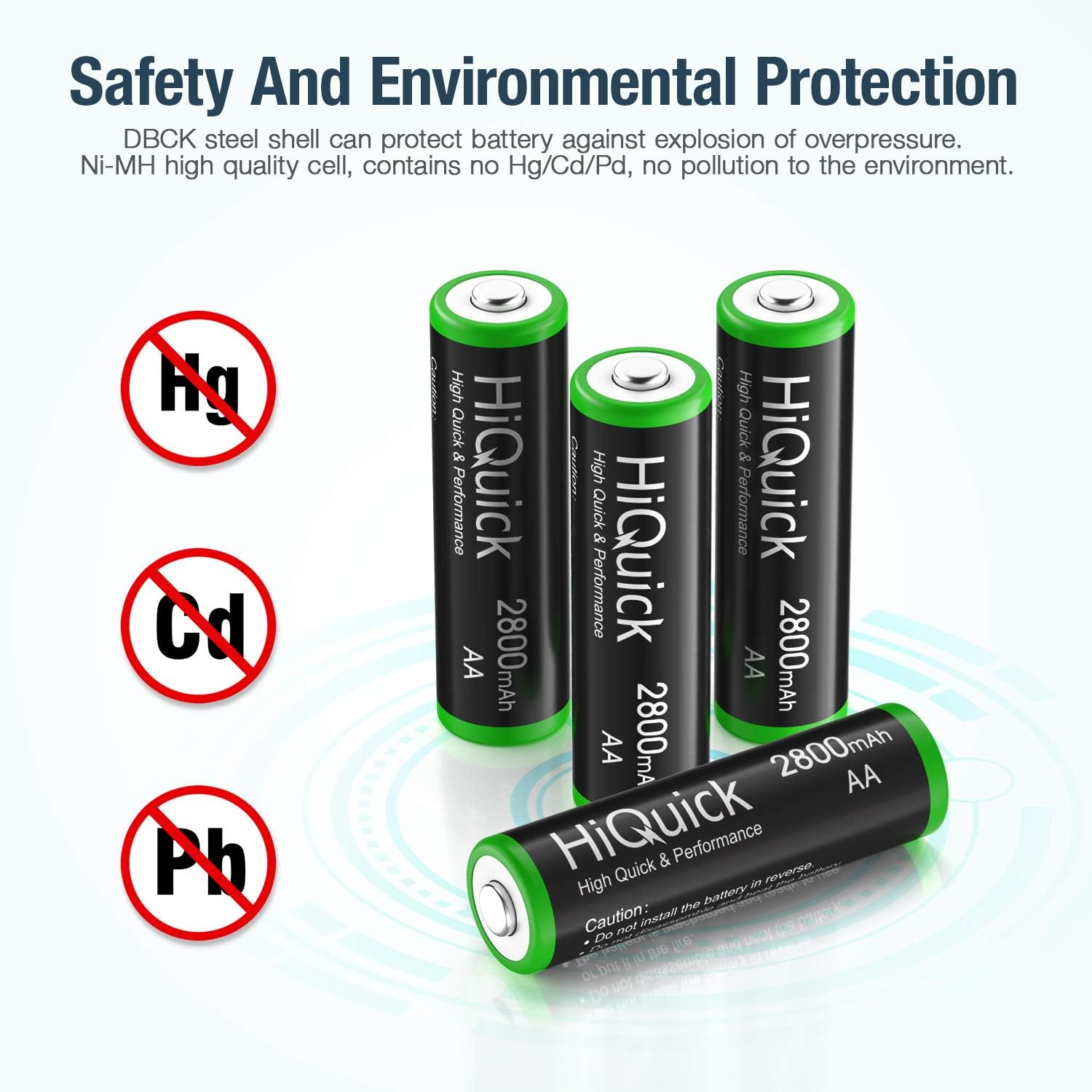
Image: HiQuick AA batteries displayed with symbols for Mercury (Hg), Cadmium (Cd), and Lead (Pb) crossed out, emphasizing their environmental safety and lack of harmful heavy metals.
Setup
- Connect Power: Connect the provided Micro USB cable to the charger's input port. Plug the other end of the USB cable into a compatible USB power adapter (e.g., 5V/2A), a car charger, power bank, or computer USB port.
- Insert Batteries: Insert 1 to 8 Ni-MH/Ni-Cd AA or AAA rechargeable batteries into the charging slots. Ensure correct polarity (+ and -) as indicated on the charger and batteries. The charger supports independent charging for each bay, allowing you to charge any number of batteries simultaneously.

Image: The HiQuick 8 Bay Smart Battery Charger shown with a mix of AA and AAA batteries inserted, illustrating its convenient hybrid charging technology for both battery types.
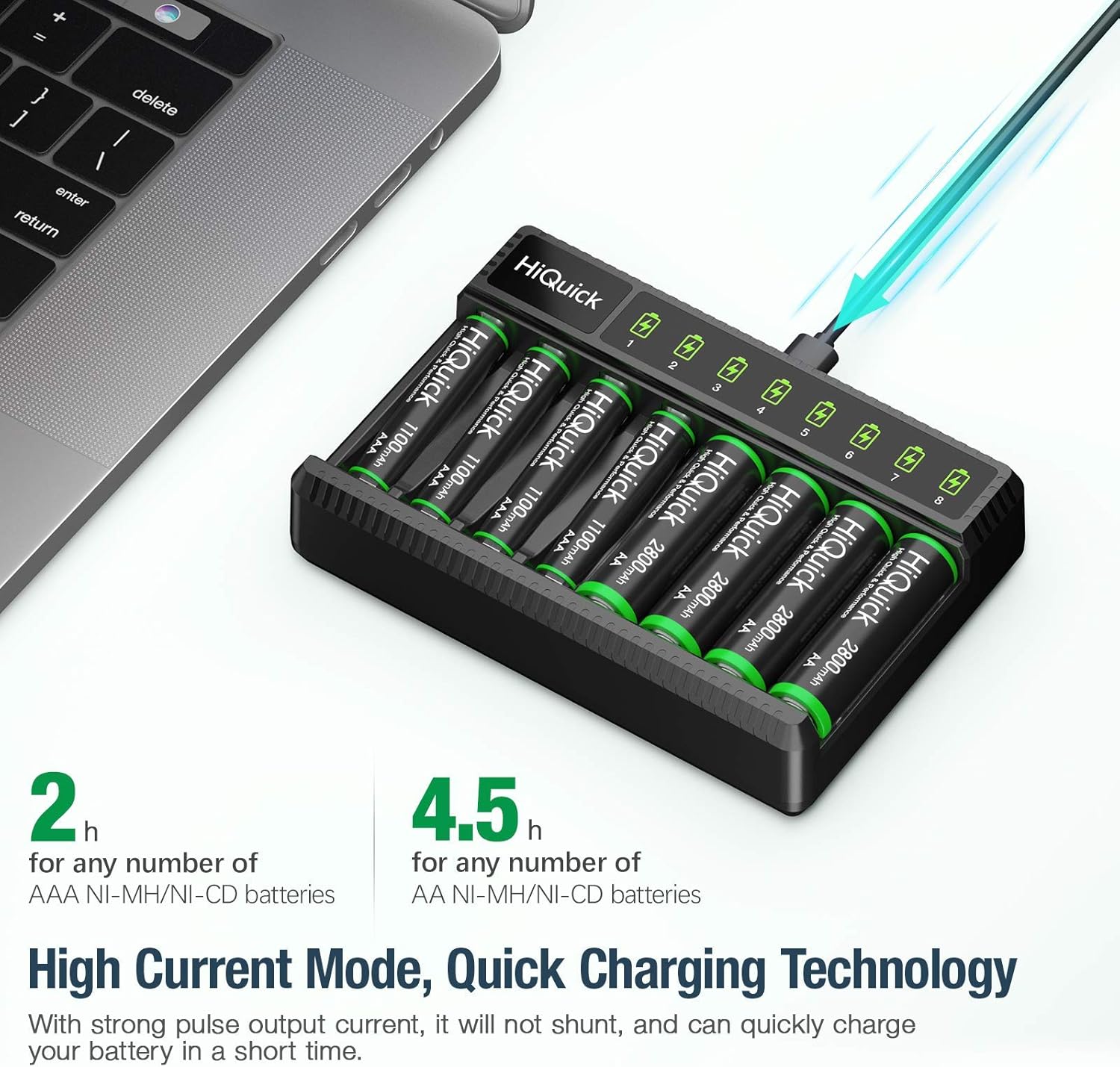
Image: The HiQuick 8 Bay Smart Battery Charger connected via USB to a laptop, demonstrating its quick charging technology with estimated charging times of 2 hours for AAA and 4.5 hours for AA batteries.
Operating Instructions
Charging Process
Once batteries are inserted and the charger is powered on, the charging process will begin automatically. The charger utilizes 600mA pulse current charging for efficient and safe power delivery.
LED Indicators
Each charging bay has a dedicated LED indicator to show the charging status:
- RED Light: Indicates that the battery is currently charging.
- GREEN Light: Indicates that the battery is fully charged.
The intelligent LED system allows you to easily monitor the status of each battery independently.

Image: The HiQuick 8 Bay Smart Battery Charger illustrating its intelligent LED screen, with red lights indicating charging and green lights indicating a full charge for individual battery slots.
Battery Care and Performance
High Capacity and Cycle Life
The included HiQuick 2800mAh Ni-MH AA rechargeable batteries are pre-charged and designed for long-lasting performance. They can withstand up to 1200 charge cycles, providing extended usability.

Image: A HiQuick AA rechargeable battery highlighted with an indicator showing its capability for up to 1200 charge and discharge cycles, signifying its long-life performance.
Low Self-Discharge Technology
HiQuick 1.2-volt Ni-MH rechargeable AA batteries feature low self-discharge technology. They can retain approximately 80% of their capacity even after 36 months (3 years) of non-use. For optimal battery health, it is recommended to charge them once every 3 months if they are not in regular use.

Image: A comparison graph illustrating the low self-discharge rate of HiQuick batteries, showing they retain 80% of their charge after 3 years of non-use, significantly outperforming other batteries.
Operating Temperature
HiQuick AA batteries are designed to operate reliably under various conditions, suitable for 1.2V products within a temperature range of -20°C to 60°C (-4°F to 140°F).

Image: A hand inserting a HiQuick AA battery into a flashlight, demonstrating the battery's suitability for use in 1.2V products across a wide range of temperatures.
Maintenance
- Cleaning: Disconnect the charger from power before cleaning. Use a soft, dry cloth to wipe the charger's surface. Do not use liquid cleaners or solvents.
- Storage: Store the charger and batteries in a cool, dry place away from direct sunlight and extreme temperatures.
- Battery Storage: For long-term storage of batteries, ensure they are partially charged (around 50-80%) to maintain their health. Avoid storing fully depleted or fully charged batteries for extended periods.
Troubleshooting
| Problem | Possible Cause | Solution |
|---|---|---|
| Charger LED does not light up. | No power connection or faulty cable. | Check if the USB cable is securely connected to both the charger and the power source. Try a different USB port or power adapter. |
| Battery not charging (LED remains off or flashes). | Incorrect battery type, improper insertion, or faulty battery. | Ensure only Ni-MH/Ni-Cd batteries are used. Re-insert the battery, ensuring correct polarity. If the issue persists, the battery may be faulty. |
| Charging takes too long. | Low power input or high capacity batteries. | Ensure your USB power adapter provides sufficient current (e.g., 5V/2A). High capacity batteries (like 2800mAh AA) naturally take longer to charge (approx. 4.5 hours). |
| Charger or batteries feel warm during charging. | Normal operation. | It is normal for the charger and batteries to become slightly warm during charging. If they become excessively hot, disconnect immediately and contact support. |
Specifications
| Feature | Detail |
|---|---|
| Product Name | HiQuick 8 Bay Smart Battery Charger |
| Compatible Batteries | Ni-MH/Ni-Cd AA, AAA rechargeable batteries |
| Input Voltage | Standard USB 5V (compatible with 240 Volts adapters via USB) |
| Charging Current | 600mA pulse current (per slot) |
| Charging Time (Approx.) | AA 2800mAh: 4.5 hours; AAA 1100mAh: 2 hours |
| Battery Capacity (AA) | 2800mAh Ni-MH |
| Battery Cycle Life | Up to 1200 cycles |
| Operating Temperature | -20°C to 60°C (-4°F to 140°F) |
Warranty and Support
For warranty information and customer support, please refer to the contact details provided with your product packaging or visit the official HiQuick store on Amazon:
Visit the HiQuick Store on Amazon
Please have your product model and purchase date ready when contacting support.
