
U`King ZQ03058
U`King 9-Lens DJ Disco Laser Light User Manual
Model: ZQ03058 | Brand: U`King
1. Introduction
This manual provides essential information for the safe and effective operation of your U`King 9-Lens DJ Disco Laser Light. Please read this manual thoroughly before use and retain it for future reference. This device is designed to create dynamic lighting effects for various events such as parties, weddings, and stage shows, featuring multiple laser patterns and LED backgrounds.
2. Safety Information
WARNING: Improper installation or use can lead to serious injury or damage. Always follow these safety guidelines:
- The stage lighting effect projected at 3 meters (9.8 feet) above the audience is considered safe for the eyes.
- Conduct investigations to assess the possibility of any reflective surfaces (such as high windows, chrome bars, etc.) reflecting stray light beams down to the audience.
- Ensure the power supply is properly grounded.
- Once the stage light is turned on, do not look directly at the light aperture. Laser level is Class I, high brightness light source, feasible distance 100mm, output power: less than 0.3mW.
- Keep the device away from water, moisture, and extreme temperatures.
- Do not attempt to open or repair the unit yourself. Refer all servicing to qualified personnel.
- Use only the power adapter provided with the device.
3. Package Contents
Verify that all items are present in the package:
- 1 x U`King 9-Lens DJ Disco Laser Light
- 1 x Power Cable
- 1 x Remote Controller
- 1 x User Manual (this document)

Image: Package contents of the U`King 9-Lens DJ Disco Laser Light.
4. Product Overview
The U`King 9-Lens DJ Disco Laser Light features a unique design with multiple laser outputs and an RGB LED background for diverse lighting effects. It supports various control modes for flexibility in different environments.
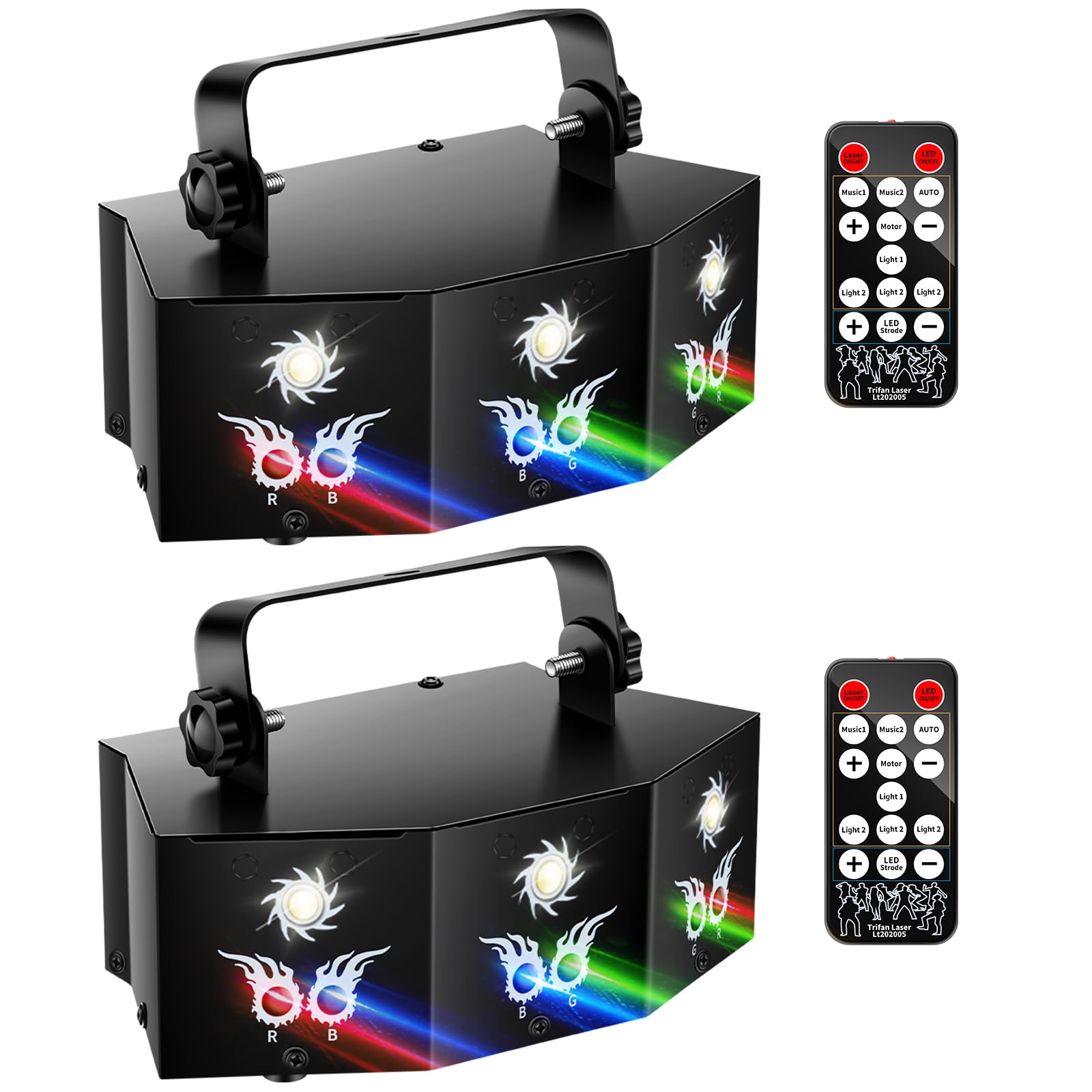
Image: U`King 9-Lens DJ Disco Laser Light showcasing its effects.
Component Identification

Image: Detailed diagram of the U`King 9-Lens DJ Disco Laser Light components and remote control functions.
- Laser Light Output: Emits red, green, and blue laser patterns.
- Bracket: For mounting the light to a ceiling or truss.
- Mounting Screw: Secures the bracket to the unit.
- Control Panel: Features an LCD display and four digital buttons (Mode, UP, DOWN, ENTER) for settings adjustment.
- AC Socket: Power input connection.
- DMX Input/Output: 3-pin XLR jacks for DMX control and master/slave linking.
- Remote Control: Wireless control for various functions and modes.
5. Installation
Follow these steps to install your U`King 9-Lens DJ Disco Laser Light:
- Mounting: Securely clamp the unit with its fastening bracket to a stable surface, such as a ceiling or truss, using a firm hook. Ensure the mounting location is robust enough to support the device's weight.
- Power Connection: Connect the provided power cord to the AC socket on the unit and then plug it into a grounded wall socket. Verify correct power output (110V to 220V - 250V, 50/60HZ).
- Positioning: For optimal and safe viewing, project the stage lighting effect at least 3 meters (9.8 feet) above the audience.
6. Operation Modes
The U`King 9-Lens DJ Disco Laser Light offers multiple operation modes, selectable via the control panel or remote control:

Image: Overview of play modes and remote control for the U`King 9-Lens DJ Disco Laser Light.
- AUTO Mode: The light cycles through pre-programmed patterns and effects automatically.
- Sound Active Mode: The light reacts to music and sound, changing patterns and intensity in sync with the rhythm.
- DMX512 Mode: For professional control, connect the unit to a DMX controller using a 3-pin XLR cable. The device uses 7 DMX channels. Refer to your DMX controller's manual for specific programming.
- Master/Slave Mode: Link multiple units together. One unit acts as the master, controlling all connected slave units, which will mirror its effects. Connect units using DMX cables (input to output).
Remote Control Functions
The included remote control allows for convenient adjustment of settings:
- Laser ON/OFF: Activates or deactivates the laser.
- LED ON/OFF: Activates or deactivates the LED background.
- Music 1/2: Selects different sound-activated modes.
- AUTO: Activates automatic mode.
- Motor +/-: Adjusts the motor speed for pattern rotation.
- Light 1/2/3/4: Selects different laser patterns or effects.
- LED Strobe: Activates or deactivates the LED strobe effect.
7. Technical Specifications
| Brand | U`King |
| Model Number | ZQ03058 |
| Color | Black |
| Power Supply | 110V to 220V - 250V, 50/60HZ, 20W |
| Power Cord Length | 40.43 inches (2-pin) |
| Number of Light Sources | 9 (2x Red, 2x Green, 2x Blue Lasers; White Strobe) |
| Laser Life Expectancy | 5000 to 10000 hours (under normal operating conditions) |
| Beam Angle | 150 degrees (scanning Micro-step motor) |
| Play Modes | Sound Active, AUTO, DMX512, Master/Slave |
| DMX Channels | 7CH |
| Interface | 3 pins XLR jack for DMX or Master-Slave linking |
| Product Dimensions (L x W x H) | 7.6 x 4.3 x 3.0 inches |
| Net Weight | 5.07 lb (2.3 kg) |
| Material | Aluminum |
8. Maintenance
Regular maintenance ensures optimal performance and longevity of your laser light:
- Cleaning: Periodically clean the lenses and exterior with a soft, dry cloth. Do not use abrasive cleaners or solvents.
- Storage: When not in use, store the device in a cool, dry place, away from direct sunlight and extreme temperatures.
- Inspection: Regularly check the power cable for any signs of damage. If damaged, replace it immediately.
9. Troubleshooting
If you encounter issues with your U`King 9-Lens DJ Disco Laser Light, refer to the following common problems and solutions:
- No Power:
- Ensure the power cable is securely connected to both the unit and a working power outlet.
- Check if the power outlet is functional by plugging in another device.
- No Laser/LED Output:
- Verify that the Laser ON/OFF and LED ON/OFF buttons on the remote or control panel are activated.
- Ensure the unit is not in a standby mode.
- No Sound Reaction (Sound Active Mode):
- Increase the volume of the music source.
- Ensure the microphone on the unit is not obstructed.
- Select the correct 'Music' mode on the remote control.
- DMX Control Issues:
- Check DMX cable connections for proper seating and continuity.
- Verify the DMX address setting on the unit matches your DMX controller's settings.
- Ensure the DMX controller is sending signals correctly.
- Patterns Not Moving:
- Adjust the 'Motor' speed setting using the remote control.
- Ensure the unit is not in a static pattern mode.
If problems persist, contact U`King customer support for assistance.
10. Product Video Overview
Video: Demonstrates the various pattern effects, laser effects, polka dot line effect, and combination effects of the U`King 9-Lens Party Lights Laser Light. Also shows the product's dimensions and input/output ports.
11. Warranty and Support
For warranty information or technical support, please refer to the contact details provided with your purchase or visit the official U`King website. Keep your purchase receipt as proof of purchase for any warranty claims.
Related documentsZQ03058


Ask a question about this manual
Ask about setup, troubleshooting, compatibility, parts, safety, or missing instructions. Manuals+ will review the question and use this page’s manual context to help answer it.