
DailyBody DWN-Z1
DailyBody White Noise Machine User Manual
Model: DWN-Z1
1. Introduction
Thank you for choosing the DailyBody White Noise Machine. This device is designed to help you create a peaceful and conducive environment for sleep, relaxation, and focus by effectively masking unwanted noises. It features a wide variety of soothing sounds, adjustable volume levels, and convenient timer functions.

Image: The DailyBody White Noise Machine, a compact black rectangular device with control buttons on its top surface, designed for ease of use and portability.
2. Safety Information
Please read all safety instructions carefully before using the device to ensure safe and proper operation.
- CAUTION: To avoid risk of electric shock, use only the provided power adapter or USB charging cable.
- Do not use damaged cords or plug into damaged outlets.
- This device emits sound; do not expose children or adults to loud sounds for extended periods to avoid hearing damage.
- This is not a toy; keep out of reach of children under 3 years old.
- Always follow the instructions in the user manual for safe operation.
3. Package Contents
Ensure all items are present in the package:
- DailyBody White Noise Machine (Model: DWN-Z1)
- USB Charging Cable (Type-C)
- Power Adapter
- User Manual (this document)
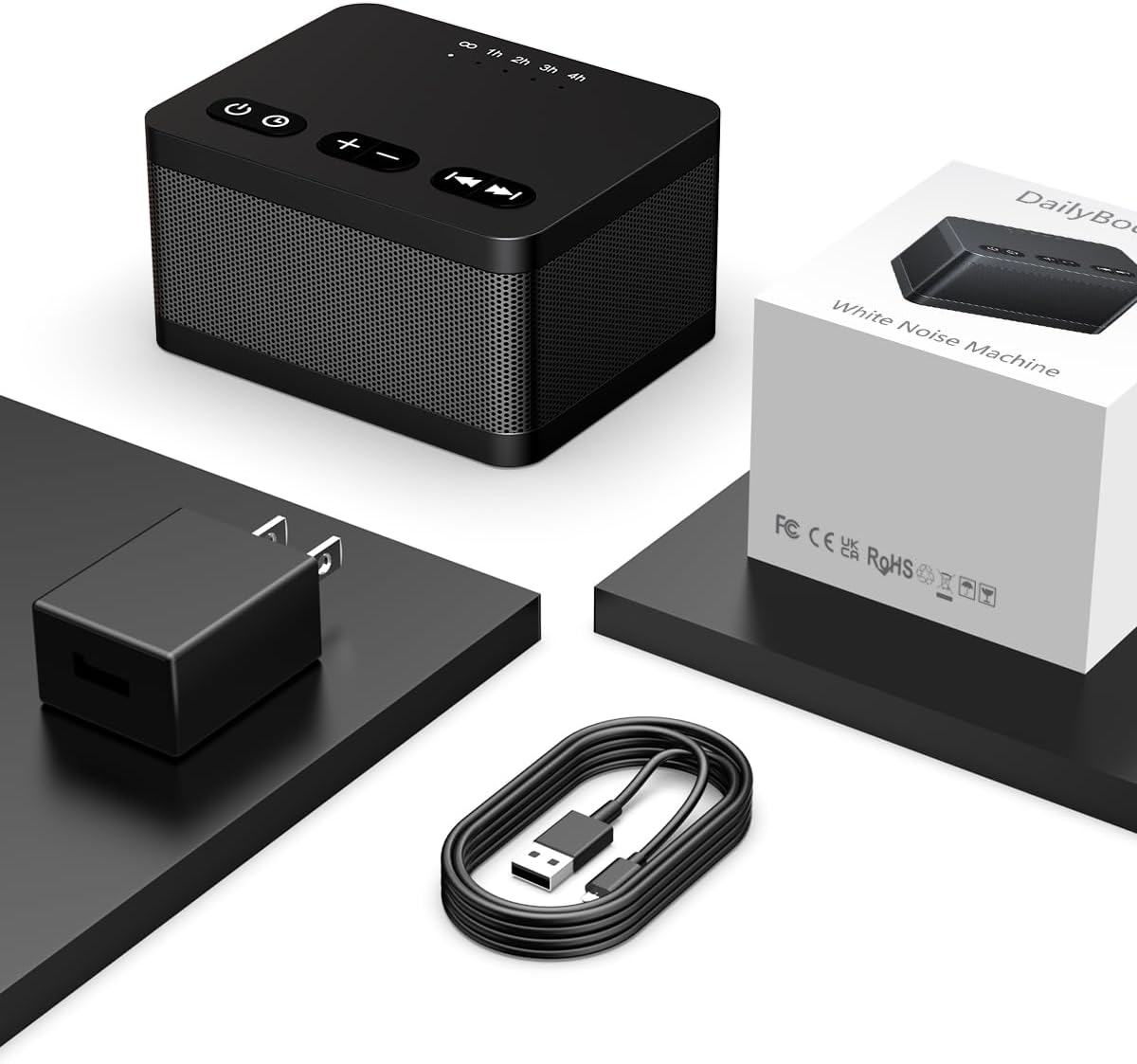
Image: The DailyBody White Noise Machine, its USB-C charging cable, and power adapter, all included in the product packaging.
4. Setup
To set up your DailyBody White Noise Machine:
- Connect the provided USB charging cable to the Type-C port on the back of the sound machine.
- Plug the other end of the USB cable into the power adapter.
- Insert the power adapter into a standard electrical outlet.
- The device is now ready for use.
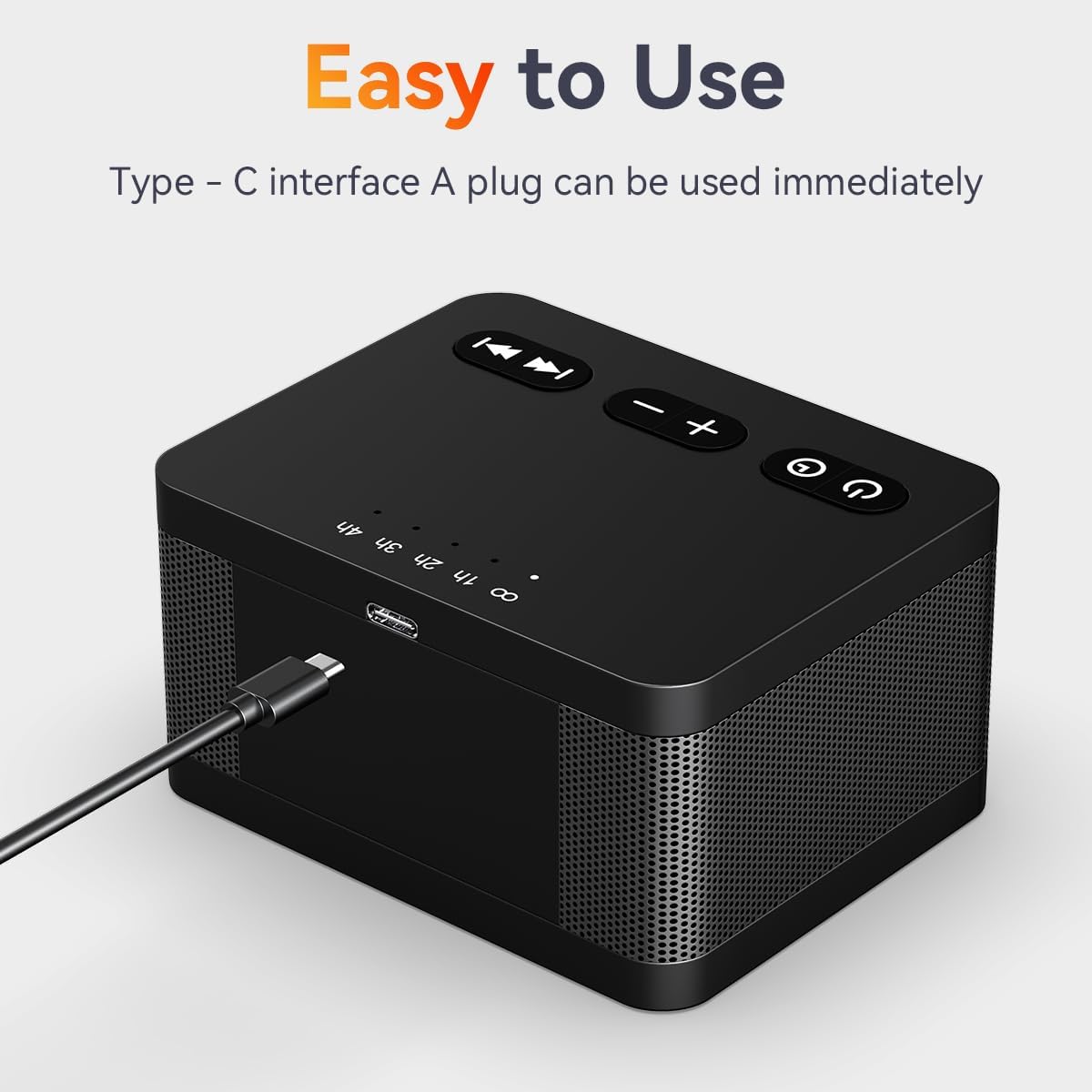
Image: A close-up view of the DailyBody White Noise Machine, highlighting the Type-C charging port located on its rear side, with the charging cable connected.
5. Operating Instructions
5.1. Power On/Off
- Press the Power button (
 ) to turn the device on or off.
5.2. Sound Selection
The machine offers 30 soothing sounds. Use the Previous Track ( ) and Next Track (
 ) buttons to cycle through the available sounds.
- White Noises (3): Brown Noise, White Noise, Pink Noise
- Fan Sounds (2): Loud Fan, Soft Fan
- Natural Sounds (16): 4 Rain sounds, 3 Wave sounds, 2 Brook sounds, River, 2 Water Drop sounds, Singing Birds, Train, Campfire, Fireplace
- Other Sounds (9): 5 Lullabies, Heart's Beating, Meditation, Piano, Hushing Sound
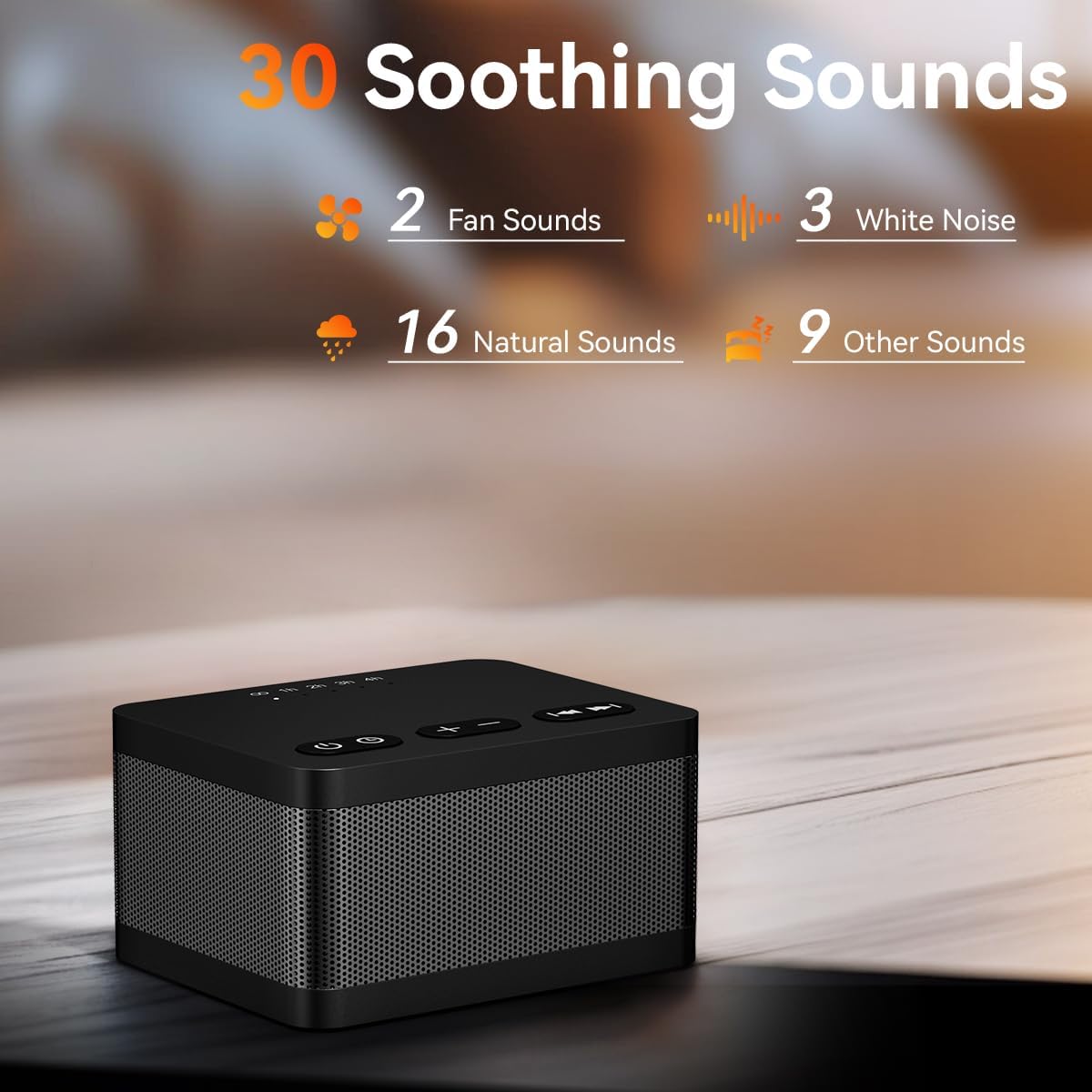
Image: The DailyBody White Noise Machine displayed with icons illustrating the variety of 30 soothing sounds available, categorized into fan, white noise, natural, and other sounds.
5.3. Volume Adjustment
- The machine features 36 levels of adjustable volume.
- Press the + button to increase the volume.
- Press the - button to decrease the volume.

Image: The DailyBody White Noise Machine with visual sound waves emanating from it, illustrating its louder speaker capability to block ambient noise.
5.4. Timer Settings
The sound machine has 5 timer settings:
- Press the Timer button (
 ) to cycle through the options: 1 hour, 2 hours, 3 hours, 4 hours, or continuous playback.
 - The corresponding indicator light on the top of the device will illuminate to show the selected timer duration.

Image: The DailyBody White Noise Machine positioned on a nightstand next to a sleeping man, with visual representations of its adjustable timer settings (1h, 2h, 3h, 4h, and continuous play).
5.5. Memory Function
The device remembers and restores the last used sound and volume level when you turn it on again.
6. Specifications
| Feature | Detail |
|---|---|
| Product Dimensions | 3.54 x 2.79 x 2.55 inches |
| Item Weight | 7.23 ounces |
| Model Number | DWN-Z1 |
| Brand | DailyBody |
| Material | Plastic |
| Power Source | Corded Electric |
| Sound Options | 30 Soothing Sounds |
| Volume Levels | 36 Levels |
| Timer Options | 1h, 2h, 3h, 4h, Continuous |
7. Troubleshooting
| Problem | Possible Cause | Solution |
|---|---|---|
| Device does not power on. | Not properly connected to power. | Ensure the USB cable and power adapter are securely connected to the device and a working electrical outlet. |
| No sound or low volume. | Volume is too low or muted. | Press the + button to increase the volume. |
| Sound quality is poor. | Interference or speaker obstruction. | Ensure the speaker grille is not obstructed. Move the device away from other electronic devices that may cause interference. |
| Timer function not working as expected. | Incorrect timer setting. | Press the Timer button to select the desired duration. Ensure the correct indicator light is illuminated. |
8. Warranty and Support
This white noise machine is safe and guaranteed. If you have any questions or require support, please contact DailyBody customer service. Refer to the product packaging or the seller's information on the purchase platform for contact details.
9. Product Media
9.1. Product in Use
Observe the DailyBody White Noise Machine in various settings, demonstrating its compact design and ease of integration into daily life.

Image: The DailyBody White Noise Machine placed on a wooden nightstand beside a bed, suggesting its use for sleep and relaxation.

Image: The DailyBody White Noise Machine on a desk beside a laptop, indicating its suitability for creating a focused work environment.

Image: The DailyBody White Noise Machine positioned near a sleeping child, highlighting its use for soothing babies and kids.
9.2. Official Product Videos
No official product videos from the seller are available for embedding at this time.
Ask a question about this manual
Ask about setup, troubleshooting, compatibility, parts, safety, or missing instructions. Manuals+ will review the question and use this page’s manual context to help answer it.