
TIDRADIO TD-M8s
TIDRADIO TD-M8s Two-Way Radio Instruction Manual
Model: TD-M8s
1. Introduction
This manual provides detailed instructions for the proper use and maintenance of your TIDRADIO TD-M8s two-way radios. The TD-M8s is a lightweight, license-free FRS radio designed for clear and reliable communication in various environments. Please read this manual thoroughly before operating the device to ensure optimal performance and safety.
2. Package Contents
Verify that all items are present in your package:
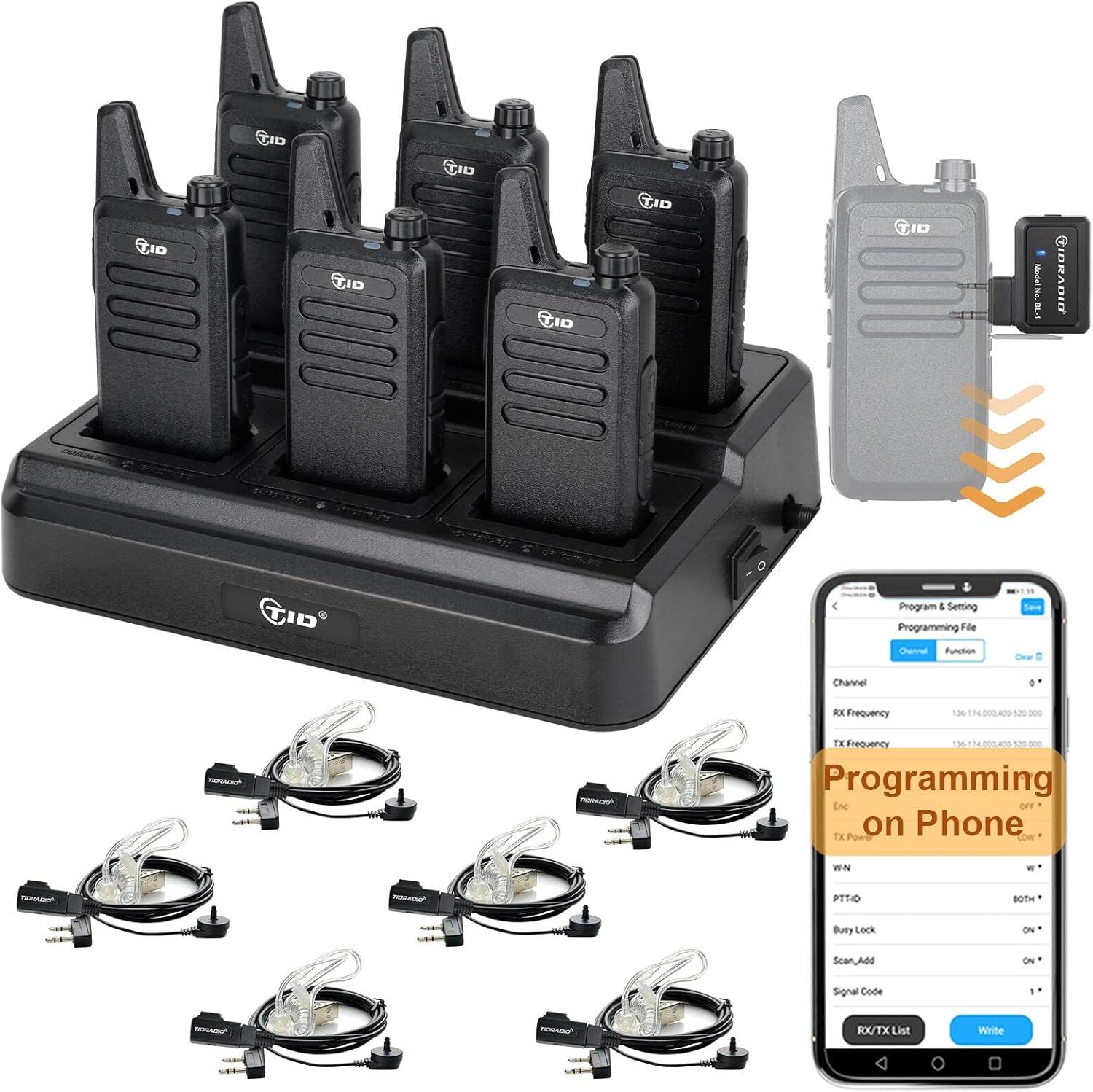
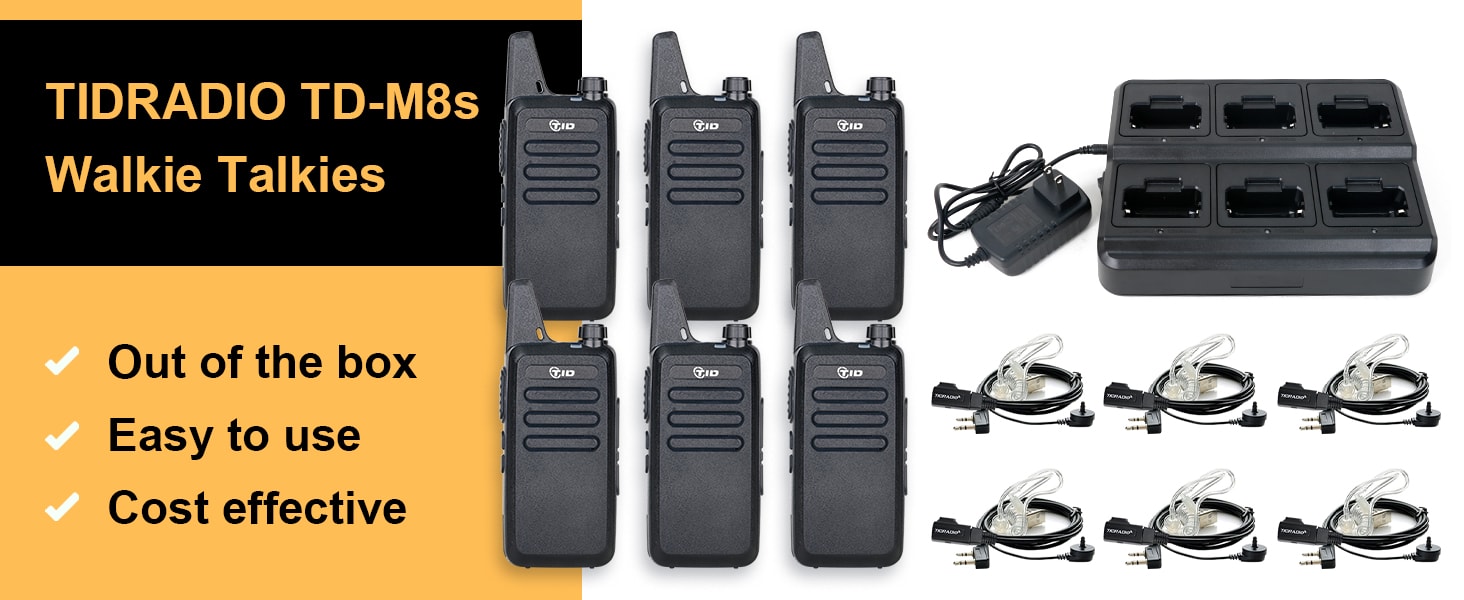
- 6 x TIDRADIO TD-M8s Rechargeable Walkie Talkies
- 1 x TIDRADIO Wireless Programmer
- 1 x Six-Way Multi-Gang Charger and Adapter
- 6 x TIDRADIO Acoustic Earpieces
- 6 x 1500mAh Lithium Polymer Batteries
- 6 x Belt Clips
3. Product Overview
Familiarize yourself with the components and controls of your TD-M8s radio.

- Antenna: For transmitting and receiving signals.
- PTT (Push-To-Talk) Button: Press and hold to transmit, release to receive.
- Channel Selector Plus: Increases the channel number.
- Channel Selector Reduce: Decreases the channel number.
- Indicator Light: Displays radio status (e.g., transmitting, receiving, charging).
- Power/Volume Knob: Rotates to turn the radio on/off and adjust volume.
- Speaker: Outputs received audio.
- Accessory Port: For connecting earpieces or programming cables.
- Microphone: For voice input during transmission.
- USB Charging Port: For direct charging of the radio.
Physical Dimensions

The TD-M8s radio is designed to be compact and lightweight for easy portability. Its dimensions are approximately 5.31 inches (height) x 2.05 inches (width) x 0.75 inches (thickness), and it weighs about 4 ounces (0.2 lbs).
4. Setup
4.1 Battery Installation
The TD-M8s radios come with 1500mAh Lithium Polymer batteries. Ensure the battery is securely attached to the back of the radio before use.
4.2 Charging the Radios
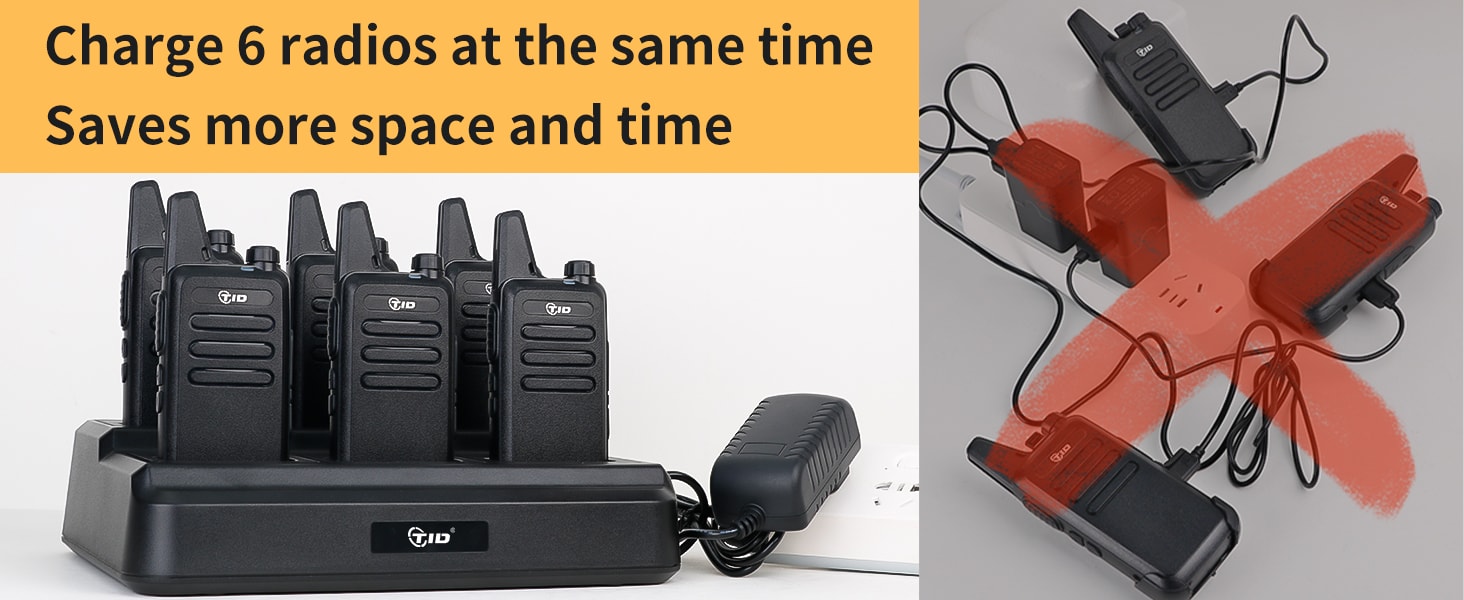
The included six-way multi-gang charger allows for efficient charging of up to six radios simultaneously. This saves space and time compared to individual chargers.
- Connect the multi-gang charger to a power outlet using the provided adapter.
- Place the radios into the charging slots. Ensure they are seated correctly.
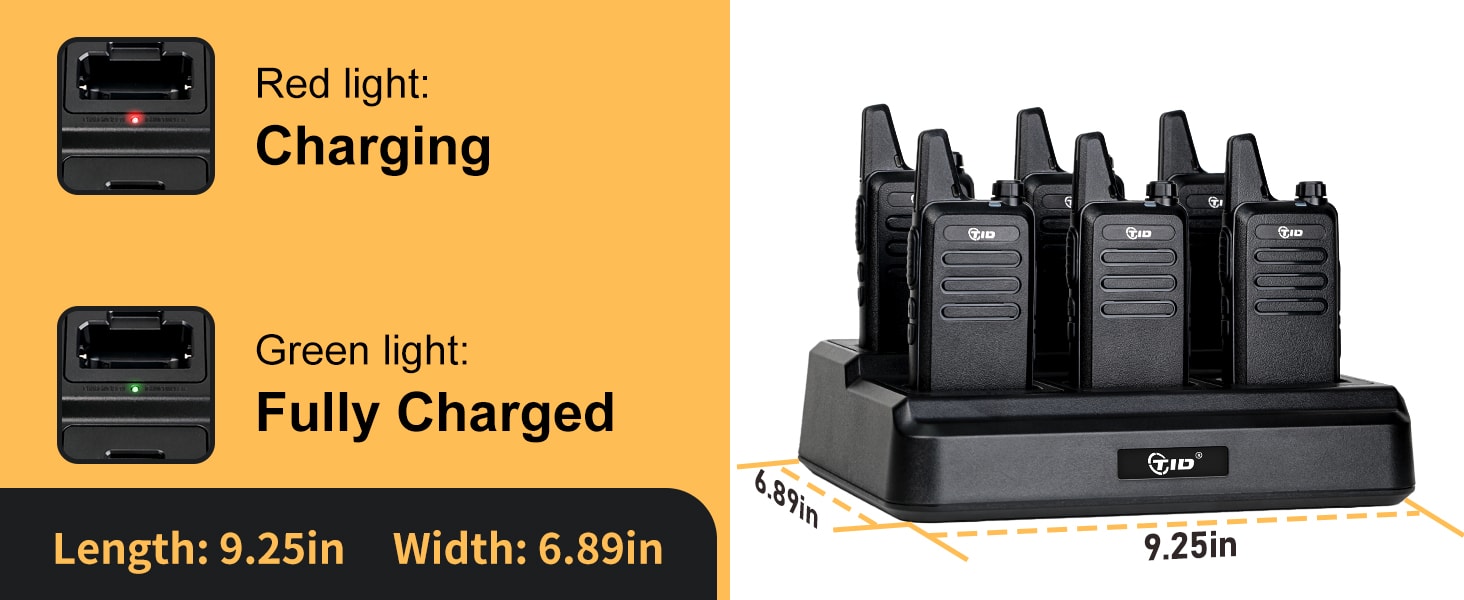
- The charging indicator light on each slot will show the charging status.
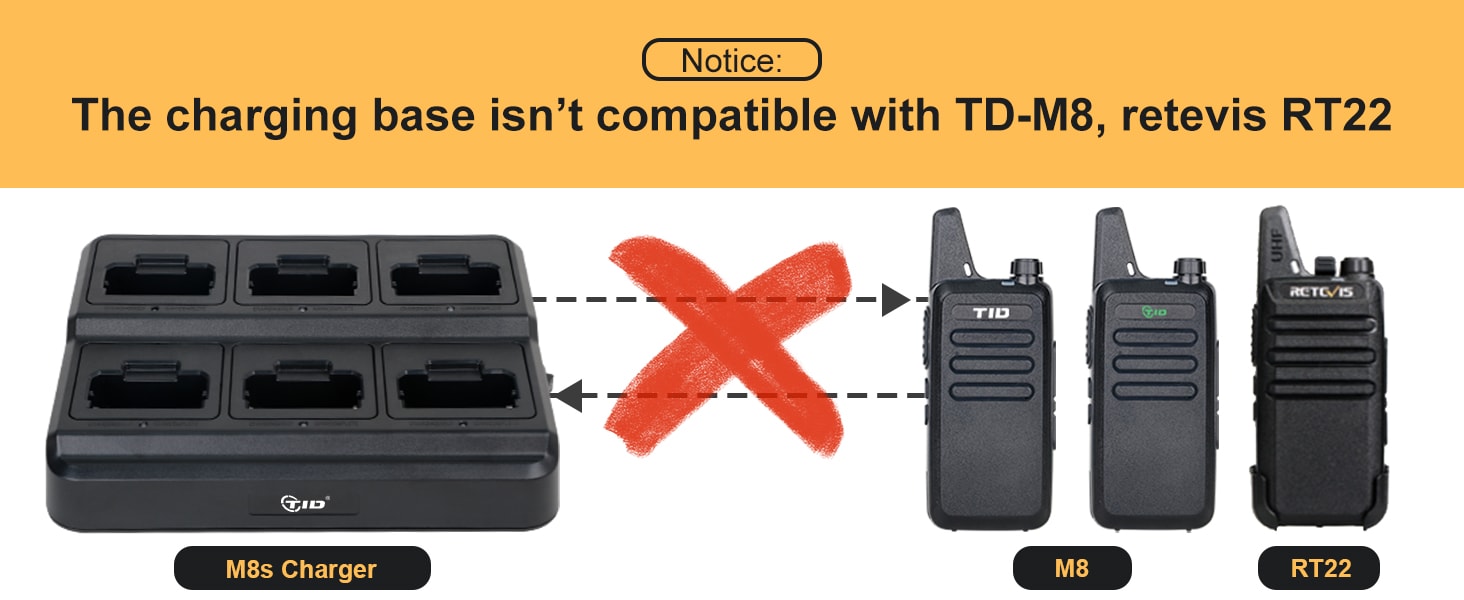
Important Note: This charging base is specifically designed for TD-M8s radios and is not compatible with TD-M8 or Retevis RT22 walkie talkies.
4.3 Earpiece Connection
Connect the acoustic earpiece to the accessory port on the side of the radio. Ensure the plug is fully inserted for proper function. The earpiece provides hands-free operation and helps maintain privacy in noisy environments.

5. Operating Instructions
5.1 Power On/Off and Volume Adjustment
Rotate the Power/Volume knob (5) clockwise to turn the radio on. Continue rotating to increase the volume. Rotate counter-clockwise to decrease volume and turn the radio off.
5.2 Channel Selection
The TD-M8s radios feature 22 pre-programmed FRS channels. Use the Channel Selector Plus (3) and Channel Selector Reduce (4) buttons to select your desired channel. For communication, all radios in your group must be set to the same channel and CTCSS/DCS codes.
5.3 Transmitting and Receiving (PTT)
To transmit, press and hold the PTT (Push-To-Talk) button (2) on the side of the radio. Speak clearly into the microphone (9). Release the PTT button to stop transmitting and return to receive mode.
5.4 VOX Function (Voice Operated Exchange)
The VOX function allows for hands-free transmission without pressing the PTT button. When activated, the radio will automatically transmit when it detects your voice.
- To activate/deactivate VOX: On Channel 5, turn off the radio. Press and hold the PTT button and the Channel Reduce button (-) simultaneously while turning on the radio. The radio will announce "VOX ON" or "VOX OFF".

5.5 Communication Range
The TD-M8s radios utilize the maximum allowable power output for FRS radios. Practical communication range can vary significantly based on terrain and obstructions:
- Unobstructed Terrain: Up to 3-5 miles.
- Urban Environments: Approximately 0.5 miles (1/2 mile).

6. Programming
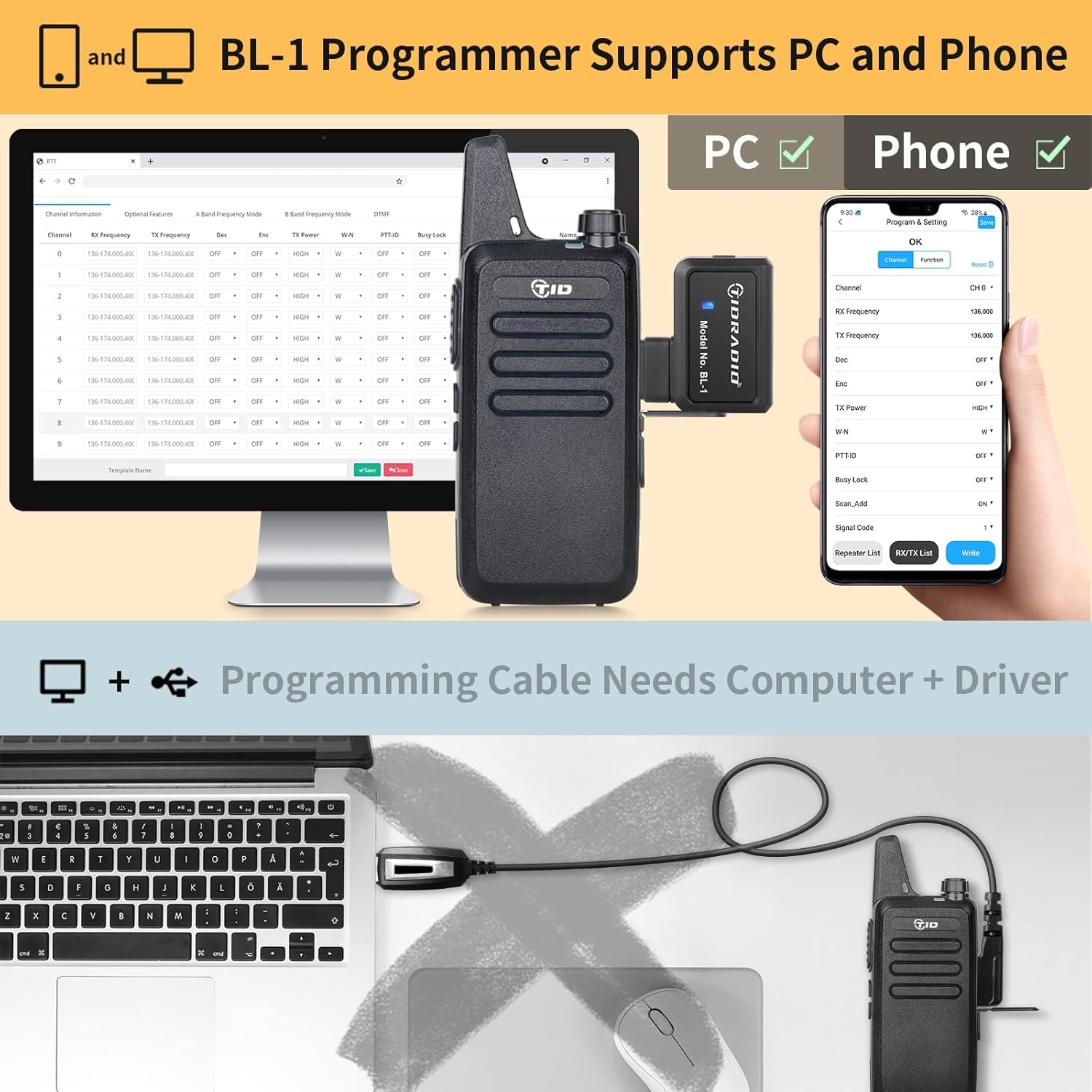
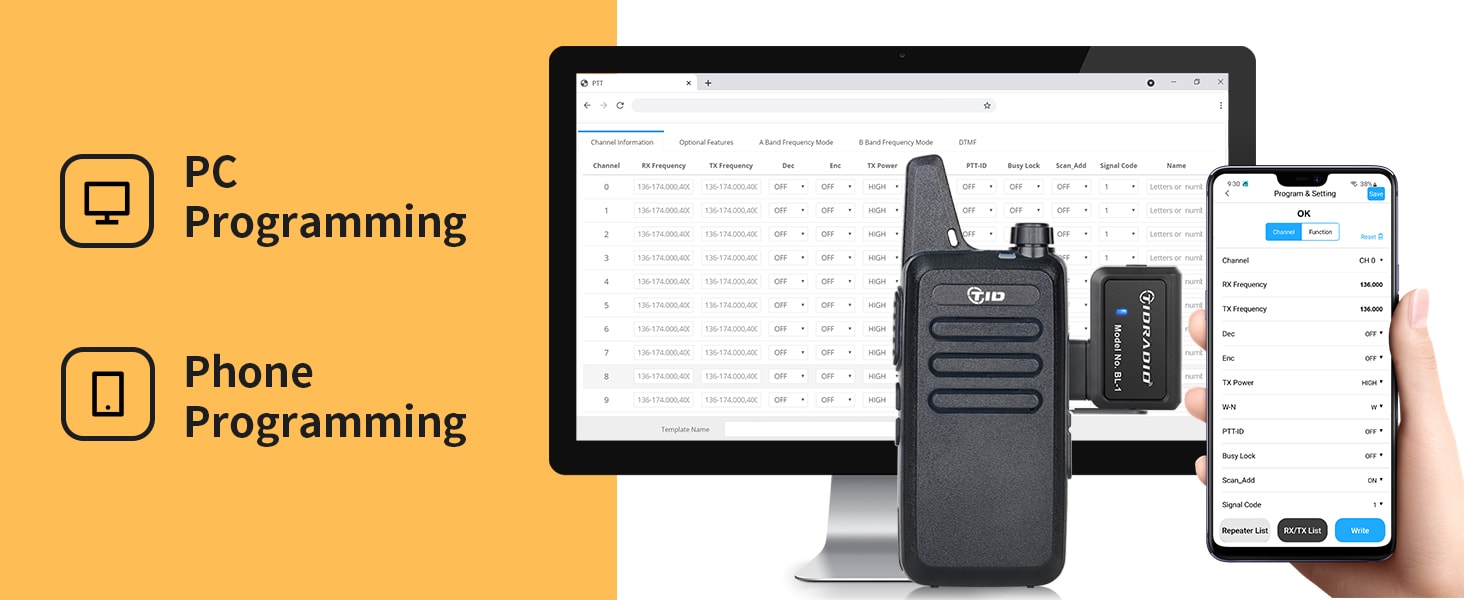
The TD-M8s radios can be programmed wirelessly using the included TIDRADIO Wireless Programmer and a mobile phone application. This eliminates the need for a traditional programming cable and computer drivers.
6.1 Wireless Programming via Mobile Phone
- Attach the wireless programmer to the accessory port of the radio.
- Download the appropriate programming application to your iOS or Android mobile phone.
- Follow the in-app instructions to connect to the programmer and customize settings such as VOX, CTCSS/DCS private codes, and other functions.

6.2 CTCSS/DCS Private Codes and Frequency Matching
To ensure clear communication and avoid interference, it is crucial that all radios in your group are programmed with the same frequency and CTCSS (Continuous Tone-Coded Squelch System) or DCS (Digitally Coded Squelch) codes. The wireless programmer simplifies this process.
6.3 Supported Models for Programming
The TIDRADIO Wireless Programmer supports a wide range of radio models, including various TIDRADIO, TID, Baofeng, Tway, Rddtiy, and RT models. The list of supported models is continually updated. Refer to the programming application for the most current compatibility information.

7. Maintenance
7.1 Cleaning
Clean the radio's exterior with a soft, damp cloth. Do not use harsh chemicals or abrasive cleaners. Ensure all ports are dry before charging or connecting accessories.
7.2 Battery Care
To maximize battery life:
- Fully charge batteries before first use.
- Avoid overcharging or completely draining the batteries.
- Store radios and batteries in a cool, dry place when not in use for extended periods.
8. Troubleshooting
If you encounter issues with your TD-M8s radios, refer to the following common problems and solutions:
| Problem | Possible Cause | Solution |
|---|---|---|
| Radio does not power on | Battery is low or not installed correctly. | Charge the battery or ensure it is properly seated. |
| Cannot transmit or receive | Incorrect channel or CTCSS/DCS settings. Out of range. | Verify all radios are on the same channel and codes. Move closer to other radios. |
| Poor audio quality or static | Weak signal, interference, or low battery. | Move to an area with fewer obstructions. Charge the battery. |
| Wireless programmer not connecting | Programmer not properly attached or app issue. | Ensure programmer is firmly connected. Restart the app and radio. |
9. Specifications
Technical details for the TIDRADIO TD-M8s two-way radio:
- Model Number: TD-M8s
- Brand: TIDRADIO
- Color: Black
- Item Weight: 4 ounces
- Product Dimensions: 5.31 x 2.05 x 0.75 inches
- Batteries: 6 Lithium Polymer batteries (included)
- Number of Channels: 22 (FRS Frequency)
- Frequency Range: FRS Frequency
- Talking Range Maximum: 3 Miles (unobstructed)
- Voltage: 3.7 Volts
- Water Resistance Level: Water Resistant
- Special Features: 6-way multi-gang charger, wireless programming via phone, earpiece compatibility.
10. FCC Compliance
This device complies with Part 15 of the FCC Rules. Operation is subject to the following two conditions: (1) This device may not cause harmful interference, and (2) this device must accept any interference received, including interference that may cause undesired operation.
FCC ID: 2AWL3TD-M8
11. Support
For further assistance, technical support, or warranty inquiries, please contact TIDRADIO customer service through the retailer where the product was purchased or refer to the official TIDRADIO website for contact information.
Related Documents - TD-M8s
 |
Two Way Radio User's Manual - Operation and Safety Guide Comprehensive user's manual for a two-way radio, covering operation, safety precautions, technical specifications, and troubleshooting. Includes FCC compliance information and a frequency chart. |
 |
TIDRADIO TD-777S Programming Guide A comprehensive guide for programming the TIDRADIO TD-777S UHF radio. Covers frequency charts, computer system requirements, programming cable setup (CH340 and FTDI), software installation, connecting the radio, port selection, and detailed steps for programming parameters, channel information, and optional features. Includes troubleshooting tips for connection errors. |
 |
TID TD-V2 UHF Radio Programming Guide Comprehensive guide to programming the TID TD-V2 UHF radio using manufacturer software or CHIRP. Covers setup, cable requirements, software installation, and parameter adjustments for optimal radio performance. |
 |
TIDRADIO TDBL-1 Odmaster Bluetooth Programmer User Manual Comprehensive user manual for the TIDRADIO TDBL-1 Odmaster Bluetooth Programmer, detailing app and web usage, indicator lights, troubleshooting, and FCC compliance for radio programming. |
 |
TIDRADIO M15 User Manual: Setup, Features, and Operation Guide Comprehensive user manual for the TIDRADIO M15 POC radio. Learn about SIM card installation, Odmaster APP integration for device registration, group management, safety precautions, basic parameters, and troubleshooting. |
 |
TIDRADIO TD-H8 User Manual: Features, Operation, and Safety Guide Comprehensive user manual for the TIDRADIO TD-H8 dual-band two-way radio. Learn about its features, basic and advanced operations, installation, maintenance, and safety guidelines for optimal performance. |
Ask a question about this manual
Ask about setup, troubleshooting, compatibility, parts, safety, or missing instructions. Manuals+ will review the question and use this page’s manual context to help answer it.