
Introduction
This manual provides detailed instructions for the safe and effective operation of your caivimvn Disco Ball LED Stage Strobe Light Projector. Please read this manual thoroughly before use and retain it for future reference.
Safety Information
- Laser Safety: Avoid direct eye exposure to the laser beam. Do not look directly into the light aperture.
- Power Source: Use only the provided power adapter and USB cable. Ensure the voltage matches the product requirements (5V).
- Placement: Place the device on a stable surface or mount it securely. Ensure adequate ventilation to prevent overheating.
- Environment: This device is intended for indoor use. Avoid exposure to water, moisture, high temperatures, or dusty environments.
- Children: Keep out of reach of children. This is not a toy.
- Maintenance: Do not attempt to open or repair the device yourself. Refer all servicing to qualified personnel.
Package Contents
Verify that all items are present in the package:
- Disco Party Light Unit
- Remote Control (1 CR2032 battery included)
- 78-inch Cable Power Adapter
- 118-inch USB Cable
- Mounting Hardware (screws)
- User's Manual

Image: Contents of the package, showing the disco light unit, remote control, power adapter, USB cable, and mounting hardware.
Product Features
- Dual Light Effects: Combines disco ball light (RGB colors) and beam light (red, green, red & green combinations).
- Remote Control: Allows for easy adjustment of working modes, color, speed, and on/off functions.
- Sound Activated Modes: Three distinct modes that synchronize light changes and speed with the beat of nearby music.
- Multiple Operating Modes: Includes 3 AUTO modes, 3 sound activated modes, pattern effect pause control, and effect strobe function.
- Flexible Installation: Can be placed on a table, floor, or mounted on a ceiling or wall.
- Wide Coverage: Light projection area up to 500 square feet.

Image: Illustration of the various light combinations and features of the disco party light.
Setup
- Unpack: Carefully remove all components from the packaging.
- Power Connection: Connect the provided USB cable to the disco light unit. Plug the USB cable into the power adapter, then plug the adapter into a standard electrical outlet.
- Remote Control Battery: Ensure the CR2032 battery is correctly installed in the remote control.
- Initial Power On: The device should power on automatically. If not, press the power button on the remote control.

Image: Details of the power connection, including the USB Type-C port and power adapter.
Mounting Options
The disco light can be placed or mounted in various ways:
- Table/Floor Placement: Use the integrated stand to position the light on any flat surface.
- Ceiling/Wall Mount: Use the provided mounting hardware to securely attach the light to a ceiling or wall. Ensure the mounting surface is strong enough to support the device.

Image: Examples of the disco light installed on a ceiling, floor, and table.
Operating Instructions
Remote Control Functions
The remote control allows full command over the disco light's features:

Image: Detailed layout of the remote control and its various functions.
- Power On/Off: Turns the device on or off.
- Strobe: Activates the strobe effect, where lights appear and disappear quickly.
- AUTO Modes (AUTO 1, AUTO 2, AUTO 3): Cycles through different automatic light patterns and color changes.
- Sound Activated Modes (SOUND 1, SOUND 2, SOUND 3): Lights react to music.
- LASER: Toggles the laser pattern on/off.
- DISCO: Toggles the disco ball light on/off.
- PAUSE: Pauses or resumes the current light effect.
- LED: Controls the LED backlight (on/off, breathing color, fade color).
- MODE: Changes the pattern color (red/green, red/blue, green/blue, red/green/blue).
- TIME (1H, 3H): Sets a timer for 1 or 3 hours.
- SPEED (+/-): Adjusts the speed of rotation, color change, or flashing.
- SENSITIVITY (+/-): Adjusts sound sensitivity in sound activated mode.
Light Modes
The device offers a variety of lighting effects:
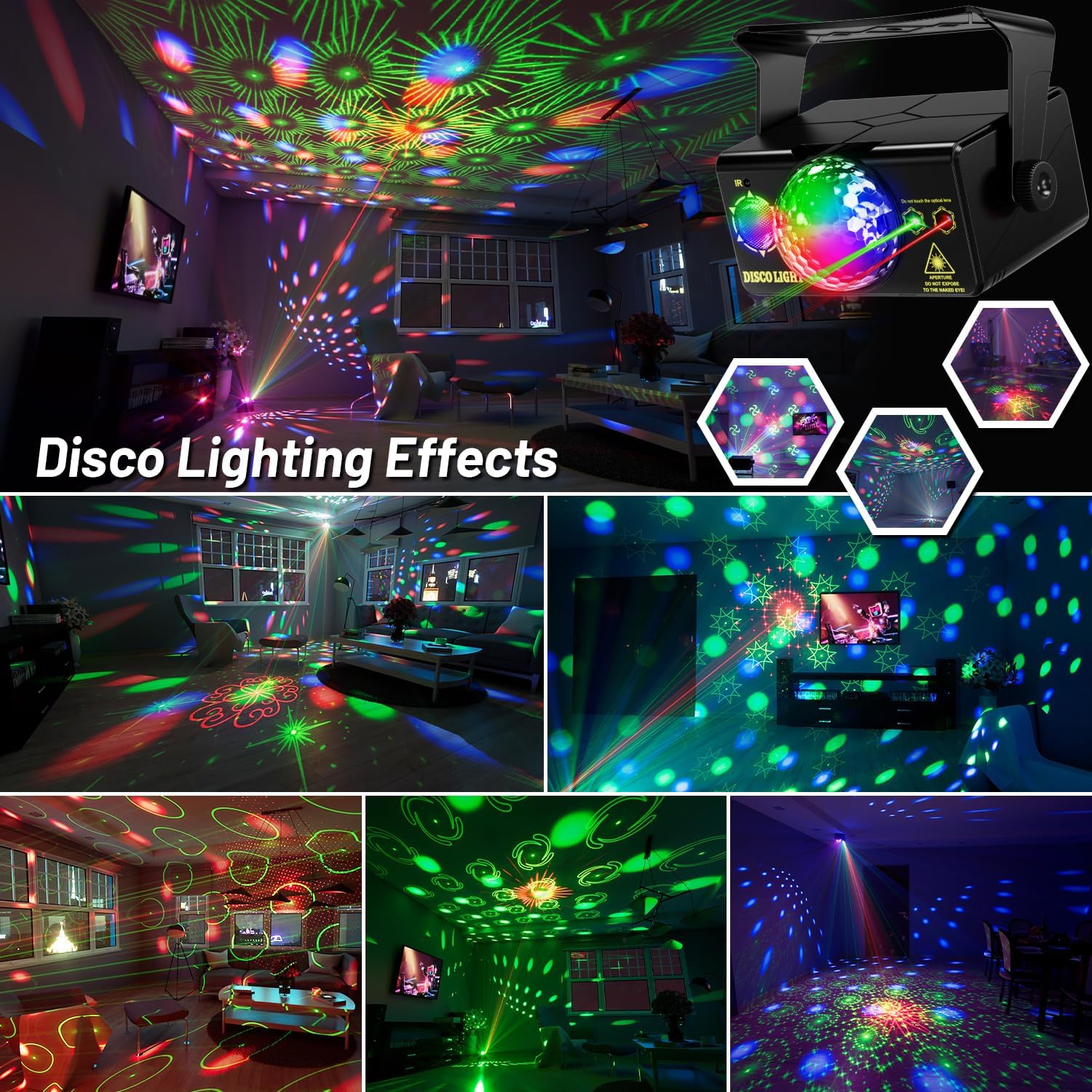
Image: Examples of different disco lighting effects and patterns.
Sound Activated Mode
This mode allows the lights to react to music or sounds:

Image: Explanation of the three sound-activated music modes.
- Music 1: Lights flash in random colors according to the rhythm of the surrounding sounds.
- Music 2: Automatically lights up when there is no sound. Sound makes color change fast.
- Music 3: Lights change color slowly and stop rotation when there is no sound. Sound makes lights flash, rotate, and change color.
Specifications
| Feature | Detail |
|---|---|
| Model Number | TC-7007-3 |
| Color | Multicolor |
| Material | Plastic shell |
| Light Source Type | LED |
| Finish Type | Projector |
| Power Source | Corded Electric |
| Voltage | 5 Volts |
| Wattage | 10 Watts |
| Amperage | 2 Amps |
| Item Weight | 1.48 Pounds |
| Product Dimensions | 7.29"L x 5.23"W x 3.62"H |
| Remote Battery | 1 CR2032 (included) |
| Mounting Type | Ceiling Mount, Wall Mount, Floor, Table |
| Special Features | Remote control, RGB, Sound activated |
Maintenance
- Cleaning: Use a soft, dry cloth to clean the exterior of the device. Do not use abrasive cleaners or solvents.
- Storage: When not in use, store the device in a cool, dry place away from direct sunlight and extreme temperatures.
- Lens Care: Gently wipe the optical lens with a soft, lint-free cloth to maintain clear projection.
Troubleshooting
| Problem | Possible Cause | Solution |
|---|---|---|
| Device does not power on. | No power supply or loose connection. | Check power adapter and USB cable connections. Ensure the power outlet is functional. Press the power button on the remote. |
| Remote control not working. | Battery depleted or incorrect orientation. | Replace the CR2032 battery. Ensure the battery is inserted with correct polarity. Point the remote directly at the IR receiver on the device. |
| Lights are dim or distorted. | Dirty lens or obstruction. | Clean the optical lens with a soft cloth. Ensure no objects are blocking the light output. |
| Sound activated mode not responding. | Low sound sensitivity or distant sound source. | Increase the sound sensitivity using the remote control. Move the device closer to the music source. |
Warranty and Support
For warranty information or technical support, please refer to the product packaging or contact the retailer where the product was purchased. Keep your proof of purchase for any warranty claims.
Usage Scenarios
The caivimvn Disco Ball LED Stage Strobe Light Projector is suitable for various occasions:
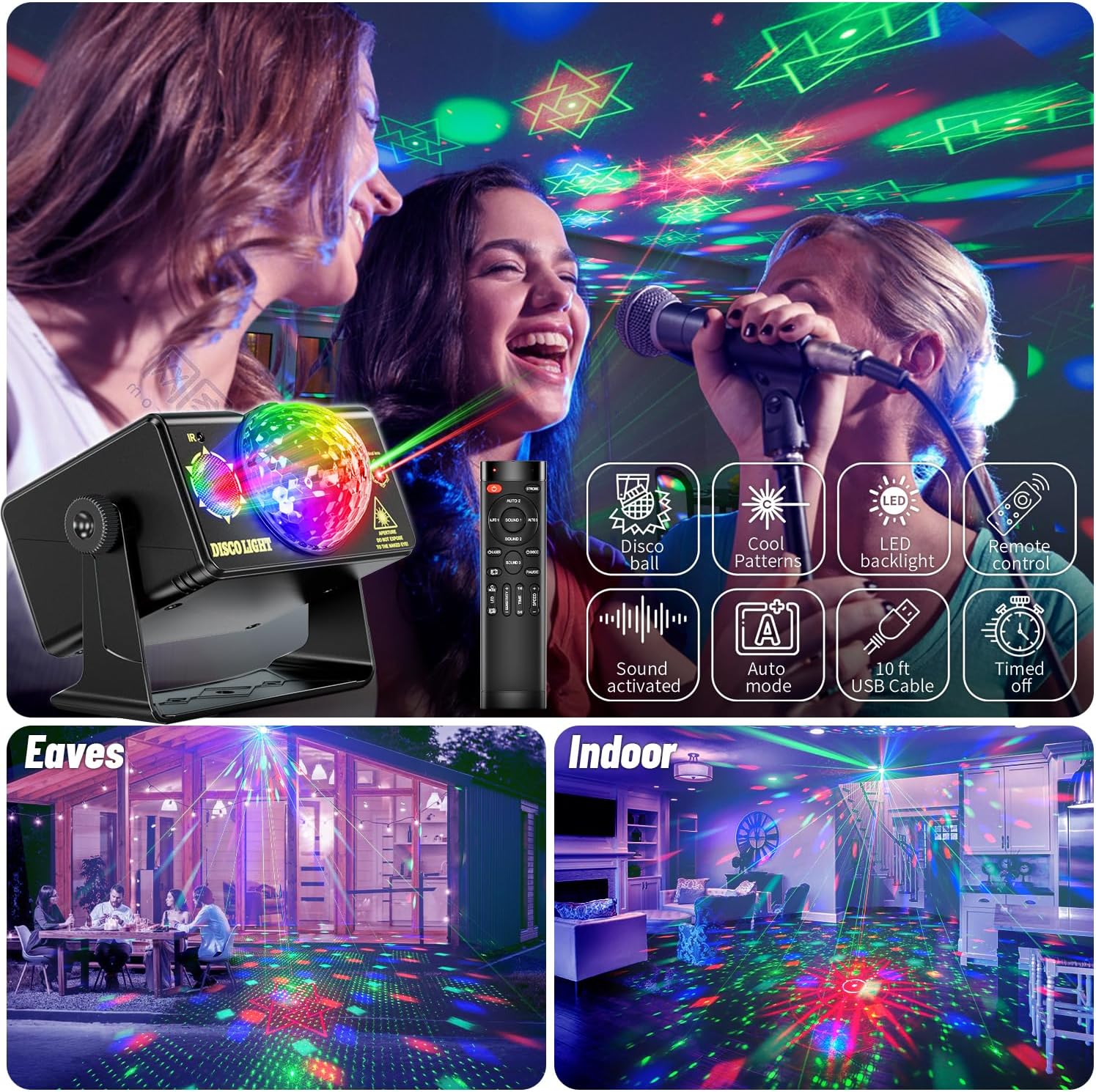
Image: Examples of the disco light being used in various settings like parties, birthdays, clubs, and festive events.
- Parties, Club, Bar, Pub
- Holiday celebrations (Christmas, Halloween)
- Birthday parties, Wedding shows
- Home decoration, Bedroom ambiance
- DJ events, Karaoke, Concerts
- Skating rinks, Public squares