
1. Product Overview
This manual provides comprehensive instructions for the safe and effective use of your NUOPAIPLUS Home Skin Care Equipment. This handheld galvanic spa instrument is designed for facial lifting, skin tightening, and body slimming, contributing to improved skin condition and appearance.
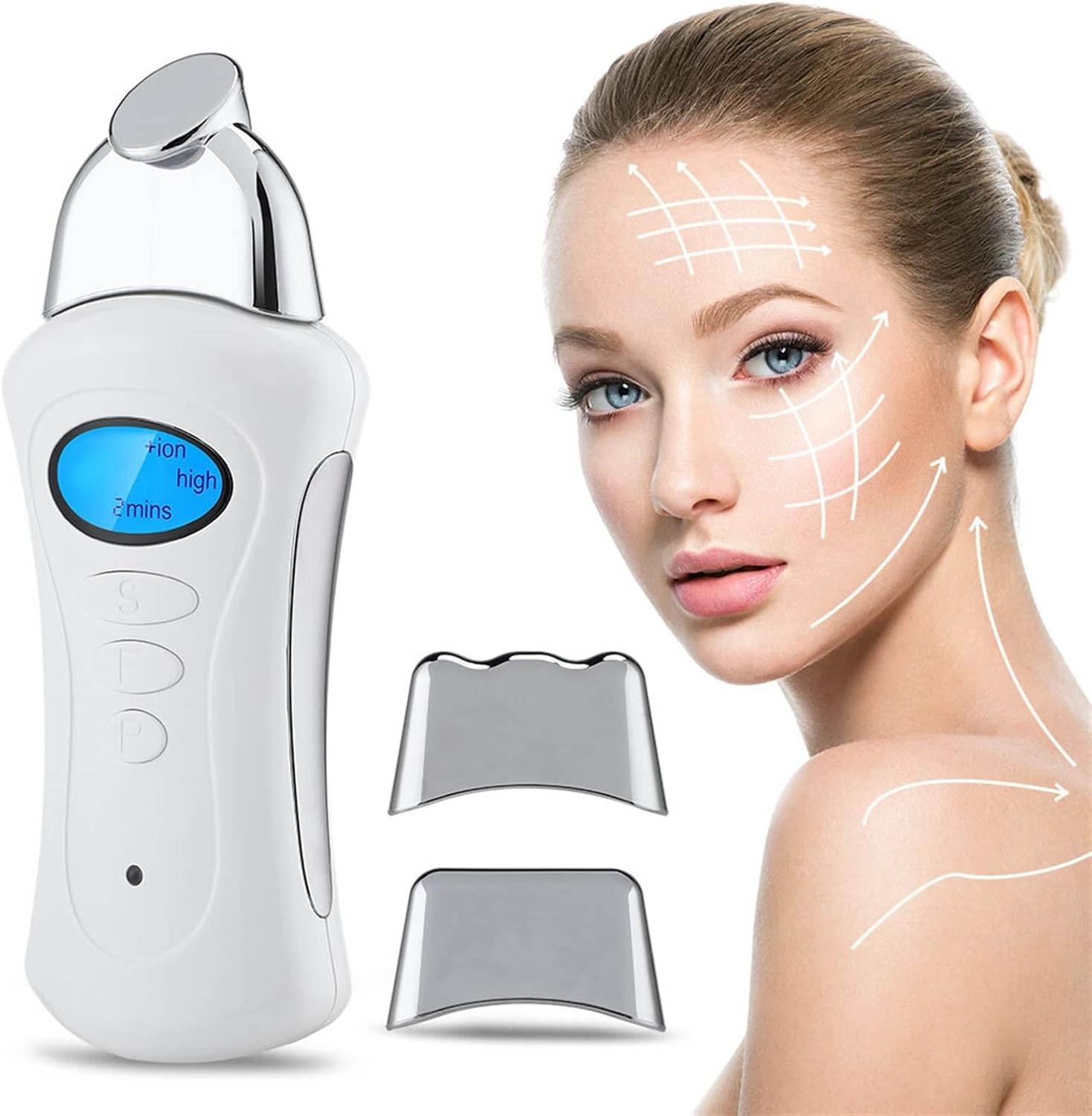
Figure 1: Main view of the NUOPAIPLUS Home Skin Care Equipment.
2. Package Contents
Please verify that all items listed below are included in your package:
- 1 x Host (Main Device)
- 3 x Replaceable Heads (for nose/eye, face, and body)
- 1 x Base
- 1 x Charging Cable
- 1 x Storage Bag
- 1 x User Manual (this document)

Figure 2: All components included in the NUOPAIPLUS Home Skin Care Equipment package. Items include the main device, three interchangeable heads, a charging base, a charging cable, a storage bag, and the user manual.
3. Product Features
The NUOPAIPLUS Home Skin Care Equipment is designed with advanced features to enhance your skin care routine:
- Multi-functional Design: Combines facial lifting, skin tightening, and body slimming capabilities.
- Interchangeable Heads: Includes specialized heads for targeted treatment on the nose/eye area, face, and body.
- Galvanic Technology: Utilizes positive and negative ions to facilitate nutrient absorption and improve skin condition.
- Compact and Portable: Handheld design for convenient use at home or while traveling.

Figure 3: Visual representation of various skin improvements, including lifting and tightening, reduction of fine lines and wrinkles, stimulation of collagen and elastin, shrinking of large pores, and moisturizing for rejuvenated skin.

Figure 4: Illustration demonstrating how the device aids in the introduction of essence, toner, lotion, or facial masks, promoting deeper skin absorption of nutrients.

Figure 5: Depiction of the microcurrent facial machine's positive and negative ion functions, showing how ions are adjusted to facilitate different skin treatments.
4. Setup
Before first use, please follow these steps to set up your device:
- Charge the Device: Connect the charging cable to the device and a suitable power source. Ensure the device is fully charged before initial use. The charging indicator will typically show when charging is complete.
- Attach Desired Head: Select the appropriate replaceable head (for nose/eye, face, or body) based on the area you intend to treat. Gently attach it to the main device until it clicks securely into place.
- Familiarize with Controls: Locate the Power Button, Setting Button, and Confirm Button on the device. Refer to Figure 6 for a visual guide.

Figure 6: Detailed diagram showing the device's ion setting, level, time display, setting button, confirm button, power button, and the three types of replaceable heads (for nose & eye, face, and body).
5. Operating Instructions
Follow these steps for effective use of your NUOPAIPLUS Skin Care Equipment:
- Prepare Skin: Thoroughly cleanse and dry the area of skin you intend to treat.
- Apply Conductive Medium: Apply a conductive gel, serum, or essence (not included) to the treatment area. This is crucial for the device's galvanic function.
- Power On: Press and hold the Power Button for 3-5 seconds to turn on the device.
- Select Settings:
- Use the Setting Button to cycle through Ion Setting (+Ion / -Ion), Level (Low/Middle/High), and Time (1-9 minutes).
- Use the Confirm Button to select or adjust the desired setting.
- Begin Treatment: Gently glide the device over your skin, following the contours of your face or body. Maintain continuous contact with the skin.
- Treatment Duration: Follow the recommended treatment time for each area, typically indicated by the device's timer.
- Power Off: After treatment, press and hold the Power Button to turn off the device.
Important Usage Notes:
- Always use a conductive gel or serum to ensure proper function and prevent discomfort.
- Do not use the device on broken, irritated, or infected skin.
- Consult a dermatologist if you have any pre-existing skin conditions or concerns.
6. Maintenance and Care
Proper maintenance ensures the longevity and optimal performance of your device:
- Cleaning: After each use, wipe the device and replaceable heads with a soft, damp cloth. Do not use abrasive cleaners or immerse the device in water.
- Storage: Store the device and its accessories in the provided storage bag in a cool, dry place, away from direct sunlight and extreme temperatures.
- Charging: Recharge the device when the battery is low to maintain battery health. Avoid overcharging.
7. Troubleshooting
If you encounter issues with your device, please refer to the following common problems and solutions:
| Problem | Possible Cause | Solution |
|---|---|---|
| Device does not turn on. | Battery is low or depleted. | Charge the device fully using the provided charging cable. |
| No sensation or weak sensation during use. | Insufficient conductive gel; improper contact with skin; low power setting. | Apply more conductive gel. Ensure full contact with skin. Increase the power level setting. |
| Device turns off unexpectedly. | Battery is low; automatic shut-off feature activated. | Recharge the device. The device may have an automatic shut-off after a certain period of inactivity or continuous use; restart if needed. |
| Heads are difficult to attach/detach. | Incorrect alignment or debris. | Ensure proper alignment and gently push/pull. Check for any debris obstructing the connection. |
If the problem persists after trying these solutions, please contact customer support.
8. Specifications
| Feature | Detail |
|---|---|
| Brand | NUOPAIPLUS |
| Model Name | NUOPAIPLUS (ASIN: B0B6RDJ6NN) |
| Material | ABS |
| Color | White |
| Dimensions (approx.) | 13.5 x 5.5 x 3 cm |
| Skin Type Compatibility | All |
| Power Source | Rechargeable (via Charging Cable) |
| Technology | Galvanic (Positive/Negative Ions), Microcurrent |
9. Safety Information
Please read and adhere to the following safety precautions to prevent injury or damage to the device:
- Keep the device out of reach of children.
- Do not use the device if you have a pacemaker, defibrillator, or any other implanted electronic device.
- Do not use if you are pregnant or suspect you might be pregnant.
- Avoid using on areas with open wounds, rashes, severe acne, or other skin irritations.
- Do not use in or near water.
- If you experience any discomfort or adverse reactions, discontinue use immediately and consult a medical professional.
- This device is for cosmetic use only and is not intended to diagnose, treat, cure, or prevent any medical conditions.
Legal Disclaimer: Statements regarding dietary supplements have not been evaluated by the FDA and are not intended to diagnose, treat, cure, or prevent any disease or health condition.
10. Warranty and Support
Your NUOPAIPLUS Home Skin Care Equipment is manufactured with high-quality standards. For any issues or inquiries, please contact the manufacturer or seller.
- Manufacturer: NUOPAIPLUS
- Protection Plans: Extended protection plans may be available for purchase. Please refer to your point of purchase for details on 2-Year or 3-Year Protection Plans.
- Customer Support: For technical assistance or warranty claims, please refer to the contact information provided by your retailer or visit the official NUOPAIPLUS website.
Please retain your proof of purchase for warranty purposes.