
1. Introduction
Thank you for choosing the VEWINGL Standard 12-Digit Desktop Calculator, Model XT100. This calculator is designed for ease of use and portability, making it suitable for various environments including office, school, home, and business. Its large display and comfortable buttons ensure efficient and accurate calculations. Please read this manual carefully to understand the full functionality of your new calculator.
2. Product Features
- Portable Size: Compact dimensions of 5.5" x 3.4" for easy carrying in pockets or bags.
- Large Display: Features a large LCD screen with a 12-digit display, angled at 15 degrees for optimal readability.
- Durable Silicone Keys: Soft-touch, responsive ABS plastic keys for comfortable and accurate input.
- Automatic Sleep Function: Conserves battery life by automatically shutting down after 6-10 minutes of inactivity.
- Anti-slip Design: Equipped with anti-slip washers on the base to prevent movement during use.
- Power Source: Operates on a single LR44 battery (included) and features solar power for extended use.

Image: The VEWINGL XT100 calculator, showcasing its compact design and large buttons.
3. Setup and Battery Installation
- Unpacking: Carefully remove the calculator from its packaging.
- Battery Installation: The calculator comes with one LR44 battery pre-installed. If replacement is needed, locate the battery compartment on the back of the calculator. Gently slide open the cover, insert a new LR44 battery with the correct polarity, and close the cover securely.
- Power On: Press the ON/AC button to turn on the calculator.

Image: Detailed view of the calculator's thoughtful design, including the 15-degree angled display for easy reading and the battery compartment.
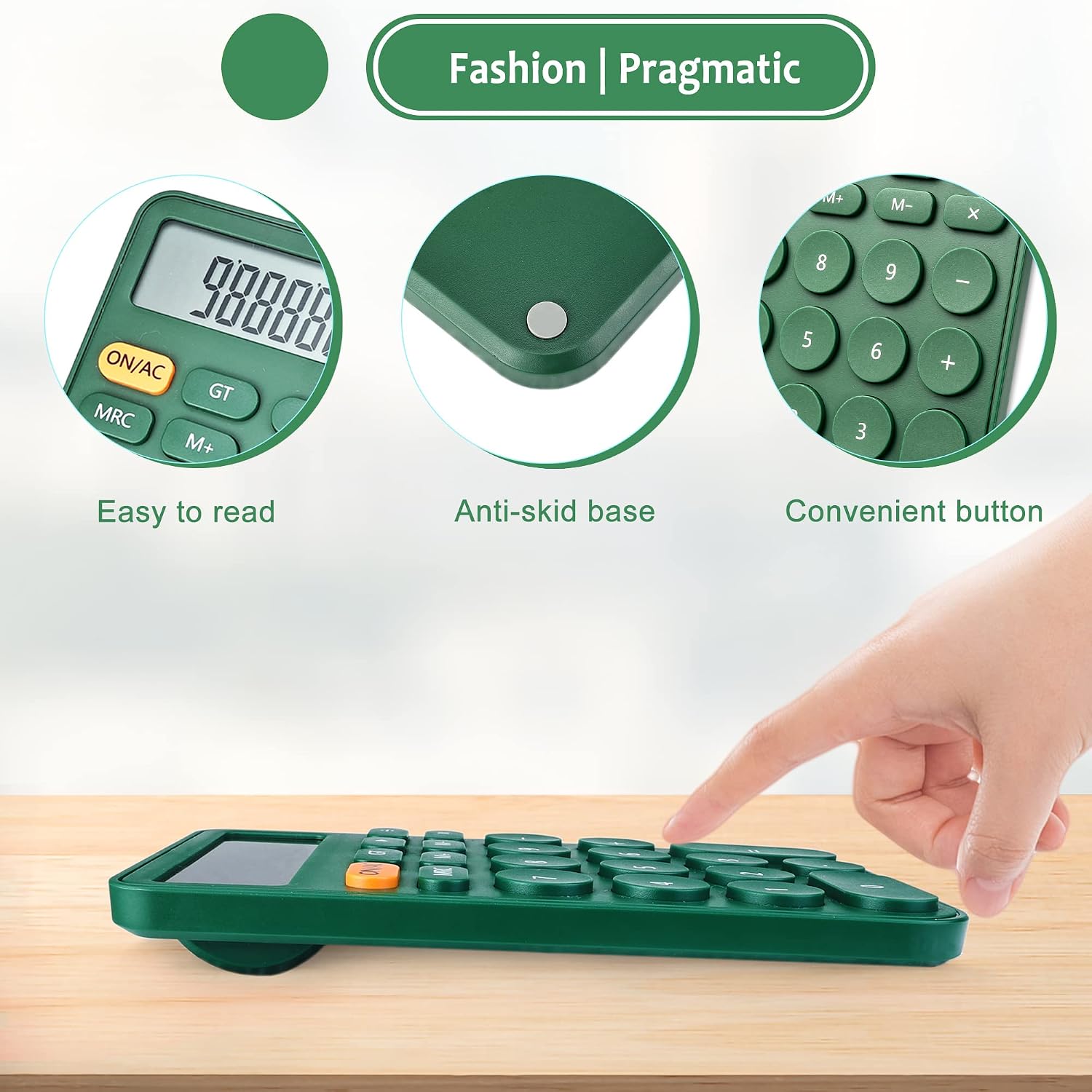
Image: The calculator's anti-skid base, designed to keep it stable during use.
4. Operating Instructions
The VEWINGL XT100 calculator offers standard arithmetic and memory functions. The large, responsive buttons ensure comfortable and accurate input.
| Key | Function |
|---|---|
| ON/AC | Power On / All Clear (clears all entries and memory) |
| OFF | Power Off (manual shutdown) |
| MRC | Memory Recall / Memory Clear (press once to recall, twice to clear) |
| M+ | Memory Plus (adds current display value to memory) |
| M- | Memory Minus (subtracts current display value from memory) |
| GT | Grand Total (displays the sum of all calculations) |
| % | Percentage calculation |
| √ | Square Root calculation |
| ▶ | Delete (backspace function) |
| +, -, ×, ÷ | Basic arithmetic operations |
| = | Equals (displays the result of a calculation) |
For basic calculations, simply enter the numbers and operators in sequence. The 12-digit display will show your entries and results clearly.

Image: The calculator in use across different environments, highlighting its versatility.
5. Maintenance and Care
- Cleaning: Wipe the calculator with a soft, dry cloth. Avoid using harsh chemicals or abrasive cleaners.
- Storage: Store the calculator in a cool, dry place away from direct sunlight and extreme temperatures.
- Battery Life: The automatic sleep function helps prolong battery life. Replace the LR44 battery when the display becomes dim or unresponsive.
6. Troubleshooting
- Display is blank or dim:
- Ensure the calculator is turned on by pressing ON/AC.
- Check the battery. Replace the LR44 battery if necessary.
- Ensure adequate lighting for the solar panel to function.
- Incorrect calculations:
- Press ON/AC to clear all previous entries and memory before starting a new calculation.
- Verify that the correct numbers and operators are being entered.
- Buttons are unresponsive:
- Ensure the calculator is clean and free from debris around the buttons.
- Replace the battery if the issue persists.
7. Specifications
| Feature | Detail |
|---|---|
| Product Dimensions | 5.5 x 3.4 x 0.04 inches |
| Item Weight | 3.21 ounces |
| Model Number | XT100 |
| Batteries Required | 1 LR44 battery (included) |
| Display Digits | 12-digit |
| Calculator Type | Standard Function |
| Power Source | Battery Powered, Solar Powered |
| Screen Size | 3 Inches |
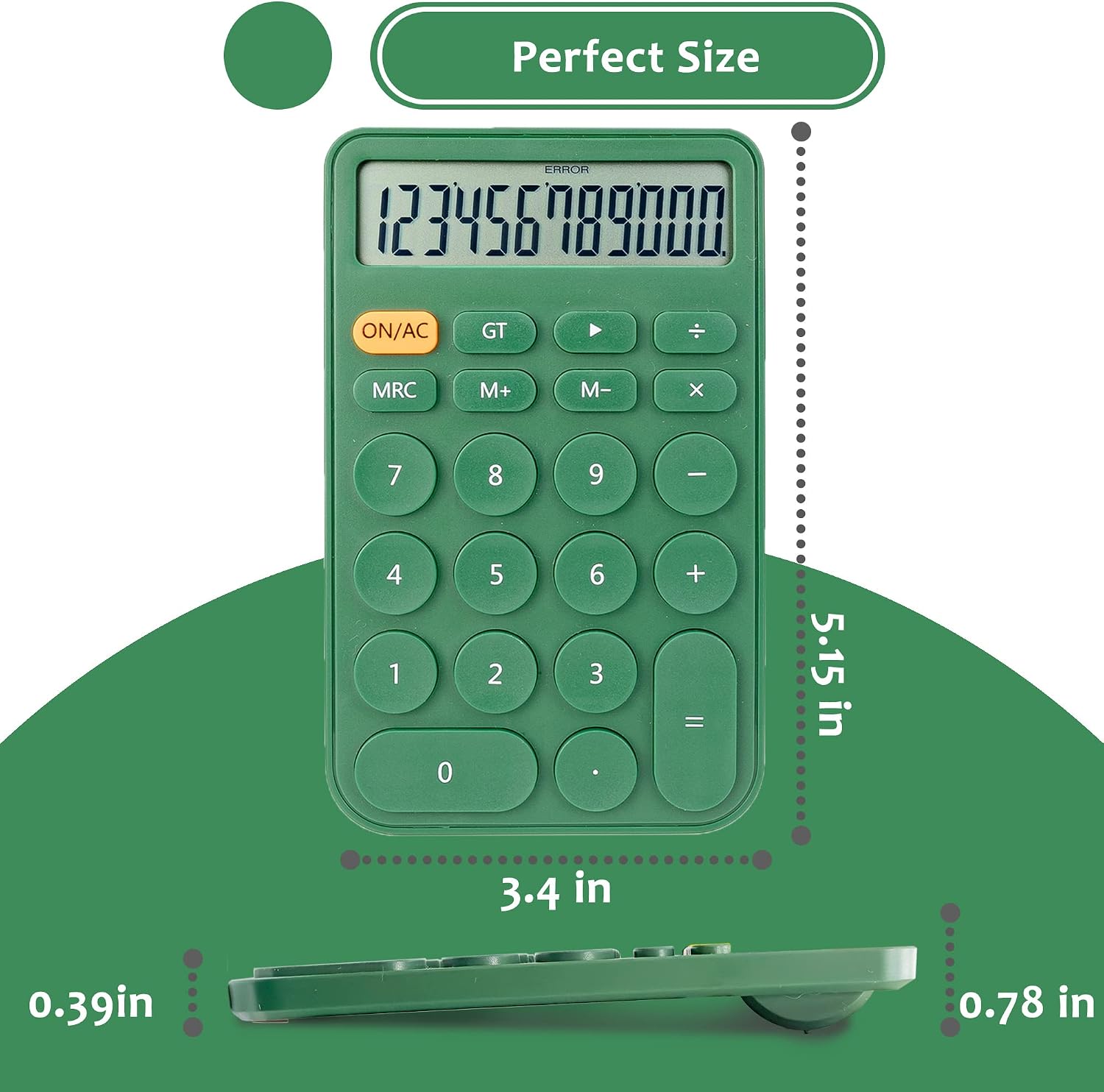
Image: Dimensions of the VEWINGL XT100 calculator.
8. Official Product Video
Video: An overview of the VEWINGL Desktop Candy Color Basic Calculator, demonstrating its features and various color options.
9. Warranty and Support
For any questions, technical support, or warranty inquiries regarding your VEWINGL XT100 calculator, please contact the manufacturer directly through their official channels or the retailer where the product was purchased. Please retain your proof of purchase for warranty claims.


