
Introduction
Thank you for purchasing the KWANWA Digital Alarm Clock. This battery-operated alarm clock features a clear LED display, adjustable brightness, and a convenient snooze function. Its portable design makes it suitable for various environments, from your bedside table to a travel companion. Please read this manual carefully to ensure proper use and optimal performance of your device.

Figure 1: KWANWA Digital Alarm Clock (Green Display)
Safety Information
- Do not expose the clock to extreme temperatures, direct sunlight, or high humidity.
- Avoid dropping the device or subjecting it to strong impacts.
- Use only AA alkaline batteries as specified. Do not mix old and new batteries or different types of batteries.
- Remove batteries if the clock will not be used for an extended period to prevent leakage.
- Keep out of reach of small children.
Package Contents
- 1 x KWANWA Digital Alarm Clock (Model: EJ11)
- 1 x User Manual
Note: 4 AA alkaline batteries are required and are not included in the package.
Product Overview
The KWANWA Digital Alarm Clock is designed for simplicity and functionality. Key features include:
- Battery Powered: Operates on 4 AA alkaline batteries, providing over 12 months of continuous LED display.
- Adjustable Brightness: Three levels (High, Medium, Dim) to suit your preference, with automatic dimming between 8 PM and 6 AM.
- Portable Design: Compact size (5.1 x 1.5 x 2.6 inches) and non-ticking operation make it ideal for desks, shelves, or travel.
- Snooze Function: Provides 7 minutes of extra sleep, repeatable up to 3 times.
- 12/24 Hour Mode: Easily switch between time formats.
- Wall Mountable: Features a hole on the back for easy wall installation.

Figure 2: Product Dimensions and Key Features

Figure 3: Adjustable Brightness Levels
Setup
1. Installing Batteries
- Locate the battery compartment on the back of the clock.
- Remove the battery cover by sliding it downwards.
- Insert 4 new AA alkaline batteries, ensuring correct polarity (+ and -).
- Replace the battery cover.

Figure 4: Battery Installation
Operating Instructions
Familiarize yourself with the buttons on the back of the clock:
- TIME SET: Used to enter time setting mode.
- AL SET: Used to enter alarm setting mode.
- HOUR / 12/24: Adjusts hour in setting mode; toggles 12/24-hour format.
- MIN / AL ON/OFF: Adjusts minute in setting mode; toggles alarm on/off.
- RESET: Resets the clock.
- DIM (Slider): Adjusts LED brightness (H/M/L for High/Medium/Low).
- SNOOZE / LIGHT (Top Button): Activates snooze during alarm; temporarily brightens display.

Figure 5: Back Panel Controls
1. Setting the Time
- Press and hold the "TIME SET" button for 2 seconds until the hour digits flash.
- Press the "HOUR / 12/24" button to adjust the hour.
- Press the "MIN / AL ON/OFF" button to adjust the minute.
- Press "TIME SET" again to confirm and exit time setting mode.
2. Switching 12/24 Hour Mode
While in normal time display mode, press the "HOUR / 12/24" button to toggle between 12-hour and 24-hour formats.
3. Setting the Alarm
- Press and hold the "AL SET" button for 2 seconds until the alarm hour digits flash.
- Press the "HOUR / 12/24" button to adjust the alarm hour.
- Press the "MIN / AL ON/OFF" button to adjust the alarm minute.
- Press "AL SET" again to confirm and exit alarm setting mode.
4. Turning Alarm On/Off
While in normal time display mode, press the "MIN / AL ON/OFF" button to toggle the alarm on or off. An alarm icon (bell symbol) will appear on the display when the alarm is active.
5. Using the Snooze Function
When the alarm sounds, press the large "SNOOZE / LIGHT" button on top of the clock. The alarm will pause for 7 minutes and then sound again. This can be repeated up to 3 times. The alarm sound is a gradually faster beeping sound that continues for 90 seconds if not snoozed or turned off.
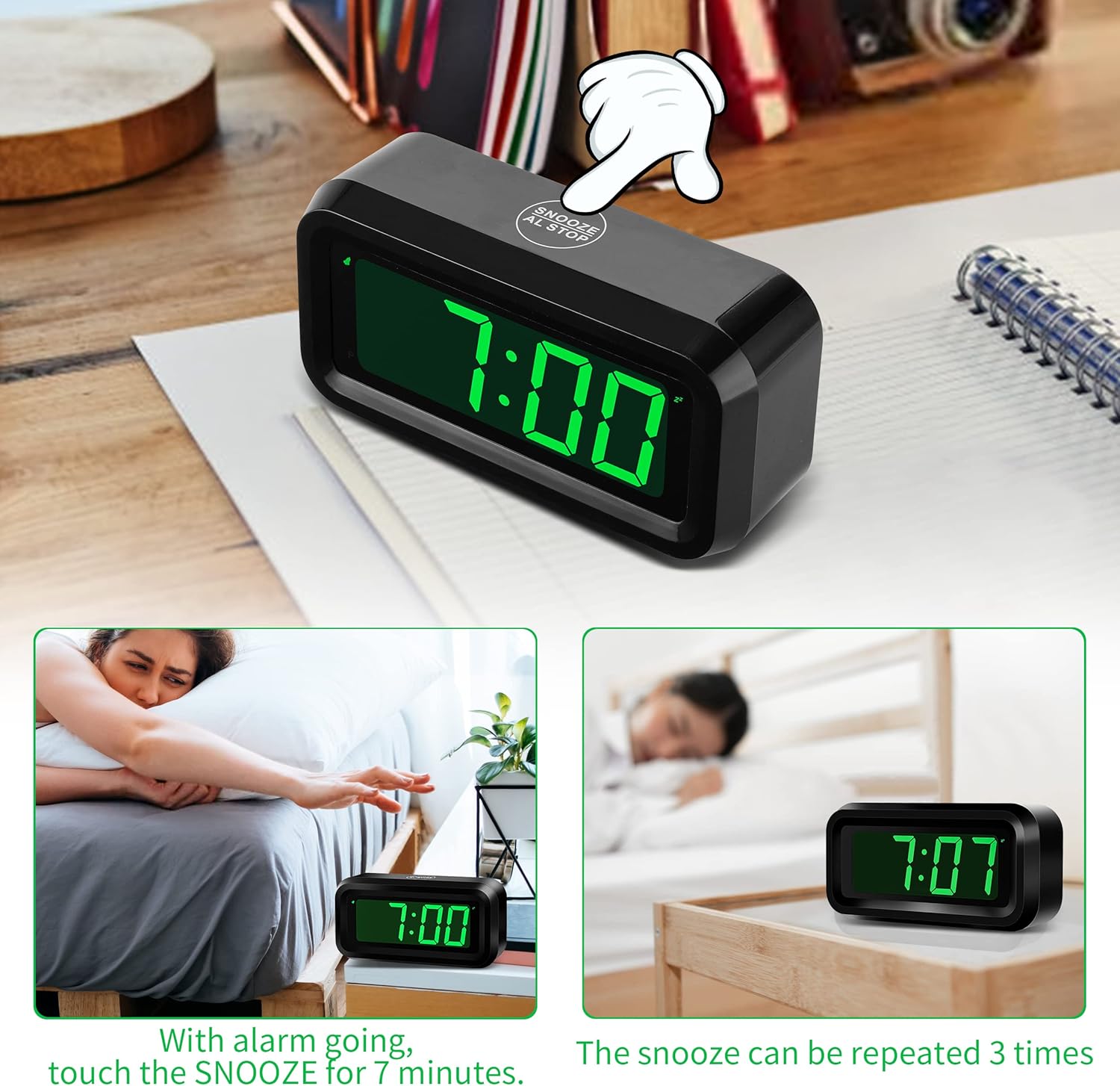
Figure 6: Snooze Function in Use
6. Adjusting Brightness
Use the "DIM" slider switch on the back of the clock to select High (H), Medium (M), or Low (L) brightness for the LED display. The clock automatically dims between 8 PM and 6 AM to conserve energy and reduce light disturbance at night.
7. Wall Mounting
The clock features a keyhole slot on the back for easy wall mounting. Ensure you use an appropriate screw or hook for secure installation.
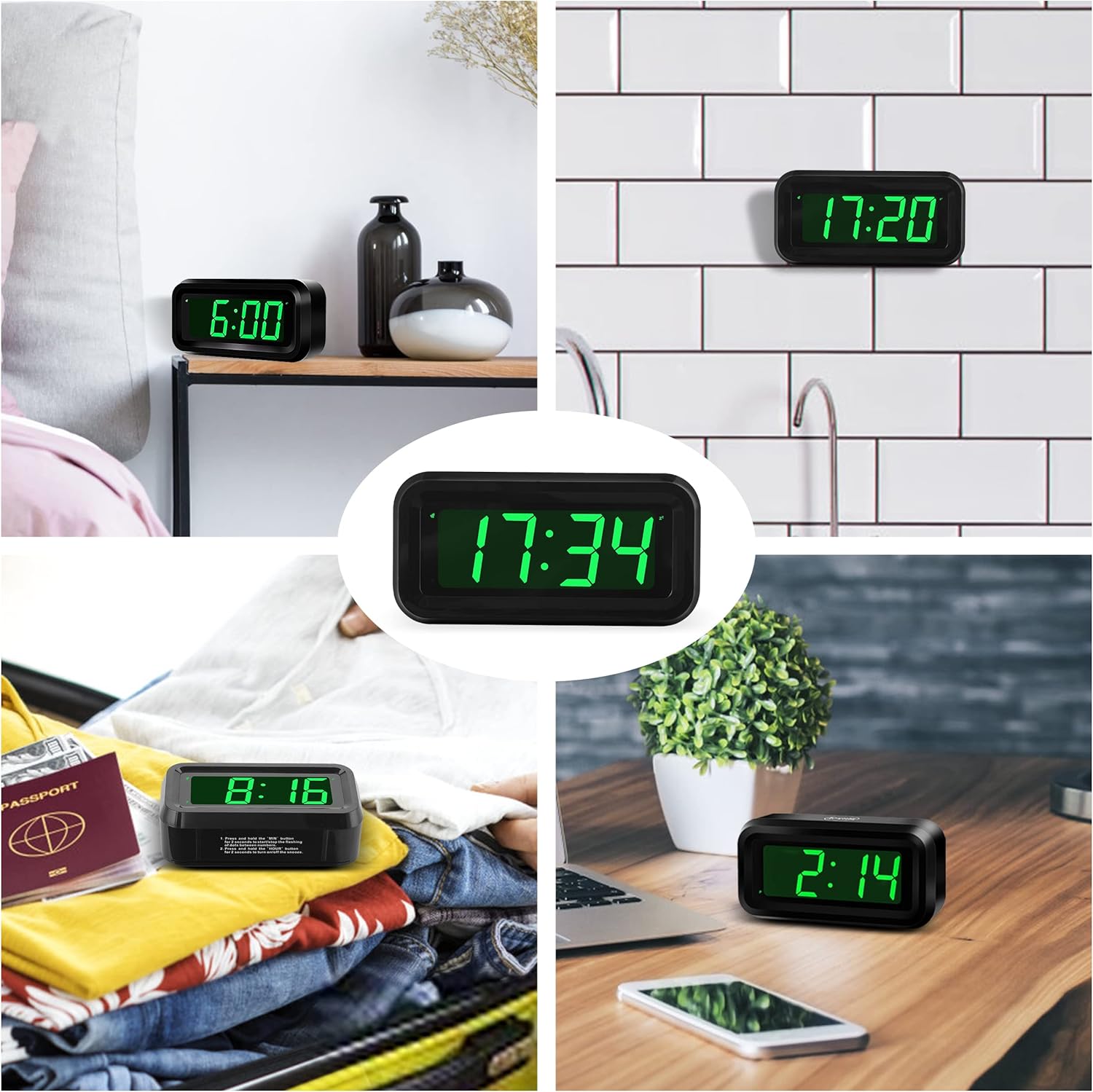
Figure 7: Versatile Placement Options
Maintenance
- Cleaning: Wipe the clock with a soft, dry cloth. Do not use abrasive cleaners or solvents.
- Battery Replacement: Replace all 4 AA batteries when the display starts to dim significantly or the clock stops functioning. Always replace with new alkaline batteries.
Troubleshooting
| Problem | Possible Cause | Solution |
|---|---|---|
| Display is dim or off. | Low batteries; Brightness set to 'Dim'; Automatic dimming active. | Replace batteries; Adjust DIM slider to 'H' or 'M'; Check if it's between 8 PM and 6 AM. |
| Alarm does not sound. | Alarm is off; Alarm time not set correctly. | Press "MIN / AL ON/OFF" to turn alarm on (bell icon should appear); Re-set alarm time. |
| Time is incorrect. | Time not set; Batteries removed/replaced. | Re-set the time using "TIME SET" button. |
| Snooze function not working. | Snooze button not pressed during alarm. | Ensure to press the top "SNOOZE / LIGHT" button when the alarm is sounding. |
Specifications
| Feature | Detail |
|---|---|
| Brand | KWANWA |
| Model Number | EJ11 |
| Display Type | Digital LED |
| Display Color | Green |
| Power Source | 4 x AA Alkaline Batteries (not included) |
| Product Dimensions (L x W x H) | 13 x 3.81 x 6.5 cm (5.1 x 1.5 x 2.6 inches) |
| Item Weight | 113.4 grams (approx. 4 oz) |
| Special Features | Alarm, Loud Alarm, Adjustable Brightness, Snooze, 12/24H Mode, Wall Mountable |
| Time Accuracy | +/- 30 seconds per month |
Warranty and Support
KWANWA products are designed for durability and ease of use. For any questions or support needs regarding your KWANWA Digital Alarm Clock, please refer to the seller's return policy or contact KWANWA customer service through the platform where you purchased the product. Specific warranty details may vary by region and retailer.
For more information about KWANWA products, you can visit the official KWANWA store on Amazon: KWANWA Store