Introduction
Thank you for choosing the ErgoAV Universal Tabletop TV Stand, Model ERTSM1-01B. This manual provides essential information for the safe and proper assembly, operation, and maintenance of your new TV stand. Please read all instructions carefully before beginning installation and retain this manual for future reference.
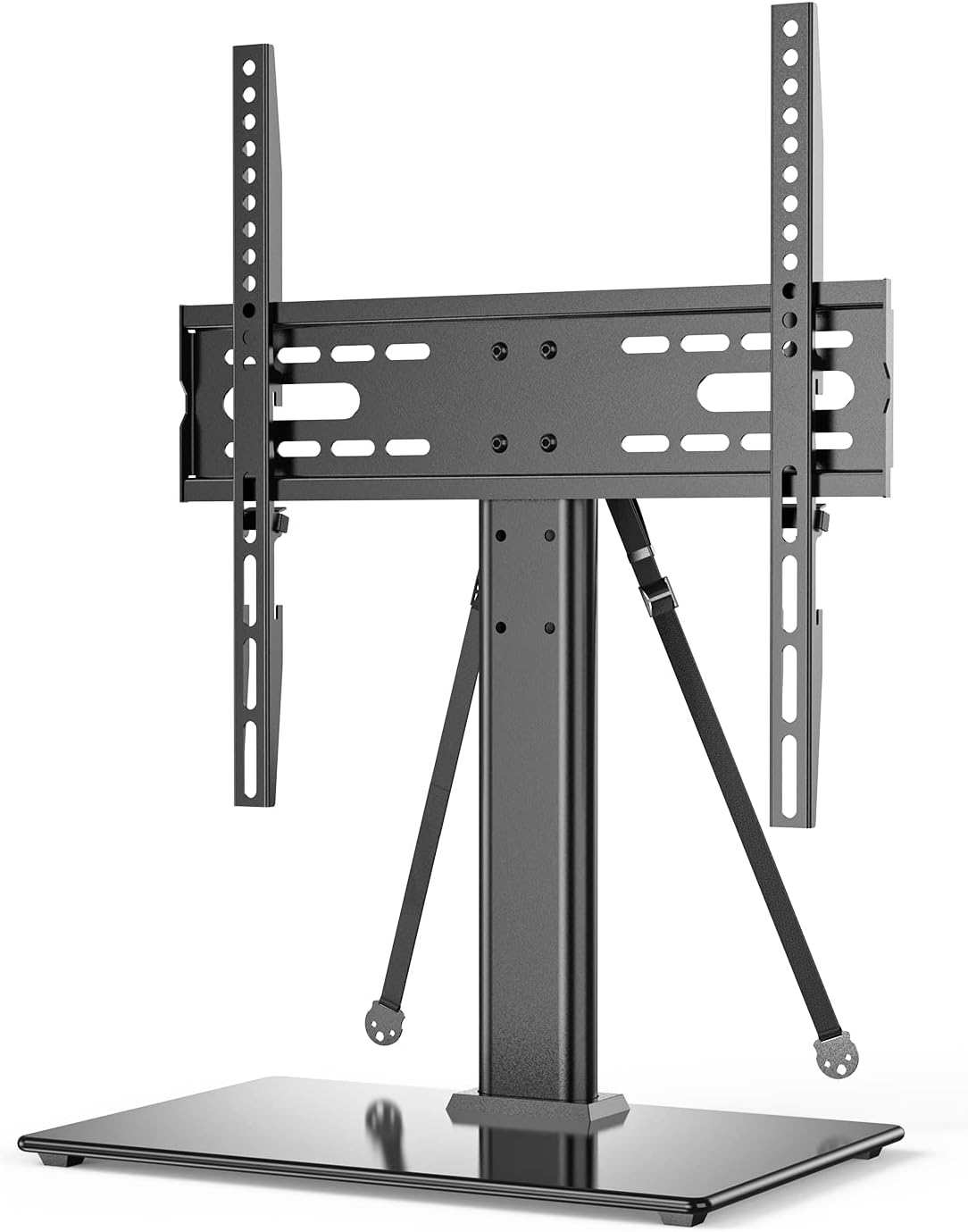
Image: Front view of the ErgoAV Universal Tabletop TV Stand, showcasing its sleek design with a glass base and metal support column, ready for TV mounting.
Key Features
- Universal Compatibility: Designed to fit most 40-55 inch flat-panel TVs.
- High Load Capacity: Supports TVs weighing up to 88 lbs (40 kg).
- VESA Compliance: Compatible with VESA patterns from 100x100mm to 400x400mm.
- Adjustable Height: Features 6 different height positions for optimal viewing and soundbar placement.
- Enhanced Stability: Equipped with an oversized tempered glass base for a secure and stable foundation.
- Safety Straps Included: Provides additional anti-tip security to prevent accidental tipping.
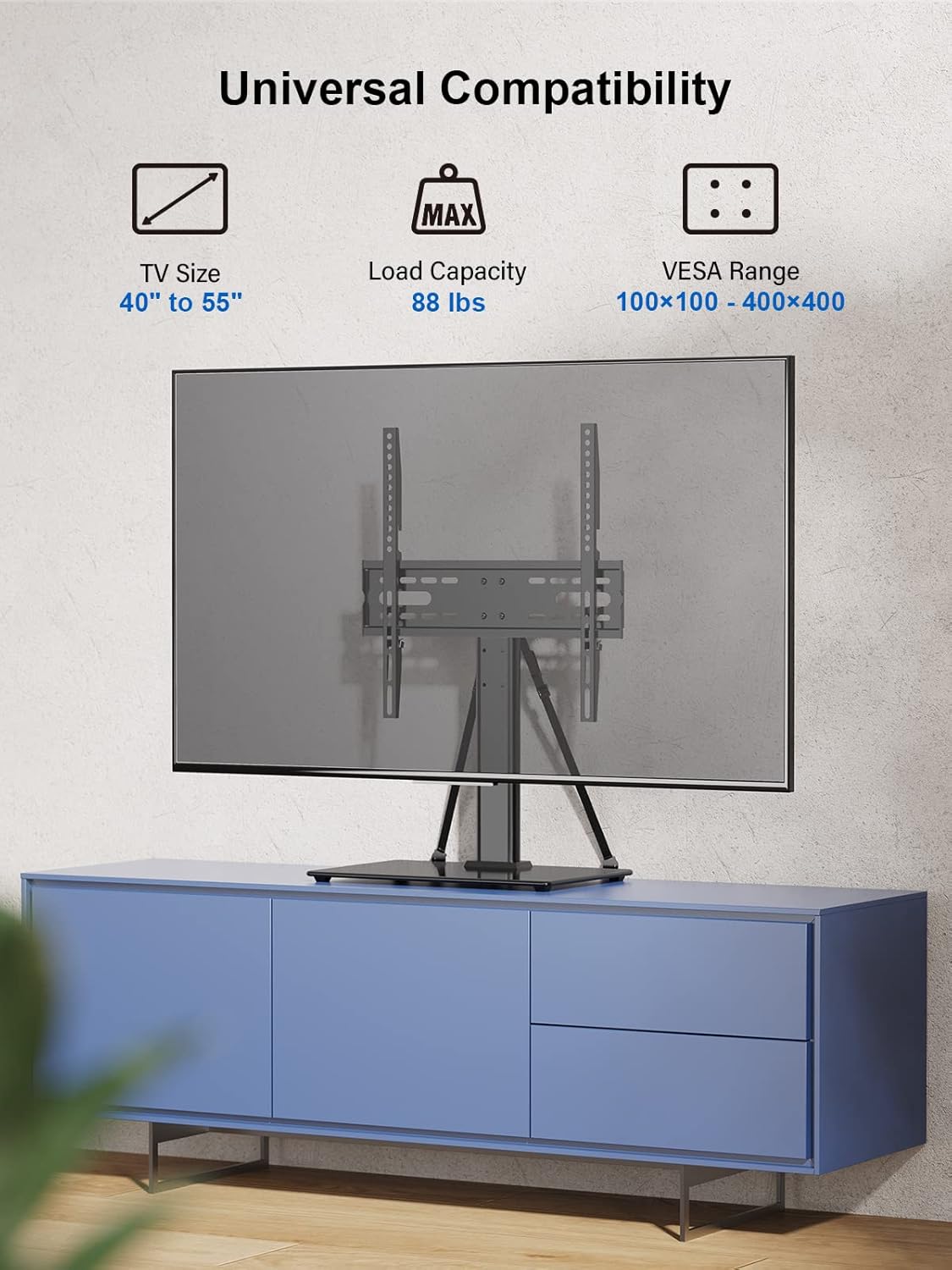
Image: Diagram illustrating the universal compatibility of the TV stand, highlighting TV size range (40" to 55"), load capacity (88 lbs), and VESA range (100x100mm to 400x400mm).

Image: Close-up view of the TV stand's mounting bracket, showing three distinct height settings labeled High (18.13"), Medium (16.16"), and Low (14.19"), indicating the adjustable height feature.
Specifications
| Attribute | Detail |
|---|---|
| Brand | ErgoAV |
| Model Number | ERTSM1-01B |
| Product Dimensions (L x W x H) | 18.94 x 11.22 x 3.07 inches (packaged) |
| Item Display Height (max) | 10.24 inches (from base to bottom of TV bracket) |
| Compatible TV Size | 40 to 55 Inches |
| Weight Capacity | 88 lbs (40 kg) |
| VESA Compatibility | 100x100mm to 400x400mm |
| Mounting Type | Tabletop Mount |
| Movement Type | Tilt |
| Material | Glass (base), Metal (column and brackets) |
| UPC | 810082200898 |

Image: Detailed diagram showing the key dimensions of the assembled TV stand, including the base width (15.74"), base depth (10.24"), overall height (23.77"), and TV bracket width (16.93") and height (16.73").
Safety Information
Please read and understand all safety warnings and instructions before assembly and use. Failure to do so may result in serious personal injury or property damage.
- Weight Limit: Do not exceed the maximum weight capacity of 88 lbs (40 kg). Overloading can cause instability and potential injury.
- TV Size: This stand is designed for TVs between 40 and 55 inches. Using a TV outside this range may compromise stability.
- VESA Compatibility: Ensure your TV's VESA mounting pattern falls within the supported range (100x100mm to 400x400mm).
- Secure Installation: Always ensure all screws and bolts are securely tightened before placing the TV on the stand. Do not overtighten.
- Anti-Tip Straps: Utilize the included safety straps to anchor the TV stand to the wall, preventing accidental tipping, especially in homes with children or pets.
- Level Surface: Place the TV stand on a flat, level, and stable surface to prevent wobbling or tipping.
- Children and Pets: Keep children and pets away from the assembly area. Do not allow children to climb on or play with the TV stand or TV.
- Handling Glass: The base is made of tempered glass. Handle with care to avoid chipping or breaking. Do not place heavy or sharp objects on the glass.

Image: The TV stand with the included safety straps attached, demonstrating how they can be used to secure the stand and TV to a wall, enhancing stability and preventing accidental tipping.

Image: A lifestyle shot showing the TV stand with a TV placed on it, positioned on a media console in a living room setting, emphasizing its stable and safe appearance during use.
Package Contents
Please verify that all parts are present and undamaged before beginning assembly. If any parts are missing or damaged, do not attempt to assemble. Contact ErgoAV customer support for assistance.
- Tempered Glass Base
- Support Column
- TV Mounting Bracket (Horizontal Bar)
- TV Mounting Arms (Vertical Rails, 2 pcs)
- Safety Anti-Tip Straps (2 pcs)
- Hardware Kit (various screws, washers, spacers, nuts, Allen key, wrench)
Setup and Installation
Before you begin, ensure you have a Phillips head screwdriver and a level (not included). It is recommended to have two people for assembly, especially when mounting the TV.
Step 1: Assemble the Base and Support Column
- Carefully unbox all components and lay them out on a soft, clean surface to prevent scratches.
- Attach the support column to the tempered glass base using the provided screws and Allen key. Ensure the column is centered and securely fastened.
Step 2: Attach the TV Mounting Bracket
- Secure the horizontal TV mounting bracket to the top of the support column using the designated screws.
Step 3: Attach Mounting Arms to Your TV
- Identify the VESA mounting holes on the back of your TV.
- Select the appropriate screws, washers, and spacers from the hardware kit that fit your TV's VESA pattern.
- Attach the two vertical TV mounting arms to the back of your TV. Ensure the hooks on the arms are facing upwards and the same direction. Do not overtighten.
Step 4: Mount the TV onto the Stand
- With assistance, carefully lift your TV and hook the mounting arms onto the horizontal TV mounting bracket on the stand.
- Adjust the TV to your desired height by sliding the mounting arms up or down along the vertical slots on the horizontal bracket. Secure the TV in place using the locking screws or knobs on the mounting arms.
- Use a level to ensure the TV is straight.
Step 5: Install Safety Straps
- Attach one end of each safety strap to the designated points on the TV stand or the TV mounting arms.
- Secure the other end of the straps to a wall stud or a sturdy piece of furniture using appropriate hardware (not always included, but typically screws for wood studs or anchors for drywall). This step is crucial for preventing accidental tipping.
Operating Instructions
Once assembled, the ErgoAV Tabletop TV Stand is designed for simple operation.
- Height Adjustment: To change the TV's height, loosen the locking screws on the vertical mounting arms, carefully lift or lower the TV to one of the 6 pre-set height positions, and then re-tighten the locking screws securely. Always ensure the TV is level after adjustment.
- Cable Management: Utilize any integrated cable management clips or channels on the support column to keep cables tidy and out of sight.
Maintenance
Regular maintenance will help ensure the longevity and safety of your TV stand.
- Cleaning: Use a soft, damp cloth to clean the glass base and metal components. Avoid abrasive cleaners or solvents that could damage the finish.
- Check Connections: Periodically check all screws and bolts to ensure they remain tight. Re-tighten if necessary, but do not overtighten.
- Inspect Straps: Regularly inspect the anti-tip safety straps for any signs of wear or damage. Replace if compromised.
Troubleshooting
If you encounter any issues during assembly or use, please refer to the following common problems and solutions:
- TV is Wobbly:
- Ensure the stand is on a flat, level surface.
- Check that all assembly screws (base to column, column to bracket, arms to TV) are securely tightened.
- Verify the TV's weight does not exceed 88 lbs and its size is within 40-55 inches.
- Ensure safety straps are properly installed and anchored.
- TV Does Not Fit Mounting Arms:
- Confirm your TV's VESA pattern is within the 100x100mm to 400x400mm range.
- Ensure you are using the correct screws and spacers for your TV's mounting holes.
- Missing Parts:
- Carefully check all packaging materials. If parts are genuinely missing, contact ErgoAV customer support.
Warranty and Support
ErgoAV is committed to providing high-quality products. While specific warranty details are not provided in this document, please refer to the product packaging or the official ErgoAV website for warranty information.
For technical support, missing parts, or any questions regarding your ErgoAV Universal Tabletop TV Stand, please visit the ErgoAV Store on Amazon or consult the official User Manual (PDF) for more detailed instructions.