Introduction
Welcome to your new BISSELL CleanView Swivel Pet Reach Vacuum Cleaner. This powerful upright vacuum is designed to provide an efficient cleaning experience, especially for homes with pets. Its advanced features ensure thorough dirt and pet hair pickup across various surfaces, making your cleaning routine easier and more effective.
Important Safety Instructions
Read all instructions before using your upright vacuum. Failure to follow the warnings and instructions may result in electric shock, fire, and/or serious injury.
- Always connect to a properly grounded outlet.
- Do not leave vacuum cleaner unattended when plugged in.
- Unplug from outlet when not in use and before servicing.
- Do not use outdoors or on wet surfaces.
- Do not allow to be used as a toy. Close attention is necessary when used by or near children.
- Use only as described in this manual. Use only manufacturer's recommended attachments.
- Do not use with damaged cord or plug. If vacuum cleaner is not working as it should, has been dropped, damaged, left outdoors, or dropped into water, return it to a service center.
- Do not pull or carry by cord, use cord as a handle, close a door on cord, or pull cord around sharp edges or corners. Do not run vacuum cleaner over cord. Keep cord away from heated surfaces.
- Do not unplug by pulling on cord. To unplug, grasp the plug, not the cord.
- Do not handle plug or vacuum cleaner with wet hands.
- Do not put any object into openings. Do not use with any opening blocked; keep free of dust, lint, hair, and anything that may reduce air flow.
- Keep hair, loose clothing, fingers, and all parts of body away from openings and moving parts.
- Turn off all controls before plugging or unplugging vacuum cleaner.
- Use extra care when cleaning on stairs.
- Do not use to pick up flammable or combustible materials (lighter fluid, gasoline, kerosene, etc.) or use in areas where they may be present.
- Do not use to pick up toxic material (chlorine bleach, ammonia, drain cleaner, etc.).
- Do not use vacuum cleaner in an enclosed space filled with vapors given off by oil base paints, paint thinner, some mothproofing substances, flammable dust, or other explosive or toxic vapors.
- Do not use to pick up hard or sharp objects such as glass, nails, screws, coins, etc.
- Do not pick up anything that is burning or smoking, such as cigarettes, matches, or hot ashes.
- Do not use without filters in place.
- Use only on dry, indoor surfaces.
- Keep appliance on a level surface.
What's in the Box
Your BISSELL CleanView Swivel Pet Reach Vacuum Cleaner comes with the following components:
- Main Vacuum Body
- Handle Assembly
- Quick Release Extension Wand
- Flexible Hose
- Specialized Pet Tools (e.g., Pet TurboEraser Tool, Crevice Tool, Dusting Brush)
- User Guide
Assembly Instructions
Follow these steps to assemble your vacuum cleaner:
- Attach Handle: Insert the handle into the opening on the top of the main vacuum body until it clicks securely into place.
- Connect Hose: Attach one end of the flexible hose to the back of the vacuum cleaner, and the other end to the hose clip on the handle. Ensure all connections are secure.
- Attach Tools: Store the specialized pet tools on the designated clips on the vacuum body for easy access.

Image: Fully assembled BISSELL CleanView Swivel Pet Reach Vacuum Cleaner.
Operating Instructions
Powering On and Off
To turn the vacuum cleaner ON or OFF, locate the power switch on the main body and press it.
Surface Type Settings
The vacuum features multiple height settings to optimize cleaning for different floor types. Adjust the dial on the vacuum head to select the appropriate setting:
- High Carpet: For thick carpets and rugs.
- Low Carpet: For low-pile carpets and area rugs.
- Hard Floor: For bare floors such as hardwood, tile, or laminate.

Image: Vacuum cleaner being used on a carpeted floor, demonstrating its powerful suction.
Swivel Steering
The swivel steering allows for easy maneuverability around furniture and obstacles. Gently twist the handle to steer the vacuum in desired directions.

Image: Vacuum cleaner effectively cleaning a hard floor surface, highlighting its scatter-free technology.
Using Attachments
The Quick Release Extension Wand and specialized tools are designed for versatile cleaning:
- Detach Wand: Press the wand release button and pull the extension wand out from the main body.
- Attach Tool: Connect the desired specialized tool (e.g., crevice tool for tight spaces, dusting brush for delicate surfaces, or Pet TurboEraser Tool for upholstery) to the end of the wand.
- Clean: Use the attached tool to clean above-floor areas, stairs, upholstery, and other hard-to-reach spots.

Image: A person using the Quick Release Extension Wand to clean high-up surfaces, demonstrating its reach.
Official Product Video: BISSELL CleanView Swivel Upright Vacuum Features
Video: This video demonstrates the swivel steering, triple action brush roll, and various attachments of a BISSELL CleanView Swivel vacuum, showcasing its versatility for different cleaning tasks and surfaces.
Care and Maintenance
Emptying the Dirt Tank
For optimal performance, empty the dirt tank regularly, especially when debris reaches the "FULL" line.
- Press the Tank Release button located on the top of the dirt tank.
- Lift the dirt tank away from the vacuum body.
- Hold the tank over a trash bin and press the Empty button on the bottom of the tank to release debris.
- Close the bottom lid and reattach the tank to the vacuum.
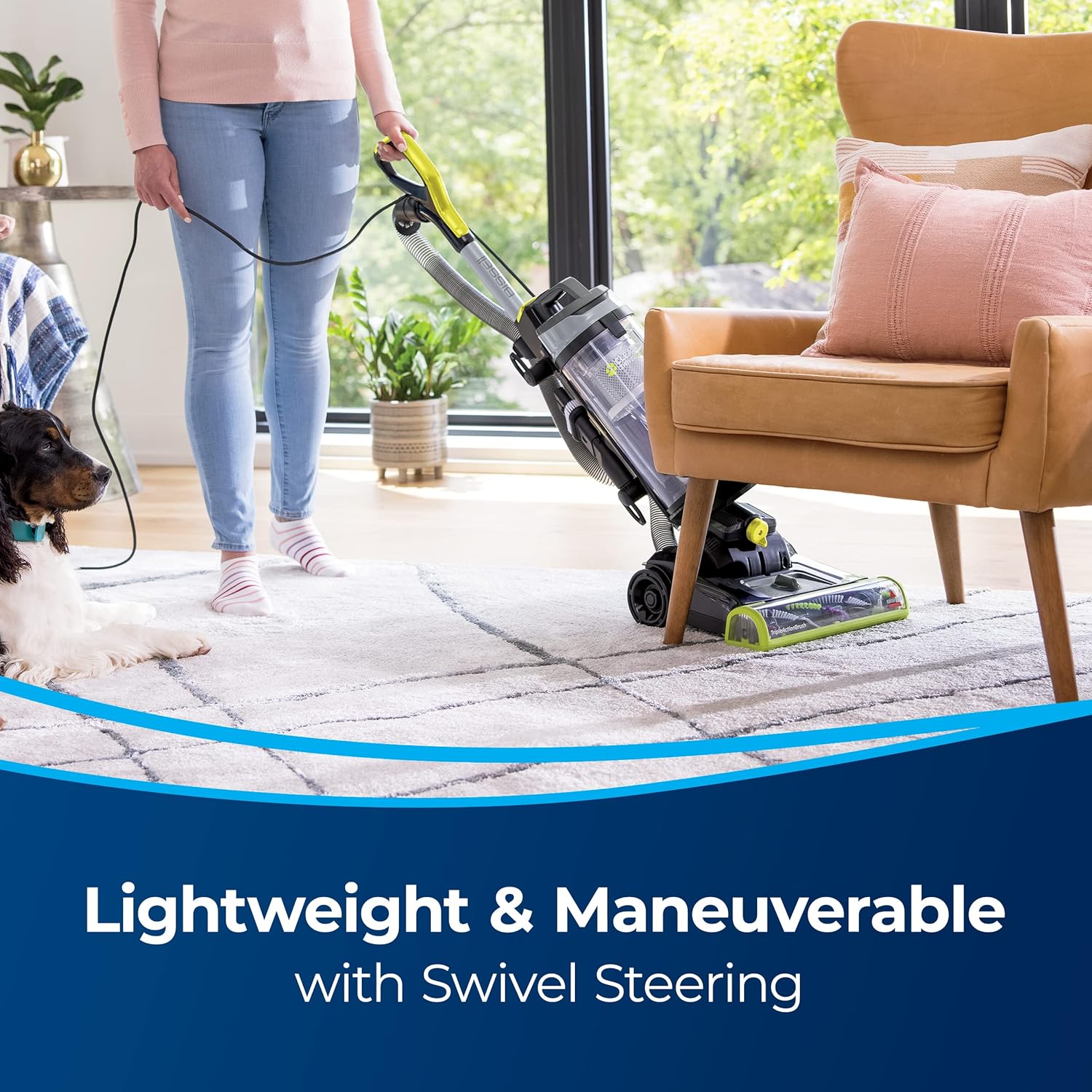
Image: A person emptying the vacuum's dirt tank into a trash bin, illustrating the easy disposal process.
Cleaning Filters
The vacuum features washable filters. Refer to the user guide for specific instructions on how to remove, clean, and dry the filters before reinserting them. Regular filter cleaning maintains suction power.
Brush Roll Maintenance
Periodically check the Triple Action Brush Roll for any tangled hair or debris. Turn off and unplug the vacuum before inspecting or cleaning the brush roll.
Troubleshooting Guide
| Problem | Possible Cause | Solution |
|---|---|---|
| Vacuum cleaner won't turn on | Power cord not firmly plugged in; Blown fuse/tripped breaker | Check electrical plug; Check/replace fuse or reset breaker |
| Vacuum cleaner won't pick up dirt | Dirt tank full; Filters dirty; Hose not properly attached; Clog in vacuum | Empty dirt tank; Clean/replace filters; Check hose connections; Clear clog |
| Visible dirt escaping from vacuum | Dirt tank full; Filters missing or installed incorrectly; Clog in vacuum | Empty dirt tank; Check filter placement; Clear clog |
| Brush Roll not rotating | Brush roll jammed; Belt broken | Remove debris from brush roll; Contact customer support for belt replacement |
Product Specifications
- Model: 3198B
- Power Source: Corded Electric
- Voltage: 110 Volts
- Item Weight: 8.32 kg
- Form Factor: Upright
- Filter Type: Cartridge
- Special Feature: Lightweight, Swivel Steering, Quick Release Wand
- Surface Recommendation: Dual Action, Upholstery
- Included Components: Brush, Extension Wand
Warranty and Customer Support
This BISSELL CleanView Swivel Pet Reach Vacuum Cleaner Model 3198B comes with a 3-year limited warranty. For warranty claims, technical support, or replacement parts, please visit the official BISSELL website or contact their customer service.
For more information, visit the Bissell Store.


