1. Product Overview
The Godox Lux Junior is a compact, retro-styled camera flash designed for use with most single-contact hot shoe cameras. It features a guide number of GN12 (ISO100) and offers both automatic (A) and manual (M) operating modes, along with S1/S2 optical control. Its small size and lightweight design make it a portable lighting solution.
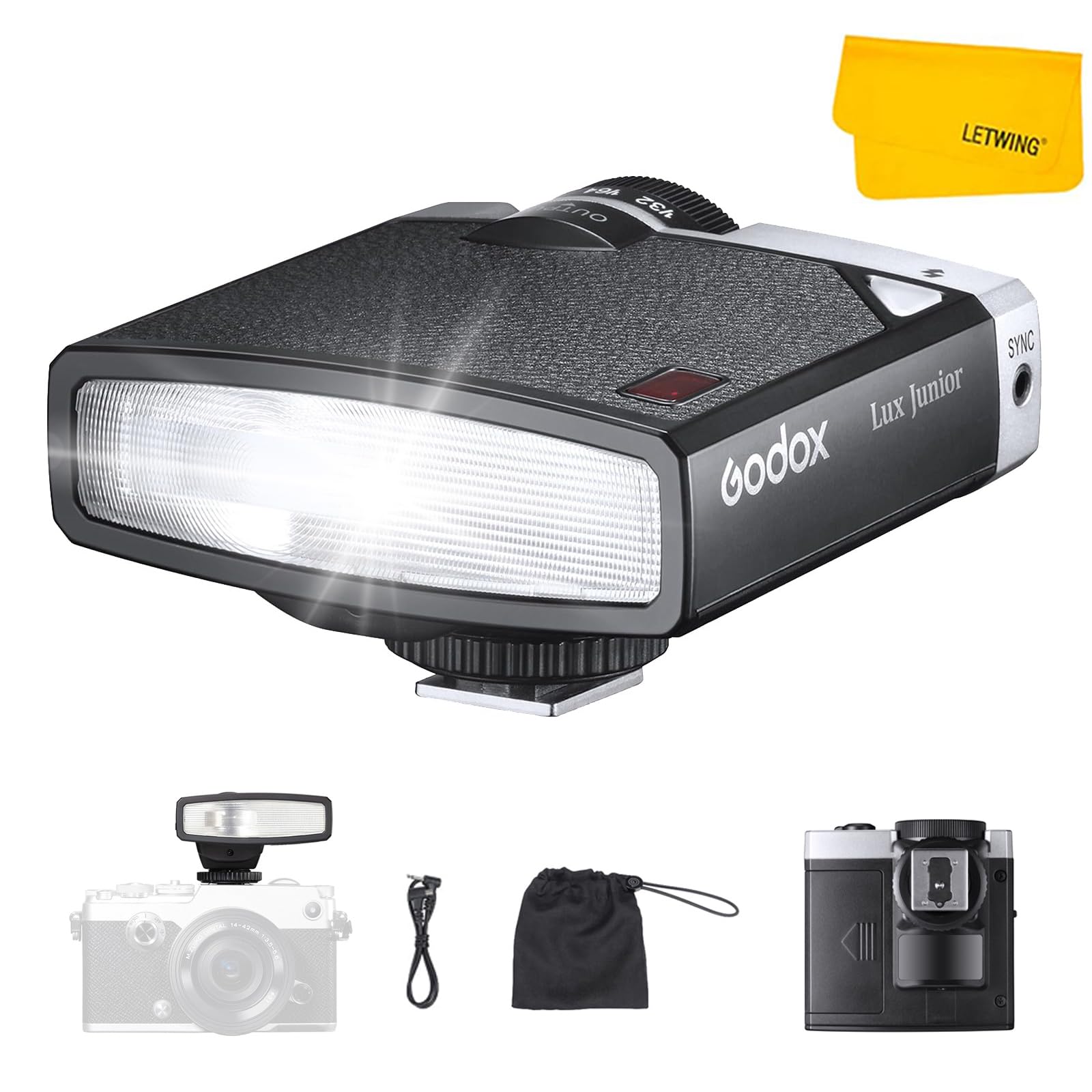
Image: The Godox Lux Junior Retro Camera Flash, showcasing its compact design.
2. What's in the Box
- 1 x Retro Camera Flash
- 1 x Triggering Cable
- 1 x Storage Bag
- 1 x Cleaning Cloth

Image: The package contents including the flash unit, storage bag, and triggering cable.
3. Setup
3.1 Battery Installation
- Open the battery compartment cover on the flash unit.
- Insert two AAA alkaline batteries or NI-MH rechargeable batteries, ensuring correct polarity.
- Close the battery compartment cover securely.
3.2 Mounting the Flash
- Slide the flash unit onto your camera's hot shoe.
- Secure the flash by turning the locking mechanism on the hot shoe mount.
Video: A demonstration of installing batteries and mounting the Godox Lux Junior flash onto a camera.
4. Operating Modes
4.1 Auto Mode (A)
In Auto mode, the flash automatically calculates the appropriate exposure based on the camera's settings. This mode is suitable for users who prefer simplified operation.
- Push the mode lever to select 'A' (Auto).
- The default parameters are ISO100 and f/2.8. Adjust the camera's ISO value accordingly.
- The flash will automatically adjust its output for correct exposure.

Image: The Godox Lux Junior flash set to Auto mode on a camera.
4.2 Manual Mode (M)
Manual mode provides full control over the flash output. Users can set the flash power manually to achieve specific lighting effects.
- Push the mode lever to select 'M' (Manual).
- Set the camera's ISO value.
- Determine the distance between the flash and the subject.
- Turn the inner meter panel to align the subject distance with the camera's ISO value.
- Turn the power dial to align the desired f-stop with the output mark. The proper output value is now set.

Image: The Godox Lux Junior flash set to Manual mode, showing the control dial.
4.3 S1/S2 Optical Control
The S1/S2 optical control function is available in Manual flash mode. This allows the Lux Junior to function as an optical S1 secondary flash, firing synchronously when the main flash fires. This feature helps create multiple lighting effects.
- Ensure the flash is in Manual (M) mode.
- Push the OFF/S1/S2 button to select S1 or S2 mode.

Image: Diagram illustrating the S1/S2 optical control switch and its function.
Video: A demonstration of setting the Godox Lux Junior to Auto and Manual modes, and using S1/S2 optical control.
5. Compatibility
The Godox Lux Junior Retro Camera Flash is compatible with most camera brands featuring a single-contact hot shoe, including Sony, Canon, Fujifilm, Nikon, and Olympus cameras.
Note: This flash is not compatible with cameras without a single-contact hot shoe.
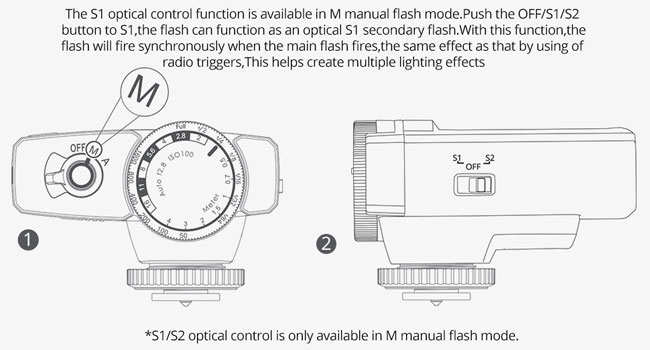
Image: Examples of compatible single-contact hot shoes from Canon, Sony, Nikon, Fuji, Pentax, and Olympus.
Incompatible Camera Models: Sony A9III, A99, A77, A350, ZV-1F; Canon EOS Rebel SL3, 250D, T7, 1500D, 2000D, T100, 3000D, 4000D, 200DII, R7, R6II, R8, R10, R50; Fujifilm X-A3, X100F, X100T.
6. Specifications
- Guide Number: GN12 (ISO100)
- Color Temperature: 6000K±200K
- Flash Power: 1/1-1/64 (7 Levels)
- Power Source: NI-MH battery or AAA alkaline battery (not included)
- Dimensions: 2.91 x 1.97 x 2.8 inches
- Item Weight: 4.6 ounces (130g)
- Flash Sync Speed: Recommended below 1/200 or 1/250
7. Troubleshooting
7.1 Flash Failure
- When using the flash for the first time, wait for the flash recycle indicator to turn green. This indicates recycling is complete. If the indicator remains red or white, replace the batteries with new or fully charged ones.
- If the flash does not work, try accessing the camera's menu and changing the flash setting to "manual mode / M" mode.

Image: Visual guide for flash recycle indicator states (recycling and complete).
7.2 Unexpected Performance
- Shutter Speed: This flash does not have TTL function or High-Speed Sync (HSS). A shutter speed below 1/200 is recommended to avoid black or white edges in photos.
- Sensitivity (ISO): Set the ISO sensitivity to 100 initially, then adjust based on actual brightness or darkness.
- Aperture: Set the aperture to f/2.8 initially, then adjust based on actual brightness or darkness.
8. Additional Information
For further assistance or product information, please visit the official Godox website or contact customer support.
This product is designed to offer a simple and effective flash solution for various photography needs.


