
1. Introduction
Thank you for choosing the APUZOM DY28S White Noise Sound Machine Alarm Clock with Bluetooth Speaker. This device combines multiple functionalities including an alarm clock, night light, Bluetooth speaker, and sound machine, designed to enhance your daily routine and sleep environment. Please read this manual thoroughly before use to ensure proper operation and to maximize your product experience.
2. Safety Information
- Do not expose the device to water or excessive moisture.
- Avoid extreme temperatures.
- Do not disassemble or attempt to repair the device yourself. Contact customer support for assistance.
- Keep out of reach of children and pets.
- Use only the provided USB-C charging cable.
3. What's in the Box
- APUZOM DY28S Night Light Bluetooth Speaker
- USB-C Charging Cord
- User Guide
Note: Wall charger is not included.
4. Product Overview
Familiarize yourself with the device's components and controls.

Image Description: A diagram of the APUZOM DY28S device highlighting its various controls and ports. The side panel shows buttons for Timer (1), Sound Machine (2), Next Track/Volume Up (3), Previous Track/Volume Down (4), Bluetooth On/Off (5), and Power/Play/Pause (6). The back panel indicates Micro SD/TF card slot (7), On/Off switch (8), 12h/24h/Time Setup button (9), Alarm Setup button (10), Type-C USB power port (11), and USB HOST port (12).
5. Setup
5.1. Charging the Device
Before first use, fully charge the device using the provided USB-C cable. Connect the USB-C end to the device's Type-C USB power port (11) and the other end to a compatible USB power adapter (not included).
5.2. Setting the Time
- Press and hold the 12h/24h/Time Setup button (9) on the back of the device until the hour display flashes.
- Use the Next Track/Volume Up (3) and Previous Track/Volume Down (4) buttons on the side to adjust the hour.
- Press the 12h/24h/Time Setup button (9) again to switch to minute adjustment.
- Use the Next Track/Volume Up (3) and Previous Track/Volume Down (4) buttons to adjust the minutes.
- Press the 12h/24h/Time Setup button (9) one more time to confirm and exit time setting.
- To switch between 12-hour and 24-hour format, short press the 12h/24h/Time Setup button (9).
5.3. Bluetooth Pairing
To use the device as a Bluetooth speaker, follow these steps:
- Turn on the device using the On/Off switch (8) on the back.
- Press the Bluetooth On/Off button (5) on the side panel to activate Bluetooth mode. The display will show 'BT' and a pairing sound will be heard.
- Enable Bluetooth on your smartphone or other audio device.
- Search for 'DY28S' in the list of available devices and select it to connect.
- Once connected, a confirmation sound will play, and you can stream audio to the speaker.
Video Description: This video demonstrates the process of connecting a mobile device to the APUZOM DY28S via Bluetooth. It shows how to turn on the speaker's Bluetooth mode and pair it with a smartphone to play music.
6. Operating the Device
6.1. Night Light Functions
The device features 48 night light colors and various lighting modes.
- Turn On/Off: Tap the top surface of the device to turn the night light on or off.
- Change Colors: Continue tapping the top surface to cycle through different colors and lighting modes (e.g., warm white, single colors, color cycle, breathing lights, dynamic lights).
- Adjust Brightness: In warm white mode, press and hold the top surface to adjust brightness levels.

Image Description: The APUZOM DY28S device is shown with multiple examples of its RGB color lighting capabilities, including three warm light settings and six distinct color lights (yellow, cyan, green, blue, magenta, red). Text indicates features like 48 RGB Color Lights, Cycle lights, Breathing lights, and Dynamic lights.

Image Description: The APUZOM DY28S device is shown on a bedside table, emitting a soft white light. A person is sleeping peacefully in the background, suggesting the device's use as a bedside lamp.
6.2. Sound Machine Functions
The device offers 16 soothing sounds for relaxation and sleep.
- Select Sound: Press the Sound Machine button (2) to cycle through the 16 available sounds (e.g., white noise, fan noise, cricket, flowing water, bonfire, bird singing, lullabies, wind, waves, raining).
- Adjust Volume: Use the Next Track/Volume Up (3) and Previous Track/Volume Down (4) buttons to adjust the sound volume.
- Set Sleep Timer: Press the Timer button (1) to set a sleep timer for 15, 30, or 60 minutes. The sound machine will automatically turn off after the selected duration.
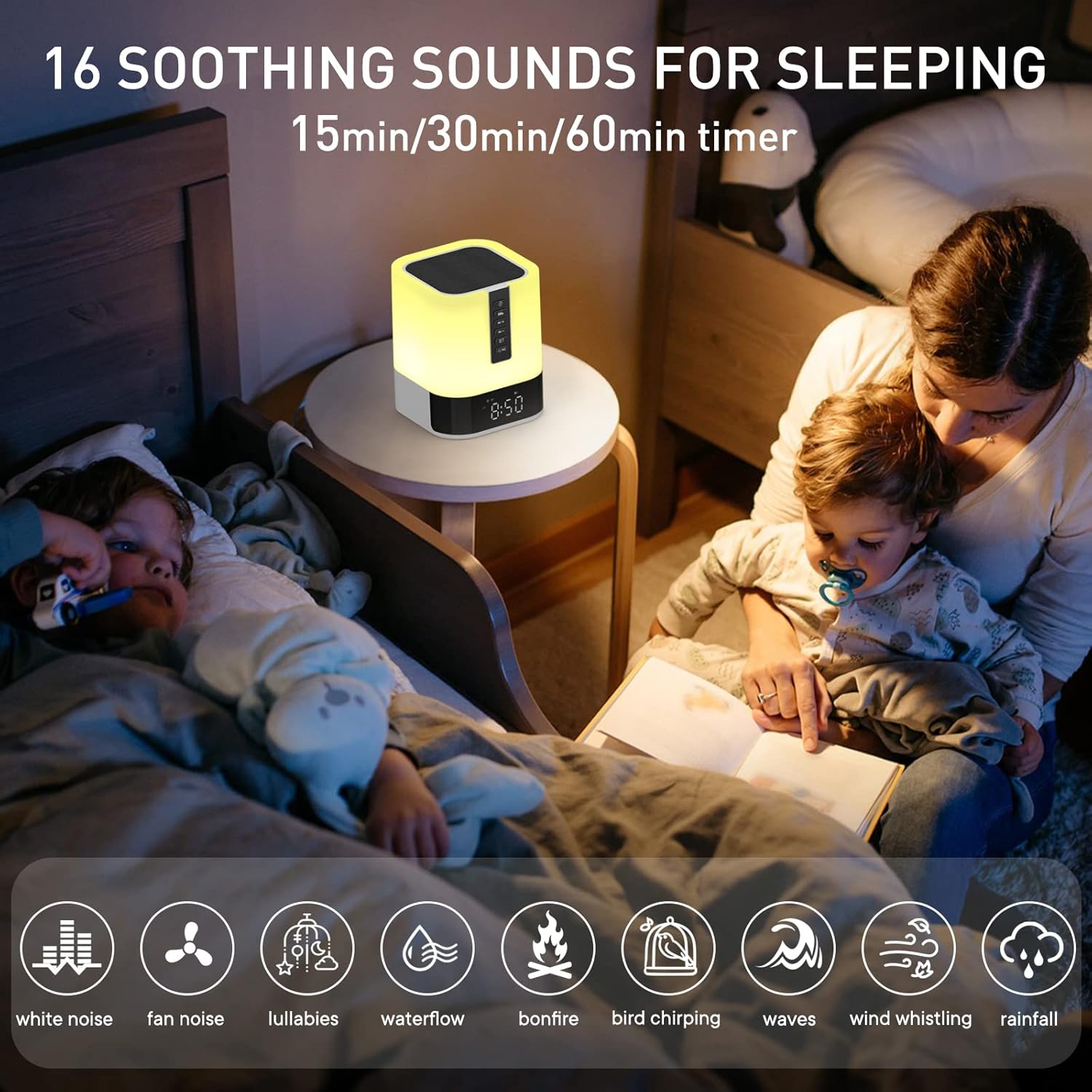
Image Description: The APUZOM DY28S device is shown on a bedside table with a child and adult in the background. Icons representing 16 soothing sounds are displayed, including white noise, fan noise, lullabies, waterflow, bonfire, bird chirping, waves, wind whistling, and rainfall. A timer option for 15, 30, or 60 minutes is also indicated.
6.3. Alarm Clock Functions
Set and manage alarms to wake up gently.
- Set Alarm: Press and hold the Alarm Setup button (10) on the back until the alarm hour flashes.
- Use the Next Track/Volume Up (3) and Previous Track/Volume Down (4) buttons to adjust the alarm hour.
- Press the Alarm Setup button (10) again to switch to minute adjustment.
- Use the Next Track/Volume Up (3) and Previous Track/Volume Down (4) buttons to adjust the alarm minutes.
- Press the Alarm Setup button (10) one more time to confirm and exit alarm setting.
- Activate/Deactivate Alarm: Short press the Alarm Setup button (10) to toggle the alarm on or off. An alarm icon will appear/disappear on the display.
- Snooze: When the alarm sounds, tap the top surface of the device to activate snooze. The alarm will sound again after a few minutes.
- Stop Alarm: Press any button on the side panel (except the top touch surface) to stop the alarm for the day.
6.4. Media Playback (Bluetooth/SD Card/USB)
- Bluetooth: After successful pairing (see 5.3), play music from your connected device.
- SD/TF Card: Insert a Micro SD/TF card into the Micro SD/TF card slot (7) on the back. The device will automatically detect and play audio files.
- USB Drive: Insert a USB drive into the USB HOST port (12). The device will automatically detect and play audio files.
- Play/Pause: Press the Power/Play/Pause button (6) to play or pause media.
- Next/Previous Track: Short press the Next Track/Volume Up (3) or Previous Track/Volume Down (4) buttons to skip tracks.
- Volume Control: Long press the Next Track/Volume Up (3) or Previous Track/Volume Down (4) buttons to adjust volume.
7. Maintenance
- Clean the device with a soft, dry cloth. Do not use abrasive cleaners or solvents.
- Ensure all ports are free from dust and debris.
- Store the device in a cool, dry place when not in use for extended periods.
8. Troubleshooting
| Problem | Possible Cause | Solution |
|---|---|---|
| Device does not turn on. | Low battery or power switch off. | Charge the device. Ensure the On/Off switch (8) is in the 'On' position. |
| Cannot connect via Bluetooth. | Bluetooth not enabled on device or speaker. Device too far. | Ensure Bluetooth is active on both devices. Keep devices within 10 meters. Try re-pairing. |
| No sound from speaker. | Volume too low or muted. Incorrect source selected. | Increase volume. Ensure correct input source (Bluetooth, SD, USB) is active. |
| Alarm does not sound. | Alarm not set or deactivated. Volume too low. | Verify alarm is set and activated (alarm icon visible). Increase alarm volume. |
| Night light not working. | Device off or touch sensor not responding. | Ensure device is on. Tap the top surface firmly. |
9. Specifications
- Model Name: DY28S
- Material: Plastic
- Color: White
- Product Dimensions: 3.7"D x 3.7"W x 4.5"H
- Item Weight: 1.2 Pounds
- Speaker Type: Bluetooth Speaker
- Speaker Maximum Output Power: 10 Watts
- Connectivity Technology: Bluetooth
- Bluetooth Range: 10 Meters
- Power Source: Battery Powered (1 Lithium Ion battery included)
- Control Method: Remote, Touch
- Special Features: Alarm, Bluetooth Speaker, Night Light, Noise Machine, Timer
- Manufacturer: Shenzhen Xinyiheng Digital Co., Ltd
10. Warranty & Support
This product comes with a Limited Warranty. For specific warranty details and to register your product, please refer to the warranty card included in the packaging or visit the official APUZOM website.
For any questions, technical support, or assistance with your APUZOM DY28S, please contact our customer support team. We are committed to providing lifetime friendly customer support.
Customer Support Contact: Please refer to the contact information provided on the product packaging or the official APUZOM website.


