1. Introduction
This manual provides essential information for the safe and efficient operation of your Generic Pure Sine Wave Power Inverter. This device converts 24V DC power from a battery source into 110V AC power, suitable for various household and portable electronic devices. Please read this manual thoroughly before installation and use, and retain it for future reference.
2. Safety Information
WARNING: Failure to follow these safety instructions may result in electric shock, fire, or serious injury.
- Ensure the inverter's input voltage matches your battery's voltage. This 24V inverter is designed exclusively for 24V battery systems.
- Always ensure the inverter switch is in the OFF position before connecting it to a battery or any load.
- Do not overload the inverter. For inductive loads (e.g., motors, refrigerators), select an inverter with a continuous output power 3 to 7 times higher than the appliance's rated power to accommodate starting surges.
- When connecting the inverter, securely tighten the positive (+) and negative (-) terminals. Loose connections can cause overheating due to poor contact, leading to potential damage or fire.
- Operate the inverter in a well-ventilated area, away from flammable materials, moisture, and direct sunlight.
- Keep out of reach of children.
3. Product Overview
The Generic Pure Sine Wave Power Inverter is designed for stable and efficient power conversion. It features a durable aluminum alloy shell for excellent heat dissipation and includes multiple protection mechanisms to safeguard both the inverter and your connected devices.
Key Features:
- Pure Sine Wave Output: Provides clean and stable power, suitable for sensitive electronics.
- Multiple Protections: Includes overload, overvoltage, overtemperature, short circuit, undervoltage, and full load alarm.
- Efficient Cooling: Equipped with two cooling fans for optimal heat management.
- Dual Digital Display: Shows battery input voltage and inverter output voltage.
- Durable Construction: Aluminum alloy shell for enhanced heat dissipation and longevity.

Figure 3.1: The inverter provides pure sine wave output, making it suitable for a wide range of sensitive electronic devices such as TVs, drills, LED lights, printers, cameras, laptops, and CPAP machines.

Figure 3.2: The inverter incorporates eight types of protection: low voltage, front board overload, overload, full load alarm, short-circuit, thermal, overvoltage, and input undervoltage alarm, ensuring safety for the device and connected electronics.
4. Setup
Follow these steps to properly set up your power inverter:
- Preparation: Ensure the inverter switch is OFF. Place the inverter in a dry, cool, and well-ventilated area.
- Battery Connection: Connect the inverter to your 24V DC battery using the provided connection cables and battery clips. Ensure the positive (+) terminal of the inverter is connected to the positive (+) terminal of the battery, and the negative (-) terminal of the inverter is connected to the negative (-) terminal of the battery. Tighten all connections securely.
- Load Connection: Once the inverter is connected to the battery, you can plug your AC appliances into the inverter's output sockets.
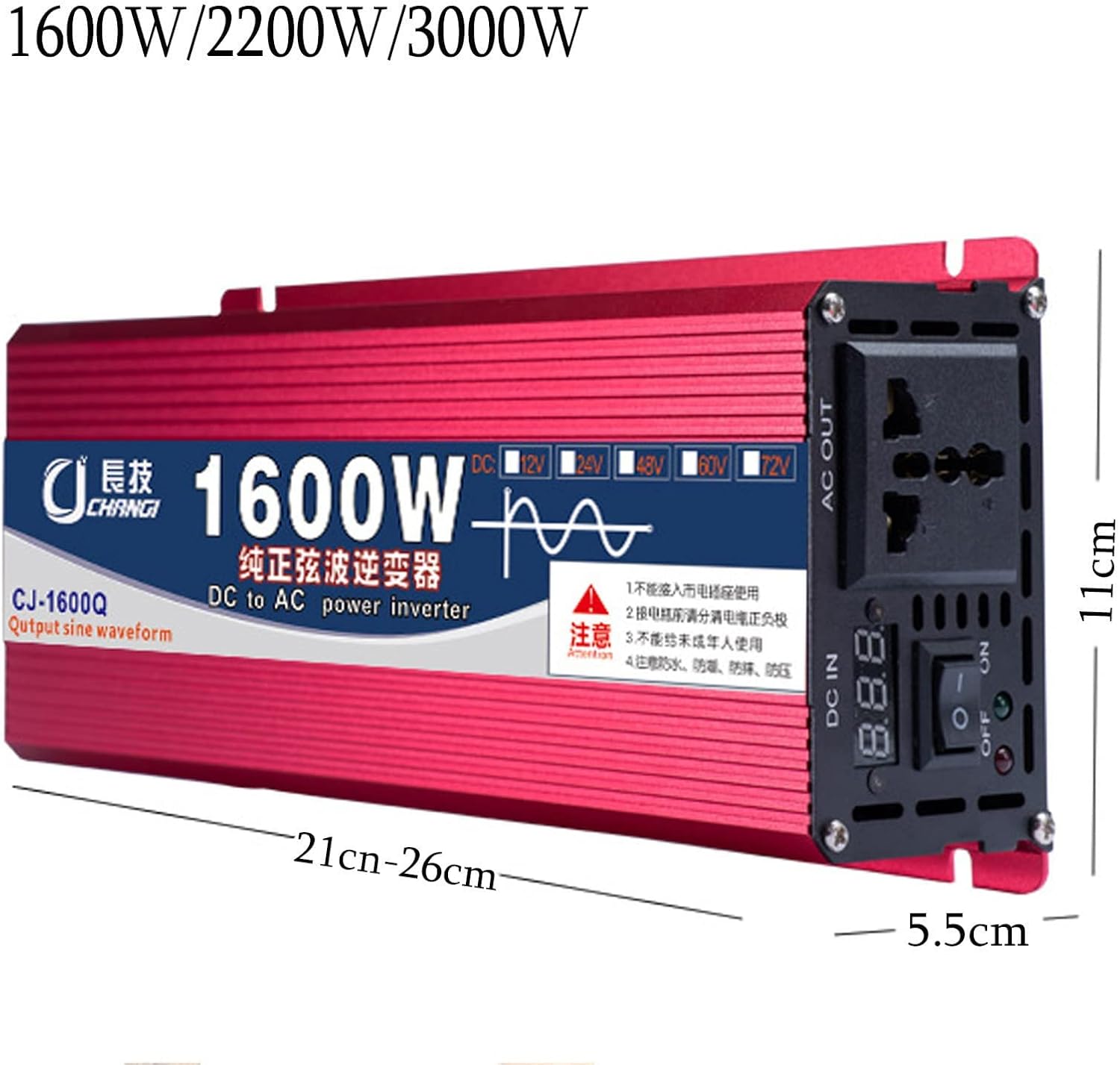
Figure 4.1: Connection diagram for the inverter with a 12V/24V/48V/60V DC battery to power laptops and other devices requiring 110V/220V AC.

Figure 4.2: Connection diagram for the inverter using a car cigarette lighter socket (typically 12V DC) to power laptops and other devices requiring 110V/220V AC.
5. Operating Instructions
- After connecting the inverter to the battery and ensuring all connections are secure, switch the inverter ON.
- The digital display will show the battery input voltage and the AC output voltage.
- Plug your AC appliances into the inverter's output sockets.
- Monitor the inverter's display and listen for any alarms. If an alarm sounds, refer to the Troubleshooting section.
- When finished, switch the inverter OFF before disconnecting any appliances or the battery.
6. Maintenance
- Keep the inverter clean and free from dust. Use a dry cloth to wipe the exterior.
- Ensure the cooling fans are not obstructed to allow for proper airflow.
- Regularly check battery connections for tightness and corrosion. Clean terminals if necessary.
- Store the inverter in a cool, dry place when not in use.
7. Troubleshooting
If you encounter issues with your inverter, refer to the following common problems and solutions:
| Problem | Possible Cause | Solution |
|---|---|---|
| Inverter does not turn on | Loose battery connections, incorrect battery voltage, discharged battery, inverter switch off | Check and tighten battery connections. Verify battery voltage matches inverter (24V). Charge battery. Ensure inverter switch is ON. |
| No AC output | Overload, short circuit, overtemperature, low battery voltage | Reduce load. Check for short circuits in appliances/cables. Allow inverter to cool down. Charge battery. |
| Overload alarm sounds | Connected appliance draws too much power | Disconnect some appliances. Ensure total wattage does not exceed inverter's rated power. Consider surge power for inductive loads. |
| Overheating | Poor ventilation, obstructed fans, excessive load | Ensure adequate airflow around the inverter. Clear any obstructions from fans. Reduce load. |
8. Specifications
| Feature | Specification |
|---|---|
| Product Name | Power Inverter |
| Model Number | 2200W24V |
| Output Waveform | Pure Sine Wave |
| Input Voltage | 24V DC |
| Output Voltage | 110V AC |
| Rated Power | 2200W (for this variant) |
| Starting Peak Power | 3000W (for this variant) |
| Material | Aluminum Magnesium Alloy Cooling Shell |
| Cooling Fans | 2 |
| Protection Features | Overload, Short Circuit, Overtemperature, Undervoltage/Overvoltage |
| Package Dimensions | 11.81 x 5.91 x 3.94 inches |
| Item Weight | 4.4 pounds |
9. Warranty
Specific warranty details are not provided in the product information. Please refer to the retailer or manufacturer's website for current warranty terms and conditions.
10. Support
For any questions or assistance regarding your Generic Pure Sine Wave Power Inverter, please contact customer support. We aim to respond to all inquiries within 24 hours.
