
Introduction
Thank you for choosing the JARVANIA US to UK Travel Plug Adapter. This compact and efficient adapter is designed to provide fast and convenient charging for your electronic devices when traveling to countries that use Type G outlets, such as the United Kingdom, Ireland, Hong Kong, and Singapore. Featuring PD 20W USB-C and QC 3.0 USB-A ports, along with multiple AC outlets, it allows you to charge up to 6 devices simultaneously. Please read this manual carefully to ensure safe and optimal use of your adapter.

The JARVANIA US to UK Travel Plug Adapter, showcasing its compact design and versatile charging options.
Key Features
- PD 20W and QC 3.0 High-Speed Charging: Equipped with a 20W Power Delivery USB-C port for rapid charging of compatible devices (e.g., iPhone to 50% in 30 minutes) and a Quick Charge 3.0 USB-A port for up to 4 times faster charging than standard USB chargers.
- Type G UK Plug Adapter: Specifically designed for compatibility with Type G outlets found in the United Kingdom, Scotland, England, Hong Kong, Ireland, Northern, Dubai, Jordan, Saudi, Britain, and Singapore.
- 6-in-1 Charging Capability: Features 3 American standard AC outlets and 3 USB ports (1 USB-C PD, 2 USB-A QC 3.0), allowing simultaneous charging of up to 6 electronic devices.
- Compact and Portable: Small size and lightweight design make it an ideal travel accessory, saving space in your luggage.
- Advanced Safety Features: Built-in protection against overcurrent, grounding issues, overvoltage, overcharging, overheating, fire, and short-circuiting, ensuring the safety of both the user and connected devices.
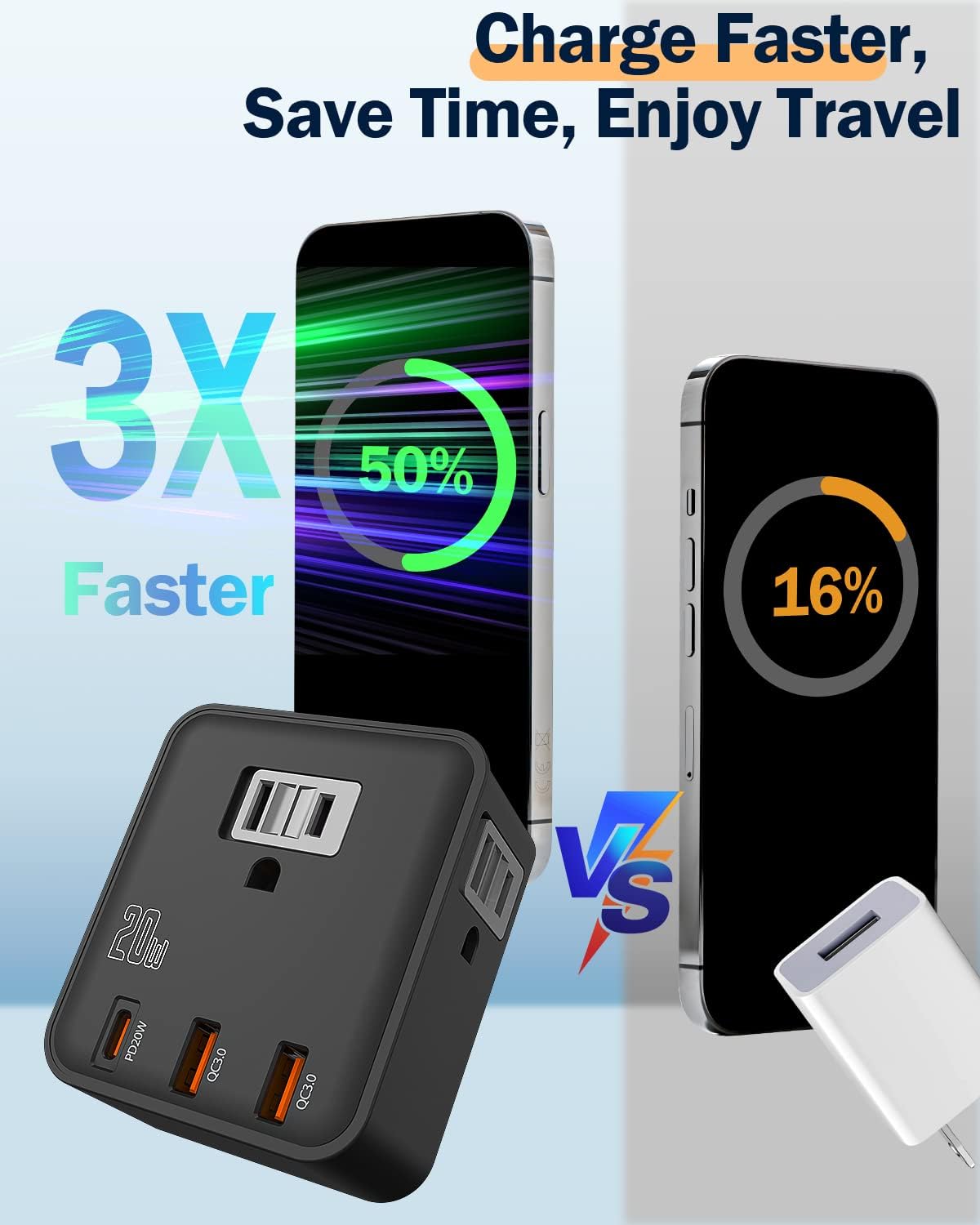
Visual representation of the adapter's fast charging capabilities.

Countries where the Type G plug adapter is compatible.
Setup and Operation
Connecting the Adapter
- Ensure the wall outlet is a Type G standard outlet.
- Carefully insert the JARVANIA Travel Plug Adapter into the wall outlet. Ensure it is firmly seated.
Charging Devices
- For AC Powered Devices: Plug your device's power cord into one of the three American standard AC outlets on the adapter. Ensure your device supports 110V-250V dual voltage.
- For USB-C Devices: Connect your USB-C charging cable to the PD 20W USB-C port on the adapter and then to your device.
- For USB-A Devices: Connect your USB-A charging cable to either of the QC 3.0 USB-A ports on the adapter and then to your device.
The adapter allows you to charge multiple devices simultaneously, making it convenient for travel. Always ensure that the total power consumption of all connected devices does not exceed 2500 watts.

The adapter providing power to multiple devices simultaneously.
Compatibility
This travel plug adapter is compatible with a wide range of electronic devices, including but not limited to:
- Smartphones: iPhone 13/13 Mini/13 Pro/13 Pro Max, iPhone 12/12 mini/12 Pro/12 Pro Max, iPhone SE (2nd generation), 11/11 Pro/11 Pro Max, XS/XS Max/XR/X/8 Plus/8; Samsung Galaxy S10/S10+/S10e/S9/S9+/S8/S8+, Note 9/8; Pixel 5/4XL/4/3a/3XL/3/2 XL/2; LG G5/G6/G7/V20/V30/V40/V50/ThinQ Q70.
- Tablets: iPad 10.2-inch, iPad mini 8.3-inch, iPad Pro 12.9-inch (all generations), iPad Pro 11-inch (all generations), iPad Pro 10.5-inch, iPad Air (4th/3rd generation), iPad (8th/7th generation), iPad mini (5th generation).
- Other Devices: AirPods, Apple Watch, power banks, digital cameras, laptops (if dual voltage compatible), and other USB-powered devices.
- Note on Nintendo Switch: Charges Nintendo Switch but does not support "Charge-and-Play" in TV mode.

The adapter's small size makes it convenient for travel.
Safety Information and Precautions
IMPORTANT: This is NOT a voltage converter. This adapter only changes the plug shape and is compatible with devices that support a wide voltage range (110V-250V). Using it with single-voltage appliances (e.g., 110V-only hair dryers, kettles, or straighteners) in a 220-240V region will damage your appliance and potentially create a fire hazard.
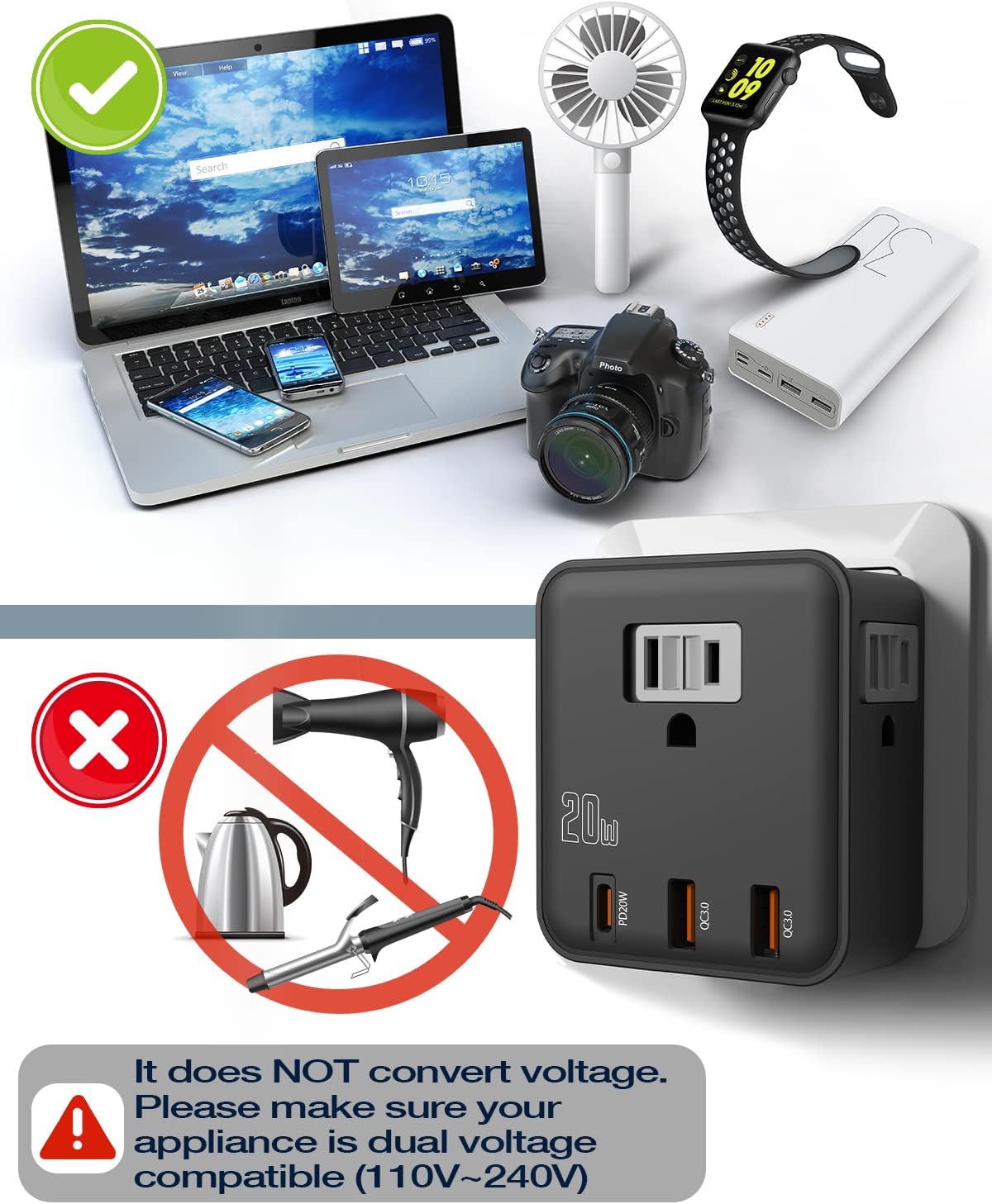
Crucial warning: This adapter does not convert voltage.
- Always verify your appliance's voltage requirements before plugging it into the adapter. Look for
Ask a question about this manual
Ask about setup, troubleshooting, compatibility, parts, safety, or missing instructions. Manuals+ will review the question and use this page’s manual context to help answer it.