
1. Introduction
This manual provides comprehensive instructions for the AGPTEK A09X MP3 Player. Please read this manual carefully before using the device to ensure proper operation and to maximize its features. Keep this manual for future reference.

Image: The AGPTEK A09X MP3 Player, showcasing its sleek blue design and user interface.
2. Product Overview
2.1 Key Features
- Advanced Bluetooth 5.3: Offers faster transmission, stable connection, strong anti-interference, and improved compatibility. Supports automatic reconnection to previously paired devices.
- Premium Design & Storage: Constructed with high-quality aluminum and zinc alloy for a comfortable feel. Features 32GB internal storage, expandable up to 128GB via TF card (not included).
- HiFi Lossless Audio: Equipped with a professional audio chip and intelligent noise reduction technology for original lossless music quality. Supports MP3, WMA, APE, FLAC, WAV, DRM, and ACELP formats.
- Multi-functional Device: Includes music playback, video playback, built-in speaker, voice recording, FM radio, photo viewing, e-book reading, Bluetooth connectivity, pedometer, variable speed playback, random playback, and resume playback.
- 2.4-inch TFT Screen: A clear 2.4-inch TFT color screen with 240x320 resolution for vivid display.
- Line-in Functionality: Supports Line-in recording and Line-in playback, allowing recording from other audio sources or playing audio through external speakers via an AUX cable.
- Long Battery Life: Built-in 500mAh battery provides approximately 48 hours of music playback after a 2.5-hour full charge.

Image: A user enjoying music with the AGPTEK MP3 player and wired headphones, illustrating the device's practical functions and simple user interface.

Image: Various individuals utilizing the AGPTEK MP3 player with Bluetooth headphones and speakers, highlighting its Bluetooth 5.3 capabilities for wireless audio.
2.2 Package Contents
- 1 x AGPTEK A09X MP3 Player
- 1 x Type-C Charging & Data Transfer Cable
- 1 x Earphones (in-ear canal type)
- 1 x User Manual (supports 6 languages including Japanese)
- 1 x Strap

Image: A visual representation of the AGPTEK A09X MP3 Player package contents, including the player, Type-C cable, earphones, user manual, and strap.
3. Setup
3.1 Charging the Device
- Connect the provided Type-C USB cable to the player's charging port.
- Connect the other end of the cable to a USB power adapter (not included) or a computer's USB port.
- The battery icon on the screen will indicate charging status. A full charge typically takes about 2.5 hours.

Image: The AGPTEK MP3 player being charged via its Type-C port, connected to a laptop, illustrating the charging process and battery life.
3.2 Transferring Files
- Connect the player to your computer using the Type-C USB cable.
- The player will appear as a removable disk on your computer.
- Drag and drop your music, video, photo, or e-book files into the appropriate folders on the player.
- Safely eject the player from your computer before disconnecting the cable.

Image: The AGPTEK MP3 player displaying its internal 32GB memory and the option to expand storage with a 128GB TF card, demonstrating file storage capacity.
3.3 Inserting a TF Card (Optional)
If you wish to expand the storage, insert a TF (microSD) card into the designated slot on the side of the player. The player supports up to 128GB TF cards.
4. Operating Instructions
4.1 Basic Navigation
The player features touch-sensitive buttons below the screen for navigation:
- Menu Button (three horizontal lines): Access the main menu or options within an application.
- Back Button (curved arrow): Return to the previous screen or menu.
- Up/Down/Left/Right Arrows: Navigate through menu items or adjust settings.
- Center Button (music note icon): Select an item or play/pause music.
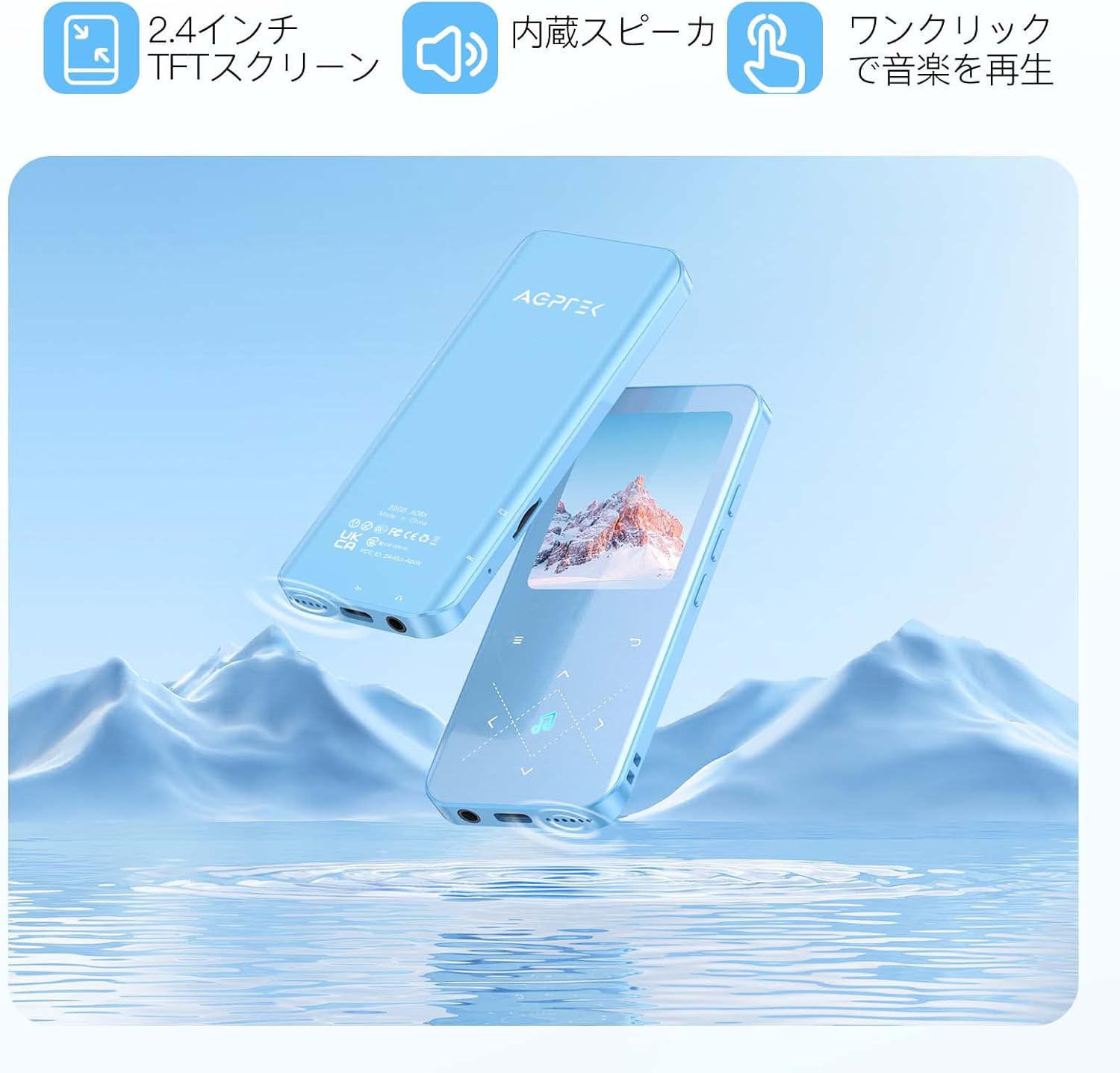
Image: Two AGPTEK MP3 players, one displaying the 2.4-inch TFT screen and the other showing the back panel, highlighting the built-in speaker and touch controls for one-click music playback.
4.2 Music Playback
- From the main menu, select "Music".
- Browse your music by Artist, Album, Songs, Playlists, or Folders.
- Select a song to begin playback.
- Use the navigation buttons to control playback (play/pause, next/previous track, volume).
4.3 Bluetooth Connectivity
- From the main menu, select "Bluetooth".
- Turn on Bluetooth. The player will search for nearby Bluetooth devices.
- Ensure your Bluetooth headphones or speaker are in pairing mode.
- Select your device from the list to pair. Once paired, the player will automatically reconnect to this device when Bluetooth is enabled.

Image: A detailed view of the Bluetooth 5.3 chip, representing the advanced wireless connectivity of the AGPTEK MP3 player.
4.4 FM Radio
- Plug in wired earphones (these act as the antenna for FM reception).
- From the main menu, select "FM Radio".
- Use the auto-tune function to scan and save available stations.
- You can listen through wired earphones or, after plugging in wired earphones, connect to Bluetooth headphones/speaker for wireless listening.
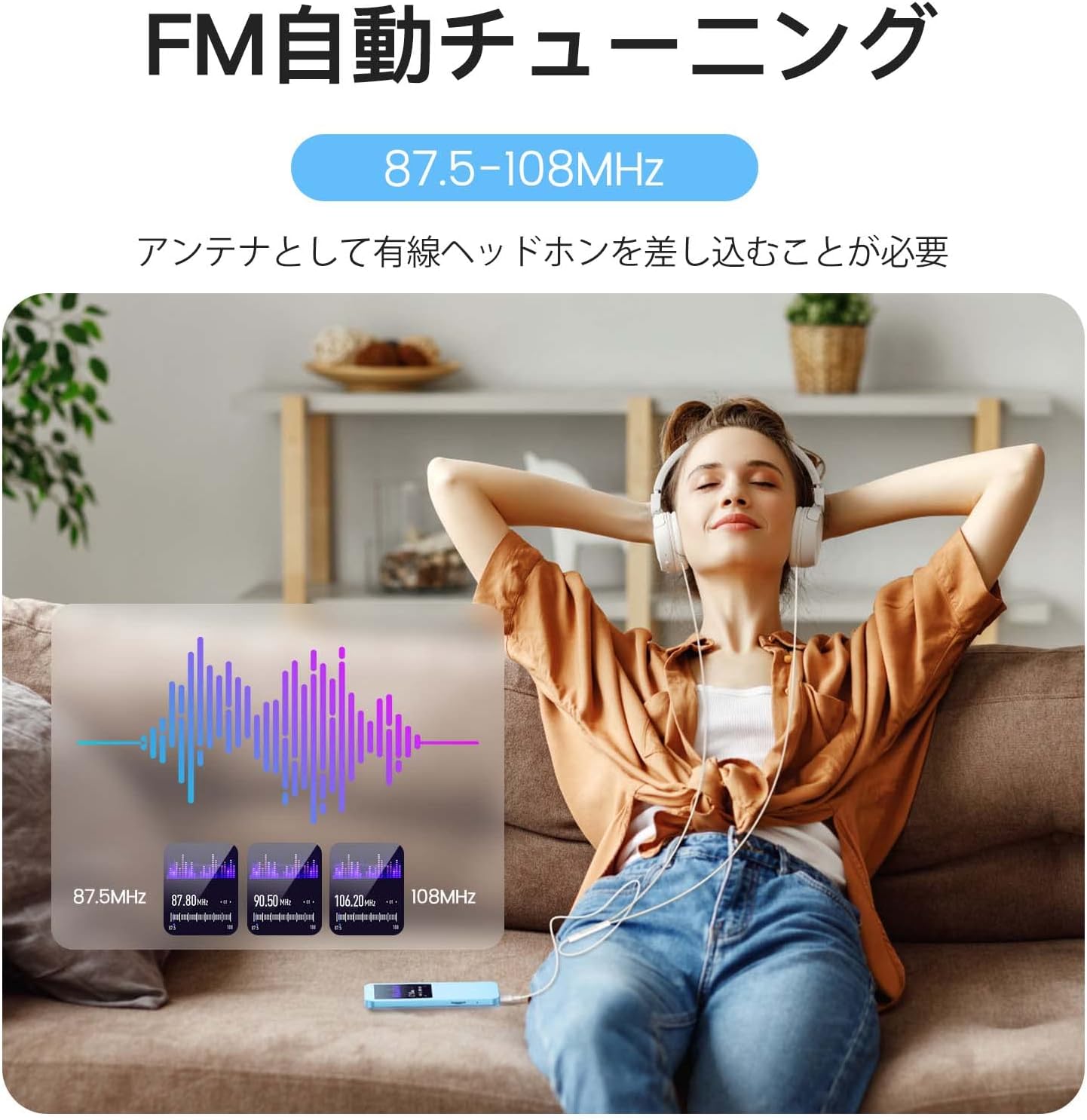
Image: A person relaxing and listening to FM radio on the AGPTEK MP3 player with wired headphones, demonstrating the FM auto-tuning feature (87.5-108MHz).

Image: A close-up of the AGPTEK MP3 player screen showing the FM Radio interface and icon.
4.5 Voice Recording
- From the main menu, select "Record".
- Choose "Start Voice Recording" to begin.
- To record from an external source using Line-in, connect the source to the player's Line-in port with an AUX cable and select the appropriate recording option.

Image: The AGPTEK MP3 player displaying its voice recording interface with a microphone icon.
4.6 Video Playback & E-book Reading
- Video: The player supports AWV/AVI video formats. Convert other formats if necessary. Select "Video" from the main menu to browse and play.
- E-book: The player supports text files. Select "E-book" from the main menu to read. Two text sizes are available.

Image: The AGPTEK MP3 player showing video content on its 2.4-inch TFT screen, indicating support for AWV/AVI formats.

Image: The AGPTEK MP3 player displaying an e-book icon, indicating its e-book reading functionality.
4.7 Pedometer & Other Functions
- Pedometer: Activate the pedometer function from the main menu to track your steps during exercise.
- Alarm: Set alarms for reminders or wake-up calls.
- Stopwatch & Calendar: Access these utility functions from the main menu.

Image: The AGPTEK MP3 player screen showing an alarm clock icon, representing its alarm function.
5. Maintenance
- Keep the device dry. Avoid exposure to moisture or liquids.
- Clean the screen and body with a soft, dry cloth. Do not use abrasive cleaners or solvents.
- Avoid extreme temperatures. Do not expose the device to direct sunlight or very cold environments.
- Handle with care. Avoid dropping or subjecting the device to strong impacts.
- Regularly back up your data to prevent loss.
6. Troubleshooting
6.1 Device Does Not Turn On
- Ensure the battery is charged. Connect the player to a power source and charge for at least 10 minutes.
- Press and hold the power button for a few seconds to attempt a forced restart.
6.2 Cannot Connect to Bluetooth Device
- Ensure both the MP3 player and the Bluetooth device are sufficiently charged.
- Make sure the Bluetooth device is in pairing mode.
- Check if the Bluetooth device is already paired with another device. Disconnect it if necessary.
- Move the devices closer to each other to ensure they are within range.
- Restart both the MP3 player and the Bluetooth device.
6.3 Files Not Appearing on Player
- Ensure files are transferred to the correct folders on the player.
- Verify that the file formats are supported by the player (e.g., MP3, WMA, APE, FLAC, WAV, DRM, ACELP for audio; AWV/AVI for video).
- If using a TF card, ensure it is properly inserted and not corrupted.
6.4 Poor FM Radio Reception
- Ensure wired earphones are properly plugged in, as they function as the antenna.
- Try moving to a location with better signal reception.
- Perform an auto-tune scan again to find available stations.
7. Specifications
| Feature | Detail |
|---|---|
| Brand | AGPTEK |
| Model Name | A09X (Product Model Number: SMPA09XBL) |
| Memory Storage Capacity | 32 GB (Expandable up to 128GB via TF card) |
| Screen Size | 2.4 inches TFT (240x320 resolution) |
| Connectivity Technology | Bluetooth 5.3, AUX (Line-in) |
| Compatible Devices | Bluetooth-enabled earphones/speakers, smartphones/PCs (for file transfer) |
| Continuous Playback Time | Up to 48 hours |
| Charging Time | Approx. 2.5 hours (via Type-C) |
| Supported Audio Formats | MP3, WMA, APE, FLAC, WAV, DRM, ACELP |
| Supported Video Formats | AWV, AVI |
| Other Functions | Built-in speaker, Voice Recording, FM Radio, Photo Viewer, E-book Reader, Pedometer |
| Dimensions | 21.2 x 14.2 x 1.7 cm |
| Weight | 200 g |
8. Warranty and Support
The AGPTEK A09X MP3 Player comes with a 6-month warranty. In case of any defects or issues arising from normal use, support will be provided even beyond the warranty period. For any product-related inquiries or issues, please contact customer support through your purchase platform.
Contact Method: Go to "Account Service" > "Order History" > "Seller" > "Ask a Question".
Note: "Domestic genuine product" refers to products legitimately imported and sold by authorized domestic retailers, not products manufactured in Japan.