
AGPTEK A09X
AGPTEK A09X MP3 Player User Manual
Model: A09X (SMPA09XPU)
1. Introduction
Thank you for choosing the AGPTEK A09X MP3 Player. This manual provides detailed instructions on how to set up, operate, and maintain your device. Please read this manual carefully before use to ensure optimal performance and longevity of your player.
2. Safety Information
- Do not expose the device to extreme temperatures, direct sunlight, or high humidity.
- Avoid dropping or subjecting the device to strong impacts.
- Do not disassemble or attempt to repair the device yourself. This will void the warranty.
- Use only the provided charging cable and accessories.
- Listen at moderate volume levels to prevent hearing damage.
3. Package Contents
Please check the package for the following items:
- AGPTEK A09X MP3 Player
- USB Charging Cable
- Wired Earphones
- User Manual (this document)
4. Product Overview
The AGPTEK A09X features a sleek design with a 2.4-inch TFT color screen and intuitive controls. It includes a built-in speaker for convenient listening without earphones.

Image: The AGPTEK A09X MP3 Player in purple, shown with its included black wired earphones. The device features a 2.4-inch screen and a compact, portable design.

Image: Two AGPTEK A09X MP3 Players floating above water, emphasizing the 2.4-inch HD screen, built-in speaker, and one-click music playback feature.
5. Setup
5.1 Charging the Device
Before first use, fully charge the MP3 player. Connect the provided USB cable to the player's charging port and the other end to a USB power adapter (not included) or a computer's USB port. A full charge takes approximately 2.5 hours.
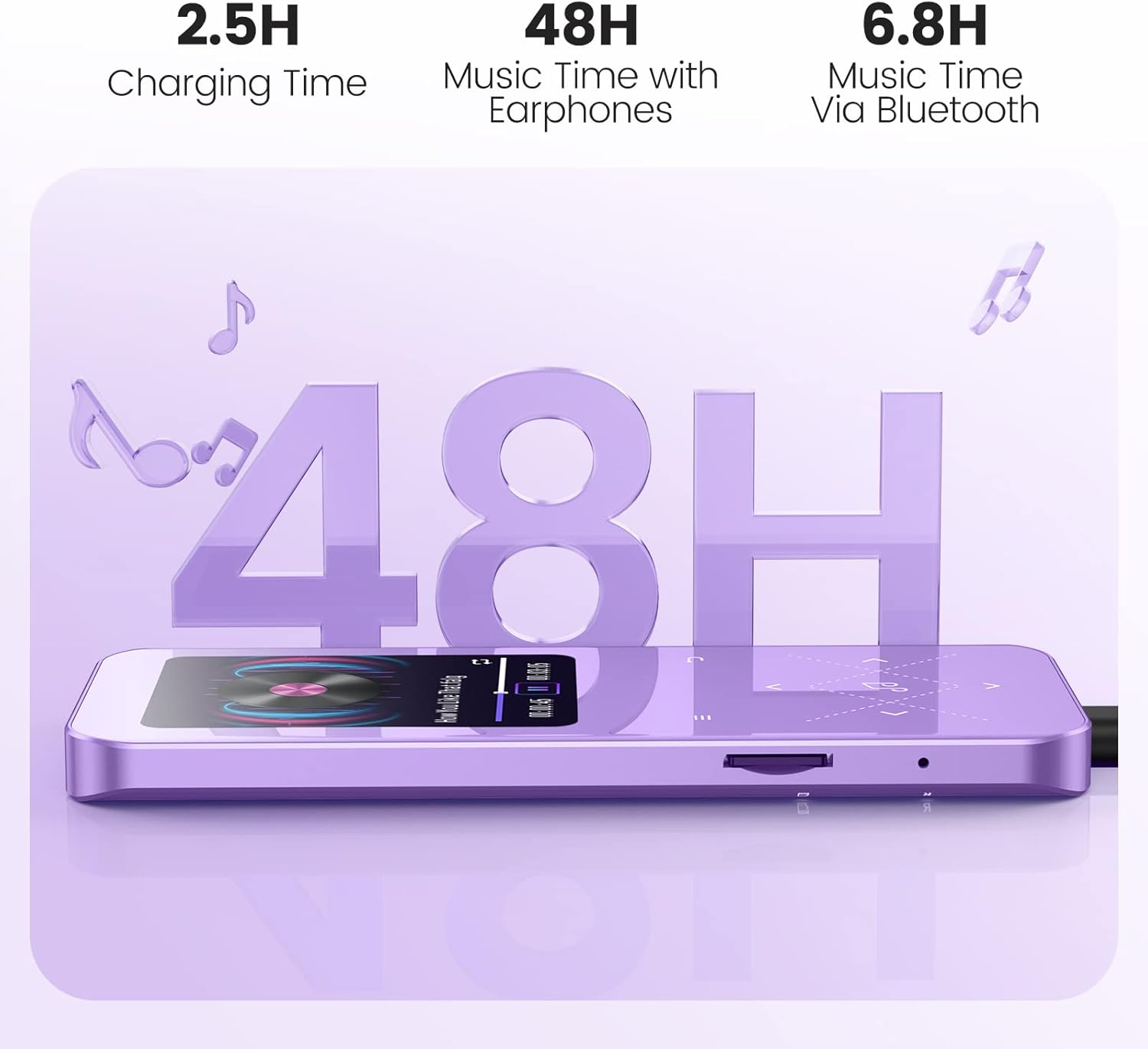
Image: The AGPTEK A09X MP3 Player connected to a charging cable, illustrating its 2.5-hour charging time, 48 hours of music playback with earphones, and 6.8 hours via Bluetooth.
5.2 Managing Storage (TF Card)
The player comes with 32GB of built-in storage. You can expand the storage capacity up to 128GB using a TF (microSD) card (not included). Locate the TF card slot on the side of the device and gently insert the card until it clicks into place.

Image: A close-up of the AGPTEK A09X MP3 Player showing a 128GB TF card being inserted into its slot, highlighting the device's 32GB built-in memory and support for up to 128GB expansion.

Image: A detailed view of the TF card slot on the AGPTEK A09X MP3 Player, illustrating where to insert the memory card for expanded storage.
5.3 Transferring Files
To transfer music, videos, pictures, or e-books to your player:
- Connect the MP3 player to your computer using the USB cable.
- The player will appear as a removable disk drive on your computer.
- Drag and drop your desired files into the appropriate folders on the player (e.g., 'Music', 'Videos', 'Pictures').
- Safely eject the device from your computer before disconnecting the cable.

Image: The AGPTEK A09X MP3 Player connected via USB to a smartphone, demonstrating OTG (On-The-Go) fast transmission for file transfer.
6. Operating Instructions
6.1 Basic Navigation
Use the physical buttons on the device to navigate through menus, select options, and control playback. The user interface is designed to be concise and easy to use.

Image: A user happily listening to music on the AGPTEK A09X MP3 Player, with icons below representing its multiple functions: E-books, Music Play, Bluetooth, Voice Recorder, Video, and Pictures.
6.2 Music Playback
The A09X supports various music formats including MP3, WMA, APE, FLAC, WAV, DRM, and ACELP. It features a professional audio decoding chip and HiFi technology for lossless sound quality.

Image: A person wearing headphones and working on a laptop, with the AGPTEK A09X MP3 Player visible on the desk, illustrating the HiFi Lossless Sound feature for focused listening.
6.3 Bluetooth Connectivity
The player features upgraded Bluetooth 5.3 technology for faster, more stable connections and lower latency. To connect to Bluetooth headphones or speakers:
- Go to the Bluetooth menu on your player.
- Enable Bluetooth and search for available devices.
- Select your Bluetooth headphones or speaker from the list to pair.

Image: A collage showing three different scenarios of people using the AGPTEK A09X MP3 Player with Bluetooth devices: a person running with wireless earbuds, a person on public transport with over-ear headphones, and a group of friends enjoying music from a Bluetooth speaker, highlighting the Advanced Bluetooth V5.3 Technology.
6.4 FM Radio
To use the FM radio function, connect wired earphones to the player, as they serve as the radio antenna. The player supports FM auto search within the 87.5-108MHz range.

Image: A person relaxing on a couch, listening to the AGPTEK A09X MP3 Player with wired headphones, demonstrating the FM Auto Search feature (87.5-108MHz) and the need for wired headphones as an antenna.
6.5 Voice Recorder
The device includes a built-in voice recorder. Access this function from the main menu to record audio. Recordings are saved to the device's storage.
6.6 E-book Reader
The A09X supports e-book reading in TXT format. Transfer your TXT files to the player's e-book folder to enjoy reading on the go.

Image: A hand holding the AGPTEK A09X MP3 Player, displaying text on its screen, indicating its e-book reading capability.
6.7 Pedometer
Utilize the built-in pedometer function to track your steps during physical activities. This feature is ideal for sports, yoga, running, and travel.
7. Maintenance
7.1 Cleaning
Wipe the device with a soft, dry cloth. Do not use liquid cleaners or abrasive materials.
7.2 Battery Care
To prolong battery life, avoid fully discharging the battery frequently. Charge the device regularly, even if not in use for extended periods.
8. Troubleshooting
- Device not turning on: Ensure the battery is charged. Connect to a power source and try again.
- Cannot transfer files: Ensure the USB cable is securely connected to both the player and the computer. Try a different USB port or cable. Ensure the player is in 'Charge & Transfer' mode if prompted.
- Bluetooth connection issues: Ensure the player and the Bluetooth device are within range. Unpair and re-pair the devices. Ensure no other Bluetooth devices are interfering.
- Poor sound quality: Check earphone connection. If using Bluetooth, ensure the connection is stable. For wired earphones, try a different pair to rule out faulty earphones.
- FM Radio static: Ensure wired earphones are properly connected as they act as the antenna. Try adjusting your location for better signal reception.
9. Specifications
| Feature | Detail |
|---|---|
| Model Name | A09 |
| Item Model Number | SMPA09XPU |
| Memory Storage Capacity | 32 GB (expandable up to 128GB via TF card) |
| Screen Size | 2.4 Inches |
| Connectivity Technology | Bluetooth 5.3 |
| Special Features | Voice Recorder, FM Radio, Pedometer, Built-in Speaker, E-book |
| Compatible Devices | Wireless Headphone, Bluetooth Speaker |
| Battery | 1 Lithium Polymer battery (included) |
| Charging Time | Approx. 2.5 hours |
| Music Playback Time | Up to 48 hours (with earphones), 6.8 hours (via Bluetooth) |
| Item Weight | 7 ounces |
| Color | Purple |
10. Warranty and Support
AGPTEK products come with a standard manufacturer's warranty. For detailed warranty information, technical support, or customer service, please visit the official AGPTEK website or contact their customer support team. Keep your purchase receipt for warranty claims.
Official AGPTEK Store: AGPTEK Amazon Store
Ask a question about this manual
Ask about setup, troubleshooting, compatibility, parts, safety, or missing instructions. Manuals+ will review the question and use this page’s manual context to help answer it.