
BRUNNER 7202834N
Brunner 7202834N Induction Plate User Manual
Model: 7202834N | Brand: BRUNNER
Product Overview
The Brunner 7202834N Induction Plate is a portable and efficient cooking appliance designed for versatile use, including outdoor and camping environments. It features a durable PP body and a high-strength glass ceramic cooking surface. This induction plate offers 9 power levels, ranging from 300W to 2000W, which can be precisely adjusted via a touch control switch and monitored on an LED display.

Image: The Brunner 7202834N Induction Plate, showcasing its sleek black glass ceramic surface and touch control panel. The power cord is visible at the top left.
Setup and Installation
- Unpacking: Carefully remove the induction plate from its packaging. Retain all packaging materials for future storage or transport.
- Placement: Place the induction plate on a flat, stable, and heat-resistant surface. Ensure there is adequate ventilation around the appliance. Do not place it near heat sources or on metallic surfaces that could interfere with induction.
- Power Connection: Before plugging in, ensure the voltage of your power supply matches the specifications of the induction plate (230 Volts AC). Insert the power plug firmly into a grounded electrical outlet.
- Initial Cleaning: Before first use, wipe the glass ceramic surface with a soft, damp cloth. Ensure the surface is completely dry before plugging in and operating.

Image: The induction plate shown with its dimensions (28 cm x 35 cm) and icons indicating "Induction" and "Touch Control" features. The weight of 2.1 kg is also displayed.
Operating Instructions
Control Panel Overview

Image: A close-up view of the induction plate's control panel, showing the LED display indicating "2000" watts, along with touch buttons for Lock, Timer, Mode, ON/OFF, and power adjustment (+/-).
- Power On/Off: Press the ON/OFF button to turn the appliance on or off. The LED display will illuminate when powered on.
- Power Adjustment: Use the + and - buttons to adjust the power level. The plate offers 9 power levels, ranging from 300W to 2000W. The current power setting will be displayed on the LED screen.
- Mode Selection: Press the Mode button to cycle through different cooking modes or functions, if available. Refer to the display for the selected mode.
- Timer Function: Press the Timer button to set a cooking duration. Use the + and - buttons to adjust the time. The plate will automatically switch off once the set time expires.
- Lock Function (Child Lock): Press the Lock button to activate the child lock. This prevents accidental changes to settings during operation. Press it again to unlock.
- Compatible Cookware: This induction plate is compatible only with cookware that has a magnetic base. If the cookware is not suitable, an error message may appear, or the plate will not heat.
Safety Precautions During Operation
- Hot Surface Warning: The ceramic plate will be hot after cooking. Do not touch the hot surface immediately after use. Wait for at least 30 seconds before switching off the main power supply and handling the plate.
- Ensure proper ventilation during use.
- Do not place metallic objects (e.g., knives, forks, spoons, lids) on the induction plate as they can become hot.

Image: A close-up of the warning text printed on the induction plate's surface, stating: "Please don't touch the hot surface after cooking! Please wait for 30 seconds before switching off the main power supply."
Maintenance and Cleaning
- Cleaning: Always ensure the induction plate is unplugged and completely cooled down before cleaning. Wipe the glass ceramic surface with a soft, damp cloth and mild detergent. For stubborn stains, use a non-abrasive cleaner specifically designed for ceramic cooktops.
- Do Not Submerge: Never immerse the appliance in water or any other liquid.
- Storage: Store the induction plate in a dry place, away from direct sunlight and moisture, when not in use. Ensure it is clean and dry before storing.
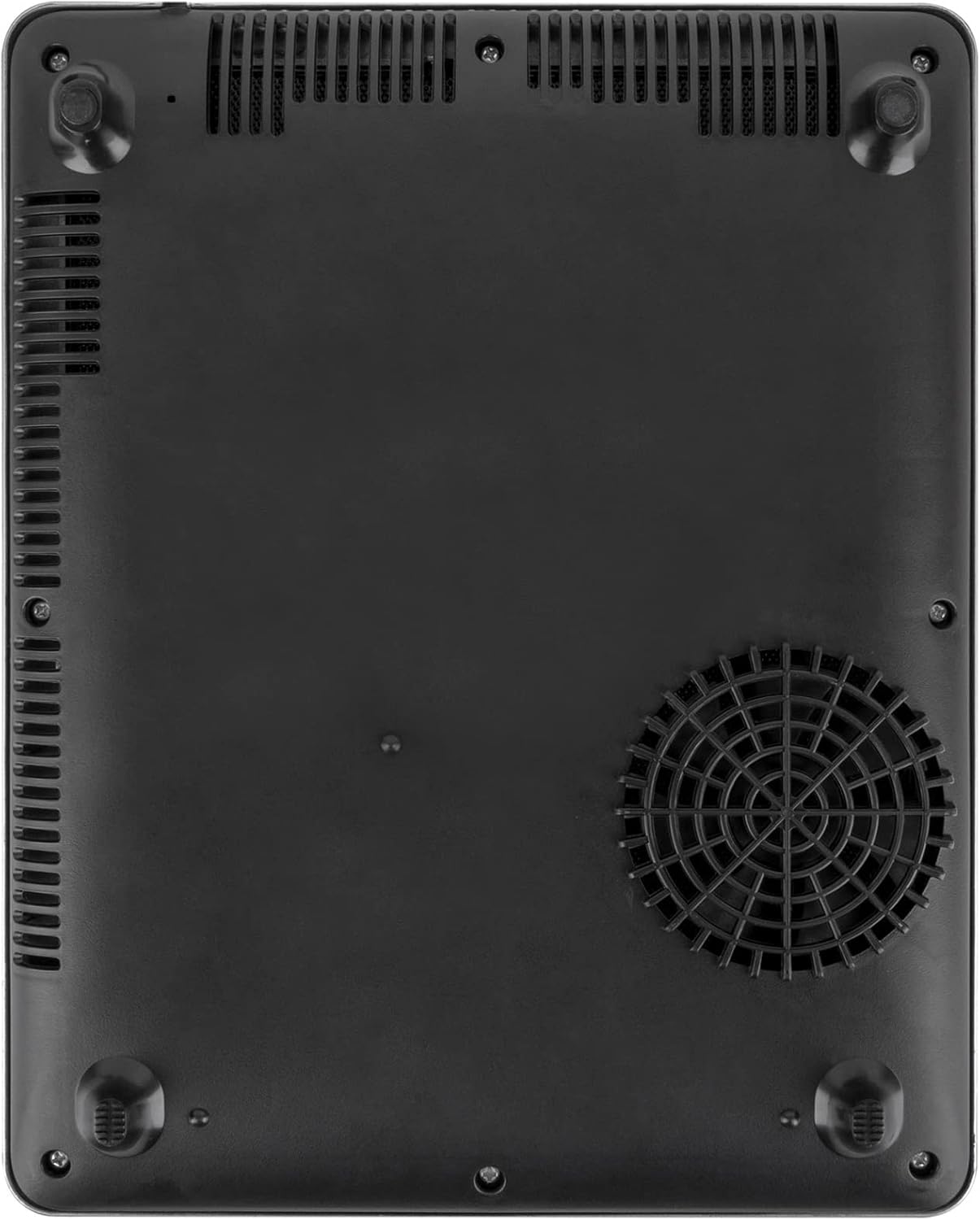
Image: The underside of the induction plate, showing the ventilation grilles and the cooling fan, which are crucial for proper operation and heat dissipation.
Troubleshooting
| Problem | Possible Cause | Solution |
|---|---|---|
| Appliance does not turn on. | Not plugged in; power outlet issue; power button not pressed. | Ensure the plug is securely inserted. Check the power outlet with another appliance. Press the ON/OFF button firmly. |
| No heating, but appliance is on. | Incompatible cookware; cookware not centered; child lock activated. | Use cookware with a magnetic base. Center the cookware on the cooking zone. Deactivate the child lock by pressing the Lock button. |
| Unusual noise during operation. | Normal fan operation; resonance from cookware. | A slight humming sound from the cooling fan is normal. Some cookware may produce a faint buzzing sound due to induction. This is not a defect. |
| Error code displayed. | Specific internal issue or sensor error. | Unplug the appliance for 5 minutes, then plug it back in. If the error persists, contact customer support. |
Specifications
| Brand | BRUNNER |
| Model Number | 7202834N |
| Colour | Standard |
| Product Dimensions | 28 x 35 x 4.6 cm |
| Item Weight | 2.46 kg |
| Power/Wattage | 300-2000 watts (9 levels) |
| Voltage | 230 Volts (AC) |
| Material | PP body, Glass Ceramic surface |
| Special Features | Portable, Touch Control, LED Display, Child Lock |
| Heating Elements | 1 |
| Date First Available | 25 September 2022 |

Image: Multiple side profile views of the induction plate, highlighting its slim 4.6 cm thickness and ventilation slots along the sides.
Warranty and Support
Information regarding product warranty and specific customer support contact details is not available in the provided product data. Please refer to the product packaging or the manufacturer's official website for comprehensive warranty terms and support options.
Related Documents - 7202834N
 |
Brunner Hot Point Portable Double Induction Hob - 2 Burners with Touch Control User Manual User manual for the Brunner Hot Point Portable Double Induction Hob, featuring two burners with touch control. This guide provides information on operation, safety, and maintenance. |
 |
Brunner HOT POINT INDUCTION GRILL Benutzerhandbuch Benutzerhandbuch für den Brunner HOT POINT INDUCTION GRILL (Modell 7202833N). Enthält detaillierte Anleitungen zur Bedienung, Installation, Sicherheit, Fehlerbehebung und Wartung dieses Induktionskochers. |
 |
Brunner Portable Gas Stove 0708043N User Manual Comprehensive instructions for the Brunner 0708043N portable gas stove, covering safe operation, setup, maintenance, and troubleshooting. |
 |
Set Up Instructions for Trails Camping Tent Detailed instructions for setting up the Trails camping tent, including a list of components and step-by-step assembly guidance. |
 |
Raptor 3D Foldestol - Sort | Brunner Detaljeret produktbeskrivelse af Brunner Raptor 3D foldestolen i sort. Denne komfortable campingstol har et polstret, åndbart og hurtigtørrende betræk samt et stabilt stålstel. Inkluderer mål, vægt, belastningskapacitet og opbevaringstaske. |
 |
Gas Butano Conforme alla Norma EN 417 - Informazioni sulla Sicurezza Informazioni di sicurezza e conformità per bombole di gas butano secondo la norma EN 417. Include avvertenze su infiammabilità, conservazione, uso e smaltimento per apparecchi Brunner. |