
Belkin BPD004
Belkin BoostCharge Magnetic Wireless Power Bank 5K+ User Manual
Model: BPD004 | Brand: Belkin
Introduction
The Belkin BoostCharge Magnetic Wireless Power Bank is designed to provide convenient and portable charging for your compatible smartphones and devices. Featuring MagSafe compatibility and a built-in kickstand, it offers a versatile solution for on-the-go power needs.
What's in the Box
- Belkin BoostCharge Magnetic Wireless Power Bank 5K+
- USB-C to USB-C Charging Cable (3.3ft)
- User Manual (this document)

Image: The Belkin BoostCharge Magnetic Wireless Power Bank 5K+ in black, shown attached to an iPhone with its kickstand extended, providing a stable viewing angle.
Setup
Initial Charge
The power bank may come with a partial charge. For optimal performance, fully charge the power bank before first use. Connect the included USB-C to USB-C cable to the power bank's USB-C port and to a compatible USB-C power adapter (not included).

Image: A close-up view of the top of the power bank, highlighting the USB-C input port and the four LED indicator lights that show the battery status.
Attaching to Device (MagSafe)
Align the power bank to the back of your MagSafe-compatible iPhone. The magnets will automatically snap it into place, initiating wireless charging. Ensure proper alignment for efficient charging.

Image: A hand demonstrating the magnetic attachment of the power bank to an iPhone, showing the seamless snap-on feature for wireless charging.
Operating Instructions
Charging Your Device
Once attached, the power bank will begin wirelessly charging your MagSafe-compatible iPhone at up to 7.5W. For other compatible devices like AirPods, place them on the charging surface of the power bank.
Pass-Through Charging
The power bank supports pass-through charging, allowing you to charge both the power bank and your iPhone simultaneously. Connect the USB-C cable to the power bank while it's attached to your iPhone. This feature allows the power bank to function as a charging pad when stationary, or as a portable power bank when disconnected.

Image: The power bank is shown attached to an iPhone, with a USB-C cable connected to the power bank, illustrating the pass-through charging capability.
Using the Built-in Kickstand
The integrated pop-up kickstand allows for hands-free use of your phone while charging. It supports both vertical and horizontal orientations, ideal for streaming videos, video calls, or using StandBy mode.
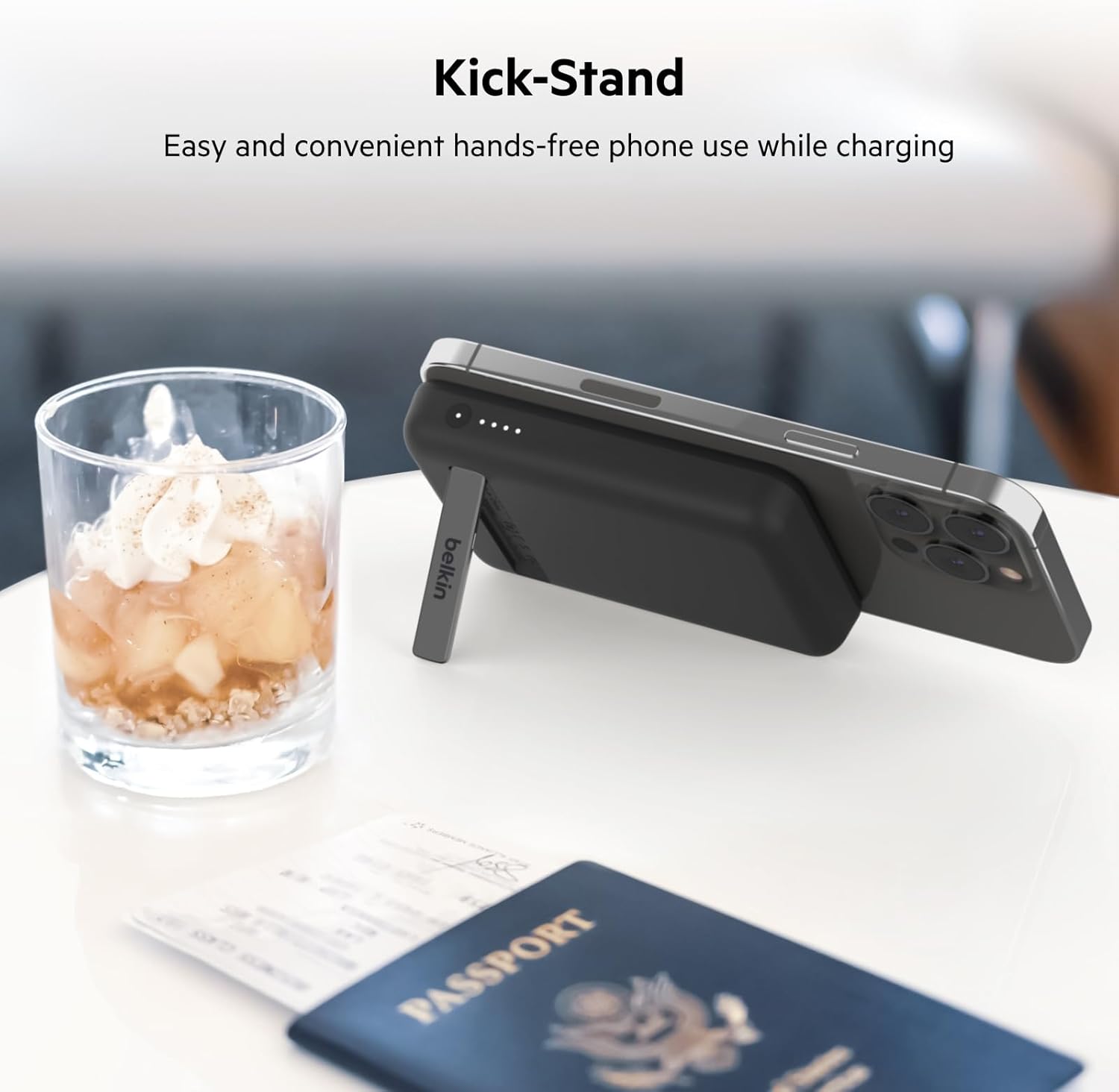
Image: The power bank with its kickstand deployed, holding an iPhone in landscape mode on a table, alongside a passport and a glass, suggesting travel convenience.

Image: An iPhone displaying the StandBy mode, propped up by the power bank's kickstand, showcasing its utility for desk or bedside use.
LED Indicator Lights
The onboard LED indicator lights display the battery status of your power bank, allowing you to quickly assess remaining power and when it's time to recharge.
Unobstructed Camera Use
The design of the power bank ensures that it does not obstruct your iPhone's camera, allowing you to continue using your phone for photos or videos while it charges.
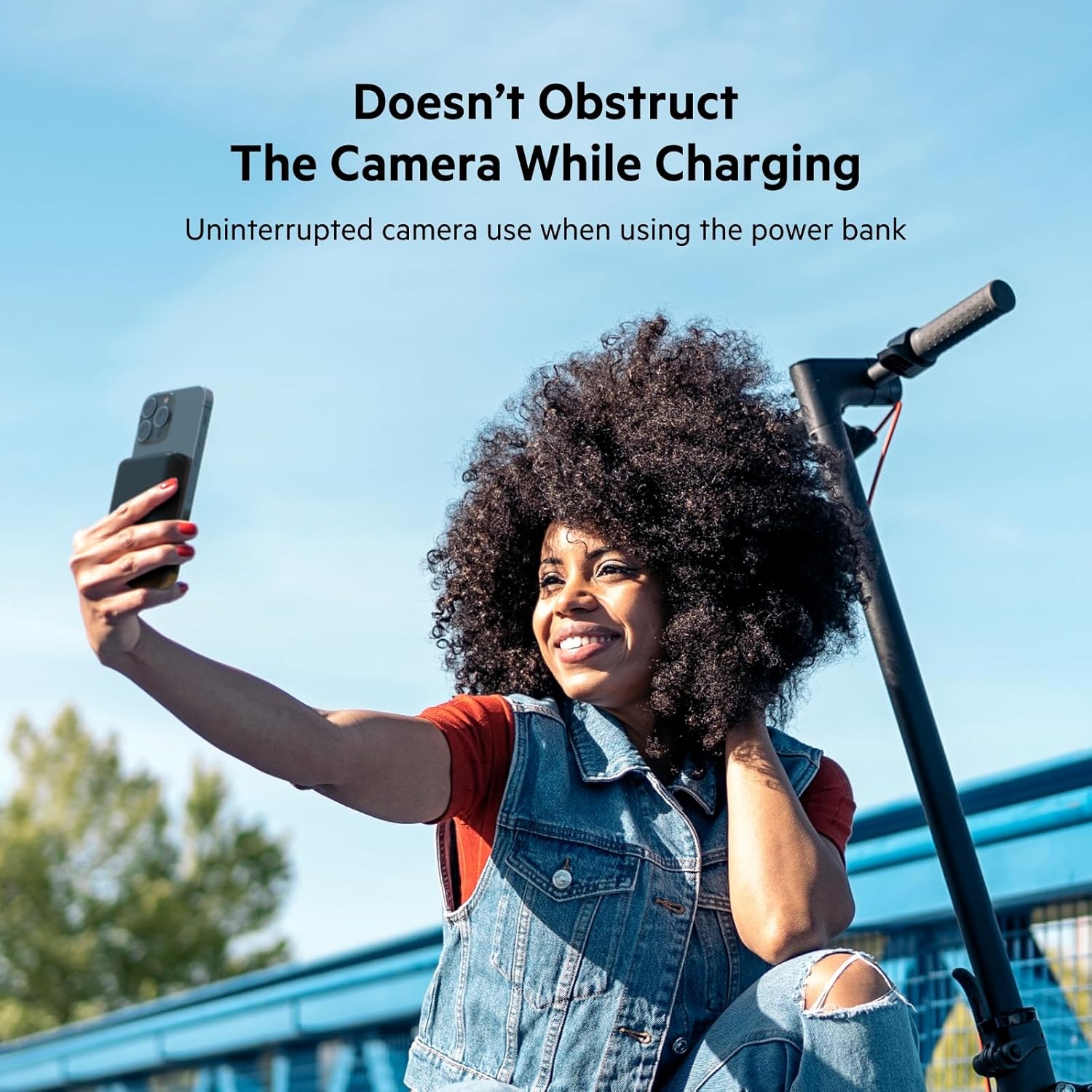
Image: A woman taking a selfie with her iPhone, which has the power bank attached, demonstrating that the power bank does not block the phone's camera.
Compatibility
The Belkin BoostCharge Magnetic Wireless Power Bank 5K+ is MagSafe compatible and works with:
- iPhone 16 Pro Max, iPhone 16 Pro, iPhone 16 Plus, iPhone 16
- iPhone 15 Pro Max, iPhone 15 Pro, iPhone 15 Plus, iPhone 15
- iPhone 14 Pro Max, iPhone 14 Pro, iPhone 14 Plus, iPhone 14
- AirPods Pro, AirPods
- Other Qi-enabled devices (may require magnetic ring for secure attachment)

Image: Several iPhones in different colors, each with a Belkin BoostCharge Magnetic Wireless Power Bank 5K+ attached, illustrating broad MagSafe compatibility.
Maintenance
- Keep the power bank dry and away from extreme temperatures.
- Clean with a soft, dry cloth. Do not use harsh chemicals or abrasive materials.
- Avoid dropping or subjecting the device to strong impacts.
Troubleshooting
Device Not Charging
- Ensure the power bank is sufficiently charged (check LED indicators).
- Verify that your device is MagSafe compatible or Qi-enabled.
- Check for proper alignment between the power bank and your device.
- If using a case, ensure it is MagSafe compatible and not too thick to impede wireless charging.
Power Bank Not Charging
- Ensure the USB-C cable is securely connected to both the power bank and the power adapter.
- Try a different USB-C cable or power adapter.
Overheating
- It is normal for the power bank to become slightly warm during charging.
- If it becomes excessively hot, disconnect it immediately and allow it to cool down before resuming use.
Specifications
| Feature | Detail |
|---|---|
| Model Number | BPD004 |
| Battery Capacity | 5000 mAh |
| Wireless Charging Output | Up to 7.5W (MagSafe compatible) |
| Connector Type | USB Type-C |
| Dimensions (L x W x H) | 3.69 x 2.51 x 0.65 inches |
| Item Weight | 5.3 ounces |
| Material | Thermoplastic Polyurethane, Polycarbonate, MagSafe Magnet |
| Special Features | LED Indicator Lights, Pass-Through Charging, Wireless Charging, Built-in Pop-up Kickstand |
Warranty & Support
This Belkin product comes with a 2-year limited warranty. For detailed warranty information and support, please visit the official Belkin website or contact their customer service.

Image: The power bank attached to an iPhone, with a graphic overlay indicating a 2-year product warranty, emphasizing product protection.
Official Product Video
Video: Official product video showcasing the Belkin BoostCharge Magnetic Wireless Power Bank 5K+ features and usage.
Ask a question about this manual
Ask about setup, troubleshooting, compatibility, parts, safety, or missing instructions. Manuals+ will review the question and use this page’s manual context to help answer it.